
Tecno Minipod M1
Tecno Minipod M1 User Manual
Model: Minipod M1
Johdanto
Thank you for choosing the Tecno Minipod M1 True Wireless Stereo (TWS) Earbuds. This manual provides detailed instructions on how to set up, operate, and maintain your Minipod M1 earbuds to ensure optimal performance and longevity. The Minipod M1 offers a seamless audio experience with its portable charging case, long playback time, IPX4 water resistance, and smart touch controls.
Mitä laatikossa on
- 1 x Tecno Minipod M1 TWS Earphone (Left and Right)
- 1 x kannettava latauskotelo
- 1 x USB-latauskaapeli
- 1 x Käyttöohje
- 2 x Pairs of Eartips (various sizes)
- 1 x Silicone Protective Cover
- 1 x Hook (Carabiner)

Image: Infographic highlighting key features of the Tecno Minipod M1, including 18 hours non-stop music, ENC Noise Reduction Technology, Bluetooth 5.0, cool touch controls, portable charging case, IPX4 water resistance, and 4.2gm ultra-light body.
Tuote loppuview
The Tecno Minipod M1 consists of two lightweight earbuds and a compact charging case. The case not only protects the earbuds but also provides additional battery life for extended listening.
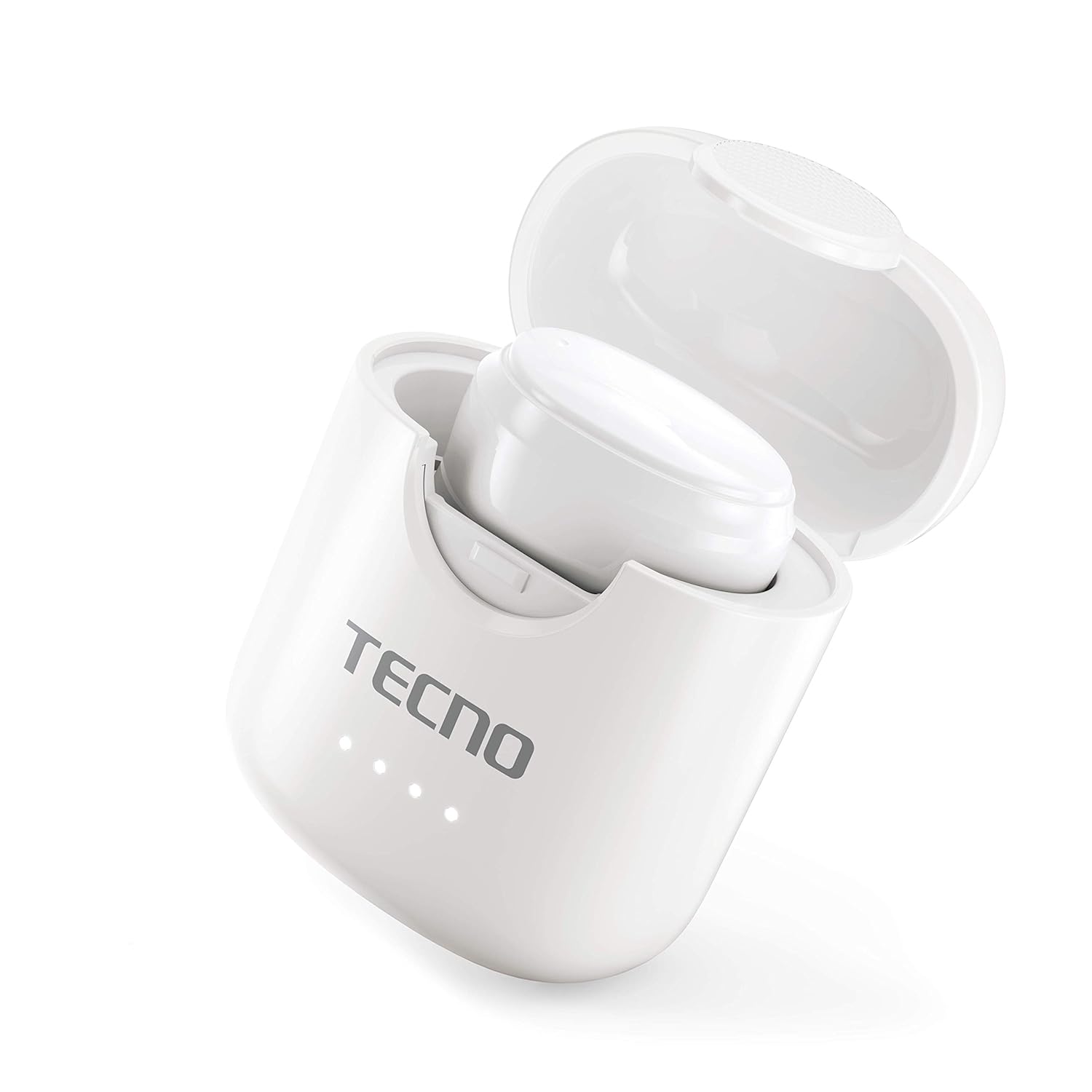
Image: The Tecno Minipod M1 earbud securely placed inside its open charging case, showing the compact design and charging indicators.

Image: A detailed close-up of a single Tecno Minipod M1 earbud, highlighting its ergonomic shape and touch-sensitive surface.
Komponentit:
- earbuds: Left and Right, each with touch controls and built-in microphone.
- Latauskotelo: Houses and charges the earbuds, with LED indicators for battery status.
- USB-latausportti: Sijaitsee latauskotelossa virransyöttöä varten.
Asennus
1. Ensimmäinen lataus:
Before first use, fully charge the Tecno Minipod M1 earbuds and their charging case.
- Aseta molemmat nappikuulokkeet latauskoteloon. Varmista, että ne ovat oikein paikoillaan.
- Connect the provided USB charging cable to the charging port on the case and the other end to a USB power source (e.g., computer, wall adapter).
- Latauskotelon LED-merkkivalot syttyvät näyttämään latauksen tilan. Kun akku on ladattu täyteen, merkkivalojen väri voi muuttua tai ne voivat sammua.

Image: The Tecno Minipod M1 charging case in a closed position, showing the LED indicators on the front that display charging status.
2. Laiteparin muodostaminen:
The Minipod M1 earbuds use Bluetooth 5.0 for a stable and quick connection.
- Avaa latauskotelo. Kuulokkeet siirtyvät automaattisesti pariliitostilaan.
- Siirry älypuhelimellasi tai Bluetooth-yhteensopivalla laitteellasi Bluetooth-asetuksiin.
- Etsi available devices and select "Tecno Minipod M1" from the list.
- Kun yhteys on muodostettu, kuulet vahvistusäänen ja nappikuulokkeiden merkkivalot muuttuvat.
- Seuraavilla käyttökerroilla nappikuulokkeet yhdistyvät automaattisesti viimeksi pariliitettyyn laitteeseen, kun ne otetaan pois kotelosta.
Toiminnassa
Smart Touch -ohjaimet:
The Tecno Minipod M1 features intuitive touch controls on each earbud.
| Toiminta | Ohjaus |
|---|---|
| Toista/keskeytä musiikki | Napauta kumpaa tahansa kuuloketta yhdellä napautuksella |
| Seuraava kappale | Kaksoisnapauta oikeaa korvanappia |
| Edellinen kappale | Kaksoisnapauta vasenta korvanappia |
| Vastaa / Lopeta puhelu | Napauta kumpaa tahansa kuuloketta yhdellä napautuksella |
| Hylkää puhelu | Paina ja pidä painettuna jompaakumpaa kuuloketta 2 sekunnin ajan |
| Aktivoi Voice Assistant | Kolmoisnapautus jommassakummassa korvanapissa |
Kuulokkeiden käyttäminen:
Choose the correct size of eartips for a comfortable and secure fit. Insert the earbuds gently into your ear canal and twist slightly to ensure a snug fit. A proper fit enhances sound quality and noise cancellation.
Huolto
Puhdistus:
- Puhdista nappikuulokkeet ja latauskotelo säännöllisesti pehmeällä, kuivalla ja nukkaamattomalla liinalla.
- Älä käytä hankaavia puhdistusaineita, alkoholia tai kemiallisia liuottimia.
- Poista varovasti korvavaikku tai roskat korvatyynyistä ja kaiutinverkosta pienellä, pehmeällä harjalla tai vanupuikolla.
Varastointi:
- Kun nappikuulokkeita ei käytetä, säilytä niitä aina latauskotelossa niiden suojaamiseksi ja latauksen ylläpitämiseksi.
- Säilytä laitetta viileässä, kuivassa paikassa, poissa äärimmäisistä lämpötiloista ja suorasta auringonvalosta.
Vedenkestävyys (IPX4):
The Tecno Minipod M1 earbuds are IPX4 water resistant, meaning they are protected against splashing water from any direction. This makes them suitable for workouts and light rain. However, they are not designed for swimming or submersion in water. Do not charge the earbuds or case if they are wet.

Image: The Tecno Minipod M1 charging case shown with various colorful silicone protective covers, emphasizing the included accessory for better protection and portability.
Vianetsintä
| Ongelma | Mahdollinen ratkaisu |
|---|---|
| Kuulokkeet eivät lataudu | Ensure the charging cable is securely connected. Check if the charging case has power. Clean the charging contacts on both earbuds and the case. |
| Laitteen pariliitos ei onnistu. | Make sure Bluetooth is enabled on your device. Ensure earbuds are in pairing mode (open case). Forget "Tecno Minipod M1" from your device's Bluetooth list and try pairing again. Move closer to your device. |
| Vain yksi kuuloke toistaa ääntä | Aseta molemmat nappikuulokkeet takaisin latauskoteloon, sulje kansi, odota muutama sekunti, avaa kansi ja yritä uudelleen. Varmista, että molemmat nappikuulokkeet ovat ladattuja. |
| Hiljainen äänenvoimakkuus tai huono äänenlaatu | Adjust the volume on your device. Ensure earbuds are properly seated in your ears. Clean any debris from the speaker mesh and eartips. |
| Mikrofoni ei toimi puheluiden aikana | Ensure the earbuds are connected as a "headset" profile in your device's Bluetooth settings. Check for any obstructions on the microphone opening. |
Tekniset tiedot
| Ominaisuus | Yksityiskohta |
|---|---|
| Mallin nimi | Tecno Minipod M1 |
| Bluetooth-versio | 5.0 |
| Kokonaistoistoaika | Up to 18 hours (6 hours on earbuds + 12 hours with charging case) |
| Vedenkestävyys | IPX4 (hikoilu- ja roiskevesitiivis) |
| Melunvaimennus | Ympäristön melunvaimennus (ENC) |
| Säätimet | Smart Touch -ohjaimet |
| Korvanapin paino | Noin 4.2 g nappikuuloketta kohden |
| Mitat (tuote) | 2.4 x 1.7 x 2.7 cm |
| Materiaali | Polykarbonaatti (PC), akryylinitriilibutadieenistyreeni (ABS) |
| Käyttöjärjestelmän yhteensopivuus | iOS, Android |
Takuu ja tuki
The Tecno Minipod M1 comes with a 6 kuukauden takuu ostopäivästä lukien. Tämä takuu kattaa valmistusvirheet. Säilytä ostokuitti takuuvaatimuksia varten.
For technical support, warranty claims, or any other inquiries, please contact Tecno customer service through their official website or the contact information provided with your purchase documentation. You can also visit the Tecno Store on Amazon saadaksesi lisätietoja.
Ask a question about this manual
Ask about setup, troubleshooting, compatibility, parts, safety, or missing instructions. Manuals+ will review the question and use this page’s manual context to help answer it.