
1. Johdanto
Thank you for choosing the KSIX Thermometer HR Fitness Band. This device is designed to help you monitor your physical activity, body temperature, heart rate, and sleep patterns. Please read this manual carefully before using the product to ensure proper operation and maintenance.
2. Pakkauksen sisältö
- KSIX Thermometer HR Fitness Band
- Käyttöopas
- Latauskaapeli
3. Tuote ohiview
The KSIX Thermometer HR Fitness Band features a 1.4-inch TFT color display and a durable design. It includes sensors for continuous body temperature and heart rate monitoring. The band is also water-resistant up to 1 meter for 30 minutes.

Kuva 3.1: Etuosa view of the KSIX Thermometer HR Fitness Band with a clock display.
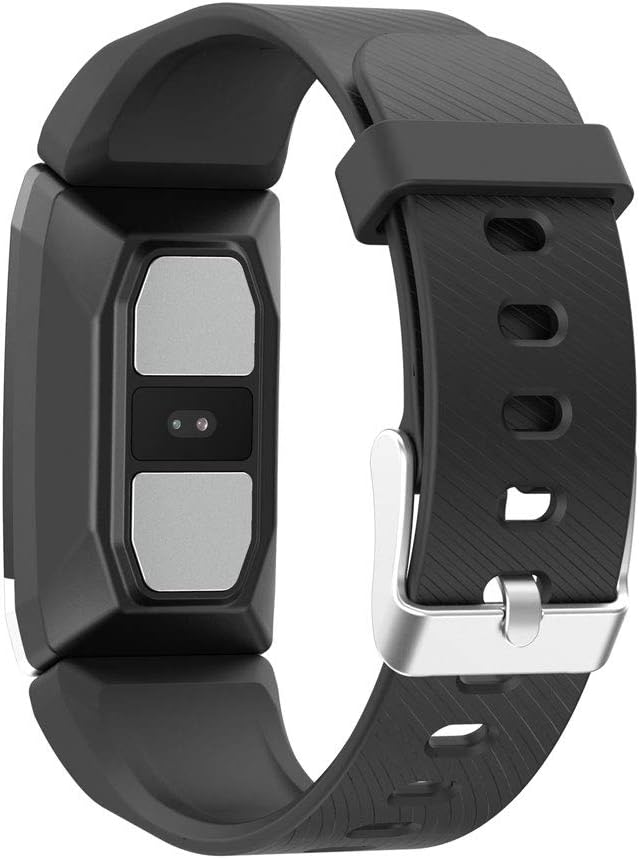
Kuva 3.2: Takaosa view of the fitness band, highlighting the integrated sensors for health monitoring.
Tärkeimmät ominaisuudet:
- Kehon lämpötilan seuranta: Integrated sensor for continuous temperature tracking.
- Dynamic Heart Rate Monitoring: 24 tunnin jatkuva sykkeen seuranta.
- Moniurheilutila: Records duration, steps, and heart rate during various sports activities.
- Unenseuranta: Seuraa unen kestoa ja laatua.
- Vedenkestävyys: IP67 rated, submersible up to 1 meter for 30 minutes.
- Ilmoitukset: Receive alerts for calls and messages when connected to your smartphone.
4. Asennus
4.1 Laitteen lataaminen
Before first use, fully charge your fitness band. Connect the charging cable to the designated port on the band and to a USB power source. The battery icon on the screen will indicate charging status. A full charge typically takes approximately 2 hours.
4.2 Sovelluksen asennus ja pariliitos
- Lataa Wearfit 2.0 sovellus älypuhelimesi sovelluskaupasta (yhteensopiva Android 5.1+:n ja iOS 8.0+:n kanssa).
- Varmista, että Bluetooth on käytössä älypuhelimellasi.
- Open the Wearfit 2.0 app and follow the on-screen instructions to create an account or log in.
- Navigate to the device pairing section within the app and search for your KSIX Thermometer HR Fitness Band.
- Select your device from the list to establish a Bluetooth 4.0 connection.
- Once paired, the band will synchronize with your smartphone, and you can customize settings and view tiedot.
5. Käyttöohjeet
5.1 Käyttöliittymän käyttö
The fitness band features a touch-sensitive screen. Swipe up, down, left, or right to navigate through different functions and menus. Tap to select an option or confirm an action.
5.2 Monitoring Body Temperature
The band continuously monitors your body temperature. To view your current temperature, navigate to the temperature screen on the device. Historical data and trends can be viewed in the Wearfit 2.0 app.
5.3 Sykemittaus
The dynamic heart rate monitor tracks your pulse 24 hours a day. Access the heart rate screen on the band to see your real-time heart rate. Detailed graphs and average readings are available in the Wearfit 2.0 app.
5.4 Multi-Sport-tila
Activate multi-sport mode from the device menu to track specific activities. This mode records duration, step count, and heart rate during your workout. End the activity to save the data, which will then sync to the Wearfit 2.0 app.
5.5 Unen seuranta
Wear the band while sleeping to automatically track your sleep patterns. The device records sleep duration and quality. View detailed sleep analysis in the Wearfit 2.0 app.
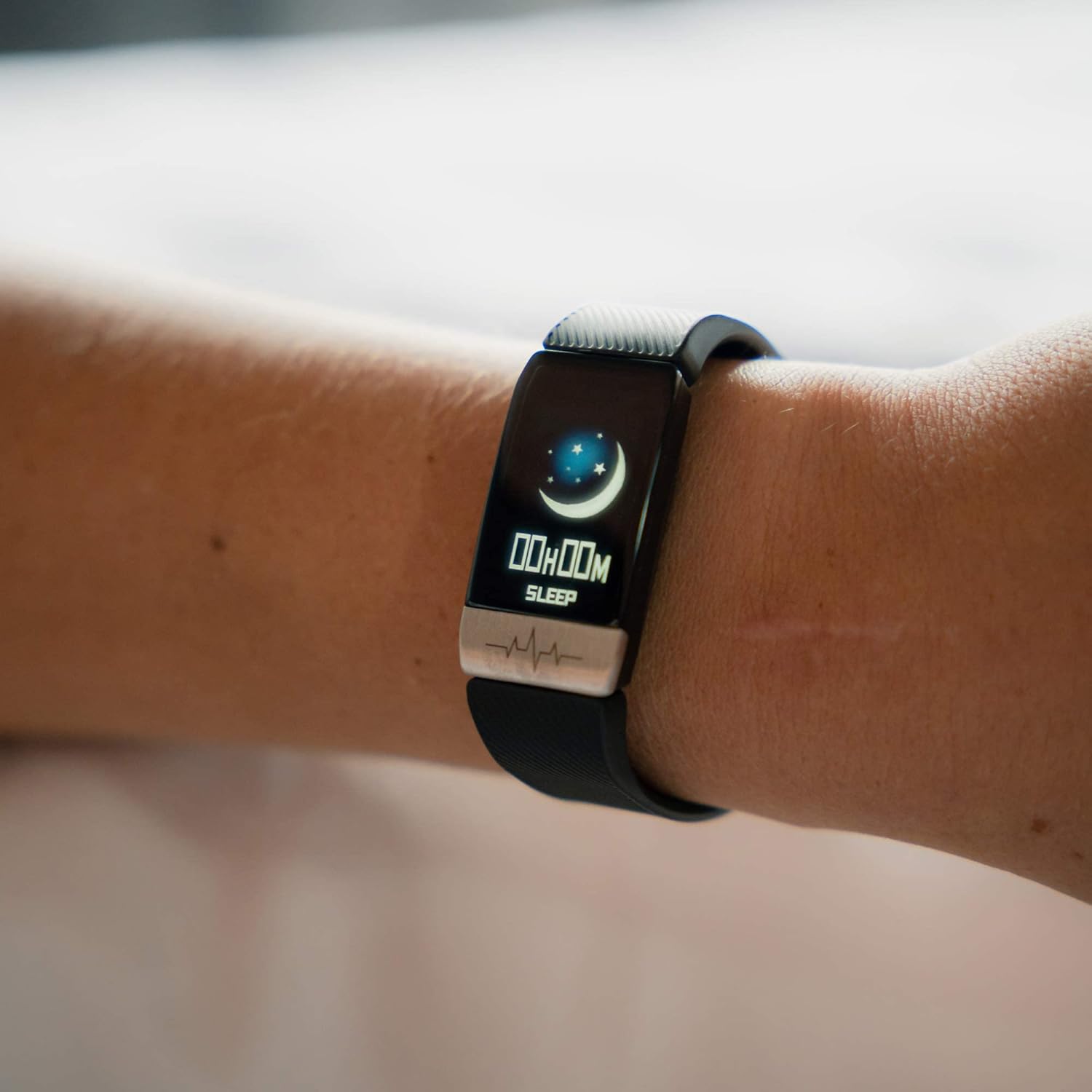
Figure 5.1: The fitness band displaying sleep tracking information on the user's wrist.
5.6 Ilmoitukset
Once paired with your smartphone, the band can display notifications for incoming calls, messages, and app alerts. Ensure notification permissions are enabled in the Wearfit 2.0 app and your phone's settings.
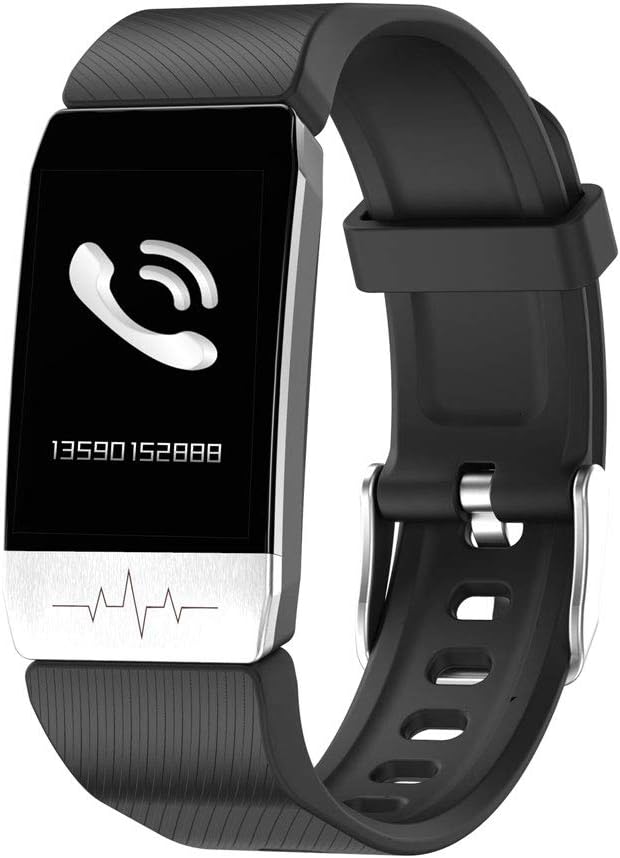
Figure 5.2: The fitness band showing an incoming call notification.
6. Huolto
6.1 Puhdistus
Regularly clean your fitness band with a soft, damp liinalla. Vältä voimakkaiden kemikaalien tai hankaavien materiaalien käyttöä, sillä ne voivat vahingoittaa laitetta. Varmista, että latauskontaktit ovat puhtaat ja kuivat ennen lataamista.
6.2 Vedenkestävyys
The KSIX Thermometer HR Fitness Band is IP67 water-resistant, meaning it can be submerged in water up to 1 meter deep for a maximum of 30 minutes. It is suitable for daily use, such as washing hands or showering. However, it is not recommended for diving, high-pressure water activities, or prolonged submersion.

Figure 6.1: The fitness band submerged in water, showcasing its water-resistant design.
7. Vianmääritys
- Laite ei käynnisty: Varmista, että laite on ladattu täyteen. Liitä se laturiin ja odota muutama minuutti ennen kuin yrität käynnistää sen uudelleen.
- Ei voi yhdistää älypuhelimeen:
- Varmista, että Bluetooth on käytössä puhelimessasi.
- Make sure the Wearfit 2.0 app is installed and running.
- Check if the band's battery is not critically low.
- Try restarting both your phone and the fitness band.
- Ensure the band is not already paired with another device.
- Inaccurate readings (temperature/heart rate):
- Ensure the band is worn snugly on your wrist, but not too tight.
- Puhdista rannekkeen takana olevat anturit.
- Avoid extreme temperatures or rapid changes in environment.
- Huomaa, että nämä laitteet eivät ole lääketieteellisiä instrumentteja ja lukemat ovat vain viitteellisiä.
- Ilmoitukset eivät näy:
- Verify that the band is successfully paired with your phone.
- Check notification settings within the Wearfit 2.0 app.
- Ensure your phone's system settings allow the Wearfit 2.0 app to send notifications.
8. Tekniset tiedot
| Ominaisuus | Yksityiskohta |
|---|---|
| Mallinumero | TP-8427542106342_BXSTBAND_Vendor |
| Näyttö | 1.4 tuuman TFT-värinäyttö |
| Akun kapasiteetti | 90 mAh |
| Akun kesto | Jopa 5 päivää |
| Yhteydet | Bluetooth 4.0 |
| Vedenkestävyys | IP67 (jopa 1 metrin syvyydessä 30 minuutin ajan) |
| Yhteensopivuus | Android 5.1+ / iOS 8.0+ |
| Anturit | Body Temperature, Heart Rate, Micro Vibration |
| Hihnan materiaali | Ruostumaton teräs |
| Kotelon materiaali | Ruostumaton teräs |
| Mitat (paketti) | 13.2 x 10.1 x 4.8 cm |
| Paino | 60 g |
9. Takuu ja tuki
The KSIX Thermometer HR Fitness Band comes with a 2 vuoden takuu ostopäivästä lukien ja kattaa valmistusvirheet. Tämä takuu ei kata väärinkäytöstä, onnettomuuksista, luvattomista muutoksista tai normaalista kulumisesta aiheutuneita vahinkoja.
For technical support, warranty claims, or further assistance, please contact your retailer or visit the official KSIX websivustolta yhteystiedot.
Valmistaja: ATLANTIS INTERNACIONAL


