
1. Asennusohjeet
1.1 Pakkauksen sisältö
- Srihome SH004 USB Webnokka
- USB-kaapeli (integroitu)
1.2 Kytkeminen Webnokka
The Srihome SH004 webcam is designed for plug-and-play operation, requiring no additional driver installation on most compatible systems.
- Liitä USB-porttiin: Aseta webcam's USB cable into an available USB 2.0 or USB 3.0 port on your computer (PC, laptop, or desktop).
- Järjestelmän tunnistus: Your operating system (Windows 7/8/10, LINUX, Mac OS, Android TV) should automatically detect and configure the webcam. A notification may appear indicating successful device installation.
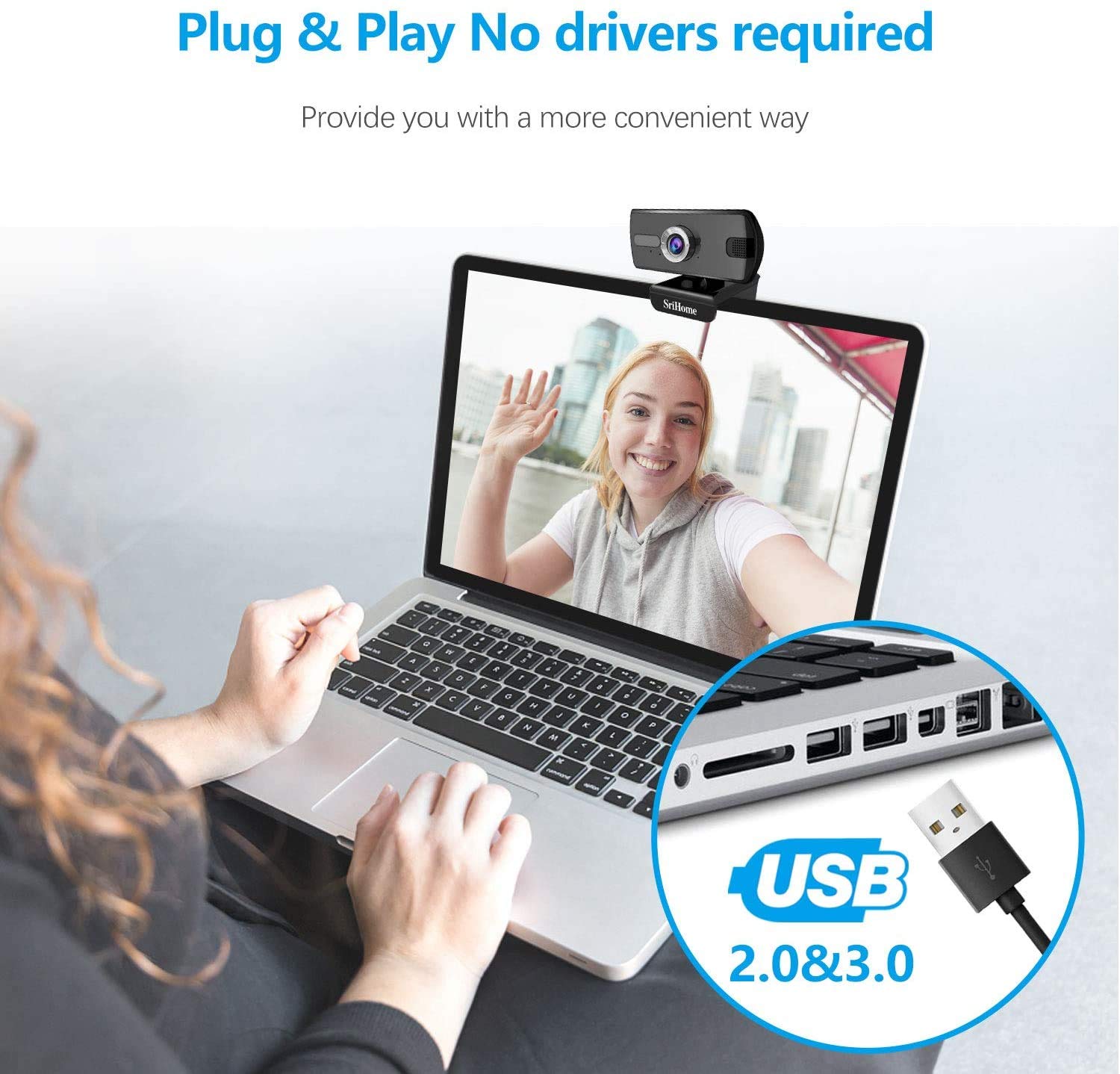
Kuva 1: Liittäminen webcam to a USB port. The device is plug-and-play, requiring no driver installation.
1.3 Asennus Webnokka
The webcam features a versatile clip that allows it to be securely mounted on various devices, such as laptop screens, desktop monitors, or placed on a flat surface.
- Säädä klippiä: Open the clip to fit over the top edge of your monitor or laptop screen.
- Sijoita Webnokka: Varmista, että webcam is centered and stable.
- Rotate for Optimal Angle: The webcam's bracket allows for 360-degree rotation, enabling you to adjust the camera angle as needed.

Kuva 2: The webcam features a 360-degree rotatable bracket for flexible positioning.
1.4 Tarkennuksen säätö
For optimal image clarity, the webcam features a manual focus adjustment. If the image appears blurred, gently rotate the silver-colored ring around the lens until the picture becomes sharp.
2. Käyttöohjeet
2.1 Video Calls and Conferencing
The Srihome SH004 webcam is suitable for various communication platforms and applications.
- Sovellusten yhteensopivuus: Use with popular applications such as Skype, Yahoo, FaceTime, Hangouts, YouTube, Zoom, and other video conferencing software.
- Valitsemalla Webnokka: In your chosen application's settings, ensure "Srihome SH004" is selected as the primary video and audio input device.

Figure 3: Key features of the Srihome SH004 webcam, including HD video, 3MP resolution, wide-angle lens, built-in microphone, and plug-and-play functionality.
2.2 Kuvan ja äänen laatu
- Teräväpiirtovideo: The webcam provides a maximum resolution of 3 Megapixels (2048x1536) with H.264 video compression, ensuring clear and detailed images.
- Laaja kenttä View: A 110° wide-angle lens captures a broad perspective, ideal for group calls or presentations.
- Sisäänrakennettu mikrofoni: The integrated stereo microphone features noise cancellation, designed to capture your voice clearly even in moderately noisy environments.

Figure 4: The 110-degree wide-angle field of view provides extensive coverage.

Figure 5: The built-in microphone with noise cancellation enhances audio clarity.
3. Huolto
To ensure the longevity and optimal performance of your Srihome SH004 webnokka-akseli, noudata näitä yksinkertaisia huolto-ohjeita:
- Linssin puhdistus: Gently wipe the camera lens with a soft, lint-free cloth. Avoid using harsh chemicals or abrasive materials that could scratch the lens.
- Kehon puhdistus: Käytä kuivaa tai hieman damp soft cloth to clean the webcam's body. Do not immerse the device in water or any other liquid.
- Varastointi: Kun et käytä sitä, säilytä webkamera puhtaassa, kuivassa paikassa, poissa suorasta auringonvalosta ja äärimmäisistä lämpötiloista.
- Kaapelihuolto: Vältä USB-kaapelin liiallista taivuttamista tai kiertämistä, jotta se ei vaurioidu sen sisällä.
4. Vianmääritys
If you encounter issues with your Srihome SH004 webkamera, katso seuraavat yleiset ongelmat ja ratkaisut:
- Problem: The system does not detect the webnokka.
Ratkaisu:
- Irrota USB-kaapeli ja liitä se uudelleen.
- Kokeile yhdistää webcam to a different USB port on your computer.
- Restart the application you are trying to use with the webcam (e.g., Skype, Zoom).
- Käynnistä tietokone uudelleen.
- Varmista, että käyttöjärjestelmäsi on ajan tasalla.
- Problem: The image appears blurred or out of focus.
Ratkaisu:
- Gently rotate the silver-colored ring around the webcam lens to manually adjust the focus until the image is clear.
- Varmista, että linssi on puhdas eikä siinä ole tahroja tai pölyä.
- Ongelma: webcam frequently disconnects during use.
Ratkaisu:
- Varmista, että USB-kaapeli on kytketty kunnolla molempiin webkamera ja tietokone.
- Try a different USB port, preferably a USB 3.0 port if available, to ensure sufficient power and stable connection.
- Avoid using long USB extension cables, which can sometimes cause connectivity issues.
- Problem: The built-in microphone is not working or audio quality is poor.
Ratkaisu:
- Check your computer's sound settings to ensure the "Srihome SH004" is selected as the default recording device.
- Verify microphone settings within your video conferencing application (e.g., Zoom, Skype).
- Ensure there are no physical obstructions blocking the microphone on the webnokka.
- Testaa mikrofonia hiljaisemmassa ympäristössä liiallisen taustamelun poissulkemiseksi.
5. Tuotteen tekniset tiedot
| Ominaisuus | Yksityiskohta |
|---|---|
| Merkki | Srihome |
| Mallin nimi | SH004 |
| Tehokas Still-resoluutio | 3 MP |
| Videon sieppaustarkkuus | 2048x1536 (3MP), also supports 1080p, 720p, 480p |
| Kuvankaappausnopeus | 30 fps |
| Valokuvatunnistintekniikka | CMOS |
| Linssin tyyppi | Laajakulma (3.6 mm) |
| Kenttä View | 110° |
| Tarkennustyyppi | Manuaalinen tarkennus |
| Yhteystekniikka | USB 2.0/3.0 |
| Sisäänrakennettu mikrofoni | Yes, with Noise Cancellation |
| Yhteensopivat laitteet | PC, Laptop, Desktop, Android TV |
| Käyttöjärjestelmät | Windows 7 / Win8 / Win10 / LINUX / Mac OS / Android TV |
| Erikoisominaisuus | Night Vision |
| Väri | Musta |
| Tuotteen paino | 250 grammaa |
6. Takuu ja tuki
6.1 Takuutiedot
The Srihome SH004 webcam comes with a standard manufacturer's warranty. Please refer to the warranty card included with your purchase or contact your retailer for specific terms and conditions regarding warranty coverage and duration.
6.2 Asiakastuki
For technical assistance, product inquiries, or support, please contact Srihome customer service through their official website or the contact information provided in your product packaging. When contacting support, please have your product model (SH004) and purchase details ready.