
Johdanto
Thank you for choosing the Donerton P32 Smartwatch. This manual provides essential information for setting up, operating, maintaining, and troubleshooting your device. Please read it carefully to ensure optimal performance and longevity of your smartwatch.
Mitä laatikossa on
- Donerton P32 Smartwatch
- Magneettinen USB-latauskaapeli
- Käyttöopas
Asennusopas
1. Älykellon lataaminen
Lataa älykellosi täyteen ennen ensimmäistä käyttökertaa. Liitä magneettinen latauskaapeli kellon takana oleviin latausliittimiin ja kytke USB-pää tavalliseen USB-virtalähteeseen (ei sisälly toimitukseen) tai tietokoneen USB-porttiin.
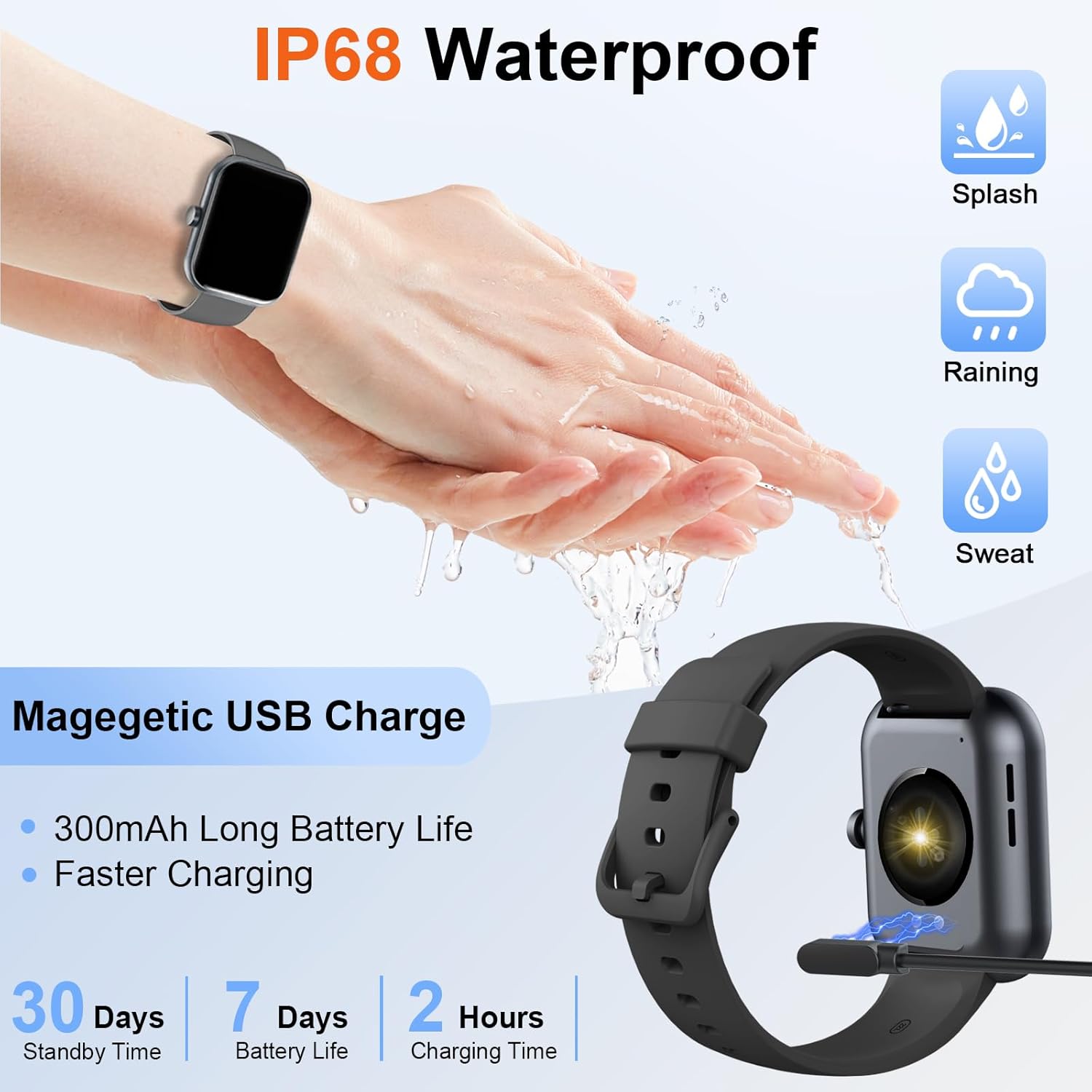
Image: The Donerton P32 Smartwatch connected to its magnetic USB charging cable, illustrating the charging process. Icons for IP68 waterproof rating and battery life are also visible.
A full charge typically takes approximately 1.5 to 2 hours. The battery indicator on the screen will show the charging status.
2. App Installation (Glory Fit)
To unlock all features and synchronize data, download the "Glory Fit" app on your smartphone. You can find it on the App Store (for iOS devices) or Google Play Store (for Android devices).
- Scan the QR code in the manual or on the watch screen (if available) to directly download the app.
- Alternatively, search for "Glory Fit" in your phone's app store.
- Install the app and grant necessary permissions for Bluetooth, notifications, and location services.
3. Laitteen pariliitos
Varmista, että älypuhelimesi Bluetooth on käytössä.
- Open the "Glory Fit" app on your smartphone.
- Navigate to the "Device" or "Mine" section within the app.
- Tap "Add Device" or "Bind Device" and select your Donerton P32 Smartwatch from the list of available Bluetooth devices. The watch name usually appears as "P32" or similar.
- Vahvista pariliitospyyntö sekä puhelimellasi että älykellolla.
- Kun pariliitos on muodostettu, kello synkronoi ajan ja tiedot puhelimesi kanssa.
Käyttöohjeet
Perusnavigointi
- Kosketusnäyttö: Pyyhkäise vasemmalle/oikealle, ylös/alas navigoidaksesi valikoissa ja toiminnoissa. Napauta valitaksesi.
- Sivupainike: Press to wake up the screen, return to the previous screen, or go to the main watch face.
- Ranne tunne: The screen will illuminate automatically when you raise your wrist.

Image: The Donerton P32 Smartwatch showcasing its main features through a series of icons, including alarm, sedentary reminder, stopwatch, calorie tracking, step counting, multiple sports modes, find phone function, and a full touch screen interface.
Tärkeimmät ominaisuudet
- Activity Tracking (Pedometer, Distance, Calories): The integrated high-performance motion sensor accurately records your steps, distance covered, and calories burned throughout the day. View detailed statistics in the Glory Fit app.
- Sykemittari: The smartwatch continuously tracks your heart rate in real-time. This data helps you monitor your cardiovascular health and optimize workout intensity.
- Unenseuranta: Automatically monitors your sleep duration and quality, distinguishing between light, deep, and REM sleep stages. Access comprehensive sleep analysis in the Glory Fit app to understand your sleep patterns.
- 24 urheilutilaa: Select from a variety of sports modes to track specific activities. The watch records relevant data for each mode, such as duration, calories, and heart rate.

Image: A man running outdoors, wearing the Donerton P32 Smartwatch. The image highlights the '100+ Sport Modes Fitness Tracker' feature, displaying activity tracking metrics such as steps, distance, and calories on the watch face and a smartphone screen.
- Viesti-ilmoitukset: Receive alerts for incoming calls, SMS messages, and notifications from social media apps (Facebook, Messenger, Twitter, WhatsApp, Instagram) directly on your wrist.
- Bluetooth Call and Answer: Soita ja vastaanota puheluita suoraan älypuhelimellasi, kun se on yhdistetty puhelimeesi Bluetoothin kautta.

Image: A man interacting with the Donerton P32 Smartwatch to manage a Bluetooth call. The watch screen displays options for dialing, an incoming call, call history, and contacts, demonstrating its call management capabilities.
- Sääennuste: After setting your location in the app, view current and upcoming weather conditions directly on your smartwatch.
- Herätyskello: Set alarms through the Glory Fit app to wake you up or remind you of important events.
- Musiikin hallinta: Ohjaa musiikin toistoa älypuhelimellasi (toisto, tauko, kappaleiden ohittaminen) suoraan kellostasi.
- Muistutus istumisesta: The watch can remind you to move if you've been inactive for too long, promoting a healthier lifestyle.
- Sekuntikello ja ajastin: Utilize built-in stopwatch and timer functions for various activities.
- Etsi puhelin: If your phone is misplaced, use this feature on your watch to make your phone ring (if within Bluetooth range).
- Kameran ohjaus: Remotely control your smartphone's camera by shaking your wrist while the camera function is active in the app.

Image: The Donerton P32 Smartwatch interface showing a selection of its multifunctional capabilities, including weather forecasts, alarm clock settings, camera remote control, timer, flashlight, and the 'Find Phone' feature.
Huolto
Vedenkestävyys (IP68)
The Donerton P32 Smartwatch is IP68 waterproof, meaning it is resistant to daily moisture such as hand washing, bathing, and swimming. It is not necessary to remove it frequently for these activities.
Tärkeä huomautus: Do not use the smartwatch for diving or in hot water environments like hot springs or saunas, as extreme temperatures and high-pressure water can compromise the seal and cause damage.
Puhdistus
- Pyyhi kellon näyttö ja ranneke säännöllisesti pehmeällä, kuivalla liinalla.
- Pinttyneen lian poistamiseksi käytä hieman damp liinalla ja kuivaa sitten huolellisesti.
- Vältä voimakkaiden kemikaalien tai hankaavien materiaalien käyttöä, sillä ne voivat vahingoittaa pintaa.
Akun hoito
- Vältä akun usein toistuvaa täydellistä tyhjentymistä.
- Charge the watch when the battery level is low.
- Säilytä kelloa viileässä ja kuivassa paikassa, jos sitä ei käytetä pitkään aikaan.
Vianetsintä
| Ongelma | Mahdollinen ratkaisu |
|---|---|
| Kello ei käynnisty | Varmista, että kello on ladattu täyteen. Liitä se laturiin vähintään 10 minuutiksi. |
| Pariliitos puhelimen kanssa ei onnistu | 1. Varmista, että Bluetooth on käytössä puhelimessasi. 2. Make sure the watch is within Bluetooth range. 3. Käynnistä sekä kello että puhelimesi uudelleen. 4. Tyhjennä puhelimesi Bluetooth-välimuisti (jos sellainen on). 5. Ensure the "Glory Fit" app has necessary permissions. |
| Ilmoituksia ei vastaanotettu | 1. Check if the watch is successfully paired with the app. 2. Ensure notification permissions are granted to the "Glory Fit" app on your phone. 3. Verify that app notifications are enabled within the "Glory Fit" app settings. 4. Make sure your phone's notification settings allow the app to display alerts. |
| Epätarkat terveystiedot | 1. Ensure the watch is worn snugly on your wrist, about one finger's width from the wrist bone. 2. Keep the sensor clean and free from sweat or dirt. 3. Note that smartwatches are not medical devices and data is for reference only. |
| Lyhyt akunkesto | 1. Vähennä näytön kirkkautta. 2. Limit frequent screen wake-ups. 3. Turn off unnecessary features if not in use. 4. Ensure the watch is fully charged. |
Tekniset tiedot
| Ominaisuus | Yksityiskohta |
|---|---|
| Merkki | Donerton |
| Mallinumero | P32 |
| Näytön koko | 1.69 tuuman TFT-LCD-näyttö |
| Käyttöjärjestelmä | Proprietary (Compatible with Android, iOS) |
| Yhteydet | Bluetooth 5.0 |
| Yhteensopivat laitteet | Smartphones with iOS 9.0+ / Android 5.0+ |
| Akun tyyppi | Litium-polymeeri |
| Akun kesto (tyypillinen käyttö) | Jopa 7 päivää |
| Valmiusaika | Jopa 30 päivää |
| Latausaika | Noin 1.5–2 tuntia |
| Vedenkestävyys | IP68 |
| Sovelluksen nimi | loisto sopii |
Takuu ja tuki
For warranty information and customer support, please refer to the documentation provided with your purchase or contact Donerton customer service directly. Details are typically available on the official Donerton websivustoltasi tai jälleenmyyjän kautta.