
1. Johdanto
The Marmitek View ME is an indoor Wi-Fi camera designed for remote monitoring of your home. It offers Full HD 1080p video, motion detection, two-way audio communication, and infrared night vision. This camera integrates seamlessly with the Smart me application, allowing you to control and monitor your home from your smartphone or tablet.
2. Pakkauksen sisältö
Varmista, että pakkauksessa on kaikki tarvittavat osat:
- Marmitek View ME Indoor Wi-Fi Camera
- Virtalähde
- USB-kaapeli
- Kiinnitystarvikkeet (jos sovellettavissa, ei nimenomaisesti lueteltu, mutta yleisiä)
- Käyttöohje (tämä asiakirja)

Image: The Marmitek View ME product box, showing the camera and branding.
3. Tuote ohiview
Familiarize yourself with the different parts of your Marmitek View ME camera.
Edessä View
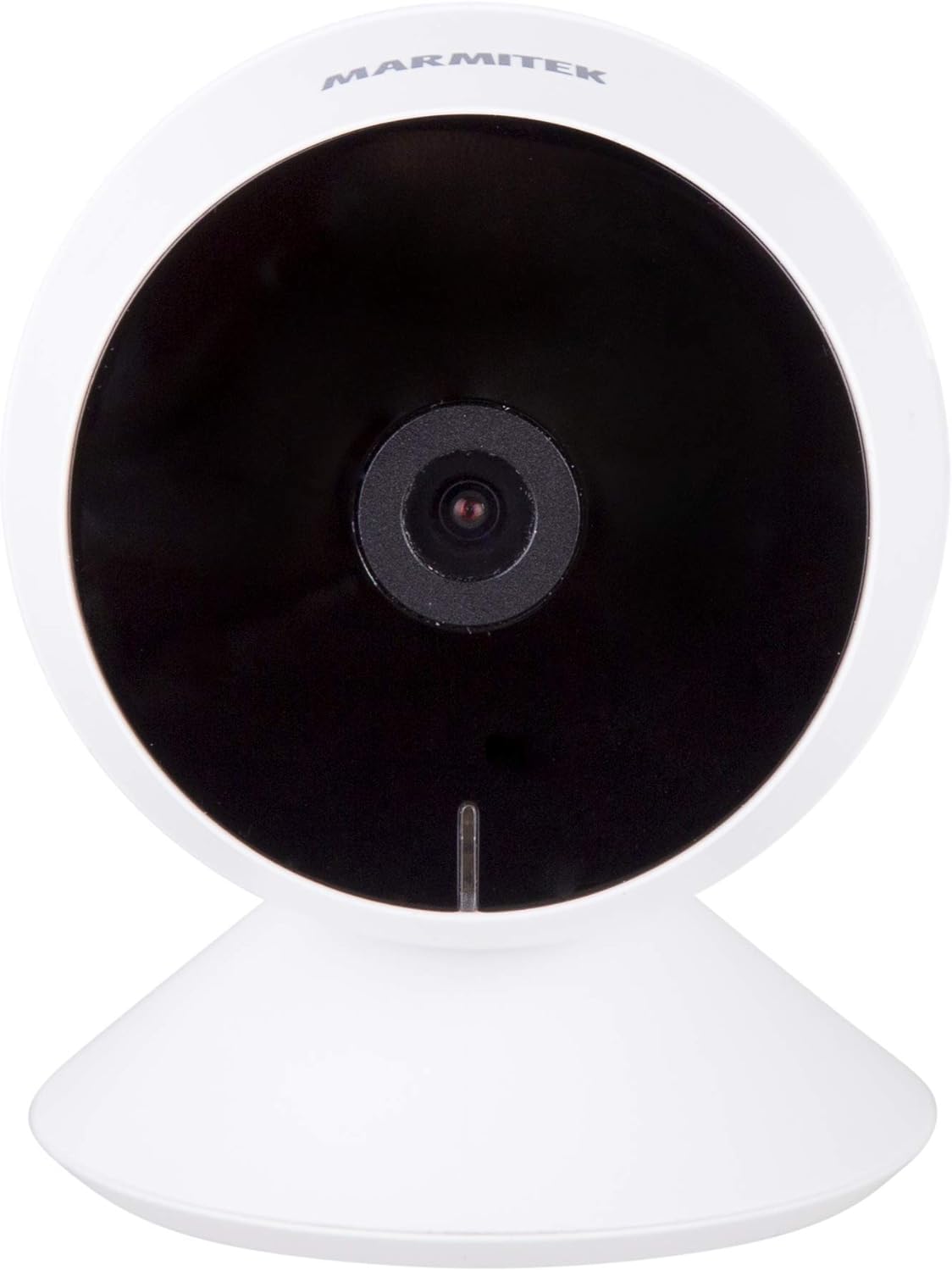
Kuva: Edessä view of the Marmitek View ME camera, showing the lens and indicator light.
Sivu View

Kuva: Sivu view of the Marmitek View ME camera, highlighting its compact design.
Takaosa View

Kuva: Takaosa view of the Marmitek View ME camera, showing the micro-USB port, speaker, and reset button.
4. Asennus
4.1 Sijoitus
Position the camera in a central location within the area you wish to monitor. Ensure it has a clear line of sight and is within range of your Wi-Fi network. The camera is designed for indoor use and can be placed on a desk, shelf, or mounted on a wall or ceiling.

Image: The Marmitek View ME camera discreetly placed on a shelf in a living room environment.
4.2 Virtaliitäntä
- Connect the USB cable to the micro-USB port on the back of the camera.
- Kytke USB-kaapelin toinen pää mukana toimitettuun virtalähteeseen.
- Kytke virtalähde tavalliseen pistorasiaan.
- The camera will power on, and an indicator light will illuminate.

Image: The Marmitek View ME camera connected to its power adapter via a USB cable.
4.3 Sovelluksen asennus ja tilin luominen
The Marmitek View ME camera operates with the Smart me application. No gateway or additional software is required.
- Lataa Älykäs minä sovellus App Storesta (iOS) tai Google Play Kaupasta (Android).
- Avaa sovellus ja seuraa näytön ohjeita luodaksesi uuden tilin tai kirjautuaksesi sisään, jos sinulla on jo tili.

Image: The Smart me application logo, featuring a Wi-Fi symbol.
4.4 Wi-Fi-yhteyden muodostaminen
- Ensure your smartphone is connected to a 2.4 GHz Wi-Fi network. The camera does not support 5 GHz networks.
- In the Smart me app, tap the "+" icon to add a new device.
- Select "Camera" or the specific model if listed.
- Follow the in-app instructions to put the camera into pairing mode (usually indicated by a flashing light). You may need to press the reset button on the camera.
- Anna Wi-Fi-verkon salasana pyydettäessä.
- The app will generate a QR code. Hold your phone with the QR code in front of the camera lens at a distance of 15-20 cm until you hear a confirmation sound from the camera.
- Once connected, the camera's indicator light will change, and you will see the camera added to your Smart me app.
4.5 SD-kortin asennus (valinnainen)
The camera supports local storage via an SD card (not included) for recording videos.
- Locate the SD card slot on the camera (refer to the product overview images).
- Gently insert a compatible microSD card (Class 10 or higher, up to 128GB recommended) into the slot with the contacts facing down until it clicks into place.
- In the Smart me app, navigate to the camera settings to format the SD card before first use.
5. Käyttöohjeet
5.1 Livenä View
Open the Smart me app and select your View ME camera from the device list to access the live video feed. You can view reaaliaikainen footage mistä tahansa, jossa on Internet-yhteys.

Image: A person interacting with the Smart me application on a smartphone, demonstrating remote access.
5.2 Kaksisuuntainen ääni
The camera features an integrated speaker and microphone for two-way communication. While in live view, tap the microphone icon in the app to speak through the camera, and listen to audio from the camera's surroundings.
5.3 Liiketunnistus ja ilmoitukset
The integrated motion detector can alert you to activity. Configure motion detection settings and notification preferences within the Smart me app. You will receive push notifications on your smartphone when motion is detected.
5.4 Tallennus ja toisto
If an SD card is installed, the camera can record video footage. You can set the camera to record continuously, on motion detection, or manually. Access recorded videos through the playback function in the Smart me app.
5.5 Pimeänäkö
Kamerassa on infrapunayönäkö, joka tarjoaa selkeää videokuvaa.tage up to 10 meters in low-light or dark conditions. This feature activates automatically when ambient light is insufficient.
5.6 Älykoti-integraatio
The Marmitek View ME camera is part of the Smart me ecosystem. You can link it with other Smart me products to create automated scenarios. For example, configure a rule to turn on a connected light bulb when the camera detects motion.

Image: A diagram illustrating the interconnectedness of various Smart me devices, including the camera, within a smart home setup.
6. Huolto
6.1 Puhdistus
To clean the camera, gently wipe the lens and exterior with a soft, dry cloth. Do not use harsh chemicals or abrasive cleaners, as these can damage the device.
6.2 laiteohjelmistopäivitystä
Periodically check the Smart me app for available firmware updates. Keeping your camera's firmware up-to-date ensures optimal performance and security.
6.3 SD-kortin hallinta
If using an SD card for storage, regularly check its status in the app. Format the card periodically to maintain performance and free up space, or replace it if it becomes corrupted or full.
7. Vianmääritys
- Kamera ei muodosta yhteyttä Wi-Fi-verkkoon: Ensure your Wi-Fi network is 2.4 GHz. Check Wi-Fi password. Move the camera closer to the router. Try resetting the camera by pressing the reset button for 5 seconds.
- Ei elämää view: Check your internet connection and the camera's power supply. Ensure the camera is online in the Smart me app.
- Liikkeentunnistus ei toimi: Verify that motion detection is enabled in the app settings. Adjust sensitivity levels. Ensure the camera's view ei ole estetty.
- Kaksisuuntaisen äänen ongelmat: Check your phone's microphone and speaker permissions for the Smart me app. Ensure the camera's microphone and speaker are not obstructed.
- SD-kortti ei tallenna: Varmista, että SD-kortti on asetettu oikein ja alustettu sovelluksessa. Tarkista, onko kortti täynnä tai vioittunut.
8. Tekniset tiedot
| Ominaisuus | Erittely |
|---|---|
| Mallinumero | 08528 |
| Mitat (P x L x K) | 7.8 x 6 x 6 cm |
| Paino | 240 grammaa |
| Videon resoluutio | Full HD 1080p |
| Yhteydet | Wi-Fi (vain 2.4 GHz) |
| Yönäköalue | Jopa 10 metriä (infrapuna) |
| Audio | Two-way (Built-in microphone and speaker) |
| Varastointi | MicroSD-kortti (jopa 128 Gt, ei sisälly toimitukseen) |
| Virtalähde | AC/DC (230 volttia, 2.5 wattia) |
| Sisä-/ulkokäyttö | Sisätiloissa |
| IP-luokitus | IP54 |
| Yhteensopivat laitteet | Smartphone, Tablet (iOS, Android) |
9. Turvallisuustiedot
- Käytä ainoastaan toimitettua virtalähdettä ja kaapelia.
- Älä altista kameraa vedelle tai kosteudelle.
- Vältä kameran asettamista lämmönlähteiden lähelle tai suoraan auringonvaloon pitkäksi aikaa.
- Älä yritä purkaa tai korjata kameraa itse. Ota yhteyttä tukeen saadaksesi apua.
- Pidä kamera poissa lasten ja lemmikkien ulottuvilta.
10. Takuu ja tuki
Marmitek products are manufactured to high quality standards. For warranty information, please refer to the warranty card included with your product or visit the official Marmitek website. For technical support, troubleshooting assistance, or further inquiries, please contact Marmitek customer service through their official channels.