
1. Johdanto
This manual provides essential information for the setup, operation, and maintenance of your Elo 10-inch I-Series for Android (Model E461790). The I-Series 3.0 for Android is a commercial-grade touchscreen solution designed for various interactive applications, integrating Google Play Services.
It is built for continuous public use in environments such as retail, hospitality, self-service kiosks, and corporate offices. Please read this manual thoroughly before using the device to ensure proper functionality and longevity.
2. Tuote ohiview
The Elo 10-inch I-Series for Android is a compact, high-performance touchscreen display. It features a 10.1-inch LCD with 1280 x 800 resolution, powered by a 2 GHz Cortex A53 processor, 3GB RAM, and 32GB storage. The device operates on the Android platform and supports Google Play Services.
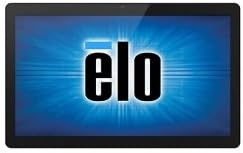
Kuva: Edessä view of the Elo 10-inch I-Series for Android touchscreen display, showing the Elo logo on the screen.
This unit is designed to support various peripherals and offers robust performance for demanding applications requiring continuous operation.
3. Mitä laatikossa on
Purkamisen yhteydessä tarkista, että kaikki seuraavat osat ovat mukana:
- Elo 10-inch I-Series for Android Device (Model E461790)
- Virtalähde
- Quick Start Guide (if included, not specified in input)
- Safety and Regulatory Information (if included, not specified in input)
If any items are missing or damaged, please contact Elo customer support immediately.
4. Asennus
- Purkaminen: Carefully remove the device and all accessories from the packaging. Retain the packaging for future transport or storage.
- Sijoitus: Place the device on a stable, flat surface. Ensure adequate ventilation around the unit to prevent overheating. Avoid placing it near heat sources or in direct sunlight.
- Virran kytkeminen:
- Connect the power adapter cable to the power input port on the back of the device.
- Liitä verkkolaite sopivaan pistorasiaan.
- Ensimmäinen käynnistys: Press the power button, usually located on the side or back of the unit. The device will boot up and display the Elo logo, followed by the Android operating system interface.
- Verkkoyhteys:
- For Wi-Fi: Navigate to Android Settings > Network & Internet > Wi-Fi. Select your network and enter the password.
- For Wired Ethernet: Connect an Ethernet cable from your network router/switch to the Ethernet port on the device (if available on your specific model).
- Google Play Services Setup: Follow the on-screen prompts to set up your Google account and access Google Play Services, if required for your application.
5. Käyttöohjeet
5.1 Kosketusnäytön käyttö
The device features a multi-touch display. Use standard touch gestures such as tap, double-tap, pinch-to-zoom, and swipe to navigate the Android interface and interact with applications.
5.2 Android Interface Navigation
- Aloitusnäyttö: Päänäyttö, jossa sovelluskuvakkeet ja widgetit näkyvät.
- Sovelluslaatikko: Käytä kaikkia asennettuja sovelluksia.
- Ilmoituspaneeli: Pyyhkäise alas näytön yläreunasta kohtaan view ilmoitukset ja pika-asetukset.
- Asetukset: Access system settings to configure Wi-Fi, display, sound, and other device options.
5.3 Sovellusten asentaminen
Applications can be installed via the Google Play Store (requires a Google account) or by sideloading APK files, depending on your deployment strategy and security policies.
5.4 Virranhallinta
- Nukkumismoodi: Briefly press the power button to put the device into sleep mode. Press again to wake it up.
- Restart/Power Off: Press and hold the power button until a menu appears, then select "Restart" or "Power Off".
6. Huolto
6.1 Näytön puhdistaminen
To clean the touchscreen, power off the device and gently wipe the screen with a soft, lint-free cloth. For stubborn marks, slightly dampKostuta liina vedellä tai hankaamattomalla, ammoniakittomalla lasinpuhdistusaineella. Älä suihkuta puhdistusainetta suoraan näytölle.
6.2 Yleishoito
- Vältä altistamasta laitetta äärimmäisille lämpötiloille, kosteudelle tai suoralle auringonvalolle.
- Älä tuki tuuletusaukkoja.
- Älä yritä purkaa laitetta. Jätä kaikki huoltotyöt pätevän henkilöstön tehtäväksi.
7. Vianmääritys
| Ongelma | Mahdollinen syy | Ratkaisu |
|---|---|---|
| Laite ei käynnisty. | Ei virtaa, viallinen virtalähde. | Ensure power adapter is securely connected to device and outlet. Try a different outlet. |
| Kosketusnäyttö ei reagoi. | Ohjelmistohäiriö, fyysinen vaurio. | Restart the device. Ensure screen is clean and free of obstructions. If problem persists, contact support. |
| Ei Wi-Fi-yhteyttä. | Väärä salasana, kantaman ulkopuolella, reititinongelma. | Vahvista Wi-Fi-salasana. Siirry lähemmäs reititintä. Käynnistä reititin ja laite uudelleen. |
| Applications crashing. | App incompatibility, low memory. | Clear app cache/data. Update the app. Ensure sufficient storage space. |
For issues not listed here, or if solutions do not resolve the problem, please contact Elo customer support.
8. Tekniset tiedot
| Ominaisuus | Yksityiskohta |
|---|---|
| Mallin nimi | E461790 |
| Näytön koko | 10 tuumaa |
| Näytön resoluutio | 1280 x 800 pikseliä |
| Prosessori | 2 GHz (Cortex A53) |
| Grafiikka rinnakkaisprosessori | ARM Mali T604 |
| Käyttöjärjestelmä | Android |
| RAM | 3 Gt (DDR3 SDRAM) |
| Tallennuskapasiteetti | 32 Gt (flash-muisti) |
| Langaton tyyppi | 802.11n |
| Tuotteen paino | 1.94 kiloa |
| Tuotteen mitat (PxLxK) | 9.45 x 13.39 x 5.91 tuumaa |
| Takaosa Webkameran resoluutio | 5 MP |
Huomaa: Teknisiä tietoja voidaan muuttaa ilman erillistä ilmoitusta.
9. Takuu ja tuki
Elo products are designed for reliability and come with a standard manufacturer's warranty. For specific warranty terms and conditions applicable to your region and purchase, please refer to the warranty card included with your product or visit the official Elo websivusto.
For technical support, service, or to inquire about replacement parts, please contact Elo customer support. You can find contact information and additional resources on the official Elo websivusto:
(This link directs to the Elo brand store on Amazon, which may contain links to official support resources.)