
Cecotec 05606
Cecotec Big Dry 4000 Expert Dehumidifier User Manual
Malli: 05606
1. Johdanto
Kiitos ostoksestasiasing the Cecotec Big Dry 4000 Expert Dehumidifier. This manual provides important information for the proper use, maintenance, and troubleshooting of your appliance. Please read it thoroughly before operation and keep it for future reference.
Turvallisuustiedot
- Aseta ilmankuivain aina tasaiselle ja vakaalle alustalle.
- Varmista riittävä ilmanvaihto laitteen ympärillä. Älä tuki ilmanotto- tai poistoaukkoja.
- Älä käytä laitetta veden lähellä tai liian märissä ympäristöissä.
- Irrota laite pistorasiasta ennen puhdistusta tai huoltoa.
- Säilytä poissa lasten ja lemmikkieläinten ulottuvilta.
- Älä työnnä esineitä tuuletusaukoihin.
- Käytä vain määritettyä virtalähdettä.
2. Tuotteen osat
Familiarize yourself with the main parts of your Cecotec Big Dry 4000 Expert Dehumidifier.

Kuva 2.1: Edessä view of the Cecotec Big Dry 4000 Expert Dehumidifier. This image shows the overall design of the dehumidifier, highlighting its compact and modern appearance with the Cecotec logo visible.

Kuva 2.2: Sivu view of the dehumidifier with the removable water tank. The image clearly indicates the location and design of the 2.5-liter water collection tank, which slides out for easy emptying.

Kuva 2.3: Close-up of the top control panel. This view displays the LED screen showing humidity and temperature, along with touch controls for Timer, Setting, and Power functions.

Kuva 2.4: Yläosa view showing the air outlet. This image illustrates the dehumidifier's top grille where dry air is expelled, with visual cues of air circulation.
Tärkeimmät komponentit:
- Ohjauspaneeli: LED display for humidity and temperature, touch buttons for various functions.
- Ilman tulo/poistoaukko: Located on the back and top for air circulation.
- Vesisäiliö: Removable 2.5-liter tank for collecting condensed water.
- Pyörät: Helppoa siirrettävyyttä varten.
- Ilmansuodatin: Located at the air inlet, requires regular cleaning.
3. Asennus
- Purkaminen: Poista ilmankuivain varovasti pakkauksestaan. Säilytä pakkausmateriaalit myöhempää säilytystä tai kuljetusta varten.
- Sijoitus:
- Place the unit on a firm, level surface in the area where dehumidification is desired.
- Varmista, että laitteen ympärillä on vähintään 20 cm (8 tuumaa) tyhjää tilaa asianmukaisen ilmankierron varmistamiseksi.
- Vältä laitteen sijoittamista lähelle lämmönlähteitä, suoraa auringonvaloa tai paikkoihin, joissa on paljon pölyä.
- Virtaliitäntä: Kytke virtajohto maadoitettuun pistorasiaan. Varmista, että laitteen jännitetage vastaa laitteen teknisiä tietoja.
- Alkutarkastus: Before first use, ensure the water tank is correctly inserted and empty.
4. Käyttöohjeet
Virta päälle/pois
- Paina Tehoa button (refer to Figure 2.3 for button location) on the control panel to turn the unit ON or OFF. The LED display will illuminate when the unit is on.
Halutun kosteuden asettaminen
- Paina Asetus button (refer to Figure 2.3 for button location) repeatedly to cycle through desired humidity levels (e.g., 40%, 50%, 60%, 70%, 80% or continuous operation). The display will show the selected humidity.
- Laite toimii automaattisesti pitääkseen asetetun kosteustason yllä.
Ajastintoiminto
- Paina Ajastin button (refer to Figure 2.3 for button location) to set the operating time (e.g., 1-24 hours). The unit will automatically turn off after the set time.
- To cancel the timer, press the Timer button until "00" or "OFF" is displayed.
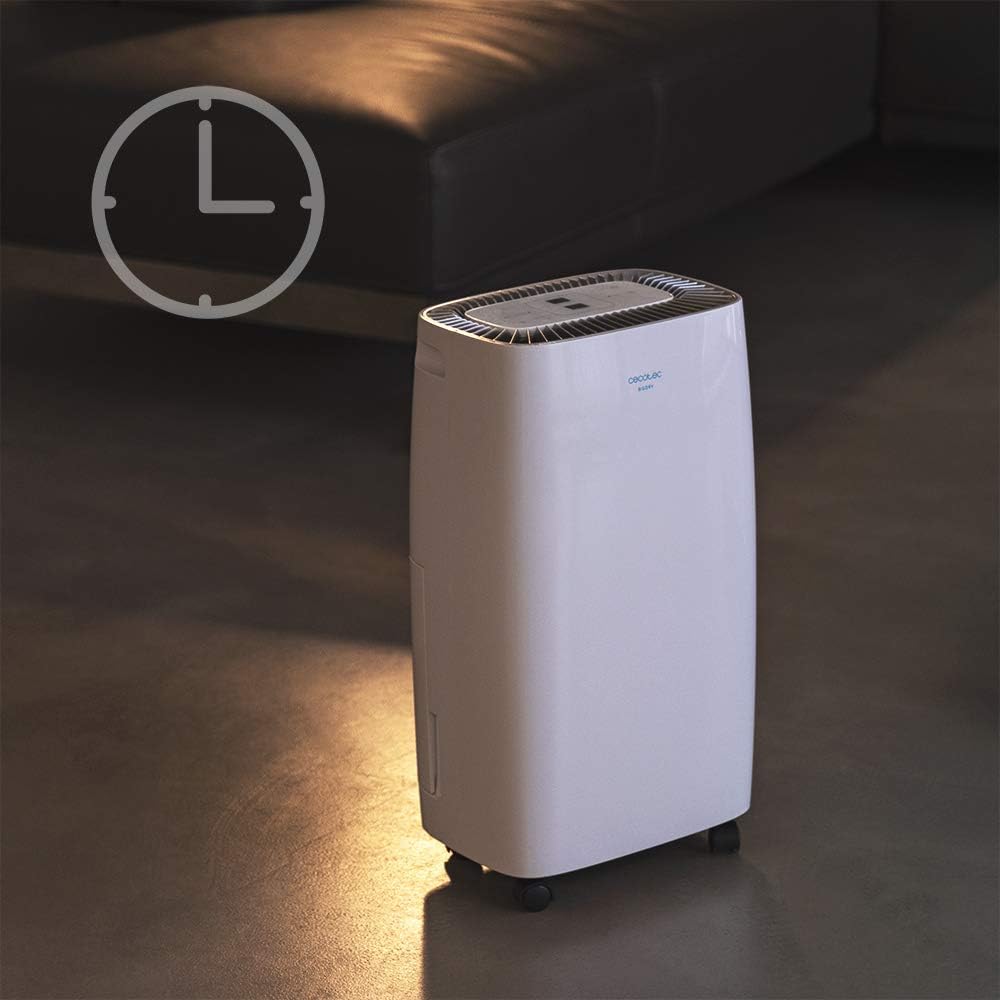
Kuva 4.1: Dehumidifier operating with the timer function. This image visually represents the timer feature, showing the unit in a room setting with a clock icon overlay, indicating scheduled operation.
Tuulettimen nopeus
- The unit features 2 fan speeds. Refer to the control panel for specific fan speed adjustment options, usually indicated by fan blade icons or "High/Low" indicators.
Automatic Shut-off and Full Tank Indicator
- The dehumidifier will automatically shut off when the water tank is full to prevent overflow.
- A "FULL" indicator light (often red) on the control panel will illuminate, and the unit may beep to alert you.

Kuva 4.2: Control panel showing the "FULL" indicator light. This close-up highlights the illuminated red light next to the "FULL" icon, signaling that the water tank needs to be emptied.
5. Huolto
Vesisäiliön tyhjennys
- When the "FULL" indicator light illuminates, gently pull out the water tank from the side of the unit.
- Kanna säiliö varovasti lavuaariin tai viemäriin ja tyhjennä kertynyt vesi.
- Huuhtele säiliö säännöllisesti puhtaalla vedellä homeen tai mikrobikasvuston estämiseksi.
- Liu'uta tyhjä säiliö takaisin laitteeseen, kunnes se napsahtaa paikalleen. Laite jatkaa toimintaansa.
Ilmansuodattimen puhdistus
Ilmansuodatin on puhdistettava kahden viikon välein tai useammin käytöstä ja ilmanlaadusta riippuen.
- Sammuta ja irrota ilmankuivain.
- Locate the air filter (usually on the back or side, behind a removable grille).
- Irrota suodatin.
- Clean the filter using a vacuum cleaner to remove dust. For heavy dirt, wash it gently with warm, soapy water.
- Anna suodattimen kuivua kokonaan ilmassa ennen sen asettamista takaisin paikalleen. Älä käytä kuivausrumpua tai suoraa lämpöä.
- Reinsert the dry filter and close the grille.
Yleissiivous
- Pyyhi laitteen ulkopuoli pehmeällä, damp kangas. Älä käytä hankaavia puhdistusaineita tai liuottimia.
- Varmista, ettei sähköosiin pääse vettä.
6. Vianmääritys
| Ongelma | Mahdollinen syy | Ratkaisu |
|---|---|---|
| Yksikkö ei käynnisty. | Ei virtaa; virtajohto irti; vesisäiliö täynnä tai väärin asetettu. | Check power connection; ensure tank is empty and properly seated. |
| Ilmankuivain ei kerää vettä. | Room humidity too low; temperature too low; air filter clogged; unit too small for space. | Check room conditions; clean air filter; ensure unit is appropriately sized for the area. |
| Yksikkö on meluisa. | Laite ei ole tasaisella alustalla; ilmansuodatin tukossa; sisäinen komponenttiongelma. | Place on a level surface; clean air filter. If noise persists, contact support. |
| "FULL" indicator light is on, but tank is not full. | Float switch stuck or sensor malfunction. | Remove and reinsert tank; check float switch for obstructions. |
7. Tekniset tiedot
| Ominaisuus | Erittely |
|---|---|
| Merkki | Cecotec |
| Mallin nimi | Big Dry 4000 Expert (Model Number: 05606) |
| Ilmankuivauskapasiteetti | 10 litraa päivässä |
| Vesisäiliön kapasiteetti | 2.5 litraa |
| Suositeltu lattiapinta-ala | Up to 40 Square Meters (105 m³/h coverage) |
| Tuotteen mitat (S x L x K) | 20.87" S x 9.06" L x 12.2" K |
| Tuotteen paino | 21.7 kiloa |
| Wattage | 4000 wattia (Note: This value is from product specifications. Actual operational wattage for dehumidifiers is typically lower.) |
| Kylmäaine Kaasu | R290 |
| Erikoisominaisuudet | Removable Tank, 24h Timer, LED Display, Auto Power Off, Silent Operation |
8. Takuu ja tuki
For warranty information, technical support, or service inquiries, please refer to the warranty card included with your product or visit the official Cecotec websivusto. Säilytä ostokuitti ostotodistuksena takuuvaatimuksia varten.
Cecotecin virkamies Websivusto: www.cecotec.com
Ask a question about this manual
Ask about setup, troubleshooting, compatibility, parts, safety, or missing instructions. Manuals+ will review the question and use this page’s manual context to help answer it.