
ROCCAT ROC-12-940-BN
Roccat Vulcan 122 Mechanical Gaming Keyboard User Manual
Malli: ROC-12-940-BN
1. Johdanto
The Roccat Vulcan 122 is a high-performance mechanical gaming keyboard designed for precision and durability. It features Roccat's unique Titan switches, advanced AIMO RGB lighting, and a robust aluminum construction. This manual provides detailed instructions for setting up, operating, maintaining, and troubleshooting your keyboard.

Image: The Roccat Vulcan 122 keyboard shown with a Roccat mouse and headset, demonstrating its vivid, dynamic lighting synergy with AIMO.
Tärkeimmät ominaisuudet:
- Unique design with lowered keycaps and reduced reaction time.
- RGB lighting with configurable LED effects and adjustable AIMO effects.
- High-quality and resistant design with robust materials and an anodized aluminum surface.
- Advanced anti-ghosting with N-Key Rollover (NKRO).
- Programmable macro keys and ROCCAT Easy-Shift[+].
2. Asennus
2.1 Näppäimistön kytkeminen
To connect your Roccat Vulcan 122 keyboard:
- Pura näppäimistö ja sen lisävarusteet pakkauksesta.
- Plug the USB connector from the keyboard into an available USB port on your computer.
- Käyttöjärjestelmä tunnistaa ja asentaa tarvittavat ajurit automaattisesti.
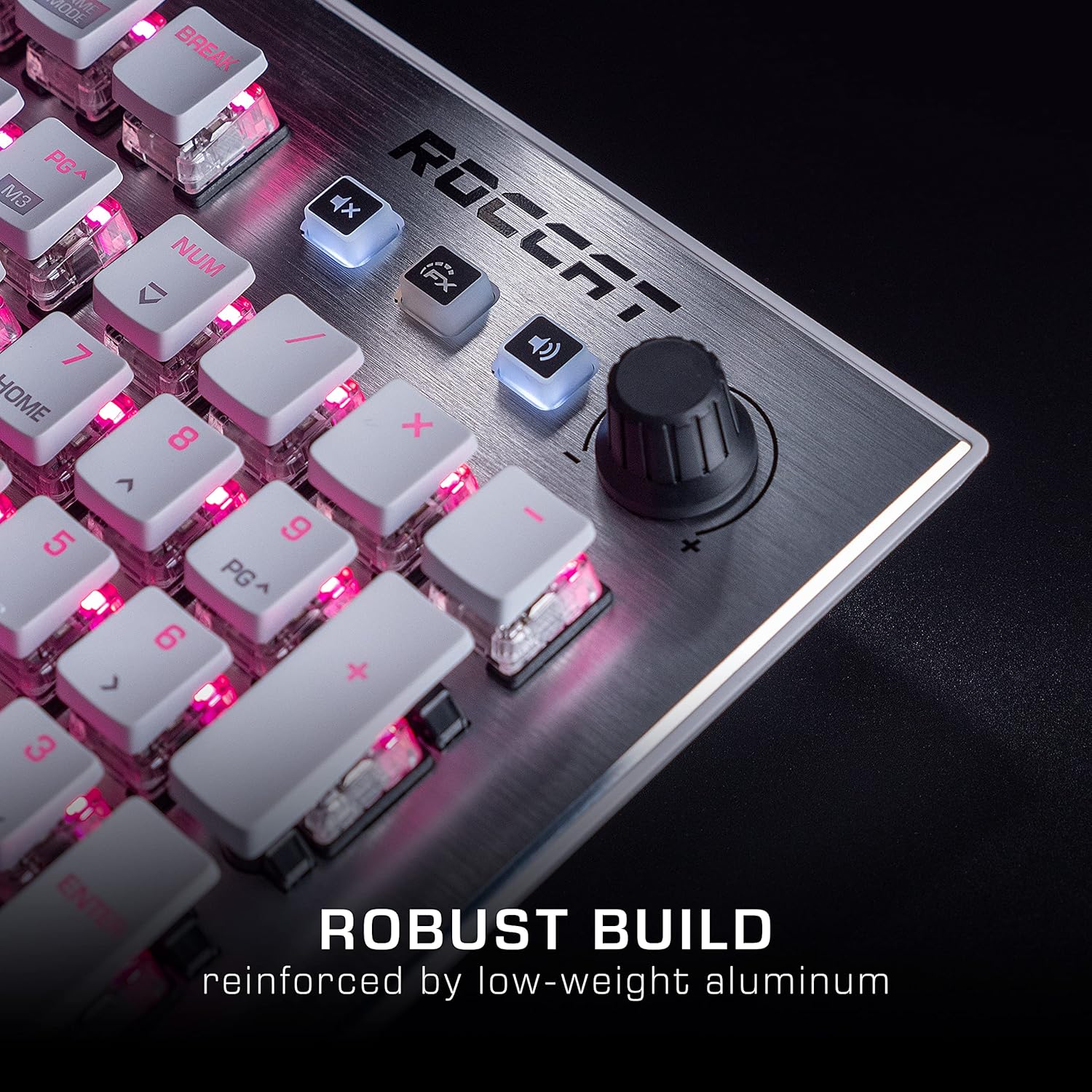
Image: The Roccat Vulcan 122 keyboard shown with its detachable wrist rest, ready for connection.
2.2 Ohjelmiston asennus (ROCCAT Swarm)
For full functionality and customization, install the ROCCAT Swarm software:
- Käy ROCCATin virallisella sivustolla websivusto (www.roccat.com) ja siirry tukiosioon.
- Download the latest version of the ROCCAT Swarm software for your operating system.
- Suorita asennusohjelma ja seuraa näytön ohjeita.
- After installation, launch ROCCAT Swarm to configure your keyboard settings, lighting, and macros.
3. Näppäimistön käyttö
3.1 Vakiopainikkeiden toiminnot
The Vulcan 122 functions as a standard QWERTY keyboard. All alphanumeric keys, function keys (F1-F12), navigation keys, and the numeric keypad operate as expected.
3.2 Median säätimet
The keyboard features dedicated media controls for convenient audio management.
- Äänenvoimakkuuden säädin: Located in the upper right corner, rotate to adjust system volume.
- Mykistyspainike: Mykistä/poista mykistys painamalla .
- FX-painike: Cycles through lighting effects or other programmable functions.

Kuva: Lähikuva view of the mixer-style media controls on the Roccat Vulcan 122, including the volume knob and dedicated function keys.
3.3 RGB Lighting Customization (AIMO)
The Vulcan 122 features advanced RGB lighting with Roccat's AIMO intelligent lighting system. Use the ROCCAT Swarm software to:
- Select from various pre-set lighting effects.
- Customize individual key illumination.
- Säädä tehosteiden kirkkautta ja nopeutta.
- Synchronize lighting with other AIMO-compatible devices.
3.4 Programmable Macro Keys and Easy-Shift[+]
The keyboard includes programmable macro keys and the Easy-Shift[+] function, allowing you to assign secondary functions to keys.
- Use the ROCCAT Swarm software to record and assign macros to designated keys.
- Easy-Shift[+] allows you to double the number of assignable functions by holding down the Easy-Shift[+] key (usually Caps Lock by default, configurable in Swarm) and pressing another key.
3.5 Anti-Ghosting with NKRO
The Vulcan 122 features advanced anti-ghosting technology with N-Key Rollover (NKRO), ensuring that every key press is registered accurately, even when multiple keys are pressed simultaneously.

Image: A hand demonstrating typing on the Roccat Vulcan 122 keyboard, emphasizing the ergonomic design of the keys for comfortable use.
4. Huolto
4.1 Näppäimistön puhdistaminen
To ensure the longevity and optimal performance of your Vulcan 122 keyboard, regular cleaning is recommended.
- Irrota näppäimistö tietokoneesta ennen puhdistamista.
- Käytä pehmeää, nukkaamatonta liinaa hieman dampened with water or a mild cleaning solution to wipe the keycaps and surface. Avoid harsh chemicals.
- For dust and debris between keys, use compressed air. The raised keycap design makes cleaning easier.
- Varmista, että näppäimistö on täysin kuiva ennen sen uudelleenkytkemistä.

Image: A close-up of the Roccat Vulcan 122 keyboard keys, illustrating their design which facilitates easy cleaning and resistance to dust and liquids.
5. Vianmääritys
If you encounter issues with your Roccat Vulcan 122 keyboard, refer to the following common problems and solutions:
- Näppäimistö ei vastaa:
- Varmista, että USB-kaapeli on kytketty kunnolla sekä näppäimistöön että tietokoneeseen.
- Kokeile kytkeä näppäimistö toiseen USB-porttiin.
- Käynnistä tietokone uudelleen.
- Tarkista käyttöjärjestelmäsi laitehallinnasta, onko näppäimistö poistettu käytöstä.
- RGB-valaistus ei toimi tai on virheellinen:
- Ensure the ROCCAT Swarm software is installed and up to date.
- Tarkista valaistusasetukset Swarm-ohjelmistosta.
- Perform a firmware update for the keyboard via Swarm.
- Avaimet eivät rekisteröidy tai ne näkyvät haamutilassa:
- Puhdista kyseiset näppäimet Huolto-osiossa kuvatulla tavalla.
- Varmista, että näppäimistön laiteohjelmisto on ajan tasalla.
- Testaa näppäimistöä toisella tietokoneella sulkeaksesi pois järjestelmäkohtaiset ongelmat.
- ROCCAT Swarm software not detecting keyboard:
- Varmista, että näppäimistö on kytketty oikein.
- Restart the Swarm software and your computer.
- Reinstall the ROCCAT Swarm software.
- Tarkista mahdolliset ristiriitaiset ohjelmistot tai ohjaimet.
6. Tekniset tiedot
| Ominaisuus | Yksityiskohta |
|---|---|
| Merkki | ROCCAT |
| Mallin nimi | Vulkaani 122 |
| Mallinumero | ROC-12-940-BN |
| Näppäimistön kuvaus | Mekaaninen |
| Kytkimen tyyppi | Tunteva |
| Materiaali | Alumiini |
| Erikoisominaisuudet | Taustavalo |
| Yhteensopivat laitteet | Kannettava tietokone (PC) |
| Käyttöjärjestelmän tuki | Windows 10, Windows 7, Windows 8 |
| Tuotteen mitat | 46.2 x 23.5 x 3.2 cm |
| Tuotteen paino | 1.15 kg |

Kuva: Räjähtänyt view diagram illustrating the components of a Roccat Titan Tactile mechanical switch, highlighting its design for swift and precise response.
7. Takuu ja tuki
7.1 Takuutiedot
Your Roccat Vulcan 122 keyboard is covered by a manufacturer's warranty. The specific terms and duration of the warranty may vary by region and retailer. Please retain your proof of purchase for warranty claims. For detailed warranty information, refer to the warranty card included with your product or visit the official ROCCAT websivusto.
7.2 Tekninen tuki
For technical assistance, driver updates, or further inquiries, please visit the official ROCCAT support page:
Löydät usein kysytyt kysymykset, vianmääritysoppaat ja asiakaspalvelun yhteystiedot heidän osoitteestaan websivusto.
Ask a question about this manual
Ask about setup, troubleshooting, compatibility, parts, safety, or missing instructions. Manuals+ will review the question and use this page’s manual context to help answer it.