
Johdanto
This manual provides essential information for the safe and efficient operation of your FidgetGear KT107 10.1 Inch 4G-LTE Tablet. Please read this manual thoroughly before using the device to ensure proper functionality and to prevent damage.

Kuva: Edestä ja takaa view of the FidgetGear KT107 Tablet. The front displays a colorful home screen with app icons, while the rear shows the camera module and a textured white casing.
Asennus ja ensimmäinen käyttökerta
Pakkauksen sisältö
Varmista, että pakkauksessa on kaikki tarvittavat osat:
- 1 x FidgetGear KT107 Tablet
- 1 x virtalähde (EU-pistoke)
- 1 x Käyttöohje (tämä asiakirja)
- 1 x OTG-kaapeli
- 1 x USB-kaapeli
Laite ohiview ja satamat

Image: Diagram showing the FidgetGear KT107 Tablet with labels for its various ports and buttons. These include the front camera, headphone hole, volume up/down buttons, turn on/off button, rear camera/flash, and stereo surround sound speakers.
Familiarize yourself with the tablet's physical features:
- Etukamera: Sijaitsee vaakasuunnassa pidettäessä ylhäällä keskellä.
- Kuulokkeiden reikä: Standardi 3.5 mm:n ääniliitäntä.
- Äänenvoimakkuuspainikkeet: Äänen lähtötason säätäminen.
- Virtapainike: Käytetään laitteen käynnistämiseen/sammuttamiseen tai sen laittamiseen lepotilaan.
- Rear Camera/Flash: Sijaitsee tabletin takaosassa.
- Stereo-surround-ääni: Kaiuttimet äänen ulostuloon.
Tabletin lataaminen
Before first use, fully charge the tablet. Connect the provided USB cable to the tablet's Micro-USB port and the power supply. Plug the power supply into a wall outlet. The battery indicator on the screen will show charging status.
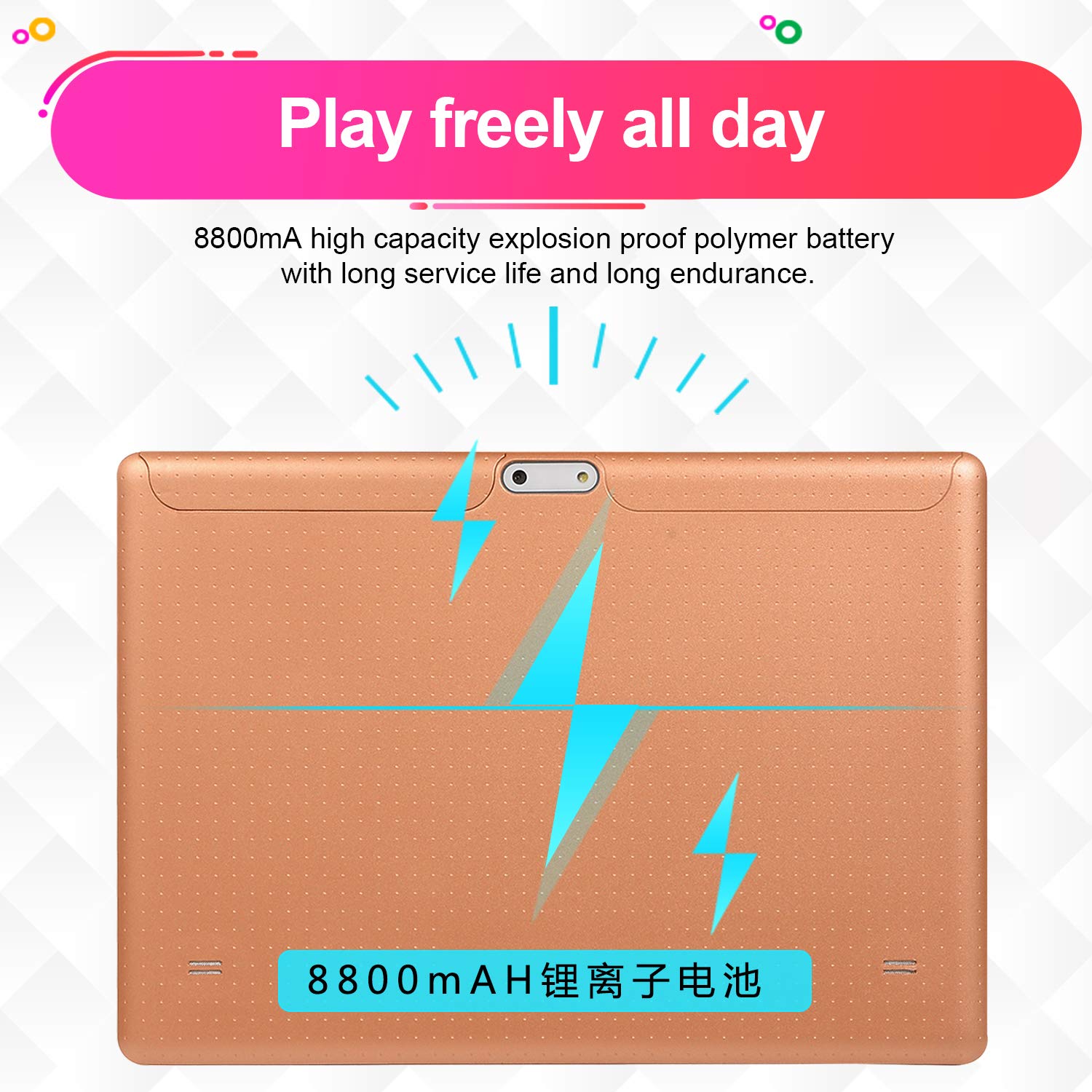
Image: The FidgetGear KT107 Tablet shown from the back, with an overlay indicating its 8800mAh high-capacity battery and long endurance.
The tablet is equipped with an 8800 mAh battery (theoretical capacity) for extended use.
Virran kytkeminen päälle/pois
- Virran kytkeminen: Press and hold the Power button until the FidgetGear logo appears.
- Virran sammuttaminen: Press and hold the Power button until a power-off menu appears. Select "Power off".
- Nukkumismoodi: Paina lyhyesti virtapainiketta asettaaksesi tabletin lepotilaan tai herättääksesi sen.
Inserting SIM and Micro SD/TF Cards
The KT107 supports Dual SIM functionality and memory expansion via Micro SD/TF card up to 64 GB. Locate the SIM/SD card tray on the side of the tablet. Use the provided SIM ejector tool (if included, otherwise a small paperclip) to open the tray. Insert the cards as indicated on the tray, ensuring correct orientation. Close the tray securely.
Note: Some users have reported issues with Indian SIM card compatibility. Ensure your SIM card is compatible with the tablet's specifications (4G-LTE).
Käyttöohjeet
Perusnavigointi
The tablet operates on Android 8.0. Use touch gestures for navigation:
- Napauta: Valitse kohde tai avaa sovellus.
- Napauta ja pidä: Käytä kontekstivalikoita tai siirrä kuvakkeita.
- Pyyhkäise: Selaa näyttöjä tai luetteloita.
- Hyppysellinen: Lähennä tai loitonna kuvia ja web sivuja.
Yhteyden muodostaminen verkkoihin
Wi-Fi-yhteys
Yhteyden muodostaminen Wi-Fi-verkkoon:
- Siirry osoitteeseen Asetukset > Verkko ja Internet > Wi-Fi.
- Ota Wi-Fi käyttöön.
- Valitse haluamasi verkko luettelosta.
- Anna salasana, jos sitä pyydetään, ja napauta Yhdistä.

Image: The FidgetGear KT107 Tablet displaying its home screen with a Wi-Fi icon, indicating high-speed Wi-Fi connectivity for better experience.
Bluetooth-yhteys
Pariliitoksen muodostaminen Bluetooth-laitteen kanssa:
- Siirry osoitteeseen Asetukset > Yhdistetyt laitteet > Bluetooth.
- Ota Bluetooth käyttöön.
- Varmista, että Bluetooth-laitteesi on pariliitostilassa.
- Select the device from the list and follow on-screen prompts to complete pairing.
4G-LTE Connectivity
If a compatible SIM card is inserted, the tablet will automatically connect to available 4G-LTE networks for mobile data and calls (if supported by your SIM plan). Ensure mobile data is enabled in Asetukset > Verkko ja Internet > Mobiiliverkko.
Kameran käyttö
The tablet features a 13.0MP rear camera and an 8.0MP front camera.

Image: The FidgetGear KT107 Tablet displaying a scene captured by its front camera, emphasizing its 8-megapixel capability.
Kameran käyttö:
- Napauta Kamera kuvaketta aloitusnäytössä tai sovellusvalikosta.
- Vaihda etu- ja takakameran välillä kameranvaihtokuvakkeella.
- Ota kuva napauttamalla laukaisinta.
- Explore various modes like video recording, panorama, etc., if available in the camera app.
Display and Screen Features
The tablet features a 10.1-inch capacitive touch screen with a resolution of 1960 x 1080 pixels.

Image: The FidgetGear KT107 Tablet screen showcasing vibrant, high-definition content, highlighting its 10.1-inch size and 1960x1080 resolution.
Adjust display settings such as brightness, wallpaper, and sleep timeout in Asetukset > Näyttö.
Muut ominaisuudet
- GPS: Sisäänrakennettu GPS navigointia ja paikannuspalveluita varten.
- OTG-toiminto: Supports On-The-Go (OTG) functionality, allowing connection of USB peripherals like flash drives or keyboards using the provided OTG cable.
- Esiasennetut sovellukset: Includes standard Android applications such as web browser, email client, calculator, calendar, and media players.
- Monikielinen tuki: Supports German, English, Chinese, Simplified Chinese, Japanese, Korean, French, Russian, Italian, and more.
Huolto ja hoito
- Puhdistus: Puhdista tabletin näyttö ja runko pehmeällä, nukkaamattomalla liinalla. Vältä voimakkaiden kemikaalien tai hankaavien materiaalien käyttöä.
- Akun hoito: Akun käyttöiän pidentämiseksi vältä äärimmäisiä lämpötiloja. Älä anna akun tyhjentyä kokonaan usein.
- Ohjelmistopäivitykset: Tarkista säännöllisesti järjestelmäpäivitykset Asetukset > Järjestelmä > Järjestelmän päivitys optimaalisen suorituskyvyn ja turvallisuuden varmistamiseksi.
- Tallennuksen hallinta: Siivoa säännöllisesti tarpeettomat fileja sovelluksia riittävän tallennustilan ja suorituskyvyn ylläpitämiseksi.
- Ympäristöolosuhteet: Avoid exposing the tablet to direct sunlight, high humidity, dust, or extreme temperatures.
Vianetsintä
| Ongelma | Mahdollinen syy / Ratkaisu |
|---|---|
| Tabletti ei käynnisty. | Battery might be drained. Connect to charger and wait a few minutes before attempting to power on again. Ensure power supply and cable are working. |
| Ei voi muodostaa yhteyttä Wi-Fi-verkkoon. | Ensure Wi-Fi is enabled in settings. Check if the Wi-Fi router is working. Re-enter password if necessary. Try restarting the tablet and router. |
| SIM card not detected / No mobile data. | Ensure the SIM card is correctly inserted and fully seated in the tray. Verify that mobile data is enabled in settings. Check with your service provider for network issues or SIM compatibility (some users reported issues with Indian SIM cards). |
| Low audio volume. | Increase volume using the volume buttons. Check media volume settings in Asetukset > Ääni. Ensure no headphones are partially plugged in. |
| Tabletti on hidas tai ei reagoi. | Close unused applications. Clear cache and data for problematic apps. Restart the tablet. Ensure sufficient storage space is available. |
Tekniset tiedot
| Ominaisuus | Yksityiskohta |
|---|---|
| Käyttöjärjestelmä | Android 8.0 |
| Prosessori | Top Ten Cores (MTK6797 CPU) |
| GPU | Mali 400 GPU |
| RAM | 8GB |
| ROM | 128GB |
| Muistin laajennus | Up to 64 GB Micro SD / TF |
| Internet-yhteys | Wi-Fi + 3G + 4GLTE |
| Yhteydet | Bluetooth 4.1, Micro-USB, Wi-Fi (IEEE 802.11 b / g / n) |
| Näytön koko | 10.1 tuumaa |
| Resoluutio | 1960 x 1080 pikseliä |
| Näytön tyyppi | Kapasitiivinen kosketusnäyttö |
| G Sensor | Tukea |
| Takakamera | 13.0 MP |
| Etukamera | 8.0 MP |
| Akku | 8800 mAh (theoretical capacity) |
| OTG-toiminto | Tukea |
| Väri | White EU plug (as per product listing) |
Takuu ja tuki
For warranty information and technical support, please refer to the documentation provided with your purchase or contact FidgetGear customer service. Keep your purchase receipt as proof of purchase for warranty claims.
For further assistance, please visit the official FidgetGear websivustolla tai ota yhteyttä heidän tukikanaviinsa.