
1. Johdanto
The Maxell Bass 13 Wireless Headphones (Model B13-WHPS) are designed to provide a versatile audio experience. These headphones feature 40mm drivers for clear sound, an integrated microphone for communication, and comfortable ear pads for extended listening. They offer both wireless Bluetooth connectivity and a traditional 3.5mm wired option.
2. Mitä laatikossa on
- Maxell Bass 13 Wireless Headphones
- USB-latauskaapeli
- 3.5mm Audio Cable (if applicable, not explicitly listed but common for hybrid headphones)
- Käyttöopas
3. Tuote ohiview
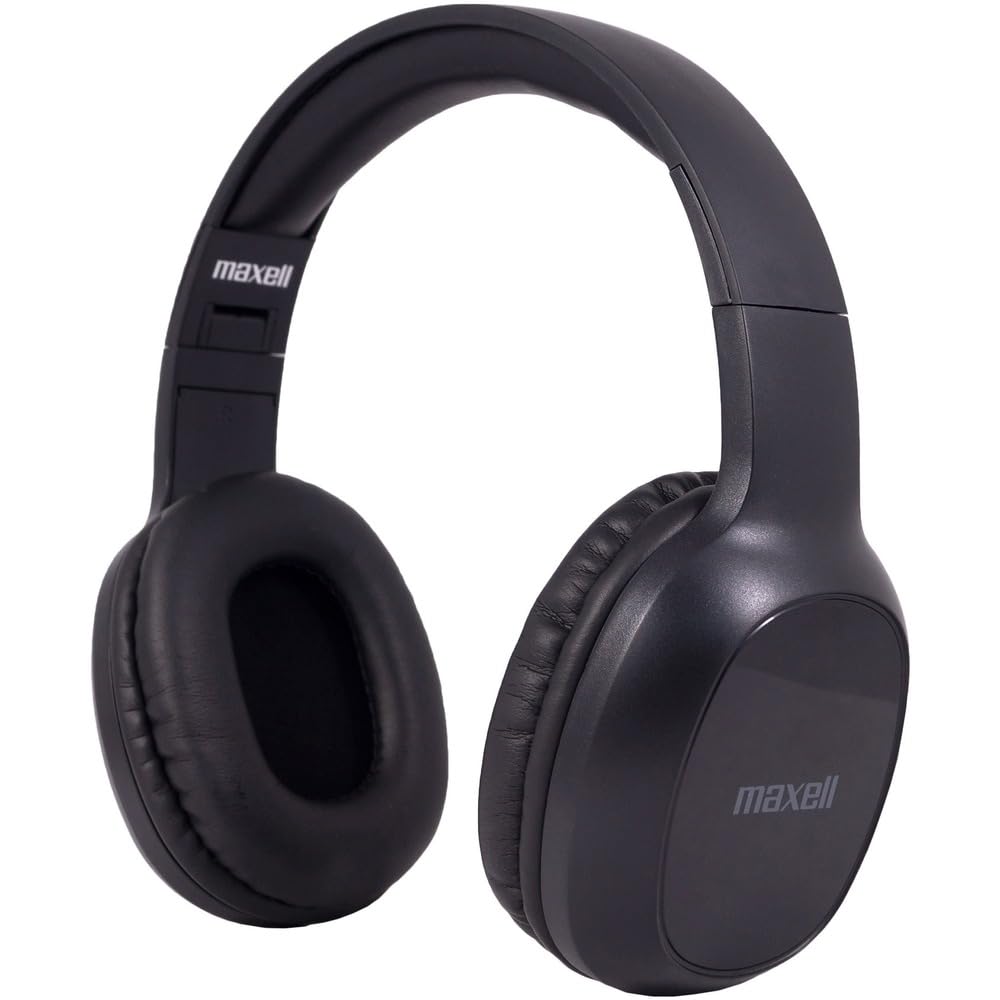
Figure 1: Maxell Bass 13 Wireless Headphones

Figure 2: Earcup Controls (Power, Volume, Play/Pause)
Tärkeimmät ominaisuudet:
- 40 mm:n dynaamiset ajurit: Deliver clear and powerful audio performance.
- Integroitu mikrofoni: Mahdollistaa handsfree-puhelut.
- Noise-Isolating Earpads: Provide comfort and help reduce external distractions.
- Bluetooth 5.0 -yhteydet: For stable wireless connection.
- 3.5 mm ääniliitäntä: Allows for wired connection to compatible devices.
- Säädettävä päänauha: Varmistaa mukavan istuvuuden eri päänkooille.
- Jopa 8 tunnin akunkesto: For extended listening and talk time.
4. Asennus
4.1 Kuulokkeiden lataaminen

Figure 3: Connecting the USB Charging Cable
- Locate the charging port on the headphone earcup.
- Connect the small end of the provided USB charging cable to the headphone's charging port.
- Liitä USB-kaapelin suurempi pää USB-virtalähteeseen (esim. tietokoneen USB-porttiin tai USB-seinäsovittimeen).
- The LED indicator on the headphones will illuminate to show charging status. It will typically turn off or change color when fully charged.
- A full charge provides up to 8 hours of continuous talk/play time.
4.2 Bluetooth -pariliitos
- Varmista, että kuulokkeet ovat täyteen ladatut.
- Press and hold the Power button on the headphone earcup until the LED indicator flashes blue and red, indicating pairing mode.
- Siirry laitteellasi (älypuhelin, tabletti, tietokone) Bluetooth-asetuksiin.
- Etsi available devices. Select "Maxell Bass 13" from the list.
- Once paired, the LED indicator will typically show a solid blue light or flash blue slowly.
- Jos sinulta kysytään salasanaa, kirjoita "0000".
4.3 Langallinen yhteys (3.5 mm:n ääniliitäntä)

Figure 4: Connecting the 3.5mm Audio Cable
Laitteissa, joissa ei ole Bluetoothia tai kun akku on vähissä, voit käyttää 3.5 mm:n äänikaapelia:
- Kytke 3.5 mm:n äänikaapelin toinen pää kuulokkeiden korvakuvun äänituloliitäntään.
- Liitä toinen pää laitteesi 3.5 mm:n äänilähtöliitäntään.
- Kuulokkeet toimivat passiivitilassa ja Bluetooth-toiminto on poistettu käytöstä.
5. Käyttöohjeet
5.1 Virta päälle/pois
- Virta päälle: Paina virtapainiketta ja pidä sitä painettuna noin 3 sekuntia, kunnes LED-merkkivalo syttyy.
- Virta pois: Paina virtapainiketta ja pidä sitä painettuna noin 3–5 sekuntia, kunnes LED-merkkivalo sammuu.
5.2 Äänenvoimakkuuden säätö
- Lisää äänenvoimakkuutta: Paina äänenvoimakkuuden lisäyspainiketta (+).
- Vähennä äänenvoimakkuutta: Paina äänenvoimakkuuden vähennyspainiketta (-).
5.3 Musiikin toisto
- Toista/tauko: Paina monitoimipainiketta (usein virtapainiketta tai erillistä Toista/Tauko-painiketta) kerran.
- Seuraava kappale: Press and hold the Volume Up (+) button (or double-press, refer to specific product button layout).
- Edellinen kappale: Press and hold the Volume Down (-) button (or double-press, refer to specific product button layout).
5.4 Puheluiden hallinta
- Puhelun vastaaminen/lopetus: Paina monitoimipainiketta kerran.
- Hylkää puhelu: Paina monitoimipainiketta ja pidä sitä painettuna noin 2 sekuntia.
- Uudelleenvalinta viimeinen numero: Paina monitoimipainiketta kahdesti.
6. Huolto
6.1 Puhdistus
- Pyyhi kuulokkeet pehmeällä, kuivalla ja nukkaamattomalla liinalla.
- Älä käytä hankaavia puhdistusaineita, liuottimia tai aerosolisuihkeita.
- Vältä kosteuden joutumista aukkoihin.
6.2 Varastointi

Figure 5: Headphones Folded for Storage
- Säilytä kuulokkeita viileässä, kuivassa paikassa, poissa äärimmäisistä lämpötiloista.
- Kun kuulokkeita ei käytetä pitkään aikaan, varmista, että ne on ladattu täyteen ennen säilytystä akun kunnon ylläpitämiseksi.
- Kuulokkeissa on taitettava muotoilu kompaktia säilytystä ja kannettavuutta varten.
6.3 Akun hoito
- Vältä akun usein toistuvaa täydellistä tyhjentymistä.
- Charge the headphones regularly, even if not used often.
- Älä altista akkua liialliselle kuumuudelle tai suoralle auringonvalolle.
7. Vianmääritys
| Ongelma | Mahdollinen syy | Ratkaisu |
|---|---|---|
| Kuulokkeet eivät käynnisty | Akku vähissä | Lataa kuulokkeet täyteen. |
| Pariliitos Bluetoothin kautta ei onnistu. | Kuulokkeet eivät ole pariliitostilassa; Laitteen Bluetooth pois päältä; Liian kaukana laitteesta | Varmista, että kuulokkeet ovat pariliitostilassa (vilkkuu sinisenä/punaisena). Käynnistä laitteen Bluetooth. Siirrä kuulokkeet lähemmäs laitetta. |
| Ei ääntä | Volume too low; Incorrect audio source; Headphones not connected | Increase headphone and device volume. Check if headphones are properly paired/connected. Verify audio output settings on your device. |
| Huono puhelun laatu | Weak Bluetooth signal; Microphone obstructed | Move closer to your device. Ensure microphone is not covered. |
8. Tekniset tiedot
| Ominaisuus | Yksityiskohta |
|---|---|
| Mallinumero | B13-WHPS |
| Merkki | Maxell |
| Yhteystekniikka | Bluetooth 5.0 |
| Ääniohjaimen koko | 40 mm |
| Akun kesto | Up to 8 Hours (continuous talk/play time) |
| Kuulokkeet Jack | 3.5 mm Jack |
| Melunvaimennusominaisuudet | Sound Isolation, Noise Cancelling |
| Impedanssi | 32 ohmia |
| Herkkyys | 100 dB |
| Taajuusvaste | 20 Hz |
| Korvien sijoitus | Korvassa |
| Muototekijä | Korvan yli |
| Tuotteen mitat | 7.25 x 3 x 9 tuumaa |
| Tuotteen paino | 8.4 unssia |
| Materiaali | Electronic Components, Foam, Plastic, Wire |
| Yhteensopivat laitteet | Tablets, Laptops, Desktops, Portable Devices with 3.5mm Audio Jack |
9. Virallinen tuotevideo
Video 1: Maxell Bass 13 Bluetooth Headphones Overview. This video provides a visual demonstration of the headphones' features and design.
10. Takuu ja tuki
Maxell products are designed for reliability and performance. For specific warranty information, please refer to the warranty card included with your purchase or visit the official Maxell website. For technical support or customer service inquiries, please contact Maxell customer support through their official channels.