
1. Johdanto
The ThermoPro TP200B is a digital indoor/outdoor thermometer designed to monitor temperature and humidity levels in your environment. This manual provides detailed instructions for setting up, operating, and maintaining your device to ensure accurate readings and optimal performance.
2. Pakkauksen sisältö
- 1 x ThermoPro TP200B Main Unit (Indoor Display)
- 1 x Outdoor Temperature Sensor (Wireless)
- 5 x AAA paristot (mukana)
- 1 x Käyttöohje
3. Tärkeimmät ominaisuudet
- Large Backlit Display with Large Digits: Features a 3.3-inch LCD display with large digits for easy readability, even in low light conditions.
- Max/Min Records: Stores and displays maximum and minimum temperature and humidity records for the past 24 hours.
- Color Air Comfort Indicator: A visual indicator with an arrow shows current air conditions (Dry/Comfort/Wet), allowing for environmental adjustments.
- Erittäin tarkat lukemat: Equipped with a premium sensor for precise temperature and humidity measurements, accurate to ±2°F and ±2-3%RH.
- Käyttäjäystävällinen muotoilu: Easily adjust settings with three front-facing buttons.
- Useita sijoitusvaihtoehtoja: Can be wall-mounted, placed on a tabletop, or attached via magnetic back.
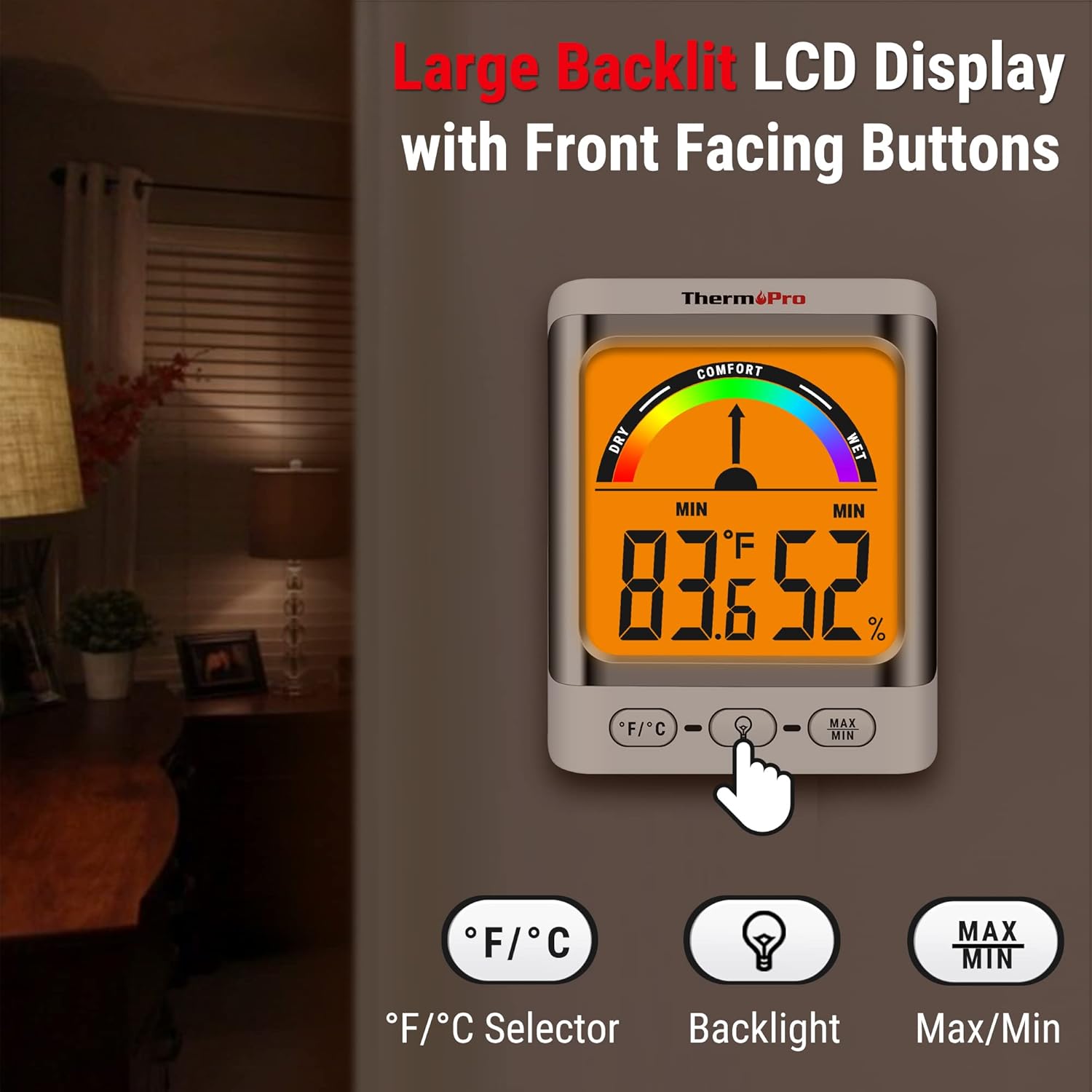
Image: The ThermoPro TP200B main unit display, highlighting the large digits, comfort indicator, and the three control buttons: °F/°C selector, Backlight, and Max/Min.
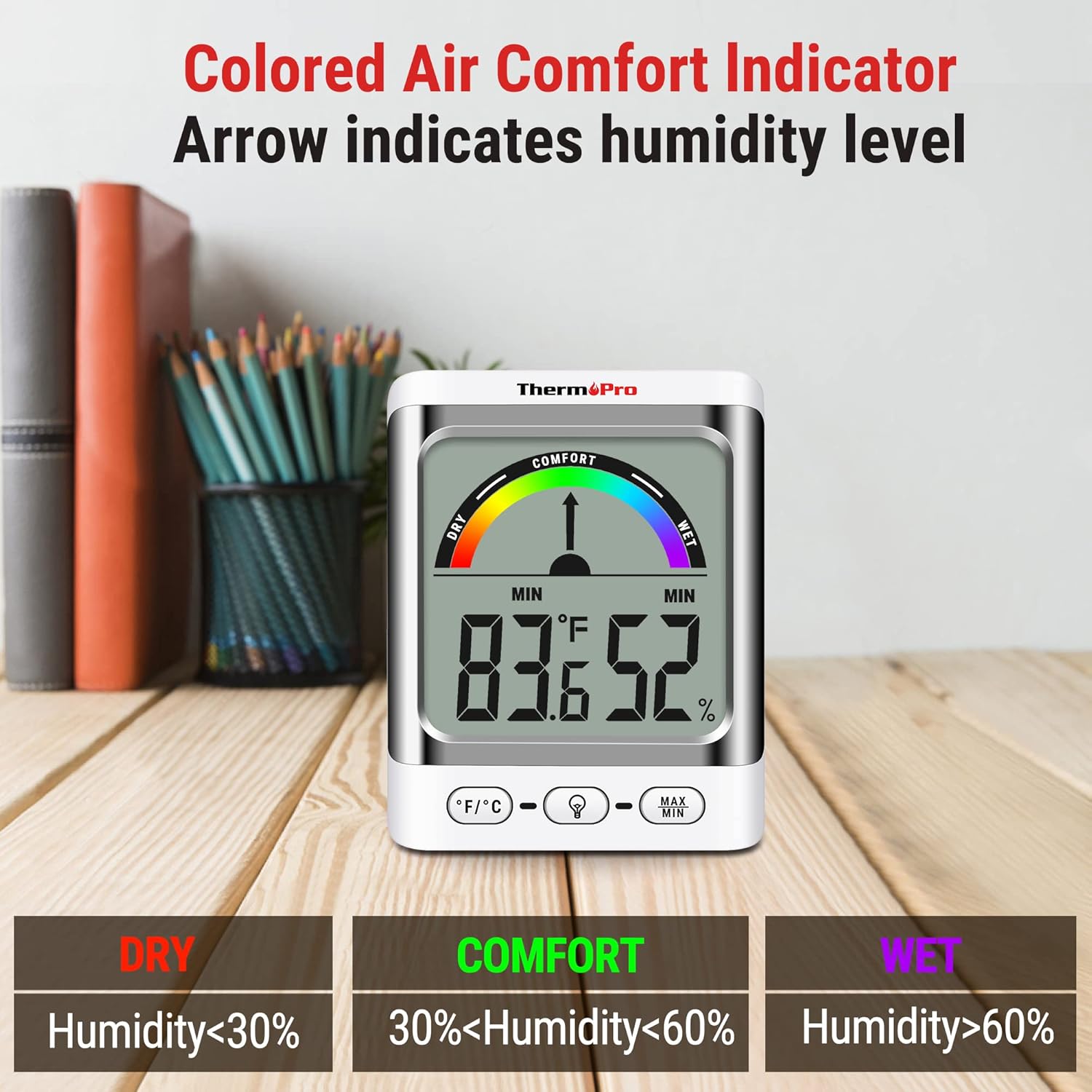
Image: A close-up of the ThermoPro TP200B display, illustrating the colored comfort indicator that visually represents dry (humidity <30%), comfort (30% < humidity < 60%), and wet (humidity >60%) conditions.
4. Asennus
- Akun asennus:
- Avaa paristolokero sekä pääyksikön että ulkoanturin takana.
- Insert the provided AAA batteries, ensuring correct polarity (+/-).
- Sulje paristolokerot kunnolla.
- Anturin sijoitus:
- Place the outdoor sensor in a location that is protected from direct sunlight and precipitation for accurate readings.
- Ensure the sensor is within the 500ft wireless range of the main unit.
- Pääyksikön sijoittelu:
- The main unit can be placed on a tabletop using its integrated stand, mounted on a wall, or attached to a metallic surface via its magnetic back.
- Position the main unit in a central location indoors for optimal signal reception from the outdoor sensor.

Kuva: esimamples of flexible placement options for the ThermoPro TP200B, including wall mounting, magnetic attachment to a refrigerator, and freestanding on a countertop.
5. Käyttöohjeet
5.1 Näytön loppuview
The large LCD display shows indoor temperature, humidity, and the comfort level indicator. The outdoor temperature is displayed from the wireless sensor.
5.2 Painikkeiden toiminnot
- ° F/° C -painike: Press to switch between Fahrenheit and Celsius temperature units.
- Taustavalopainike: Press to activate the backlight for 15 seconds, improving visibility in dim conditions.
- MAX/MIN-painike: Paina view the maximum and minimum temperature and humidity recorded over the past 24 hours. Press again to cycle through current, MAX, and MIN readings. Hold to reset MAX/MIN records.

Image: The ThermoPro TP200B displaying maximum and minimum temperature and humidity values, accompanied by a conceptual graph showing how these values fluctuate over a 24-hour period.
6. Huolto
- Puhdistus: Pyyhi laite ja anturi pehmeällä,amp kangas. Älä käytä hankaavia puhdistusaineita tai upota niitä veteen.
- Akun vaihto: Replace batteries when the low battery indicator appears on the display. Ensure to use fresh AAA batteries.
- Varastointi: Jos laitetta säilytetään pitkään, poista paristot vuotojen estämiseksi.
7. Vianmääritys
- Ei näyttöä/akun heikon varauksen ilmaisin: Replace all batteries in both the main unit and the outdoor sensor.
- Epätarkkoja lukemia:
- Varmista, ettei ulkoanturi ole suorassa auringonvalossa tai alttiina äärimmäisille sääolosuhteille.
- Verify the main unit and sensor are within effective range and not obstructed by thick walls or electronic interference.
- Allow both units to stabilize for 30 minutes after initial setup or battery replacement.
- No Signal from Outdoor Sensor:
- Relocate the main unit or sensor closer to each other.
- Check batteries in both units.
- Reset the connection by removing batteries from both units, waiting a few minutes, then reinserting them.
8. Tekniset tiedot
| Ominaisuus | Yksityiskohta |
|---|---|
| Mallin nimi | TP200B |
| Merkki | ThermoPro |
| Erikoisominaisuus | Korkea tarkkuus |
| Väri | Valkoinen |
| Näytön tyyppi | Digitaalinen |
| Virtalähde | Paristokäyttöinen (5 AAA-paristoa mukana) |
| Lämpötilan tarkkuus | ± 2 ° F (± 1.1 ° C) |
| Kosteuden tarkkuus | ±2% from 30% to 80% RH; ±3% outside this range |
| Vastausaika | 0.5 sekuntia |
| Tuotteen paino | 4.2 unssia |
| Tuotteen pituus | 3.9 tuumaa |

Image: Multiple ThermoPro TP200B units demonstrating consistent temperature and humidity readings, highlighting the specified accuracy tolerances of ±2°F (±1.1°C) for temperature and ±2% RH (30-80% range) for humidity.

Kuva: Visuaalinen vertailuesitysasing the large, compact display of the ThermoPro TP200B (3.3 inches) next to a smaller, generic thermometer (1.7 inches), emphasizing its enhanced readability.
9. Takuu ja tuki
ThermoPro myöntää tälle tuotteelle takuun materiaali- ja valmistusvirheiden varalta. Saat yksityiskohtaisia takuutietoja, tuotteen rekisteröinnin tai teknistä tukea ThermoPron viralliselta verkkosivustolta. websivustolta tai ota yhteyttä heidän asiakaspalveluunsa. Säilytä ostokuitti ostotodistuksena.
Official ThermoPro Websivusto: www.thermopro.com