
KPS KPS-DT100
KPS-DT100 Non-Contact AC Voltage Tunnistimen käyttöopas
Model: KPS-DT100
1. Johdanto
The KPS-DT100 is a reliable non-contact AC voltagIlmaisin on suunniteltu jännitteellisen vaihtovirran nopeaan ja turvalliseen tunnistukseentage. This device is essential for electricians, maintenance personnel, and DIY enthusiasts to ensure electrical safety before working on circuits. It provides clear acoustic and LED indications when AC voltage is detected, covering a wide range from 90V to 1000V AC. The KPS-DT100 is built to meet safety standards, including CAT II 1000V and CAT III 600V, making it suitable for various residential, commercial, and industrial applications.
2. Turvallisuustiedot
Please read and understand all safety information and operating instructions before using this product. Failure to follow these instructions may result in electric shock, fire, or serious injury.
- Always assume that any circuit is live until proven otherwise with a reliable voltage ilmaisin.
- Do not use the detector if it appears damaged or is not operating correctly.
- Verify the detector's operation on a known live source before and after each use.
- This device is rated for CAT II 1000V and CAT III 600V. Do not use it in environments exceeding these ratings.
- Keep fingers behind the finger guard during use.
- Do not attempt to repair or modify the detector. Refer all servicing to qualified personnel.
- Vaihda paristot välittömästi, kun heikon pariston varoitusvalo tulee näkyviin, jotta mittaustulokset ovat tarkkoja.
3. Tuote ohiview
The KPS-DT100 is a pen-style non-contact voltage detector. It features a sensitive tip for voltage detection, an LED indicator, and an audible alarm for clear feedback.

Figure 3.1: KPS-DT100 Product Packaging. This image displays the retail packaging of the KPS-DT100, highlighting its key features such as non-contact voltage detection, 90-1000V AC range, acoustic and LED indication, and CAT II 1000V / CAT III 600V safety ratings.
Tärkeimmät komponentit:
- Havaintovinkki: The sensitive end of the detector that senses AC voltage.
- LED-ilmaisin: Illuminates when voltage havaitaan.
- Äänihälytys: Piippaa, kun voltage havaitaan.
- Virtapainike: Kytkee laitteen päälle ja pois päältä.
- Akkulokero: Located at the rear for AAA battery installation.
4. Asennus
Akun asennus:
The KPS-DT100 requires two AAA batteries (included) for operation. Ensure correct polarity during installation.
- Twist the cap at the bottom of the detector counter-clockwise to open the battery compartment.
- Insert two AAA batteries, observing the polarity markings (+/-) inside the compartment.
- Replace the cap by twisting it clockwise until securely fastened.
- Press the power button to turn on the device and confirm it powers up.
5. Käyttöohjeet
Follow these steps for safe and effective voltage tunnistus:
- Virta päälle: Press the power button to turn on the detector. The LED indicator should briefly flash, and a short beep may sound, indicating the device is ready.
- Itsetestaus: Before each use, test the detector on a known live AC voltage source (e.g., a working wall outlet) to ensure it is functioning correctly. The LED should illuminate, and the audible alarm should sound.
- Voitage Tunnistus: Place the detection tip of the KPS-DT100 near the conductor, outlet, or circuit you wish to test.
- Indikaatio: Jos AC voltage is present, the LED indicator will light up, and the audible alarm will sound. The intensity of the alarm and LED may vary with voltage voima ja läheisyys.
- Virta pois: Press the power button again to turn off the detector when finished. The device may also have an auto-off feature to conserve battery life.
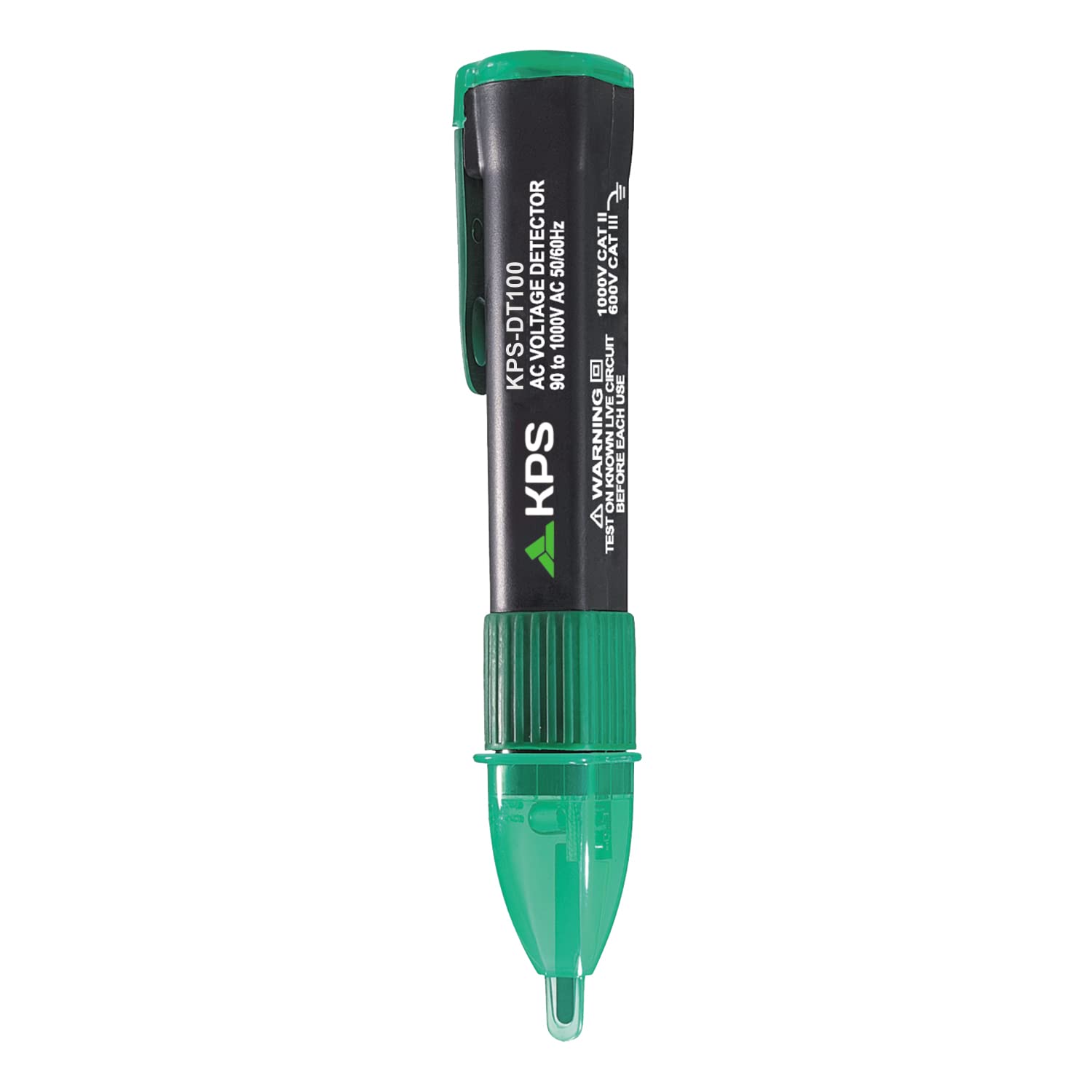
Figure 5.1: Using the KPS-DT100 to detect voltage in a power strip. The detector's tip is placed near an outlet, and the LED indicator is visible, signifying the presence of AC voltage.

Figure 5.2: A user testing a wall socket with the KPS-DT100. The detector is held firmly, and its tip is inserted into the socket to check for live current.
6. Huolto
Puhdistus:
Wipe the detector with a dry, clean cloth. Do not use abrasive cleaners or solvents. Ensure the device is dry before storage or use.
Akun vaihto:
When the low battery indicator appears, or if the detector does not power on, replace the batteries as described in the "Battery Installation" section (Section 4). Always use fresh AAA batteries.
Varastointi:
Store the detector in a cool, dry place, away from direct sunlight and extreme temperatures. If storing for extended periods, remove the batteries to prevent leakage.
7. Vianmääritys
| Ongelma | Mahdollinen syy | Ratkaisu |
|---|---|---|
| Detector does not turn on. | Tyhjät tai väärin asennetut paristot. | Vaihda paristot ja varmista oikea napaisuus. |
| No indication on a known live source. | Low batteries; Detector malfunction. | Replace batteries. If problem persists, discontinue use and contact support. |
| False positives or inconsistent readings. | Electromagnetic interference; Detector too close to other conductors; Environmental factors. | Move away from strong electromagnetic fields. Ensure proper isolation of the test area. Re-test on a known live source. |
| Weak or no audible alarm. | Paristot vähissä. | Vaihda paristot. |
8. Tekniset tiedot
| Malli: | KPS-DT100 |
| Voitage Alue: | 90–1000 V AC |
| Taajuus: | 50/60 Hz |
| Turvallisuusluokitus: | Luokitusluokka II 1000 V, Luokitusluokka III 600 V |
| Virtalähde: | 2 x AAA paristot |
| Mitat: | 16.85 x 5 x 4.2 cm (noin) |
| Paino: | 50 grammaa (ilman paristoja) |
| Standardit: | IEC 61010-1 |
| Indikaatio: | Akustinen ja LED |
9. Takuu ja tuki
KPS is committed to providing high-quality products and customer satisfaction.
- Takuu: Tämän tuotteen mukana tulee a 5 vuoden takuu materiaali- ja valmistusvirheitä vastaan.
- Tekninen tuki: KPS offers elinikäinen tekninen tuki tälle tuotteelle.
- For warranty claims, technical assistance, or further inquiries, please visit the official KPS brand store or contact customer service.

Figure 9.1: KPS Brand Commitment. This image highlights KPS's commitment to quality, offering a 5-year warranty and lifetime technical support for their products.
You can find more information and products from KPS at their official store: KPS Brand Store
Ask a question about this manual
Ask about setup, troubleshooting, compatibility, parts, safety, or missing instructions. Manuals+ will review the question and use this page’s manual context to help answer it.