
1. Tuote ohiview
The myCharge HubMax HBLC10V is a portable power bank designed to charge various mobile devices. It features an internal 10050mAh battery, built-in Lightning and USB-C cables, and an integrated foldable wall plug for convenient recharging.

Image 1.1: The myCharge HubMax HBLC10V portable charger, showcasing its compact design with integrated Lightning and USB-C cables, and a foldable wall plug.
2. Pakkauksen sisältö
- myCharge HubMax HBLC10V Portable Charger
- Integroitu Lightning-kaapeli
- Integroitu USB-C-kaapeli
- Integrated Wall Plug
3. Asennus ja alkulataus
Before first use, it is recommended to fully charge your myCharge HubMax HBLC10V.
- Locate the Wall Plug: Extend the foldable wall prongs located on the side of the device.
- Liitä virtalähteeseen: Plug the device directly into a standard AC wall outlet.
- Näytön lataus: The LED indicator lights on the device will illuminate to show the charging status. A full charge typically takes approximately 4.6 hours. All indicator lights will be solid when fully charged.
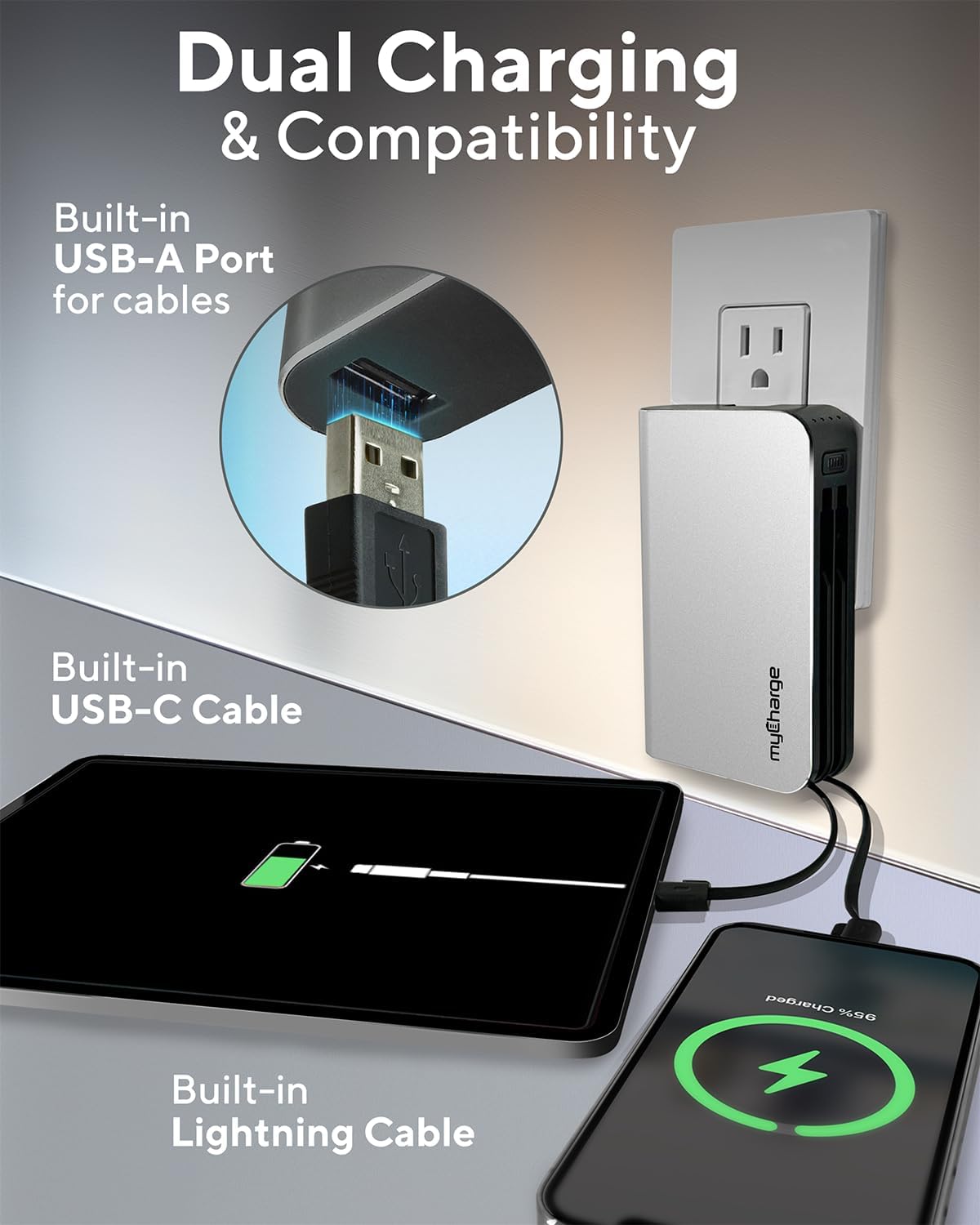
Image 3.1: The myCharge HubMax HBLC10V connected to a wall outlet for recharging, illustrating its integrated wall plug and multiple charging outputs.
4. Käyttöohjeet
The myCharge HubMax HBLC10V allows you to charge up to three devices simultaneously.
4.1 Latauslaitteet, joissa on sisäänrakennetut kaapelit
- Identify Cable: Select the appropriate built-in cable for your device (Lightning for Apple devices, USB-C for compatible Android and other devices).
- Yhdistä laite: Plug the selected cable directly into your mobile device's charging port.
- Aloita lataus: The myCharge HubMax will automatically begin charging your device. The LED indicator lights will show the remaining battery level of the power bank.
4.2 Charging a Third Device via USB-A Port
For devices requiring a standard USB-A connection, use the integrated USB-A port.
- Connect Your Cable: Plug your device's USB-A charging cable (not included) into the USB-A port on the myCharge HubMax.
- Yhdistä laite: Plug the other end of your cable into your mobile device.
- Aloita lataus: Lataus alkaa automaattisesti.

Kuva 4.1: Yksityiskohtainen view of the myCharge HubMax HBLC10V, emphasizing its all-in-one design with built-in wall prongs, Lightning and USB-C cables, and an additional USB-A port for charging up to three devices.
4.3 Pikalatausominaisuudet
The HubMax supports Power Delivery and Quick Charge 3.0 via its USB-C cable, enabling faster charging for compatible devices. This can charge devices up to 2.4 times faster than standard chargers.
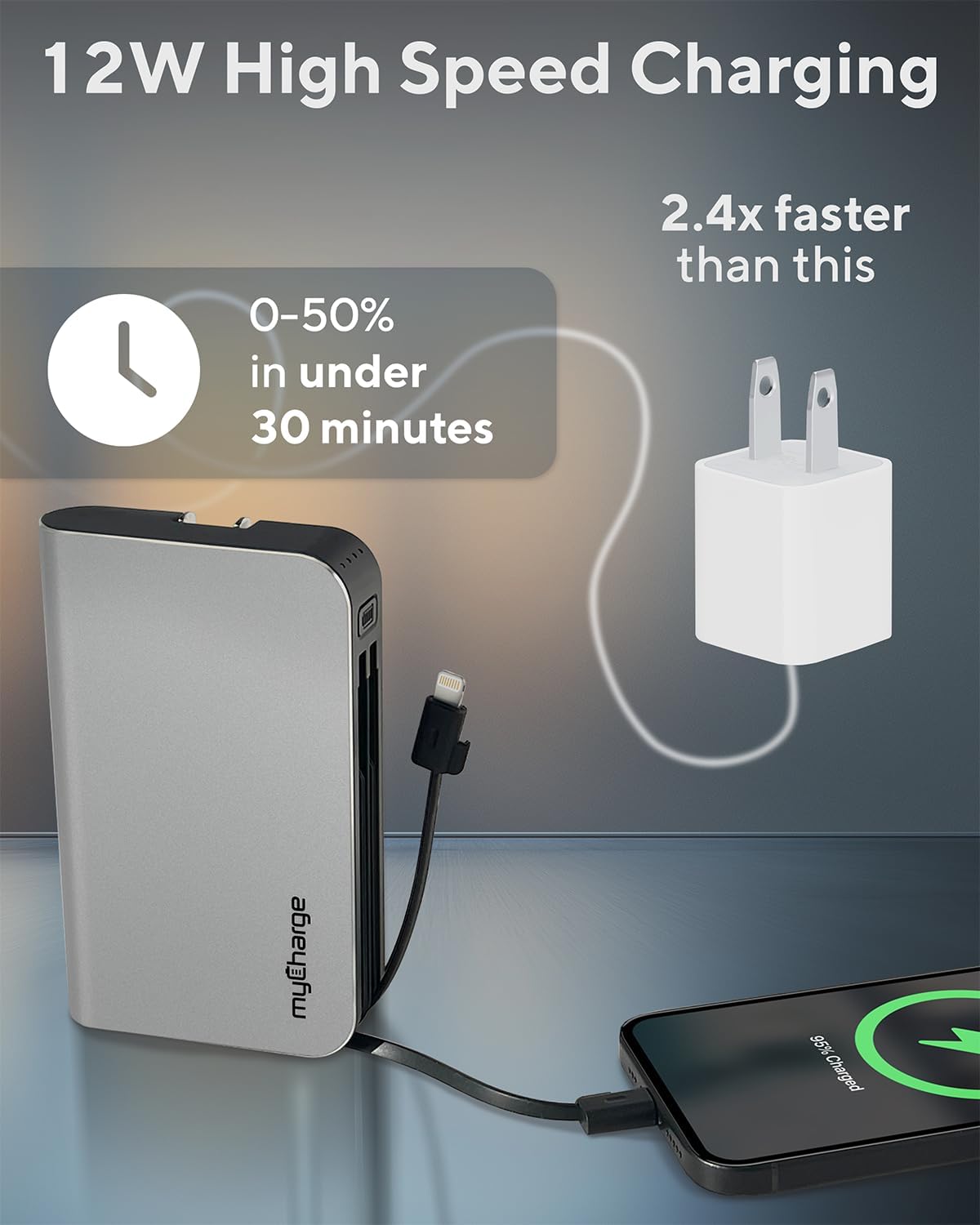
Image 4.2: The myCharge HubMax HBLC10V demonstrating its 12W high-speed charging capability, capable of charging a device from 0% to 50% in under 30 minutes.
5. Huolto ja hoito
- Varastointi: Säilytä varavirtalähdettä viileässä, kuivassa paikassa, poissa suorasta auringonvalosta ja äärimmäisistä lämpötiloista.
- Puhdistus: Puhdista laitteen ulkopuoli pehmeällä, kuivalla liinalla. Vältä kovien kemikaalien tai hankaavien materiaalien käyttöä.
- Käsittely: Handle the device with care. Avoid dropping it or subjecting it to strong impacts, as this can damage internal components and shorten its lifespan.
- Akun kesto: Akun optimaalisen kunnon varmistamiseksi vältä varavirtalähteen usein tapahtuvaa tyhjentämistä kokonaan. Lataa se, kun akun varaustaso on alhainen.
6. Vianmääritys
If you encounter issues with your myCharge HubMax HBLC10V, refer to the following common solutions:
- Laite ei lataudu:
- Ensure the myCharge HubMax itself is sufficiently charged. Check the LED indicators.
- Verify that the built-in cable or your external USB-A cable is securely connected to both the power bank and your device.
- Try a different device or cable to rule out issues with the connected device or cable.
- Hidas lataus:
- Ensure your device supports fast charging protocols (Power Delivery, Quick Charge 3.0) to benefit from the HubMax's fast charging capabilities.
- Useiden laitteiden lataaminen samanaikaisesti voi hidastaa yksittäisten laitteiden latausnopeutta.
- Tarkista, onko latauskaapeli vaurioitunut.
- Varavirtalähde ei lataudu:
- Ensure the wall plug is fully extended and securely inserted into a working AC wall outlet.
- Kokeile toista pistorasiaa.
If problems persist, please contact myCharge customer support for further assistance.
7. Tekniset tiedot
| Ominaisuus | Yksityiskohta |
|---|---|
| Mallinumero | HBLC10V |
| Akun kapasiteetti | 10050 mAh (litiumioni) |
| Tuotteen mitat | 2.8 x 0.9 x 4.6 tuumaa |
| Tuotteen paino | 10.2 unssia |
| Sisäänrakennetut kaapelit | Lightning, USB-C |
| Additional Port | USB-A |
| Lataa uudelleen | Approx. 4.6 hours (via integrated wall plug) |
| Erikoisominaisuudet | Integrated Wall Plug, Fast Charging (PD, QC 3.0) |
| Valmistaja | myCharge |
8. Takuu ja tuki
myCharge products are typically covered by a manufacturer's warranty. For specific warranty details, registration, or to initiate a warranty claim, please refer to the official myCharge websivustolta tai ota yhteyttä suoraan heidän asiakastukeen.
For technical assistance, troubleshooting not covered in this manual, or general inquiries, please visit the myCharge support page or contact their customer service department.
Note: Warranty terms and support availability may vary. Always refer to the latest information provided by the manufacturer.