
1. Johdanto
The Cooler Master MWE 600 White 230V V2 power supply unit (PSU) provides a reliable and efficient power solution for your computer system. Designed with 80 PLUS White 230V EU efficiency, a DC-to-DC + LLC circuit design, a single +12V rail, active PFC, and a temperature-sensitive HDB fan, this PSU delivers stable and consistent power. This manual will guide you through the installation, operation, maintenance, and troubleshooting of your MWE 600 White 230V V2 PSU.
2. Turvallisuustiedot
Please read and understand all safety instructions before installing or operating this product. Failure to do so may result in personal injury or damage to the product and connected components.
- Hazardous Voltage: Do not open the power supply cover. There are no user-serviceable parts inside. Opening the unit will void the warranty.
- Virtalähde: Varmista, että virtalähde on irrotettu pistorasiasta ennen asennusta tai huoltoa.
- Ilmanvaihto: Do not block any ventilation openings of the power supply. Ensure adequate airflow around the unit.
- Ympäristö: Install the power supply in a dry, well-ventilated area, away from heat sources, moisture, and direct sunlight.
- Maadoitus: Ensure the power supply and your computer system are properly grounded.
- Yhteensopivuus: Use only the cables provided with this power supply. Ensure all connections are secure and correctly oriented.
3. Pakkauksen sisältö
Varmista, että pakkauksessasi on kaikki tarvittavat osat:
- Cooler Master MWE 600 White 230V V2 Power Supply Unit
- AC virtajohto
- Kiinnitysruuvit
- Käyttöopas (tämä asiakirja)
4. Tuote ohiview
The MWE 600 White 230V V2 is designed for optimal performance and reliability. Key features include:
- 600 Watts Exceptional Efficiency: Exceeds 80 PLUS 230V EU energy efficiency standards, outperforming generic 80 PLUS Bronze competitors at medium load.
- Silent HDB Fan: The integrated 120mm fan utilizes superior hydro-dynamic bearings (HDB) to minimize noise levels (below 35.5 dBA at 1500 RPM max).
- Vakaa virransyöttö: Supports Intel's low power states for motherboard protection and features a DC-DC with LLC circuit for efficient 12V to 3V and 5V conversion without energy loss.
- Single +12V Rail: Ensures all system components receive consistent power from a single, stable source.
- Compact Cabling: Non-modular flat black cables save space and offer flexibility, ideal for smaller cases and maintaining internal airflow.

Kuva 4.1: Kaiken kaikkiaan view of the Cooler Master MWE 600 White 230V V2 Power Supply Unit.

Figure 4.2: Close-up of the quiet Hydro-Dynamic Bearing (HDB) fan, designed for minimal noise.
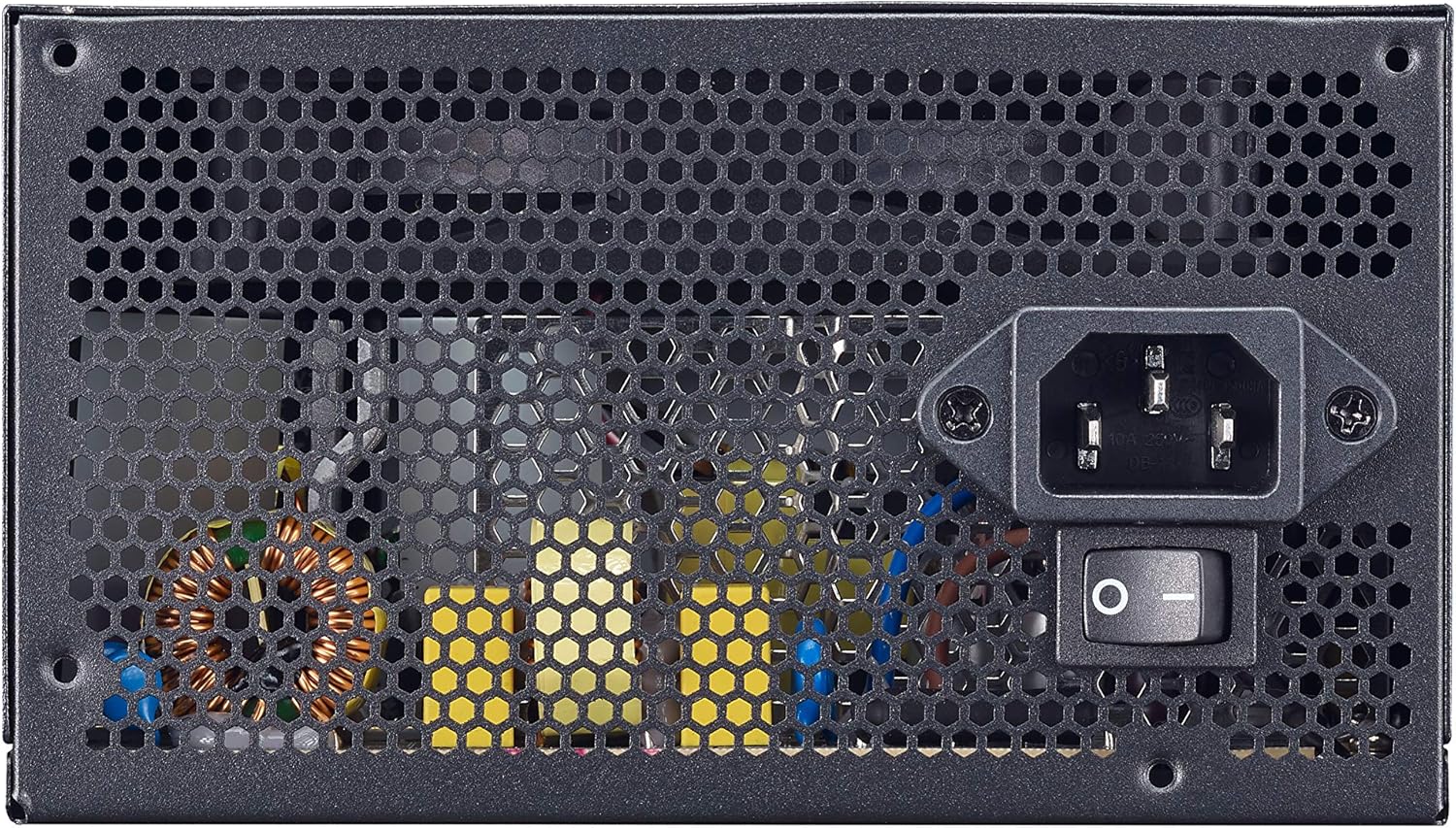
Figure 4.3: Rear panel showing the AC power input and the main power switch.

Kuva 4.4: Räjähtänyt view illustrating the internal layout and components of the power supply unit.
5. Asennus ja asennus
Follow these steps to properly install your Cooler Master MWE 600 White 230V V2 power supply:
- Valmistele järjestelmäsi: Varmista, että tietokoneesi on kokonaan sammutettu ja irrotettu pistorasiasta. Avaa tietokoneen kotelo.
- Irrota vanha virtalähde (jos sovellettavissa): Irrota kaikki kaapelit vanhasta virtalähteestä ja poista se kotelosta.
- Asenna uusi virtalähde: Carefully place the MWE 600 White 230V V2 into the PSU mounting bay of your computer case. Ensure the fan is oriented correctly (usually facing downwards or upwards, depending on your case design, for optimal airflow). Secure the PSU with the provided mounting screws.
- Emolevyn virtalähteen kytkeminen: Connect the 24-pin ATX power cable to your motherboard's 24-pin connector. Ensure it clicks into place.
- Yhdistä suorittimen virtalähde: Connect the 4+4-pin EPS/ATX 12V cable to your motherboard's CPU power connector.
- Connect Graphics Card Power (PCI-e): If your graphics card requires additional power, connect the appropriate 6+2-pin PCI-e power cables from the PSU to your graphics card.
- SATA/oheislaitteen virtalähteen kytkeminen: Connect SATA power cables to your storage drives (HDDs, SSDs) and other peripherals as needed.
- Kaapelin hallinta: Utilize the flat black cables to manage and route them efficiently within your case to improve airflow and aesthetics.
- Sulje kotelo ja kytke verkkovirta: Close your computer case. Connect the AC power cord to the PSU's AC inlet and then plug the other end into a wall outlet.
6. Käyttöohjeet
After successful installation, operating your power supply is straightforward:
- Virta päälle: Ensure the main power switch on the back of the PSU (Figure 4.3) is in the "I" (On) position. Then, press the power button on your computer case.
- Virta pois: To turn off your computer, use the operating system's shutdown procedure. For a complete power cycle, switch the PSU's main power switch to the "O" (Off) position after shutting down the system.
- Normaali toiminta: The PSU will automatically regulate power delivery to your components. The HDB fan will operate as needed to maintain optimal temperatures, adjusting its speed based on load and temperature.
7. Huolto
Säännöllinen huolto auttaa varmistamaan virtalähteesi pitkän käyttöiän ja optimaalisen suorituskyvyn.
- Pölynpuhdistus: Periodically (e.g., every 3-6 months), power off and unplug your computer. Use compressed air to gently clean dust from the PSU's fan grille and ventilation openings. Hold the fan blades to prevent them from spinning rapidly during cleaning, which can damage the bearings.
- Kaapelin tarkastus: Tarkista aika ajoin kaikki virtajohtojen liitännät varmistaaksesi, että ne ovat tukevasti kiinni ja ehjät.
- Ympäristötarkastus: Ensure the computer's environment remains clean, cool, and dry to prevent dust buildup and overheating.
8. Vianmääritys
Jos virtalähteessäsi on ongelmia, noudata seuraavia yleisiä vianmääritysohjeita:
- Ei virtaa:
- Varmista, että virtajohto on kytketty kunnolla sekä virtalähteeseen että pistorasiaan.
- Verify the main power switch on the PSU is in the "I" (On) position.
- Testaa pistorasiaa toisella laitteella varmistaaksesi, että siinä on virtaa.
- Check all internal power connections (24-pin, CPU, PCI-e, SATA) to ensure they are firmly seated.
- Järjestelmän epävakaus/satunnaiset sammutukset:
- This could indicate insufficient power or a faulty component. Ensure your system's power requirements do not exceed the PSU's 600W capacity.
- Check for overheating. Ensure the PSU fan and case fans are operating correctly and are free of dust.
- If possible, test the PSU with a different system or a PSU tester.
- Kova tuulettimen ääni:
- While the HDB fan is designed for quiet operation, excessive noise might indicate dust buildup. Clean the fan as described in the Maintenance section.
- Ensure the PSU is not under extreme load, which can cause the fan to spin faster.
If problems persist after trying these steps, please contact Cooler Master support.
9. Tekniset tiedot
Detailed technical specifications for the Cooler Master MWE 600 White 230V V2 power supply:
| Ominaisuus | Arvo |
|---|---|
| Merkki | Viileämpi mestari |
| Mallin nimi | MWE White-v2 |
| Mallinumero | MPE-6001-ACABW-EU |
| Väri | VALKOINEN V2 |
| Muototekijä | ATX |
| Lähtöteho | 600 wattia |
| Jäähdytysmenetelmä | Air (120mm HDB Fan) |
| Tehokkuussertifiointi | 80 PLUS 230V EU White |
| Mitat (P x L x K) | 14 x 15 x 8.6 cm |
| Tuotteen paino | 1.5 kiloa |
| Yhteensopivat laitteet | Henkilökohtainen tietokone |
| Liittimen tyyppi | SATA (and other standard ATX connectors) |
DC Output Table

Figure 9.1: Detailed DC output specifications for the MWE 600 White 230V V2.
| DC-lähtö | +5V | +3.3V | +12V | -12V | +5Vsb |
|---|---|---|---|---|---|
| Nykyinen (A) | 18A | 18A | 49A | 0.3A | 3A |
| Teho (W) | 120W | 120W | 588W | 3.6W | 15W |
| Kokonaisteho | 600W | ||||
10. Takuu ja tuki
The Cooler Master MWE 600 White 230V V2 power supply comes with a standard limited manufacturer's warranty.
- Takuuaika: 3 vuotta ostopäivästä.
- Takuun kattavuus: This warranty covers defects in materials and workmanship under normal use. It does not cover damage resulting from accident, misuse, abuse, improper installation, unauthorized repairs, or modifications.
- Tekninen tuki: For technical assistance, warranty claims, or further information, please visit the official Cooler Master websivustolla tai ota yhteyttä heidän asiakastukeen.
Cooler Masterin virallinen Websivusto: www.coolermaster.com