
PELONIS FZ10-19JR
PELONIS FZ10-19JR Hiljainen värähtelevä tornituuletin Käyttöohje
Model: FZ10-19JR | Brand: PELONIS
Johdanto
PELONISin 3-nopeuksinen värähtelevä tornituuletin ajastimella ja kaukosäätimellä tarjoaa maksimaalista mukavuutta pienessä tilassa. Korkean ja kapean pro-tuulettimen ansiosta...file, this fan is ideal for smaller rooms or areas with limited floor space. It features three speeds, multiple modes, and a timer for automatic shutoff. A convenient remote control allows for easy operation from a distance.
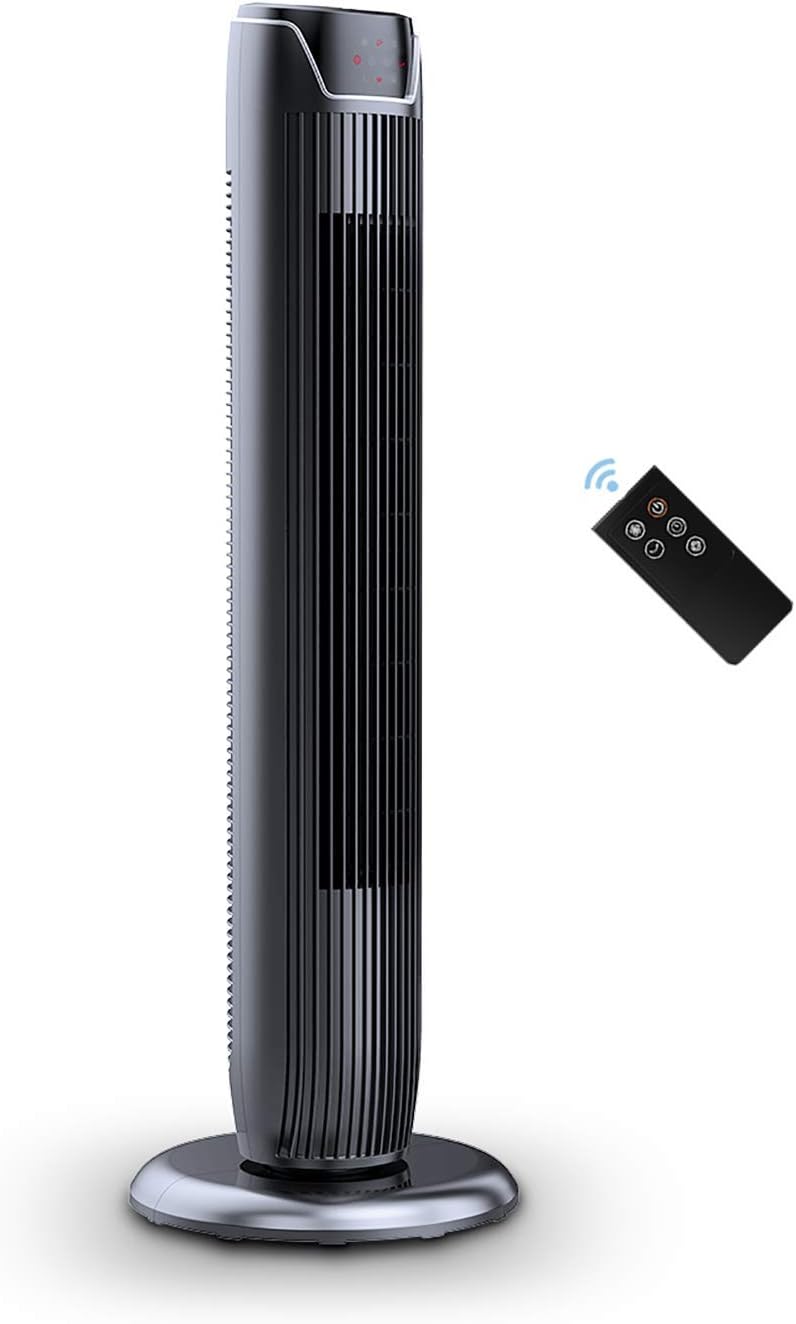
Figure 1: PELONIS FZ10-19JR Quiet Oscillating Tower Fan and Remote Control.
Turvallisuustiedot
Always read and follow all safety instructions before using this appliance to prevent injury or damage. Keep this manual for future reference.
- Ylikuumenemissuoja: The motor has built-in overheat protection for peace of mind, automatically shutting off the fan if it overheats.
- Lasten turvallisuus: The compact design on the fan grid ensures the safety of children by preventing finger penetration.
- Ehdotus 65 Varoitus: Tämä tuote voi sisältää kemikaaleja, joiden tiedetään Kalifornian osavaltion aiheuttavan syöpää, syntymävikoja tai muita lisääntymisvaurioita.
- Varmista, että tuuletin on asetettu vakaalle ja tasaiselle alustalle kaatumisen estämiseksi.
- Älä työnnä sormia tai vieraita esineitä tuulettimen ritilään.
- Irrota tuuletin pistorasiasta ennen puhdistusta tai huoltoa.
Pakkauksen sisältö
Varmista, että kaikki osat ovat mukana avatessasi pakkauksen:
- PELONIS FZ10-19JR Tower Fan Unit
- Kaukosäädin
- Base Parts (multiple pieces for assembly)
- Käyttöopas (PDF saatavilla verkossa)
Asennus
The PELONIS FZ10-19JR Tower Fan requires minimal assembly. Follow these steps to set up your fan:
- Kokoa pohja: The base comes in multiple pieces. Snap the base pieces together securely.
- Attach Fan Unit to Base: Carefully align the fan unit with the assembled base. Ensure the power cord is routed through the designated opening in the base.
- Kiinnitä pohja: Locate the screw underneath the base and tighten it to firmly attach the fan unit to the base.
- Sijoitus: Aseta koottu tuuletin vakaalle ja tasaiselle alustalle.
- Virtaliitäntä: Plug the fan into a standard 120V/60HZ power outlet.
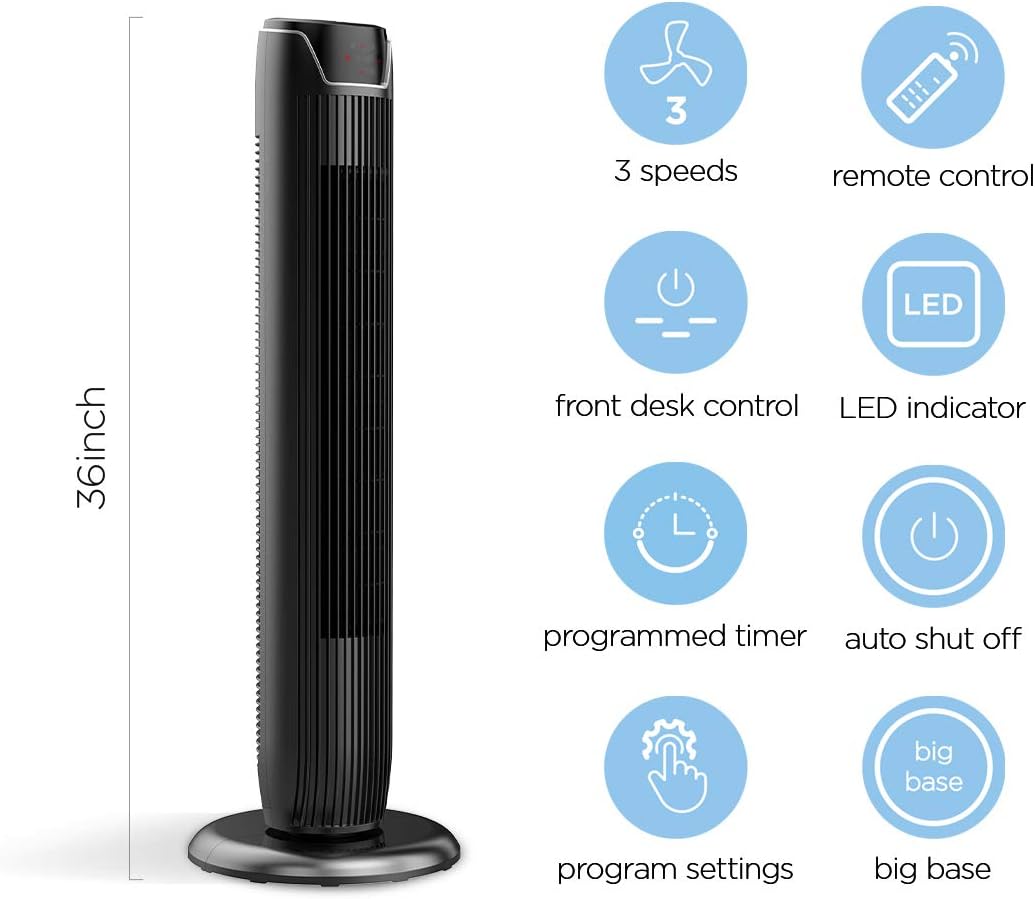
Figure 2: The 36-inch height of the tower fan, highlighting its compact design and various features.

Figure 3: Key features of the PELONIS tower fan, including silent operation, wide-angle airflow, timer, and auto shut-off.
Video 1: Ylilyöntiview of the 36-inch PELONIS FZ10-19JR Oscillating Tower Fan, demonstrating its compact size and features.
Käyttöohjeet
Your PELONIS tower fan can be operated using the multi-functional control panel on top of the unit or the included remote control.
Ohjauspaneeli ja kaukosäädin
Both the control panel and the remote offer identical functions for convenience. The control panel is located on the top of the fan for easy access without bending.

Figure 4: Close-up of the overhead control panel, highlighting the tight fence design for safety and the internal gale wheel for air volume.
- Virtapainike (PÄÄLLE/POIS): Kytkee tuulettimen päälle tai pois päältä.
- Tilapainike: Vaihtaa eri tuulitilojen välillä (Normaali, Luonnollinen, Uni).
- Nopeuspainike: Säätää tuulettimen nopeutta (matala, keskitaso, korkea).
- Oscillation Button (Osc): Activates or deactivates the 60° wide-angle oscillation function.
- Ajastinpainike: Sets the automatic shutoff timer (up to 7 hours).
Tuuletintilat
- Normaali tuuli: Provides a constant airflow.
- Luonnollinen tuuli: Simulates natural breezes with alternating strong and weak airflows.
- Nukkumismoodi: Operates at a low noise level (as low as 48 dB) for undisturbed sleep. The LED display auto-off after 30 seconds to minimize light disturbance.
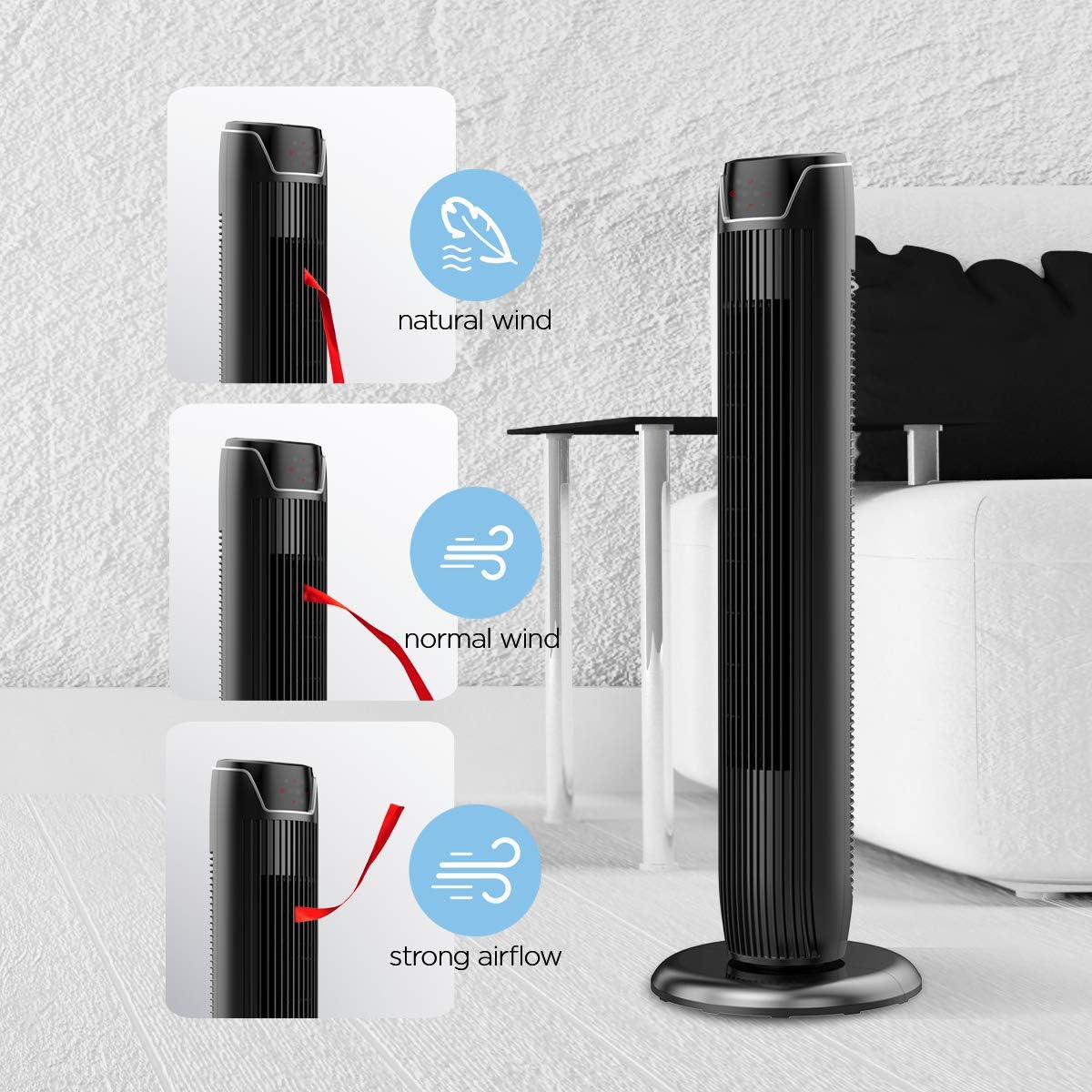
Figure 5: Visual representation of the fan's different wind modes: Natural Wind, Normal Wind, and Strong Airflow.

Figure 6: The fan's quiet operation in sleep mode, ideal for bedrooms and nurseries.
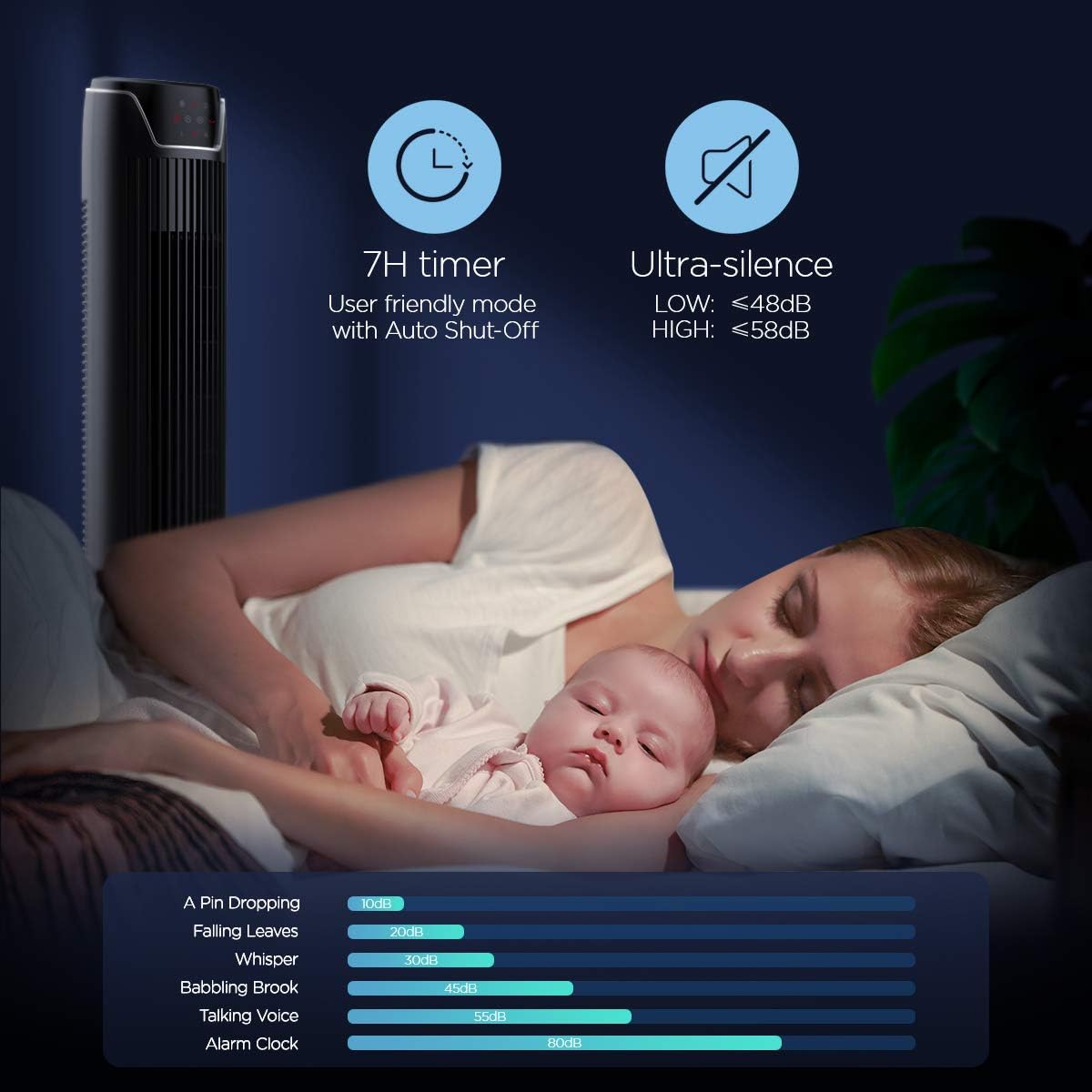
Figure 7: Illustration of the fan's ultra-silence feature (below 48dB on low speed), perfect for quiet environments.
Kaukosäätimen varastointi
The fan features a built-in cubby at the back for convenient storage of the remote control, ensuring it is always within reach and not easily misplaced.
Video 2: Demonstration of the remote control storage slot on the back of the Pelonis Tower Fan.
Huolto
Säännöllinen puhdistus auttaa ylläpitämään tuulettimen suorituskykyä ja pidentää sen käyttöikää.
- Ulkopuolen puhdistus: Käytä pehmeää, damp pyyhi tuulettimen ulkopinnat liinalla. Älä käytä hankaavia puhdistusaineita tai liuottimia.
- Säleikön puhdistus: Use a vacuum cleaner with a brush attachment to remove dust from the fan grilles. For deeper cleaning, a compressed air can may be used to dislodge dust from hard-to-reach areas.
- Sisäinen puhdistus: The fan is not designed for easy disassembly for internal cleaning. Regular external cleaning and compressed air use are recommended to minimize dust accumulation inside.
- Varmista, että tuuletin on täysin kuiva ennen kuin kytket sen takaisin pistorasiaan.
Vianetsintä
If you encounter issues with your PELONIS tower fan, try the following troubleshooting steps:
- Tuuletin ei käynnisty:
- Varmista, että virtajohto on kytketty kunnolla toimivaan pistorasiaan.
- Tarkista pistorasian toiminta kytkemällä siihen toinen laite.
- Varmista, että tuulettimen virtapainiketta on painettu.
- Fan Not Oscillating:
- Paina oskillointipainiketta ohjauspaneelissa tai kaukosäätimessä.
- Ensure there are no obstructions preventing the fan from rotating.
- Heikko ilmavirtaus:
- Lisää tuulettimen nopeutta.
- Clean the fan grilles to remove any dust or debris that may be obstructing airflow.
- Epätavallinen melu:
- Varmista, että tuuletin on asetettu vakaalle ja tasaiselle alustalle.
- Check for any loose parts or foreign objects within the fan grilles.
- If the noise is a creaking sound during oscillation, ensure the base is not overtightened. Loosen it slightly if necessary.
- Kaukosäädin ei toimi:
- Ensure the remote control's batteries are correctly installed and not depleted.
- Suuntaa kaukosäädin suoraan tuulettimen ohjauspaneeliin.
- Varmista, ettei kaukosäätimen ja tuulettimen välissä ole esteitä.
Tekniset tiedot
| Ominaisuus | Yksityiskohta |
|---|---|
| Merkki | PELONIS |
| Mallin nimi | FZ10-19JR |
| Väri | Kiiltävä musta |
| Sähkötuulettimen suunnittelu | Tuulettimen |
| Virtalähde | Johdollinen sähkö |
| Tyyli | Moderni |
| Tuotteen mitat | 11.8" S x 11.8" L x 36.14" K |
| Huonetyyppi | Makuuhuone |
| Erikoisominaisuus | värähtelevän |
| Suositellut käyttötavat | Office, Air Circulation, Bedroom, Living Room, Home |
| Melutaso | 48 dB |
| Viimeistelytyyppi | Kiiltävä |
| Voitage | 120 volttia |
| Mukana olevat komponentit | Kauko |
| Sisä-/ulkokäyttö | Sisätiloissa |
| Erittely Met | ETL |
| Valvontamenetelmä | Kauko |
| Terän materiaali | Muovi |
| Tehotasojen lukumäärä | 3 |
| Valmistaja | Pelonis |
| UPC | 750545105431 |
| Tuotteen paino | 9.13 kiloa |
Takuu ja tuki
PELONIS tarjoaa 1 vuoden valmistajan takuu with the purchase of this product, demonstrating confidence in its quality.
For detailed information, refer to the official User Manual (PDF) available online:
For further assistance or inquiries, please visit the official PELONIS Store on Amazon: PELONIS Store
Ask a question about this manual
Ask about setup, troubleshooting, compatibility, parts, safety, or missing instructions. Manuals+ will review the question and use this page’s manual context to help answer it.