
SIMOLIO JH-712
SIMOLIO Kids Bluetooth-kuulokkeiden käyttöohje
Malli: JH-712
1. Johdanto
Thank you for choosing SIMOLIO Kids Bluetooth Headphones. These headphones are designed with children's hearing safety in mind, featuring multiple volume limiting levels and a comfortable, durable design. This manual provides detailed instructions for setup, operation, and maintenance to ensure optimal performance and longevity of your headphones.
2. Tärkeimmät ominaisuudet
- Kuulosuojaimet: Exclusive 3-level volume limiter (75dB/85dB/94dB) suitable for toddlers, kids, and adults.
- Kaksoistimoodiyhteys: Tukee sekä langatonta Bluetoothia että langallista 3.5 mm:n ääniliitäntää.
- Sisäänrakennettu mikrofoni: Enables hands-free calling in Bluetooth mode.
- Jaa portti: Allows daisy-chaining another headphone for shared listening.
- Pitkä akun käyttöikä: Up to 15 hours of music/talk time in wireless mode.
- Mukavuus ja kestävyys: Adjustable headband with memory stainless steel strips and soft noise-isolating memory foam earmuffs.
- Kannettava muotoilu: Foldable design with an included hard EVA carrying case for easy storage and travel.

Image: SIMOLIO Kids Bluetooth Headphones in grey, shown with charging cable, AUX cable, and hard EVA carrying case.
3. Mitä laatikossa on
Kun avaat paketin, tarkista, että kaikki seuraavat osat ovat mukana:
- SIMOLIO Kids Bluetooth Headphones (Model: JH-712)
- USB-latauskaapeli
- 3.5 mm: n AUX -äänikaapeli
- Hard EVA Carrying Case
- Käyttöopas (tämä asiakirja)
4. Asennusopas
4.1 Kuulokkeiden lataaminen
Before first use, fully charge the headphones. A full charge takes approximately 2-3 hours.
- Connect the small end of the USB charging cable to the charging port on the headphone.
- Liitä USB-latauskaapelin suurempi pää USB-virtalähteeseen (ei sisälly toimitukseen) tai tietokoneen USB-porttiin.
- The LED indicator light will turn red during charging and turn off when fully charged.
4.2 Adjusting Volume Limit
The headphones feature a 3-level volume limiter to protect hearing. The switch is located on the left earcup.
- 75dB: Toddler Mode (lowest volume, recommended for very young children).
- 85dB: Kids Mode (standard safe listening level for most children).
- 94dB: Travel Mode (higher volume for noisy environments, suitable for older children/adults).

Image: Close-up of the headphone earcup highlighting the 3-level volume limit switch (75dB, 85dB, 94dB).
5. Käyttöohjeet
5.1 Wireless (Bluetooth) Mode
- Virta päälle: Press and hold the Multi-function Button (MFB) for 3 seconds until the LED indicator flashes blue.
- Pariliitos: The headphones will automatically enter pairing mode (LED flashes red and blue alternately).
- Yhdistä: On your device (smartphone, tablet, laptop), enable Bluetooth and select "SIMOLIO JH-712" from the list of available devices. The LED will turn solid blue when connected.
- Säätimet:
- Press MFB once to Play/Pause music or Answer/End calls.
- Press MFB twice to Redial last number.
- Press MFB three times to activate voice assistant (Siri, Google Assistant).
- Press Volume + to increase volume.
- Press Volume - to decrease volume.
- Press Next Track button to skip to the next song.
- Press Previous Track button to go to the previous song.
- Virta pois: Press and hold the MFB for 3 seconds until the LED indicator turns red and then off.

Image: A child wearing SIMOLIO headphones while using a laptop, illustrating the "Safe Volume Limited" feature in a study environment.

Image: Two children demonstrating wireless and wired modes. One child uses headphones wirelessly with a laptop, the other uses them wired with a smartphone. Note: Microphone only works in Bluetooth mode.
5.2 Langallinen tila
Kuulokkeita voi käyttää langallisina kuulokkeina, vaikka akku olisi tyhjä.
- Insert one end of the 3.5mm AUX audio cable into the audio input port on the headphone.
- Insert the other end of the 3.5mm AUX audio cable into the audio output jack of your device (e.g., tablet, phone, computer).
- In wired mode, the headphone's battery is not used, and the volume limiting feature remains active. Note that the built-in microphone will not function in wired mode.
5.3 Share Port Function
The share port allows multiple headphones to listen to the same audio source.
- Connect the first SIMOLIO headphone to your device via Bluetooth (wireless) or AUX cable (wired).
- Connect one end of a 3.5mm AUX audio cable to the share port on the first headphone.
- Connect the other end of the 3.5mm AUX audio cable to the audio input port of a second headphone.
- Molemmat kuulokkeet toistavat nyt ääntä samasta lähteestä.
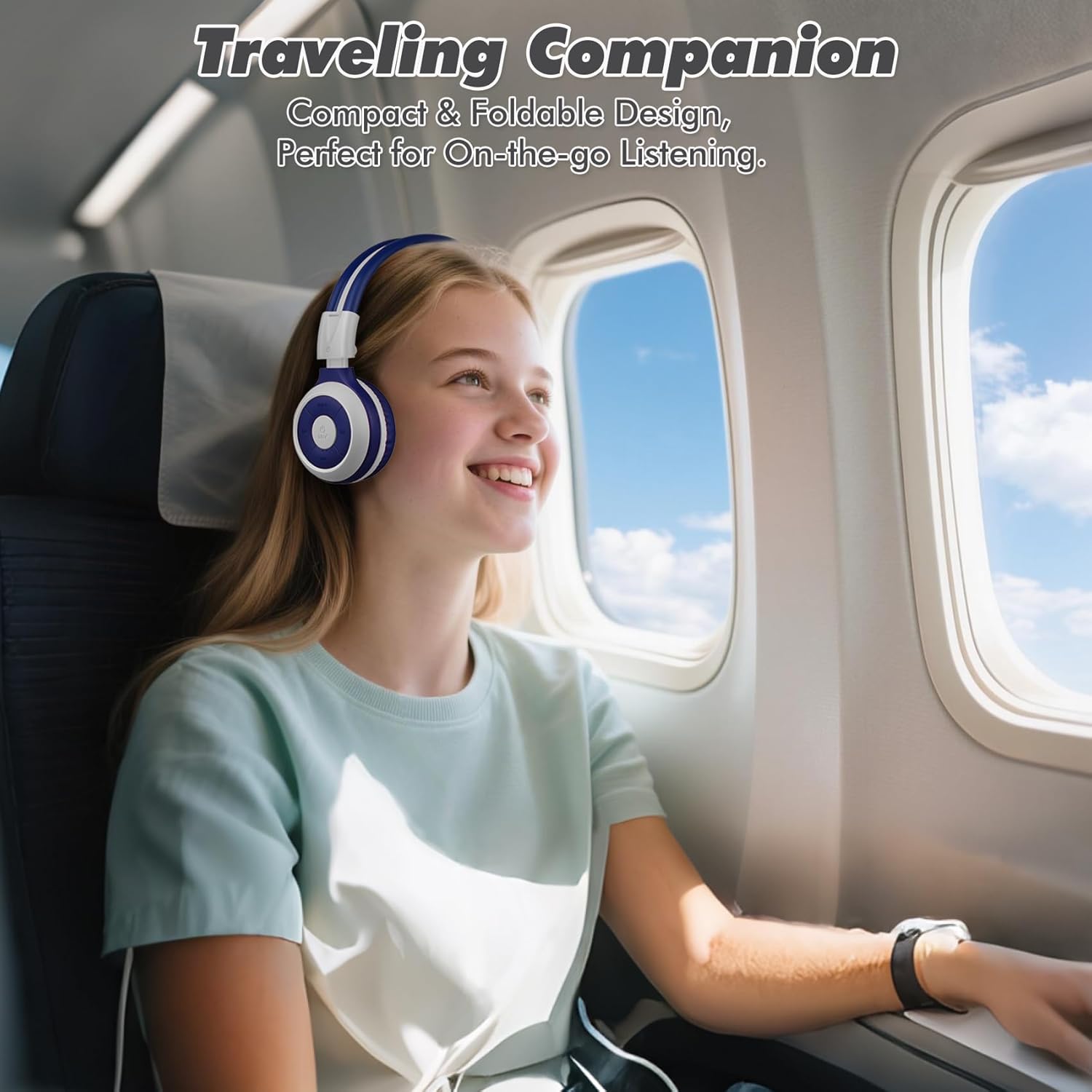
Image: A child comfortably wearing SIMOLIO headphones on an airplane, highlighting the compact and foldable design for travel.
6. Huolto ja hoito
- Puhdistus: Puhdista kuulokkeet pehmeällä, kuivalla liinalla. Älä käytä hankaavia puhdistusaineita tai liuottimia.
- Varastointi: When not in use, fold the headphones and store them in the provided hard EVA carrying case to protect them from dust and damage.
- Lämpötila: Vältä kuulokkeiden altistamista äärimmäisille lämpötiloille (kuumalle tai kylmälle) tai korkealle kosteudelle.
- Veden altistuminen: These headphones are not waterproof. Avoid contact with water or other liquids.
- Käsittely: Do not bend the headband hinge excessively. While durable, improper force can cause damage.

Image: Diagram illustrating the flexibility of the headband with memory elastic metal strips, showing how it can be remoulded to fit the user's head. Important note: Do not bend the hinge.
7. Vianmääritys
| Ongelma | Mahdollinen syy | Ratkaisu |
|---|---|---|
| Kuulokkeet eivät käynnisty. | Akku on vähissä tai tyhjä. | Lataa kuulokkeet täyteen mukana toimitetulla USB-kaapelilla. |
| Pariliitos Bluetoothin kautta ei onnistu. | Kuulokkeet eivät ole pariliitostilassa; laitteen Bluetooth pois päältä; liian kaukana laitteesta. | Varmista, että kuulokkeet ovat pariliitostilassa (vilkkuu punaisena/sinisenä). Katkaise laitteen Bluetooth-yhteys ja kytke se päälle. Siirrä kuulokkeet lähemmäs laitetta (10 metrin säteellä). |
| Langattomassa tilassa ei kuulu ääntä. | Äänenvoimakkuus liian alhainen; ei yhteyttä; laitteesta on valittu väärä äänilähtö. | Increase headphone and device volume. Ensure headphones are successfully paired. Check device's audio output settings. |
| Ei ääntä langallisessa tilassa. | AUX cable not fully inserted; cable damaged; device audio jack issue. | Ensure AUX cable is fully inserted into both headphone and device. Try a different AUX cable. Test with another device. |
| Mikrofoni ei toimi. | Headphones in wired mode; device microphone settings. | The microphone only functions in Bluetooth mode. Ensure headphones are connected wirelessly. Check device's microphone privacy settings. |
8. Tekniset tiedot
| Ominaisuus | Yksityiskohta |
|---|---|
| Mallin nimi | Kids Wireless Bluetooth Headphones JH-712G |
| Yhteystekniikka | Langaton (Bluetooth), Langallinen (3.5 mm:n AUX) |
| Bluetooth-alue | 10 metriä (33 jalkaa) |
| Akun kesto | Up to 15 Hours (wireless mode) |
| Ääniohjaimen koko | 40 millimetriä |
| Äänenvoimakkuuden rajoitustasot | 75dB, 85dB, 94dB |
| Materiaali | Akryylinitriilibutadieenistyreeni (ABS) |
| Tuotteen mitat | 5.51 x 3.15 x 5.31 tuumaa |
| Tuotteen paino | 13.4 unssia |
| Mukana olevat komponentit | Charging Cable, AUX Cable, User Manual, Carrying EVA Case |
9. Takuu ja tuki
SIMOLIO provides a 12-month hassle-free warranty for these headphones. For any product-related inquiries, technical support, or warranty claims, please contact SIMOLIO customer service through the following channels:
- Sähköposti: Refer to the contact information provided on the product packaging or SIMOLIO official websivusto.
- Online-tuki: Visit the SIMOLIO Store on Amazon: SIMOLIO-myymälä
Please have your model number (JH-712) and purchase date ready when contacting support.
Ask a question about this manual
Ask about setup, troubleshooting, compatibility, parts, safety, or missing instructions. Manuals+ will review the question and use this page’s manual context to help answer it.