
Johdanto
Kiitos ostoksestasiasing the MCombo L-Shaped Corner Desk. This manual provides detailed instructions for the assembly, operation, maintenance, and troubleshooting of your new desk. Please read this manual carefully before assembly and retain it for future reference.
Turvallisuustiedot
- Kokoa pöytä aina pehmeälle ja puhtaalle alustalle naarmujen välttämiseksi.
- Ensure all parts are present before beginning assembly. Refer to the 'Package Contents' section.
- Do not overtighten screws during initial assembly. Fasten all screws securely only after all parts are in place.
- Pidä pienet osat poissa lasten ulottuvilta tukehtumisvaaran välttämiseksi.
- Do not stand or sit on the desk during or after assembly.
- Regularly check and tighten all screws and bolts every 6 months to ensure stability.
- Adhere to the maximum weight recommendation of 110 pounds (50 kg).
Pakkauksen sisältö
Ennen kokoamista varmista, että pakkauksessa on kaikki alla luetellut osat:
- L-Shaped Desk components (desktop panels, frame legs, support bars)
- Free CPU Stand
- Ruuvimeisseli
- Kokoamisohjeet (tämä käyttöohje)
- Hardware pack (screws, bolts, adjustable foot pads)
Asennus- ja kokoamisohjeet
Assembly typically takes about 15 minutes for one person. Follow these steps carefully:
- Pura pakkaus ja tunnista osat: Carefully unpack all components and lay them out on a clean, soft surface. Identify each part by comparing it with the parts list in your package. Ensure all screws and tools are present.
- Kokoa kehys: Begin by attaching the frame legs to the main support bars. Do not fully tighten the screws at this stage. This allows for minor adjustments during assembly.
- Kiinnitä työpöytäpaneelit: Carefully place the L-shaped desktop panels onto the assembled frame. Align the pre-drilled holes in the desktop with the holes in the frame. Secure the desktop panels to the frame using the provided screws.
- Asenna säädettävät jalkatyynyt: Screw the non-slip adjustable round foot pads into the bottom of each leg. These pads help keep the table steady and prevent floor damage. Adjust them as needed to level the desk on uneven surfaces.
- Asenna CPU-teline: Place the free CPU stand in your desired location under the desk. This stand is designed to hold your CPU unit without scratching the floor.
- Lopullinen kiristys: Once all parts are in place and the desk is correctly aligned, securely tighten all screws and bolts. Ensure the desk is stable and does not wobble.

Kuva: Desk Dimensions. This diagram illustrates the overall dimensions of the L-shaped desk, including the length of each side (66.13 inches and 47.24 inches), depth (18.89 inches), and height (29.13 inches), along with the CPU stand dimensions.

Kuva: Sturdy Frame Construction. A close-up view highlighting the thickened steel legs and the robust mechanical design of the desk's frame, ensuring stability and durability.

Kuva: Adjustable Leg Pads. This image shows the non-slip adjustable round foot pads attached to the bottom of the desk legs, designed to provide stability and protect your floor.
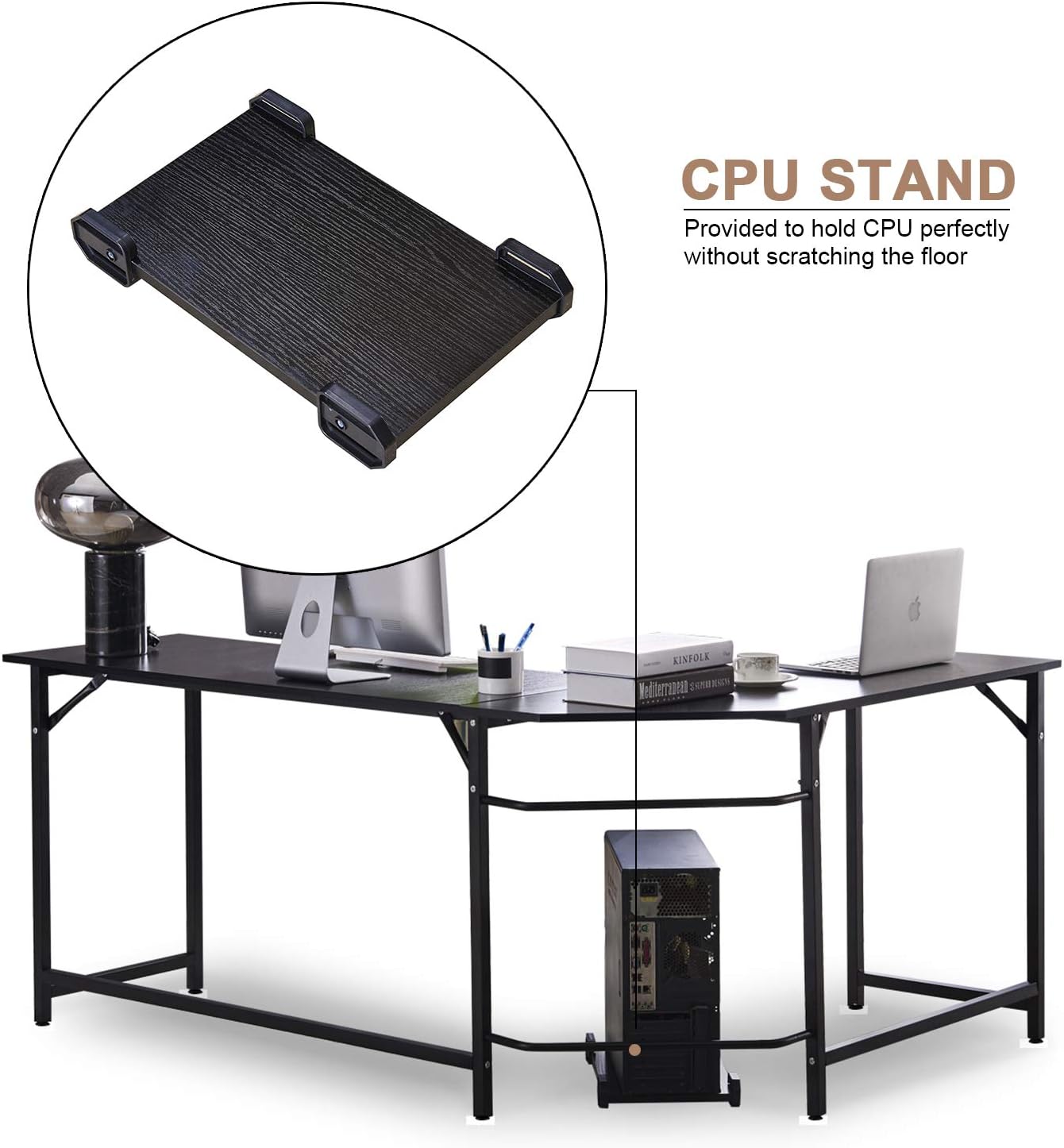
Kuva: CPU Stand. An illustration of the included CPU stand positioned under the desk, providing a dedicated space for your computer tower and preventing floor scratches.
Käyttöohjeet
Your MCombo L-Shaped Corner Desk is designed for versatile use in home or office environments. While a desk does not have complex operational steps, consider the following for optimal use:
- Sijoitus: Position the L-shaped desk in a corner to maximize space efficiency. Ensure there is adequate room for an office chair and movement.
- Painon jakautuminen: Distribute weight evenly across the desktop. Avoid placing heavy items solely on one section. The maximum weight capacity is 110 lbs.
- CPU-teline: Utilize the provided CPU stand to keep your computer tower off the floor, improving airflow and protecting it from dust and accidental kicks.
- Footrest Feature: The lower support bar can serve as a convenient footrest, offering comfort during long periods of sitting.
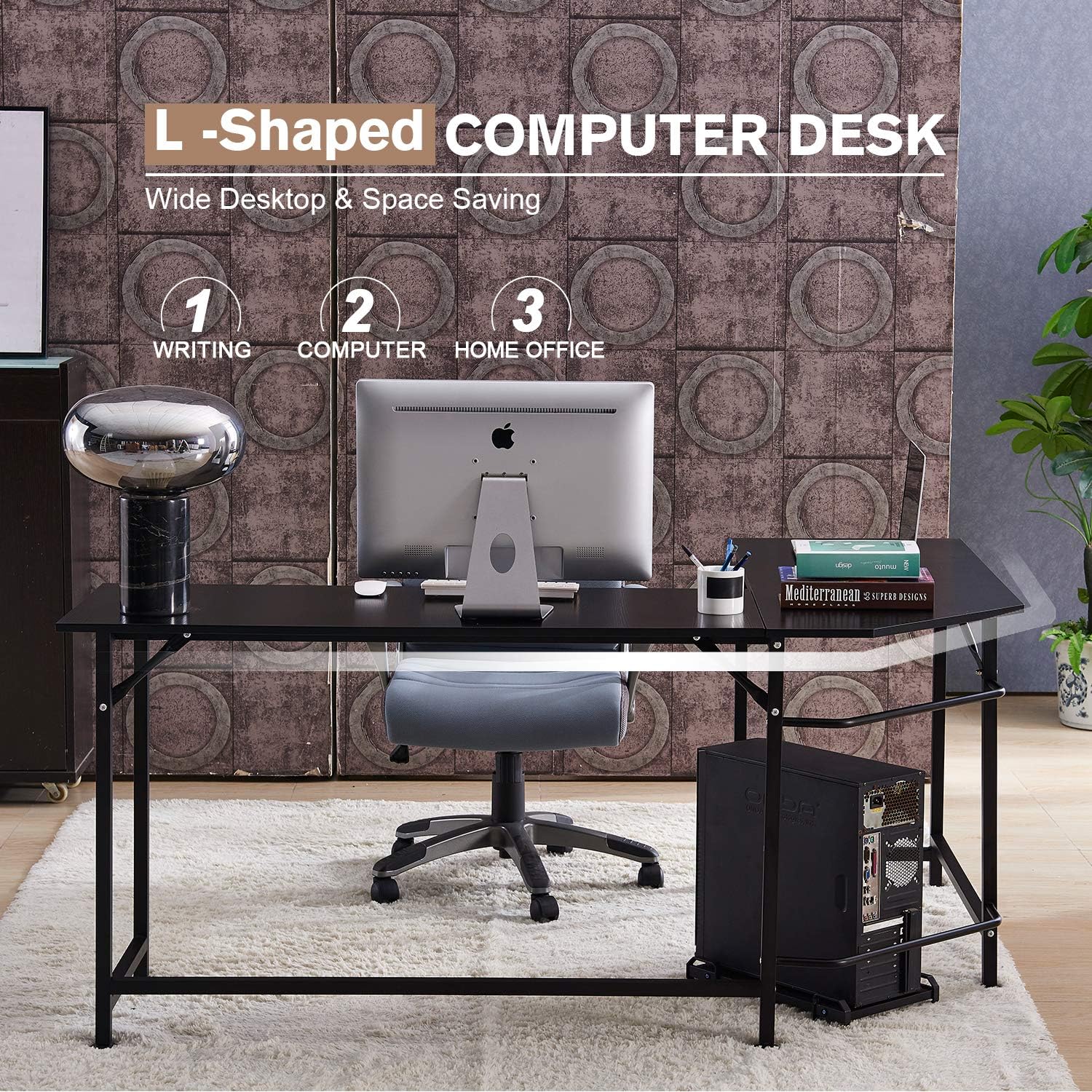
Kuva: Desk in Use. This image demonstrates the L-shaped desk configured in a home office setting, showcasing sen ample desktop area for a computer, accessories, and office supplies.

Kuva: Footrest Feature. A visual representation of the desk's lower bar being used as a footrest, providing ergonomic support and comfort during use.
Huolto
- Puhdistus: Pyyhi työpöydän pinnat pehmeällä,amp liinalla. Vältä voimakkaita kemikaaleja tai hankaavia puhdistusaineita, jotka voivat vahingoittaa pintaa.
- Säännölliset tarkastukset: Periodically inspect all screws and bolts. Tighten them every 6 months to maintain the desk's stability and structural integrity.
- Vältä kosteutta: Do not expose the desk to excessive moisture or direct sunlight for prolonged periods, as this can cause warping or discoloration.
Vianetsintä
- Desk wobbles after assembly:
- Ensure all screws and bolts are fully tightened. Adjust the non-slip adjustable foot pads on each leg to compensate for uneven floor surfaces.
- Puuttuvat tai vaurioituneet osat:
- If you find any parts missing or damaged upon opening the package, please contact MCombo customer support immediately. Provide pictures of the damaged parts if applicable.
- Difficulty aligning parts during assembly:
- Ensure that no screws are fully tightened until all major components are loosely assembled. This allows for flexibility to align holes correctly before final tightening.
Tekniset tiedot
| Merkki | MCombo |
| Mallinumero | 6090-7121CW |
| Muoto | L-muoto |
| Tuotteen mitat (S x L x K) | 47.24 cm x 66.13 cm x 29.13 cm |
| Materiaali | E1 Class Particle Board (Desktop), Thickened Steel (Frame & Legs) |
| Väri | Black (as depicted in product images) |
| Enimmäispainosuositus | 110 puntaa (50 kg) |
| Asennus vaaditaan | Kyllä |
| Mukana olevat komponentit | L Shaped Desk, Free CPU Stand, Screwdriver, Instructions |
Note: While some product data may indicate 'White Oak' as a color option, this manual refers to the black version as primarily depicted.

Kuva: E1 Class Particle Board. This image highlights the desktop material, an E1 class environment-protecting particle board, emphasizing its quality and environmental consideration.
Takuu ja tuki
MCombo provides a 1 vuoden valmistajan takuu tälle tuotteelle. Lisäksi 30 päivän palautusoikeus is offered. If you encounter any issues, require assistance, or have questions regarding your desk, please contact MCombo customer support. When contacting support, please have your model number (6090-7121CW) and purchase information ready.
For support, please refer to the contact information provided with your purchase or visit the official MCombo websivusto.