
1. Johdanto
Welcome to the user manual for your Genius Manticore Gaming Keyboard. This guide provides essential information for setting up, operating, maintaining, and troubleshooting your new gaming keyboard. Please read these instructions carefully to ensure optimal performance and longevity of your device.
2. Tuote ohiview
The Genius Manticore Gaming Keyboard is designed for an enhanced gaming experience, featuring a durable build and responsive keys. It connects via USB and is compatible with a wide range of devices. The keyboard includes 104 keys with a standard QWERTY layout, complemented by additional gaming-specific features.
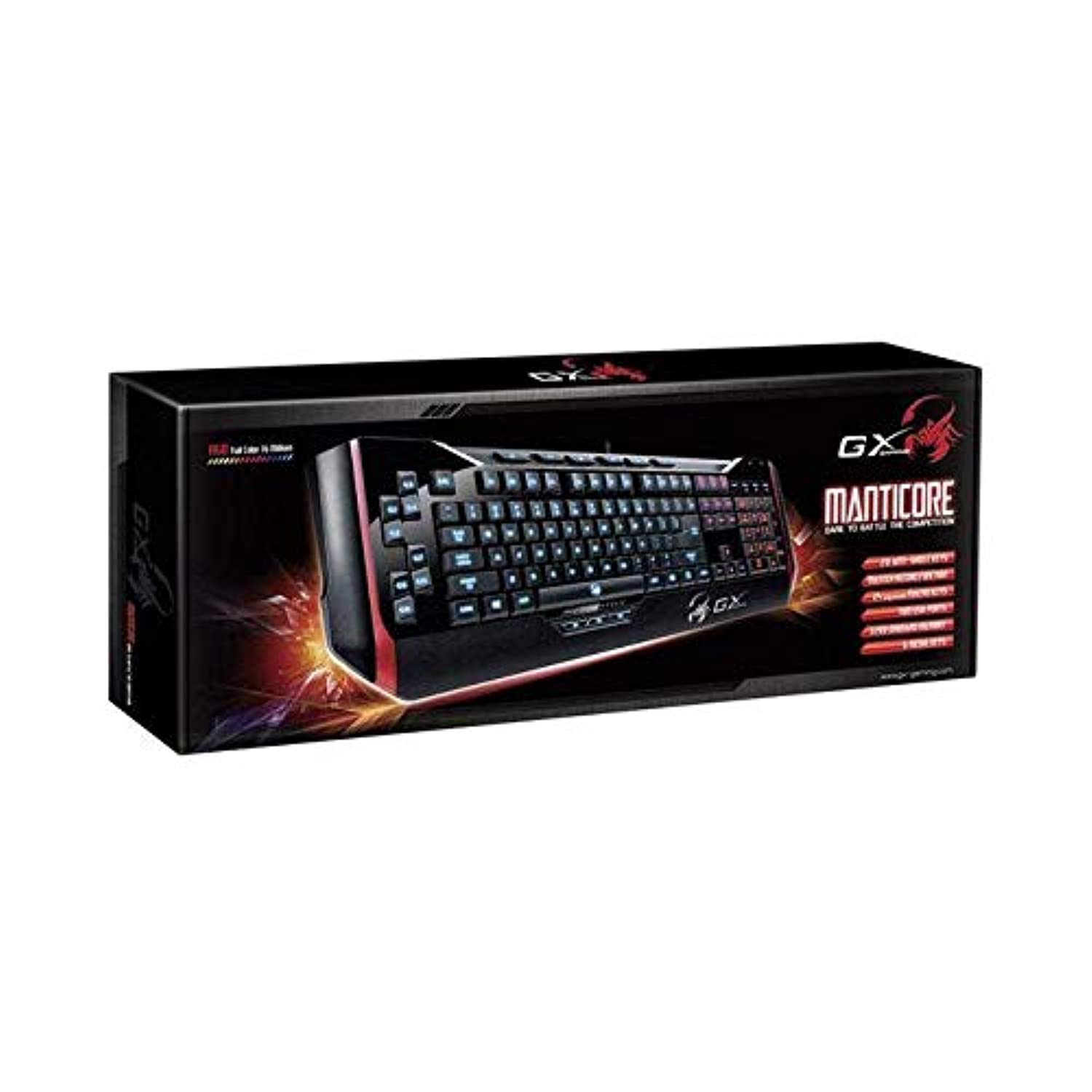
Kuva 1: Genius Manticore Gaming Keyboard. This image displays the Genius Manticore Gaming Keyboard, featuring a black body with red accents on the sides. The keys are illuminated, indicating its gaming functionality. The keyboard has a standard QWERTY layout with additional keys on the left side, likely for macros, and a numeric keypad on the right.
3. Asennus
- Avaa näppäimistö: Carefully remove the Genius Manticore Gaming Keyboard from its packaging. Ensure all components are present.
- Yhdistä laitteeseen: Locate an available USB port on your computer or compatible device. Insert the USB connector of the keyboard firmly into the USB port.
- Ohjaimen asennus (tarvittaessa): For most modern operating systems, the keyboard will be recognized automatically, and standard drivers will be installed. If prompted, follow the on-screen instructions to complete any driver installation.
- Testauksen toiminnallisuus: Avaa tekstieditori tai web browser and test the keys to ensure they are responding correctly.
4. Käyttöohjeet
The Genius Manticore Gaming Keyboard offers a standard QWERTY layout for general typing and dedicated features for gaming.
- Vakio-näppäintoiminnot: All standard alphanumeric, symbol, and function keys operate as expected on a typical QWERTY keyboard.
- Peliominaisuudet: The keyboard is designed for gaming. Specific gaming features, such as customizable backlighting or programmable macro keys (if available on your model), can typically be configured through dedicated software provided by Genius or through specific key combinations. Refer to the Genius website for any available software downloads or advanced feature guides.
- Virtalähde: The keyboard is powered directly via the USB connection to your device. No external power supply or batteries are required.
5. Huolto
Asianmukainen huolto varmistaa näppäimistösi pitkän käyttöiän ja suorituskyvyn.
- Puhdistus: Pyyhi näppäimistön pinta pehmeällä, kuivalla liinalla. Käytä paineilmaa pölyn ja roskien poistamiseen näppäinten välistä. Vältä voimakkaiden kemikaalien tai hankaavien materiaalien käyttöä.
- Nestealtistus: This keyboard is ei vedenkestävä. Avoid spilling liquids on the keyboard, as this can cause permanent damage. If liquid exposure occurs, immediately disconnect the keyboard from your device and allow it to dry completely before attempting to use it again.
- Varastointi: Kun näppäimistöä ei käytetä, säilytä sitä puhtaassa, kuivassa paikassa, poissa äärimmäisistä lämpötiloista ja suorasta auringonvalosta.
6. Vianmääritys
Jos näppäimistössäsi on ongelmia, kokeile seuraavia ratkaisuja:
- Näppäimistö ei vastaa:
- Varmista, että USB-kaapeli on kytketty kunnolla sekä näppäimistöön että tietokoneeseen.
- Kokeile kytkeä näppäimistö tietokoneen toiseen USB-porttiin.
- Testaa näppäimistöä toisella tietokoneella selvittääksesi, onko ongelma näppäimistössä vai alkuperäisessä tietokoneessa.
- Käynnistä tietokone uudelleen.
- Tietyt näppäimet eivät toimi:
- Check for any physical obstructions under the non-functional keys.
- Puhdista näppäimistö Huolto-osiossa kuvatulla tavalla.
- Ensure no software conflicts are present (e.g., macro software interfering with standard key functions).
- Taustavalon ongelmat:
- If your model features adjustable backlighting, ensure it is not turned off or set to the lowest brightness level. Consult the Genius website for specific key combinations to control backlighting.
If these steps do not resolve the issue, please contact Genius customer support for further assistance.
7. Tekniset tiedot
| Ominaisuus | Yksityiskohta |
|---|---|
| Tuotemerkki | Nero |
| Mallinumero | GE31310058108 |
| Yhteensopivat laitteet | Kaikki |
| Yhteystekniikka | USB |
| Näppäimistön kuvaus | Pelaaminen |
| Erikoisominaisuudet | Pelaaminen |
| Väri | Multi-color (Black and Red) |
| Tyyli | Moderni |
| Materiaali | Useita materiaaleja |
| Teema | Pelit |
| Virtalähde | USB-virtalähde |
| Avainten määrä | 104 |
| Näppäimistön asettelu | QWERTY-näppäimistö |
| Käsien suuntautuminen | Molempikätinen |
| Painike Määrä | 104 |
| Vedenkestävyystaso | Ei vedenkestävä |
| Valmistaja | Nero |
| ASIN | B07MQMXJS9 |
8. Takuu ja tuki
Your Genius Manticore Gaming Keyboard is covered by a standard manufacturer's warranty. For detailed information regarding warranty terms, registration, or to access technical support, please visit the official Genius websivustolta tai ota yhteyttä heidän asiakaspalveluunsa. Säilytä ostokuitti ostotodistuksena.
Lisätietoja saat osoitteesta Genius Official Websivusto.