
1. Johdanto
Thank you for choosing the ILIFE V7s Plus Hybrid Robot Vacuum Cleaner. This manual provides essential information for the safe operation, maintenance, and troubleshooting of your device. Please read it thoroughly before using the robot and keep it for future reference.
The ILIFE V7s Plus is designed to provide efficient cleaning for various floor types, offering both vacuuming and mopping functionalities to keep your home spotless.
2. Turvallisuusohjeet
Vähentääksesi loukkaantumis- tai vahinkoriskiä, noudata seuraavia turvallisuusohjeita:
- Lue kaikki ohjeet ennen robotin käyttöä.
- Älä anna lasten leikkiä robotilla. Valvo lapsia ja lemmikkejä robotin ollessa toiminnassa.
- Käytä ainoastaan ILIFEn toimittamaa alkuperäistä virtalähdettä ja lataustelakkaa.
- Do not operate the robot in wet environments or near flammable materials.
- Varmista, että robotti on sammutettu ja irrotettu pistorasiasta ennen huoltotoimenpiteitä.
- Avoid using the robot on high-pile carpets or uneven surfaces.
- Pidä hiukset, löysät vaatteet, sormet ja kaikki ruumiinosat poissa aukoista ja liikkuvista osista.
3. Tuote ohiview
The ILIFE V7s Plus is equipped with advanced features for comprehensive cleaning.
3.1 Tärkeimmät ominaisuudet
- i-Dropping Technology: The water tank sprinkles water only when the V7s Plus is moving, minimizing water consumption for thorough wet cleaning. It stops dispensing water when the robot stops, preventing floor damage and mechanical overload.
- Älykäs roskakorin ilmaisin: This technology alerts you if the dustbin is not installed correctly, preventing the robot from sucking dirt in and causing mechanical damage.
- Kaksi puhdistustilaa: The V7s Plus offers both vacuuming and mopping. Dirt and dust are extracted by a combination of brush and suction into the dustbin, while stains are removed by the microfiber mop cloth.
- Älykkäät anturit: Equipped with intelligent sensors and a slim profile, the V7s Plus can clean under most furniture and effectively prevent falls from stairs or ledges.
- RoadRover Wheels: Designed to easily climb a 15-degree slope and navigate over most obstacles.
3.2 Komponentit

Kuva 3.2.1: The ILIFE V7s Plus robot vacuum, demonstrating its i-Dropping Technology with the water tank and microfiber mop cloth.

Kuva 3.2.2: A hand inserting the dustbin into the ILIFE V7s Plus, highlighting the smart dustbin detector feature.
Kuva 3.2.3: The underside of the ILIFE V7s Plus, illustrating its two cleaning modes with the main brush, side brushes, dustbin, and water tank.

Kuva 3.2.4: The ILIFE V7s Plus navigating around furniture and avoiding stairs, showcasing its smart sensor capabilities.

Kuva 3.2.5: Yksityiskohtainen view of the ILIFE V7s Plus underside, highlighting the RoadRover wheels and the microfiber mop cloth for enhanced performance.
4. Asennus
4.1 Pakkauksesta purkaminen
- Poista kaikki osat varovasti pakkauksesta.
- Remove any protective films or stickers from the robot and charging dock.
- Ensure all accessories are present: robot, charging dock, power adapter, remote control, cleaning tool, side brushes, dustbin, water tank, mop cloth.
4.2 Robotin lataaminen
- Aseta lataustelakka seinää vasten avoimelle alueelle varmistaen, ettei sen sivuilla ole esteitä 1 metrin ja edessä 2 metrin säteellä.
- Connect the power adapter to the charging dock and plug it into a power outlet. The indicator light on the dock will illuminate.
- Place the robot onto the charging dock, ensuring the charging contacts align. The robot will emit a sound, and the indicator light on the robot will flash, indicating it is charging.
- Fully charge the robot for at least 5-6 hours before first use.
4.3 Sivuharjojen asentaminen
Paina sivuharjat robotin pohjassa oleviin tolppiin, kunnes ne napsahtavat paikoilleen.
4.4 Puhdistuksen valmistelu
- Imurointiin: Varmista, että pölynimuri on asennettu oikein.
- Moppaukseen: Fill the water tank with clean water. Attach the mop cloth to the water tank. Insert the water tank assembly into the robot.
5. Käyttöohjeet
5.1 Puhdistuksen aloittaminen/lopettaminen
- Aloittaa: Press the 'CLEAN' button on the robot or the remote control. The robot will begin cleaning in Auto mode.
- Keskeytä: Press the 'CLEAN' button again or the 'Pause' button on the remote control.
- Pysähtyä: Press the 'CLEAN' button for 3 seconds or the 'Power' button on the remote control.
5.2 Puhdistustilaa
The V7s Plus offers multiple cleaning modes:
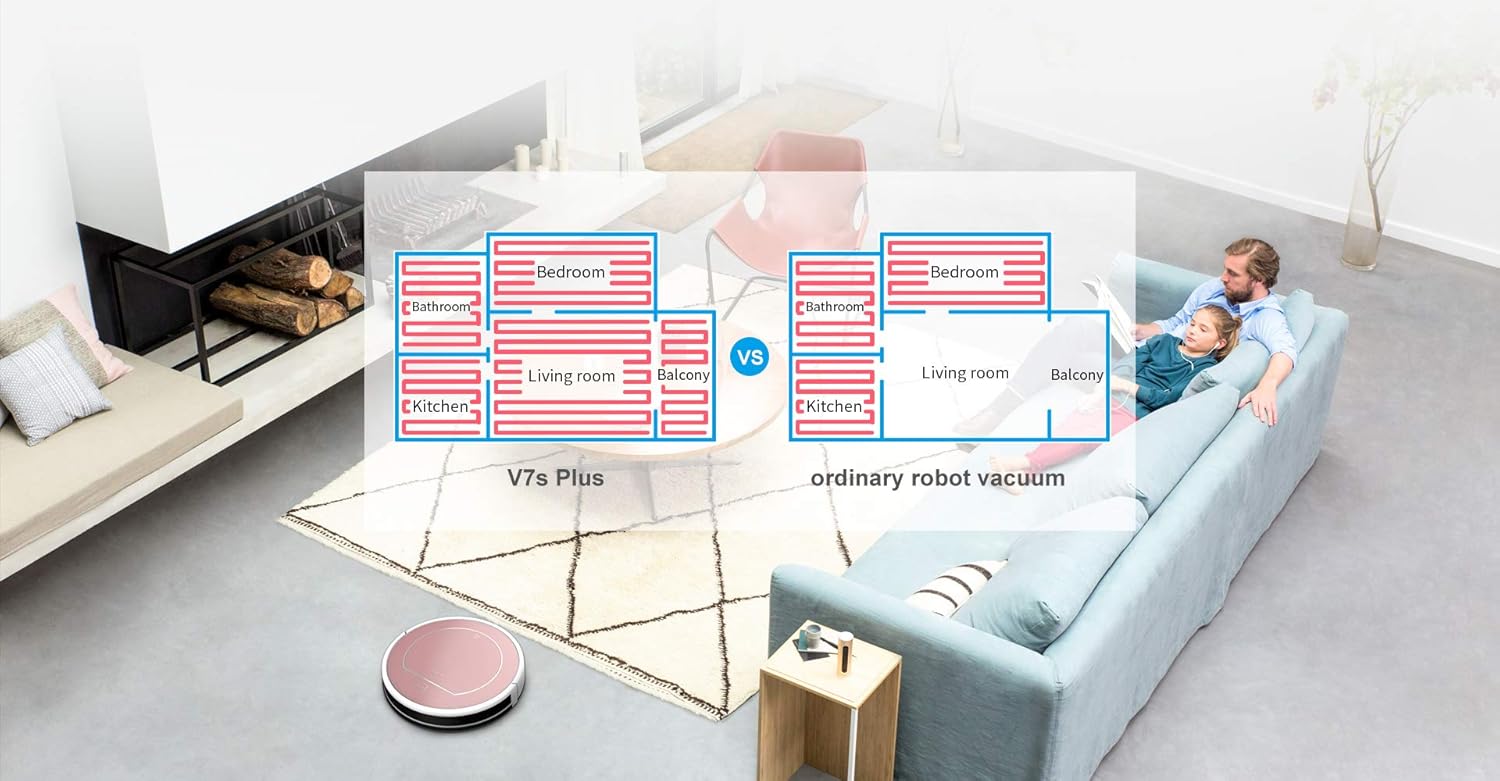
- Automaattitila: The robot automatically cleans the area, adjusting its path based on obstacles and dirt levels.
- Spot-tila: Robotti puhdistaa tietyn alueen spiraalimaisesti, mikä on ihanteellista keskittyneelle lialle.
- Reunatila: Robotti siivoaa seinien ja huonekalujen reunojen vierestä.
- Moppaustila: When the water tank is installed, the robot performs wet mopping.
5.3 Aikataulu
The robot can be scheduled to clean at a specific time each day. Refer to the remote control instructions for setting the current time and scheduling cleaning tasks.
5.4 Kaukosäädin
Use the remote control to start/stop cleaning, select cleaning modes, direct the robot manually, and set schedules.
6. Huolto
Regular maintenance ensures optimal performance and extends the lifespan of your ILIFE V7s Plus.
6.1 Pölysäiliön tyhjennys
Empty the dustbin after each use. Press the release button to remove the dustbin, open its lid, and discard the collected debris.
6.2 Suodattimien puhdistus
Remove the primary filter and high-efficiency filter from the dustbin. Tap them gently to remove dust. Rinse the primary filter with water if necessary, but ensure it is completely dry before reinstallation. Do not wash the high-efficiency filter.
6.3 Vesisäiliön ja moppiliinan puhdistaminen
After mopping, remove the water tank. Empty any remaining water. Detach the mop cloth and wash it by hand or machine. Allow the mop cloth and water tank to air dry completely before reassembling.
6.4 Puhdistusharjat
- Sivuharjat: Periodically remove and clean hair and debris wrapped around the side brushes. Replace them if they are worn or damaged.
- Pääharja: Remove the main brush cover and then the main brush. Use the cleaning tool to cut and remove hair and debris.
6.5 Antureiden puhdistaminen
Wipe the anti-drop sensors (located on the bottom of the robot) and the bumper sensors (on the front bumper) with a clean, dry cloth to ensure proper function.
7. Vianmääritys
If your ILIFE V7s Plus encounters an issue, refer to the following common problems and solutions:
- Robotti ei käynnisty: Ensure the battery is charged. Check if the power switch is in the 'ON' position.
- Robotti ei lataudu: Verify the charging dock is powered on and the robot's charging contacts are aligned with the dock's contacts. Clean contacts if dirty.
- Robotti juuttuu usein: Clear obstacles from the cleaning path. Ensure the wheels are free of debris.
- Huono puhdistusteho: Empty the dustbin, clean filters, main brush, and side brushes. Ensure the water tank is filled for mopping.
- Robotti putoaa portaista alas: Puhdista robotin pohjassa olevat putoamisenestoanturit.
- Epätavallinen melu: Check if the main brush or side brushes are entangled with hair or debris.
Jos ongelma jatkuu, ota yhteyttä asiakastukeen.
8. Tekniset tiedot
Below are the technical specifications for the ILIFE V7s Plus:
| Merkki | ELÄMÄ |
| Malli | V7s Plus |
| Pinta-suositus | Hard floor, Carpet (thin) |
| Erikoisominaisuudet | Automaattinen, kevyt |
| Väri | Ruusukulta |
| Ohjaimen tyyppi | Kaukosäädin |
| Itse latautuva | Kyllä |
| Ajoitus | Kyllä |
| Anti-dropping off & Collision | Kyllä |
| Märkämoppaus | Kyllä |
| Puhdistustilat | 4 tilaa |
| Dustbin Detection Technology | Kyllä |
| i-Dropping Technology | Kyllä |
| Työaika | 110-120 minuuttia |
| Floors Priority | Hardwood > Tile > Thin Carpet |
| Using Orientation | Imurointi ja moppaus |

Kuva 8.1: Feature comparison between ILIFE V7s and V7s Plus models.
9. Takuu ja tuki
For warranty information, please refer to the warranty card included in your product packaging or consult the retailer from whom you purchased the ILIFE V7s Plus. For technical support or service inquiries, please contact ILIFE customer service through their official websivustolla tai tuotedokumentaatiossa annetuissa yhteystiedoissa.