
Johdanto
Thank you for choosing the Lamax X9.1 Action Camera. This manual provides essential information for setting up, operating, and maintaining your camera. Please read it thoroughly before use to ensure optimal performance and longevity of your device. The Lamax X9.1 is designed to capture your adventures in stunning 4K Ultra HD video and 12-megapixel photos, featuring Wi-Fi connectivity and a robust design.
Pakkauksen sisältö
Please check the package contents upon unboxing. Typical accessories include:
- Lamax X9.1 Action Camera
- Kaukosäädin
- Vedenpitävä kotelo
- Asennustarvikkeet
- USB-kaapeli
- Käyttöopas
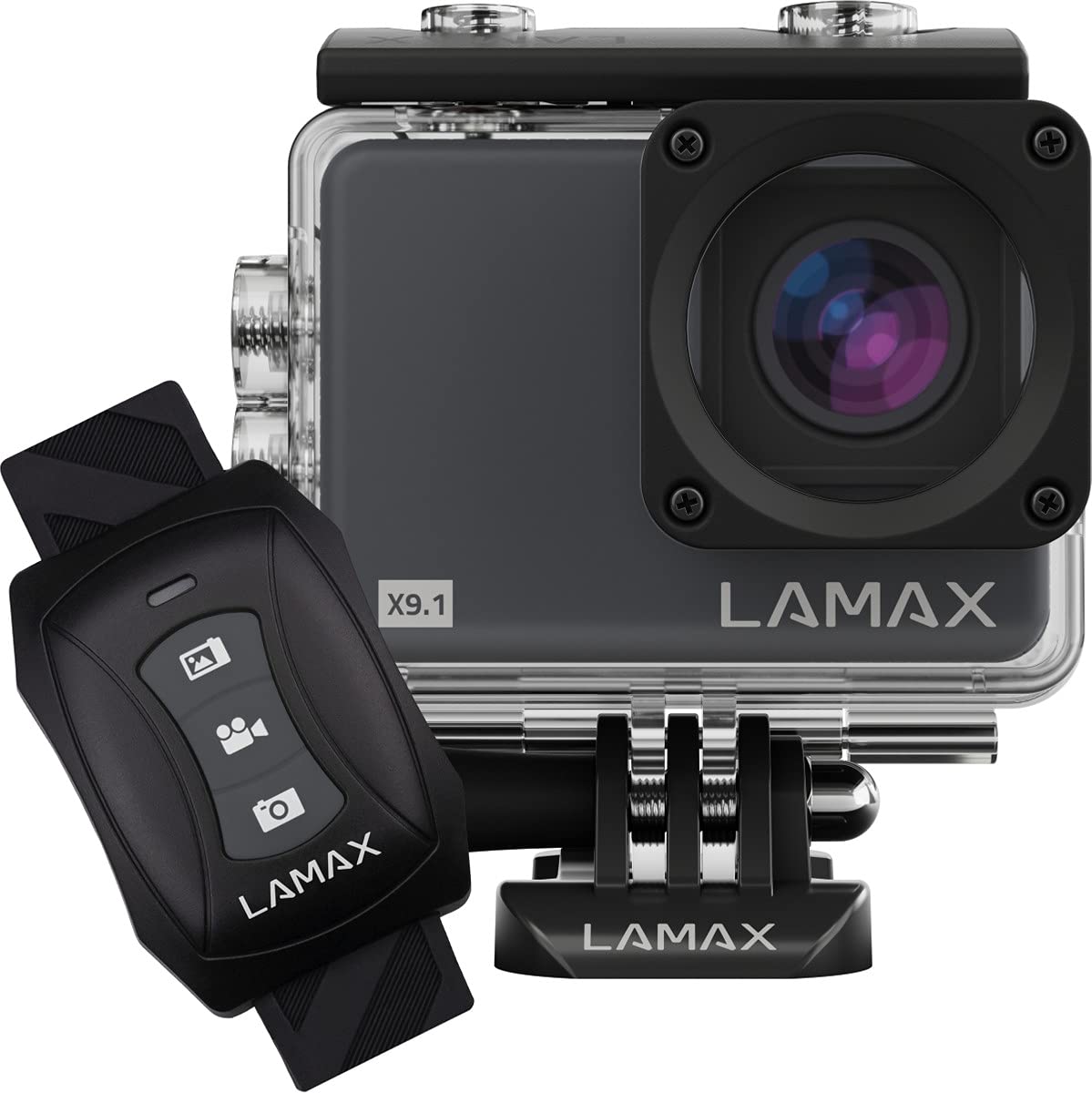
Image: The Lamax X9.1 Action Camera shown alongside its remote control, illustrating the main components.
Kamera ohiview
Familiarize yourself with the camera's physical components:
- Linssi: Front-facing optical component for capturing images and videos.
- LCD-näyttö: 2-inch display on the rear for live view, valikoiden navigointi ja toisto.
- Virta / tila-painike: Typically located on the front or top, used to power on/off and switch modes.
- Suljin/tallennuspainike: Located on the top, used to start/stop recording or take photos.
- Navigointipainikkeet: Used for menu navigation (Up/Down).
- Micro-USB-portti: Lataamiseen ja tiedonsiirtoon.
- HDMI-portti: Ulkoisen näytön liittämistä varten.
- MicroSD -korttipaikka: Muistikortin asettamiseen.

Kuva: Edessä view of the Lamax X9.1 Action Camera, clearly showing the lens and model number.

Kuva: Sivu view of the Lamax X9.1 Action Camera, highlighting the Micro-USB and HDMI ports.

Kuva: Takaosa view of the Lamax X9.1 Action Camera, displaying the LCD screen and control buttons.
Asennus
1. Akun asennus ja lataus
- Open the battery compartment cover, usually located on the bottom or side of the camera.
- Insert the Lithium-Ion (Li-Ion) battery (1050 mAh) with the contacts facing the correct direction.
- Sulje paristolokero kunnolla.
- Connect the camera to a power source using the provided Micro-USB cable. The charging indicator will illuminate. A full charge takes approximately 1.84 hours.
2. MicroSD-kortin asennus
- Paikanna MicroSD-korttipaikka, joka sijaitsee yleensä kameran sivussa.
- Insert a compatible MicroSDHC or MicroSDXC card (up to 64 GB, Class 10 or higher recommended) with the contacts facing down. Push until it clicks into place.
- Poistaaksesi kortin, työnnä sitä uudelleen sisäänpäin, kunnes se ponnahtaa ulos.
3. Virta päälle / pois
- Virran kytkeminen: Paina virta-/tilapainiketta muutaman sekunnin ajan, kunnes näyttö syttyy.
- Virran sammuttaminen: Paina virta-/tilapainiketta uudelleen ja pidä sitä painettuna, kunnes näyttö sammuu.
4. Vedenpitävän kotelon käyttö
The Lamax X9.1 is waterproof up to 40 meters when enclosed in its waterproof case. Ensure the case is properly sealed before submerging the camera.
- Open the waterproof case latch.
- Aseta kamera varovasti koteloon ja varmista, että se istuu tiiviisti.
- Close the latch firmly, making sure the rubber seal is clean and free of debris.
- Always test the waterproof case without the camera first to ensure no leaks.

Image: The Lamax X9.1 Action Camera securely placed inside its waterproof housing, shown with the remote control.
Kameran käyttö
1. Perussäätimet
- Virta / tila-painike: Short press to cycle through video, photo, playback, and settings modes.
- Suljin/tallennuspainike: Press to start/stop video recording or take a photo in the respective modes.
- Ylös/alas -painikkeet: Used to navigate menu options or zoom (if applicable).
2. Videotallennus
In video mode, press the Shutter/Record button to begin recording. Press again to stop.
- Päätökset: Supports 4K Ultra HD (3840 x 2160 pixels), 1080p, 720p.
- Kuvanopeudet: Up to 120 frames per second (fps) for smooth slow-motion capture.
- Muodot: H.264, H.265, MP4.
3. Valokuvien ottaminen
In photo mode, press the Shutter/Record button to take a picture.
- Resoluutio: 12 Megapixels (3840 x 2160 pixels).
- Muoto: JPG.
4. Erikoistilat
- Aikaväli: Ota sarja valokuvia tietyin väliajoin luodaksesi intervallivideon.
- Super Slow Motion: Record high frame rate video for dramatic slow-motion effects.
5. Wi-Fi-yhteys
The Lamax X9.1 features Wi-Fi for remote control and file siirto älypuhelinsovelluksen kautta.
- Ota Wi-Fi käyttöön kamerassasi asetusvalikosta.
- Download the official Lamax app (check your camera's packaging or the Lamax website for the correct app name) on your smartphone.
- Yhdistä älypuhelimesi kameran Wi-Fi-verkkoon (SSID ja salasana näkyvät kameran näytössä).
- Use the app to control the camera, view elää huijaritage ja lataa files.
6. Kaukosäädin
The included remote control allows for convenient operation without directly touching the camera.
- Ensure the remote is paired with the camera (refer to the camera's settings menu for pairing instructions).
- Use the dedicated buttons on the remote to start/stop recording or take photos.
Asetukset-valikko
Access the settings menu by cycling through modes using the Power/Mode button until you reach the settings icon, or by pressing a dedicated menu button if available. Use the navigation buttons to scroll and the Shutter/Record button to select options.
Yleisiä asetuksia ovat:
- Video Resolution and Frame Rate
- Valokuvan resoluutio
- Exposure Compensation (EV)
- Valkotasapaino (WB)
- Päivämäärä ja aika
- Loop-tallennus
- Screen Saver/Auto Power Off
- Wi-Fi-asetukset
- Alusta SD-kortti
Huolto
1. Puhdistus
- Linssi: Käytä pehmeää, nukkaamatonta liinaa, joka on suunniteltu erityisesti optisille linsseille. Vältä voimakkaita kemikaaleja.
- Näyttö: Pyyhi varovasti mikrokuituliinalla.
- Kameran runko: Käytä pehmeää, damp cloth to clean the exterior. Ensure all ports are closed before cleaning with moisture.
- Vedenpitävä kotelo: After use in saltwater, rinse the case with fresh water and let it air dry. Check the rubber seal for any debris or damage.
2. Akun hoito
- Vältä akun usein toistuvaa täydellistä tyhjentymistä.
- Store the camera with the battery partially charged (around 50%) if not used for extended periods.
- Älä altista akkuja äärimmäisille lämpötiloille.
3. Varastointi
Store the camera in a cool, dry place away from direct sunlight and excessive humidity. Remove the battery if storing for a long time.
Vianetsintä
If you encounter issues with your Lamax X9.1, refer to the following common problems and solutions:
| Ongelma | Mahdollinen syy / Ratkaisu |
|---|---|
| Kamera ei käynnisty. | Battery is depleted. Charge the battery fully. Ensure the battery is inserted correctly. |
| SD-kortin virheilmoitus. | SD card is not inserted correctly, is full, or is corrupted. Reinsert the card, try a different card, or format the card (this will erase all data). Ensure the card is MicroSDHC/XC, up to 64GB, Class 10 or higher. |
| Huono akun käyttöikä. | High-resolution video recording (4K) and Wi-Fi use consume more power. Ensure the battery is fully charged. Consider carrying spare batteries for extended use. |
| Vesivuoto koteloon. | Waterproof case was not sealed properly, or the rubber seal is damaged/dirty. Always check the seal and latch before submerging. |
| Tietokone ei tunnista kameraa. | Ensure the USB cable is connected securely. Try a different USB port or cable. The camera might need to be in a specific mode (e.g., Mass Storage) to be recognized. |
| Wi-Fi-yhteysongelmat. | Ensure Wi-Fi is enabled on the camera and your smartphone. Check the Wi-Fi password. Move closer to the camera to improve signal strength. |
If the problem persists, perform a factory reset (if available in settings) or contact Lamax customer support.
Tekniset tiedot
| Ominaisuus | Erittely |
|---|---|
| Mallinumero | X9.1 |
| Videon resoluutio | Up to 4K Ultra HD (3840 x 2160 pixels) |
| Suurin kuvataajuus | 120 fps |
| Valokuvan resoluutio | 12 megapikseliä (3840 x 2160 pikseliä) |
| Näyttö | 2 tuuman (5.08 cm) LCD-näyttö |
| Tallennusvälineet | MicroSDHC, MicroSDXC (up to 64 GB) |
| Akun tyyppi | Lithium-Ion (Li-Ion), 1050 mAh |
| Latausaika | Noin 1.84 tuntia |
| Yhteydet | Wi-Fi, Micro-USB, HDMI |
| Paino | 72 grammaa |
| Mitat (P x L x K) | 60 x 44 x 33 mm |
| Vesitiivis luokitus | Jopa 40 metriä (vedenpitävän kotelon kanssa) |
| Erikoisominaisuudet | Time-lapse, Super Slow Motion, Image Stabilization |
Takuu ja tuki
For warranty information and technical support, please refer to the documentation included with your product or visit the official Lamax websivusto. Säilytä ostokuittisi mahdollisten takuuvaatimusten varalta.