
Johdanto
This manual provides detailed instructions for the installation, operation, and maintenance of your NEC SL2100 IP7WW-12TXH-B1 12-Button Display Speaker Telephone. Please read this manual thoroughly before using the telephone to ensure proper functionality and to prevent damage.
Turvallisuustiedot
Noudata aina tätä tuotetta käyttäessäsi perusturvallisuusohjeita tulipalon, sähköiskun ja henkilövahinkojen riskin vähentämiseksi.
- Älä käytä tätä tuotetta veden lähellä, esimample, lähellä kylpyammetta, pesukulhoa, tiskialtaan tai pyykkialtaan, märässä kellarissa tai lähellä uima-allasta.
- Avoid using the telephone during an electrical storm. There may be a remote risk of electric shock from lightning.
- Älä käytä puhelinta ilmoittaaksesi kaasuvuodosta vuodon läheisyydessä.
- Use only the power source specified in this manual or marked on the product. This telephone is powered by the phone system.
- Irrota tämän tuotteen pistoke pistorasiasta ennen puhdistamista. Älä käytä nestemäisiä puhdistusaineita tai aerosolipuhdistusaineita. Käytä mainostaamp liina puhdistukseen.
Pakkauksen sisältö
Varmista, että pakkauksessa on kaikki tarvittavat osat:
- NEC SL2100 IP7WW-12TXH-B1 12-Button Display Speaker Telephone (Black)
- Luuri
- Luurin johto
- Base Stand (for desk or wall mounting)
- Ethernet Cable (if applicable for IP connection)
Tuote loppuview
The NEC SL2100 IP7WW-12TXH-B1 is a corded 12-button display speaker telephone designed for use with NEC SL2100 systems. It features a clear display for call information and menu navigation, a built-in speakerphone for hands-free communication, and 12 programmable function keys.
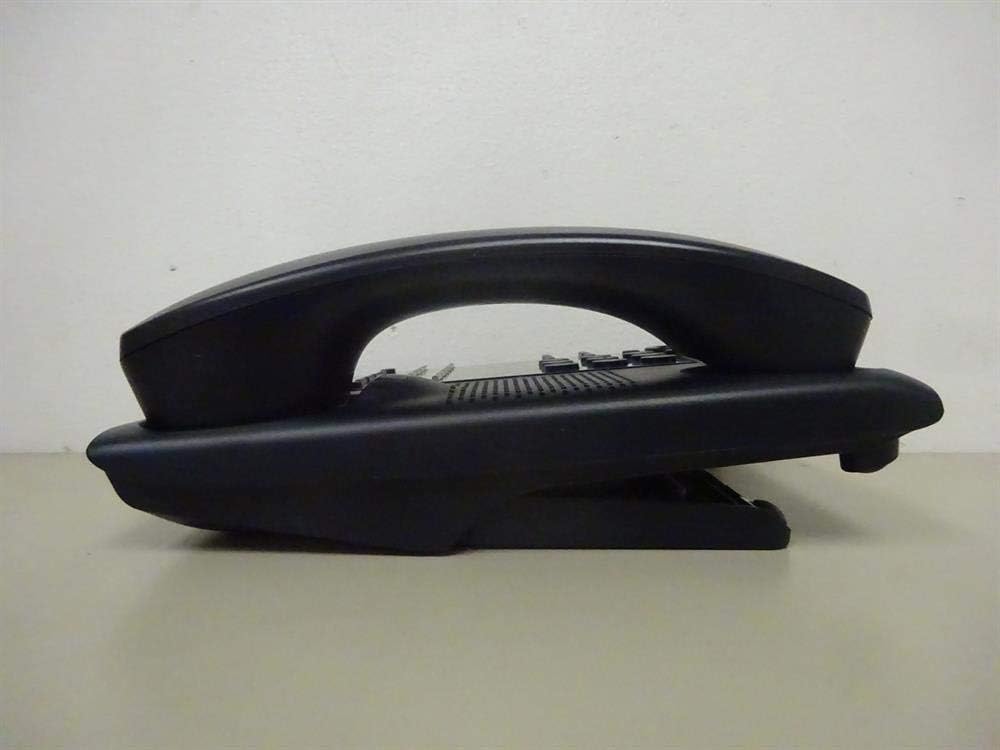
Kuva 1: Sivu view of the NEC SL2100 IP7WW-12TXH-B1 telephone, showing the ergonomic design of the handset and base unit.

Kuva 2: Takaosa view of the telephone, illustrating the various connection ports for the handset and network, as well as the integrated wall-mounting slots.
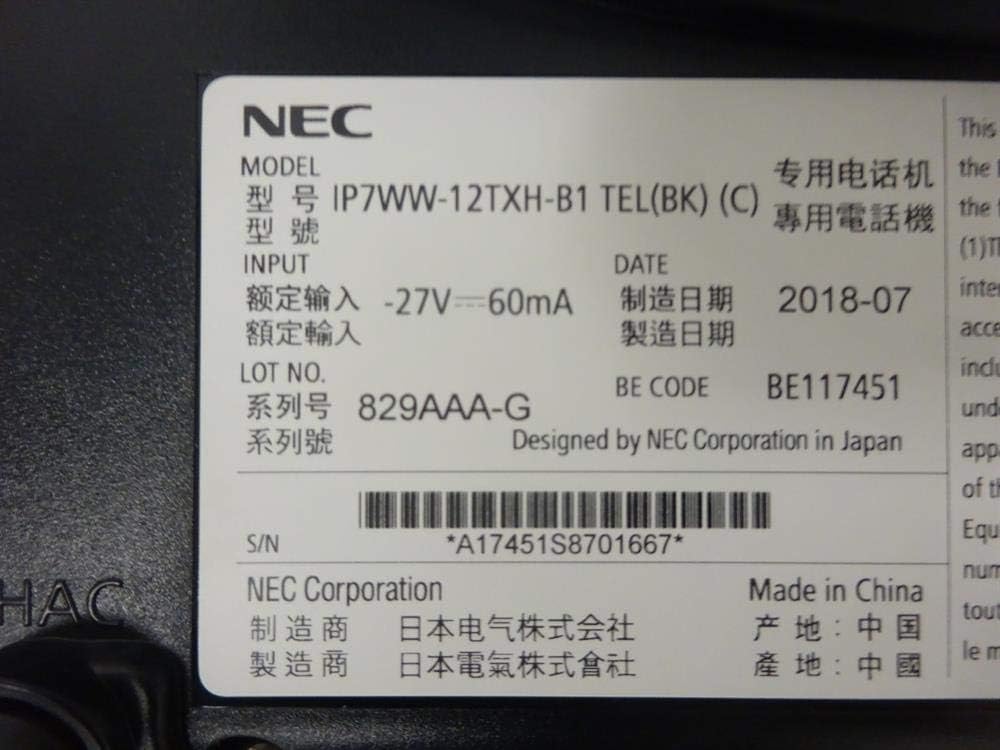
Kuva 3: Close-up of the product label, displaying model number IP7WW-12TXH-B1, input specifications, and manufacturer details.
Asennus
1. Assembling the Telephone
- Kiinnitä jalusta: Align the base stand with the slots on the bottom of the telephone. Slide it into place until it clicks securely. The stand can be adjusted for different viewing angles or reversed for wall mounting.
- Yhdistä luuri: Kytke luurin kierteisen johdon toinen pää luuriin ja toinen pää puhelimen tukiaseman sivussa olevaan porttiin.
2. Connecting to the System
This telephone is designed to connect to an NEC SL2100 system. Ensure your SL2100 system is properly installed and configured.
- Liitä verkkokaapeli: Plug one end of an Ethernet cable into the LAN port on the back of the telephone. Plug the other end into an available port on your NEC SL2100 system or a network switch connected to the system.
- Virta päälle: The telephone receives power directly from the NEC SL2100 system (Power over Ethernet - PoE) or via a separate power adapter (not included, if PoE is not available). Once connected, the telephone should power on automatically.
- Alkukokoonpano: The telephone will typically register with the SL2100 system automatically. If prompted, follow the on-screen instructions or consult your system administrator for specific extension number assignment or network settings.
Käyttöohjeet
Puhelujen soittaminen
- Lift Handset: Nosta luuri ja kuuntele valintaääntä.
- Näppäile numero: Soita haluttuun puhelinnumeroon näppäimistön avulla.
- Kaiutinpuhelin: Paina KAIUTTIMET button to activate the speakerphone, then dial the number.
Puheluiden vastaanottaminen
- Lift Handset: Kun puhelin soi, nosta luuri vastataksesi.
- Kaiutinpuhelin: Paina KAIUTTIMET button to answer the call hands-free.
Näytön käyttäminen
The display shows call information, menu options, and system status. Use the navigation buttons (usually arrow keys) to scroll through menus and the ENTER or VALITSE -painiketta vahvistaaksesi valinnat.
Programmable Function Keys (12 Buttons)
The 12 buttons on the telephone can be programmed for various functions such as speed dial, line access, feature activation, or direct station selection. Consult your system administrator for the specific programming of these keys.
Neuvottelupuhelut
The telephone supports 3-way conference calls. To initiate a conference call:
- Soita puhelu ensimmäisen osapuolen kanssa.
- Paina CONF (Conference) button or the designated programmable key. The first party will be put on hold.
- Dial the second party's number.
- Kun yhteys toiseen osapuoleen on muodostettu, paina CONF -painiketta uudelleen liittyäksesi kaikkiin kolmeen osapuoleen.
Soittajan tunnus
When an incoming call is received, the caller's information (name and number, if available) will be displayed on the screen.
Monirivinen toiminto
This telephone supports multi-line operation, allowing you to manage multiple calls simultaneously. Use the designated line keys or programmable keys to switch between active lines or place calls on hold.
Huolto
Puhdistus
To clean the telephone, unplug it from the network connection. Use a soft, slightly damp cloth. Do not use harsh chemicals, abrasive cleaners, or excessive moisture. Avoid spraying cleaners directly onto the telephone.
Varastointi
If storing the telephone for an extended period, ensure it is clean and dry. Store it in a cool, dry place away from direct sunlight and extreme temperatures.
Vianetsintä
- Ei valintaääntä:
- Check all cable connections, especially the network cable to the SL2100 system.
- Ensure the SL2100 system is powered on and functioning correctly.
- If using a separate power adapter (not PoE), ensure it is properly connected and receiving power.
- Näyttö ei toimi:
- Verify the telephone is receiving power.
- Try disconnecting and reconnecting the network cable.
- Puheluiden soittaminen/vastaanottaminen ei onnistu:
- Tarkista valintaääni.
- Ensure the telephone is properly registered with the SL2100 system.
- Contact your system administrator to verify line assignments and system status.
- Huono äänenlaatu:
- Check handset and network cable connections.
- Varmista, ettei muista elektronisista laitteista tule häiriöitä.
- Test with another telephone if possible to isolate the issue.
Tekniset tiedot
| Ominaisuus | Erittely |
|---|---|
| Merkki | NEC |
| Mallinumero | IP7WW-12TXH-B1 (Mfr Part Number: BE117451) |
| Väri | Musta |
| Puhelintyyppi | corded |
| Materiaali | Muovi |
| Virtalähde | Phone System (PoE compatible) |
| Soittimen tyyppi | Yksi näppäimistö |
| Tuotteen mitat (P x L x K) | 15 x 12 x 6 tuumaa |
| Vastausjärjestelmän tyyppi | Digital (System Dependent) |
| Yhteensopivat laitteet | NEC SL2100 Systems, NEC SL2100 IP7WW-082U-B1 8 Port Digital Station Card |
| Konferenssipuheluominaisuus | 3-suuntainen |
| Monirivinen toiminto | Kyllä |
| Soittajan tunnus | Kyllä |
Takuu ja tuki
For warranty information, please refer to the documentation provided with your NEC SL2100 system or contact your NEC authorized dealer. For technical support, please contact your system administrator or NEC customer service.
NEC Corporation
For further assistance, please visit the official NEC website or contact your local support representative.