
1. Johdanto
This manual provides essential information for the installation, operation, and maintenance of the MADRIX Software 5 Key Start. This software is a professional LED lighting control solution designed to manage complex lighting installations with ease and precision. It offers control over 1,024 DMX channels (2 DMX Universes) and 16,384 DVI voxels, making it suitable for a wide range of applications.
MADRIX is a Windows-based application that functions as both an effect generator and a media server. It supports various industry standards, including DMX512, DVI, Art-Net, and Streaming ACN, ensuring broad compatibility with existing lighting setups.
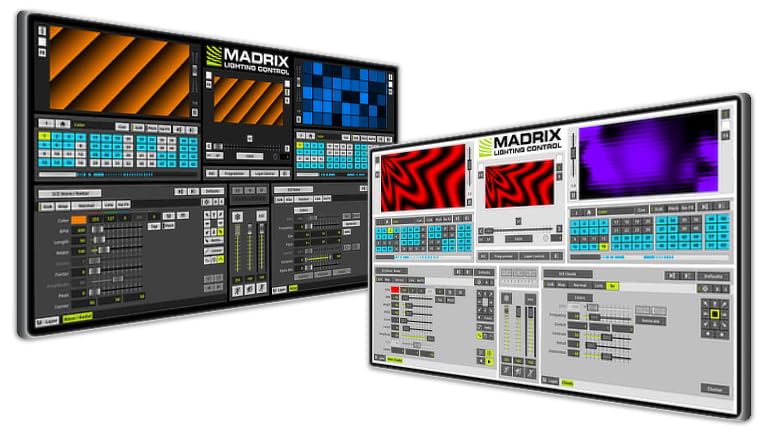
Figure 1: MADRIX Software 5 Key Start USB Dongle. This image shows the physical USB dongle required to activate and use the MADRIX 5 Key Start software.
2. Asennus ja asennus
2.1 Järjestelmävaatimukset
- Käyttöjärjestelmä: Windows 7, 8, 10, or 11 (64-bit recommended)
- Prosessori: Dual-core CPU, 2 GHz or faster
- RAM: 4 Gt tai enemmän
- Näytönohjain: Dedicated graphics card with 1 GB VRAM (NVIDIA or AMD recommended)
- Varastointi: 1 Gt vapaata levytilaa asennusta varten
- USB-portti: Available USB 2.0 or 3.0 port for the MADRIX Key
- Verkko: Ethernet port for Art-Net/sACN (optional)
2.2 Ohjelmiston asennus
- Lataa: Obtain the latest MADRIX 5 software installer from the official MADRIX websivusto.
- Suorita asennusohjelma: Kaksoisnapsauta ladattua asennusohjelmaa file ja seuraa näytön ohjeita.
- Lisenssiavain: Insert the MADRIX 5 Key Start USB dongle into an available USB port on your computer. The software will detect the key automatically upon launch.
- Ohjaimen asennus: Ensure all necessary drivers for your DMX/DVI interfaces are installed correctly.
2.3 Laitteiston liitäntä
Connect your LED fixtures and DMX/DVI interfaces to your computer. MADRIX supports various protocols for output:
- DMX512: Connect DMX interfaces (e.g., MADRIX NEO, MADRIX LUNA) via USB or Ethernet.
- DVI: Connect DVI-controlled LED displays via a DVI output from your graphics card.
- Art-Net/Streaming ACN (sACN): Connect network-enabled DMX nodes or fixtures to your computer's Ethernet port.
Refer to the specific hardware's manual for detailed connection instructions.
3. Käyttöohjeet
3.1 Ohjelmisto ohiview
Upon launching MADRIX 5, you will be presented with the main interface. Key areas include:
- Matrix Generator: Define your LED layout and pixel mapping.
- Varastointi: Store and organize effects, scenes, and shows.
- Effect Generator: Create and customize visual effects.
- Lähtö: Monitor and control DMX/DVI output.
- MIDI/DMX Input: Configure external control devices.
3.2 Peruskäyttö
- Create a New Setup: Siirry osoitteeseen "Preferences" > "Device Manager" to configure your DMX/DVI outputs.
- Define Matrix: Käytä "Matrix Generator" to create a virtual representation of your LED setup. This is crucial for pixel mapping.
- Generate Effects: Navigoi kohtaan "Effect Generator" section. Select from a variety of built-in effects or create custom ones. Adjust parameters such as speed, color, and intensity.
- Store Scenes: Save your configured effects and settings as scenes in the "Storage" section for quick recall.
- Lähtöohjaus: Ensure your output devices are enabled in the "Device Manager" and that the output is active to send data to your LEDs.
3.3 Lisäominaisuudet
- Pikselikartoitus: Map video content or effects directly onto your LED layout, regardless of its physical arrangement.
- Mediapalvelin: Toista video files and images as lighting content.
- Ulkoinen ohjaus: Integrate with DMX/MIDI consoles for live control and automation.
- Käsikirjoitus: Utilize scripting capabilities for advanced customization and automation.
4. Huolto
4.1 Ohjelmistopäivitykset
Regularly check the official MADRIX website for software updates. Updates often include new features, performance improvements, and bug fixes. It is recommended to keep your software up-to-date for optimal performance and compatibility.
4.2 Järjestelmän varmuuskopiointi
Periodically back up your MADRIX show files, settings, and custom content. This ensures that your configurations are safe in case of system failure or data loss. The MADRIX software typically stores user data in a dedicated folder within your Documents directory.
5. Vianmääritys
Jos kohtaat ongelmia, katso seuraavat yleiset vianmääritysvaiheet:
- Ohjelmisto ei käynnisty:
- Ensure the MADRIX Key USB dongle is properly inserted.
- Verify your system meets the minimum requirements.
- Yritä asentaa ohjelmisto uudelleen.
- No DMX/DVI Output:
- Check all physical cable connections (USB, Ethernet, DVI).
- Confirm that your DMX/DVI interfaces are recognized in the MADRIX Device Manager.
- Ensure the output is enabled in the software.
- Verify that the correct drivers for your hardware are installed.
- Tehosteet eivät näy oikein:
- Review your Matrix Generator setup to ensure it accurately reflects your physical LED layout.
- Check effect parameters and color settings.
- Ensure your LED fixtures are correctly addressed and configured.
- Suorituskykyongelmat:
- Sulje muut vaativat sovellukset.
- Ensure your graphics card drivers are up-to-date.
- Reduce the complexity of effects or the number of active layers if your system is struggling.
For further assistance, consult the official MADRIX support resources.
6. Tekniset tiedot
| Ominaisuus | Yksityiskohta |
|---|---|
| Tuotteen nimi | MADRIX Software 5 Key Start |
| Mallinumero | IA-SOFT-001001 |
| Merkki | MADRIX |
| DMX kanavat | 1,024 (2 DMX Universes) |
| DVI Voxels | 16,384 (128 x 128) |
| Tuetut standardit | DMX512, DVI, Art-Net, Streaming ACN, Philips Color Kinetics, Insta/ROBE protocols, Eurolite T9, ColourSmart Link |
| Käyttöjärjestelmä | Windows (7, 8, 10, 11) |
| Toiminnallisuus | Effect Generator, Media Server, Pixel Mapping |
| Ohjaustulo | DMX, MIDI console/desk |
| UPC | 683258961110 |
7. Takuu ja tuki
7.1 Takuutiedot
Warranty terms for the MADRIX Software 5 Key Start are typically provided at the point of purchase or can be found on the official MADRIX websivusto. Säilytä ostokuitti takuuvaatimuksia varten.
7.2 Tekninen tuki
For technical assistance, software issues, or advanced inquiries, please visit the official MADRIX support portal or contact their customer service directly.
Official MADRIX Websivusto: www.madrix.com