
1. Johdanto ja loppuview
The BONECO F100 Desktop Air Shower Fan is a compact and efficient air circulator designed to provide a refreshing 'air shower' feeling or direct cooling. Its innovative design ensures optimal air movement throughout your space, making it suitable for various rooms and year-round use. This manual provides essential information for the safe and effective operation, maintenance, and troubleshooting of your BONECO F100 fan.

Image: The BONECO F100 Desktop Air Shower Fan, showcasinsen kompaktin ja modernin muotoilun ansiosta.
2. Tärkeitä turvallisuusohjeita
Please read and follow all safety instructions before using your BONECO F100 fan to prevent injury or damage.
- Always unplug the fan from the power outlet before cleaning, performing maintenance, or when not in use.
- Do not operate the fan with a damaged cord or plug. If the cord or plug is damaged, contact BONECO customer support for assistance.
- Do not place the fan in or near water or other liquids. Avoid using the fan in wet or damp ympäristöissä.
- Keep fingers, hair, and loose clothing away from the fan blades and openings during operation.
- Tätä laitetta ei ole tarkoitettu henkilöiden (mukaan lukien lapset) käytettäväksi, joilla on alentuneet fyysiset, sensoriset tai henkiset kyvyt tai joilla ei ole kokemusta ja tietoa, ellei heidän turvallisuudestaan vastaava henkilö ole valvonut tai opastanut laitteen käyttöä.
- Varmista, että tuuletin on asetettu vakaalle ja tasaiselle alustalle, jotta se ei kaadu.
- Do not block air openings or operate the fan near curtains or other materials that could obstruct airflow.
3. Tuotteen ominaisuudet
The BONECO F100 is engineered with features designed for optimal air circulation and user convenience:
- Natural Air Shower Feeling: Designed to move a higher volume of air at faster speeds, creating a powerful stream for superb room circulation. It keeps the room's air in constant motion, creating a shower of air all around you.
- Smart, Modern, Compact Design: Features 3-speed levels, adjusted using a simple touch control with LED indicators. The elegantly shaped foot stand ensures stability on any tabletop or desktop.
- Use Throughout Whole House: Versatile for use at its highest level for the air shower feeling or lower quiet levels for direct cooling. Ideal for placement by a window, in the kitchen, garage, or on your desk.
- Helppo huolto: This personal, compact vortex fan has a removable blade cover for simple and low maintenance access to the 6-inch fan blade.
- Use Year Round: Provides a year-round solution for temperature regulation, enhancing comfort in any season.

Image: Diagram illustrating the powerful air circulation created by the BONECO F100 fan.

Image: The BONECO F100 fan effectively circulating air throughout a living room space.
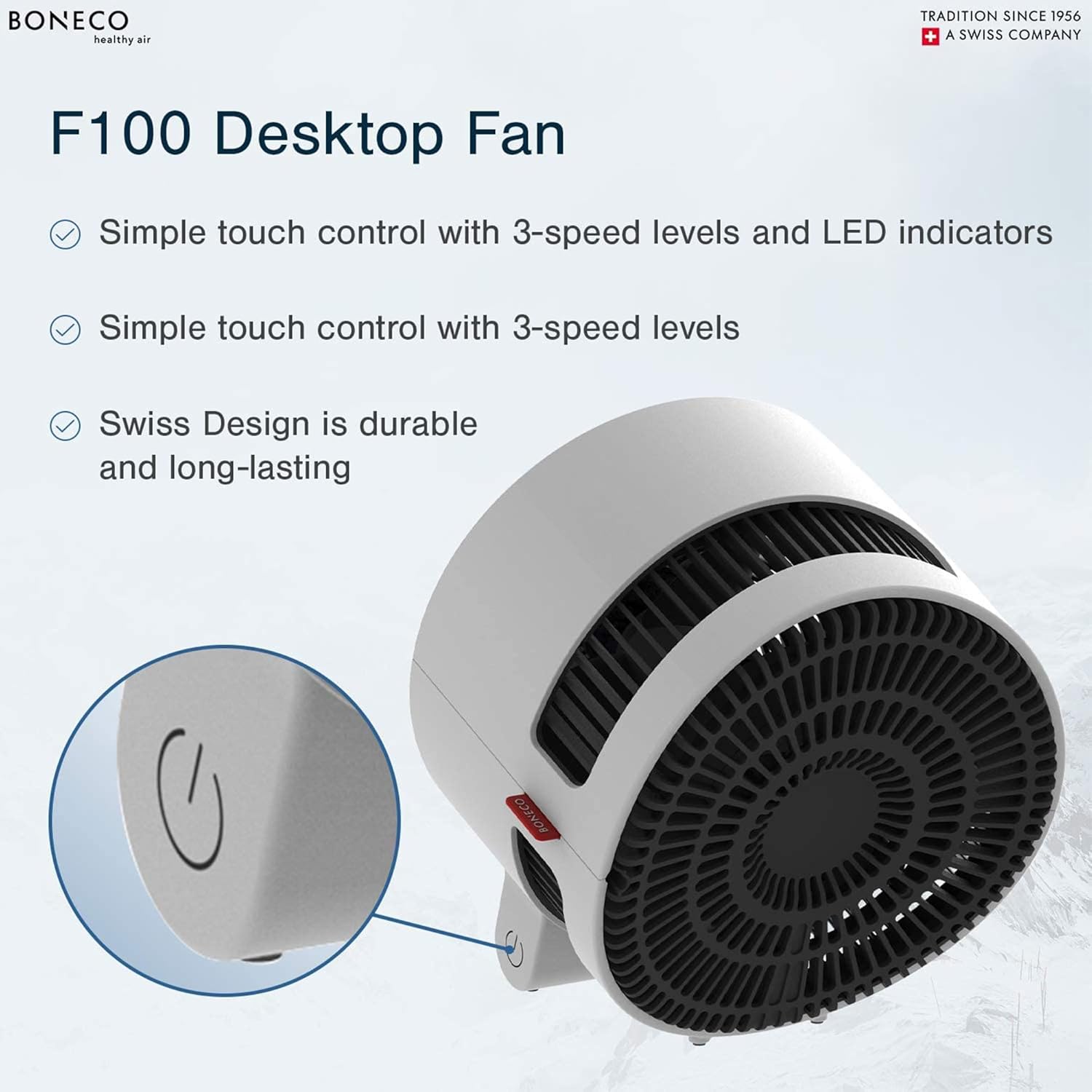
Image: Detail of the BONECO F100's touch control panel and sleek Swiss design.

Image: The BONECO F100 fan, emphasizing its compact size and energy efficiency.
4. Asennus
Follow these steps to set up your BONECO F100 fan:
- Pura pakkauksesta: Poista tuuletin ja kaikki pakkausmateriaalit varovasti laatikosta. Säilytä pakkaus myöhempää säilytystä tai kuljetusta varten.
- Sijoitus: Place the fan on a firm, level surface. Ensure there is adequate space around the fan for optimal airflow, avoiding obstructions like walls, furniture, or curtains.
- Virtaliitäntä: Insert the power plug into a standard 120V / 60Hz electrical outlet.

Kuva: Takaosa view of the BONECO F100 fan, showing the power cord connection.
5. Käyttöohjeet
The BONECO F100 features simple touch controls for ease of use:
- Virta päälle/pois: To turn the fan on, gently touch the power symbol on the base of the unit. The fan will start at the lowest speed setting. To turn the fan off, cycle through all speed settings until the fan powers down.
- Nopeuden säätö: The fan has 3 speed levels. Each subsequent touch of the power symbol button will cycle through the speed settings (Low → Medium → High).
- LED-ilmaisimet: The LED lights on the base indicate the current speed setting. One light for low, two for medium, and three for high.
6. Huolto
Regular cleaning ensures optimal performance and longevity of your BONECO F100 fan:
- Yleinen puhdistus: Pyyhi tuulettimen ulkopinnat pehmeällä, d:lläamp kangas. Älä käytä hankaavia puhdistusaineita tai liuottimia.
- Terän puhdistus: The blade cover is removable for easy access to the fan blade. To remove, locate the screw on the back of the unit, unscrew it, and carefully detach the cover. Clean the fan blade with a soft cloth or brush. Ensure all parts are dry before reassembling.
- Varastointi: Jos tuuletinta säilytetään pitkään, irrota se pistorasiasta, puhdista se huolellisesti ja säilytä sitä viileässä ja kuivassa paikassa, mieluiten alkuperäispakkauksessaan.
7. Vianmääritys
If you encounter issues with your BONECO F100 fan, refer to the following common problems and solutions:
| Ongelma | Mahdollinen syy | Ratkaisu |
|---|---|---|
| Tuuletin ei käynnisty. | Ei virtalähdettä. Virtapainiketta ei painettu oikein. | Varmista, että virtajohto on kytketty kunnolla toimivaan pistorasiaan. Press the touch control button firmly and directly. |
| Heikko tai ei lainkaan ilmavirtausta. | Tuulettimen nopeus asetettu liian alhaiseksi. Ilmanotto/-poisto tukossa. Tuulettimen lavat ovat likaiset. | Increase the fan speed using the touch control. Ensure no objects are blocking the front or rear grilles. Clean the fan blades as described in the Maintenance section. |
| Epätavallinen ääni käytön aikana. | Tuuletin ei ole vakaalla alustalla. Roskia on tarttunut tuulettimen lapoihin. | Aseta tuuletin tasaiselle, vakaalle alustalle. Unplug the fan and check for any foreign objects in the blades. Clean if necessary. |
If the problem persists after attempting these solutions, please contact BONECO customer support.
8. Tekniset tiedot
Detailed technical specifications for the BONECO F100 Desktop Air Shower Fan:
| Erittely | Arvo |
|---|---|
| Mallin nimi | F100 XNUMX |
| Mitat (P x L x K) | 8 x 8.2 x 9.4 tuumaa |
| Tuotteen paino | 3.5 puntaa (1.6 kg) |
| Terän koko | 5.9 tuumaa / 150 mm |
| Virtalähde | Johdollinen sähkö |
| Voitage | 120 V |
| Taajuus | 60 Hz |
| Wattage | 25 wattia |
| Melutaso | 42 dB |
| Tehotasojen lukumäärä | 3 |
| Valvontamenetelmä | Kosketa |
| Terän materiaali | Muovi |
| Sisä-/ulkokäyttö | Sisätiloissa |
| Väri | Valkoinen |

Image: BONECO F100 fan with key dimensions highlighted.
9. Takuu ja tuki
Your BONECO F100 Desktop Air Shower Fan comes with a 3 vuoden takuu ostopäivästä alkaen. Tämä takuu kattaa materiaali- ja valmistusvirheet normaalikäytössä.
For warranty claims, technical support, or any questions regarding your product, please contact BONECO North America Corp. customer service. Please have your model number (F100) and proof of purchase ready when contacting support.
BONECO North America Corp.
For contact information, please visit the official BONECO websivustolta tai katso tuotepakkauksessa olevat yhteystiedot.


