
Johdanto
Thank you for choosing the AGPTEK M16SB 16GB Bluetooth MP3 Player. This manual provides detailed instructions for setting up, operating, and maintaining your device. Please read it carefully to ensure proper use and to maximize your listening experience.
Tuote loppuview
Tutustu laitteen osiin ja säätimiin.

Kuva: Etu ja sivu view of the AGPTEK M16SB MP3 player with numbered labels indicating each button and port function.
Painikkeiden määritelmät:
- Palata: Navigates back to the previous menu.
- Bluetooth/FM Radio: Short press for Bluetooth, long press for FM Radio.
- Submenu/Screen-lock: Accesses submenus or locks/unlocks the screen.
- Liiku ylös: Navigoi ylöspäin valikoissa.
- Previous/Fast rewind: Skips to the previous track or fast rewinds during playback.
- Siirrä alas: Navigoi alaspäin valikoissa.
- Next/Fast forward: Skips to the next track or fast forwards during playback.
- Enter/Play/Pause: Confirms selection or plays/pauses media.
- Äänenvoimakkuus +: Lisää äänenvoimakkuutta.
- Äänenvoimakkuus -: Vähentää äänenvoimakkuutta.
- Power on/off; Screen on/off: Powers the device on/off or turns the screen on/off.
Portit ja ominaisuudet:
- Card slot (TF): For Micro SD card expansion up to 128GB.
- Kuulokeliitäntä: 3.5mm audio output for wired headphones.
- Mikro-USB-portti: Lataamiseen ja tiedonsiirtoon.
- Sisäänrakennettu kaiutin: Äänen toistoon ilman kuulokkeita.
- Mikrofoni (MIC): Äänitallennusta varten.
Asennus
1. Laitteen lataaminen
Before first use, fully charge the MP3 player. A full charge takes approximately 2 hours using a 5V/500mA charger or a computer USB port.

Kuva: A person relaxing while listening to the MP3 player, with text indicating "2 HOURS for full charge" and "28-30 hours playtime".
- Connect the Micro USB cable to the player's Micro USB port and the other end to a USB power source.
- Näytöllä oleva akun merkkivalo näyttää latauksen tilan.
- Once fully charged, the device offers up to 28 hours of music playback (screen off, medium volume) or 5 hours via Bluetooth headphones.
2. Virta päälle/pois
- Käynnistä painamalla -painiketta pitkään Virtapainike (11) kunnes näyttö syttyy.
- Katkaise virta pitämällä -painiketta painettuna Virtapainike (11) kunnes laite sammuu.
- Lyhyt painallus Virtapainike (11) will turn the screen on or off.
3. MicroSD-kortin asettaminen
The device has 16GB of internal memory and supports external Micro SD cards up to 128GB (not included).

Kuva: Yksityiskohtainen view of the MP3 player's side, highlighting the TF card slot with a Micro SD card partially inserted, indicating 16GB internal memory and support for up to 128GB external storage.
- Paikanna Card slot (TF) (12) on the side of the player.
- Työnnä Micro SD -kortti varovasti korttipaikkaan, kunnes se napsahtaa paikalleen.
- Irrota kortti painamalla sitä hieman sisäänpäin, kunnes se ponnahtaa ulos.
Käyttöohjeet
1. Perusnavigointi
- Käytä Move up (4) ja Move down (6) buttons to navigate through menus.
- Paina Enter/Play/Pause button (8) valitaksesi vaihtoehdon.
- Paina Return button (1) palataksesi edelliseen näyttöön.
- Säädä äänenvoimakkuutta Volume + (9) ja Volume - (10) sivussa olevat napit.
2. Musiikin toisto
The player supports MP3, WMA, OGG, APE, FLAC, WAV, AAC-LC, and ACELP audio formats.

Kuva: A person holding the AGPTEK MP3 player, displaying the music playback interface with track information and a Bluetooth connection indicator.
- Valitse päävalikosta "Musiikki".
- Browse by Artist, Album, Songs, Playlists, or Folder.
- Paina Enter/Play/Pause (8) aloittaaksesi tai keskeyttääksesi toiston.
- Käyttää Previous/Fast rewind (5) ja Next/Fast forward (7) to change tracks or fast forward/rewind.
- Access submenus (e.g., Equalizer, Repeat Mode) by pressing the Submenu button (3) toiston aikana.
3. Bluetooth-pariliitos
Connect your MP3 player to Bluetooth headphones or speakers for wireless audio.

Kuva: An illustration demonstrating three audio output options for the MP3 player: wired headphones for private listening, the built-in speaker for sharing, and a Bluetooth speaker for party settings.
- Valitse päävalikosta "Bluetooth".
- Vaihtoehtoisesti paina lyhyesti Bluetooth/FM Radio button (2) to quickly enable Bluetooth.
- Ensure your Bluetooth device (headphones/speaker) is in pairing mode.
- Soitin etsii käytettävissä olevia laitteita. Valitse laite luettelosta pariliitosta varten.
- The player supports automatic reconnection to previously paired devices.
4. FM-radio
Listen to FM radio stations. Wired headphones must be connected as they act as the antenna.
- Connect wired headphones to the Earphone jack (13).
- Valitse päävalikosta "FM-radio".
- Alternatively, long press the Bluetooth/FM Radio button (2) to quickly enter FM Radio mode.
- Use the navigation buttons to scan for stations or select from presets.
- The radio function allows saving up to 30 preset stations and supports FM recording.
5. Muut toiminnot
- Ääninauhuri: Select "Record" from the main menu to use the built-in microphone for voice recording.
- E-kirja: Read TXT format e-books by selecting "E-book".
- Video: Play AMV format videos by selecting "Video".
- Kuva Viewer: Browse JPG, GIF, and BMP images by selecting "Pictures".
- Asetukset: Access various device settings, including equalizer, volume limit, display brightness, and timed shutdown.
Huolto
1. Laiteohjelmistopäivitys
Free firmware updates are available to improve device performance and add new features.
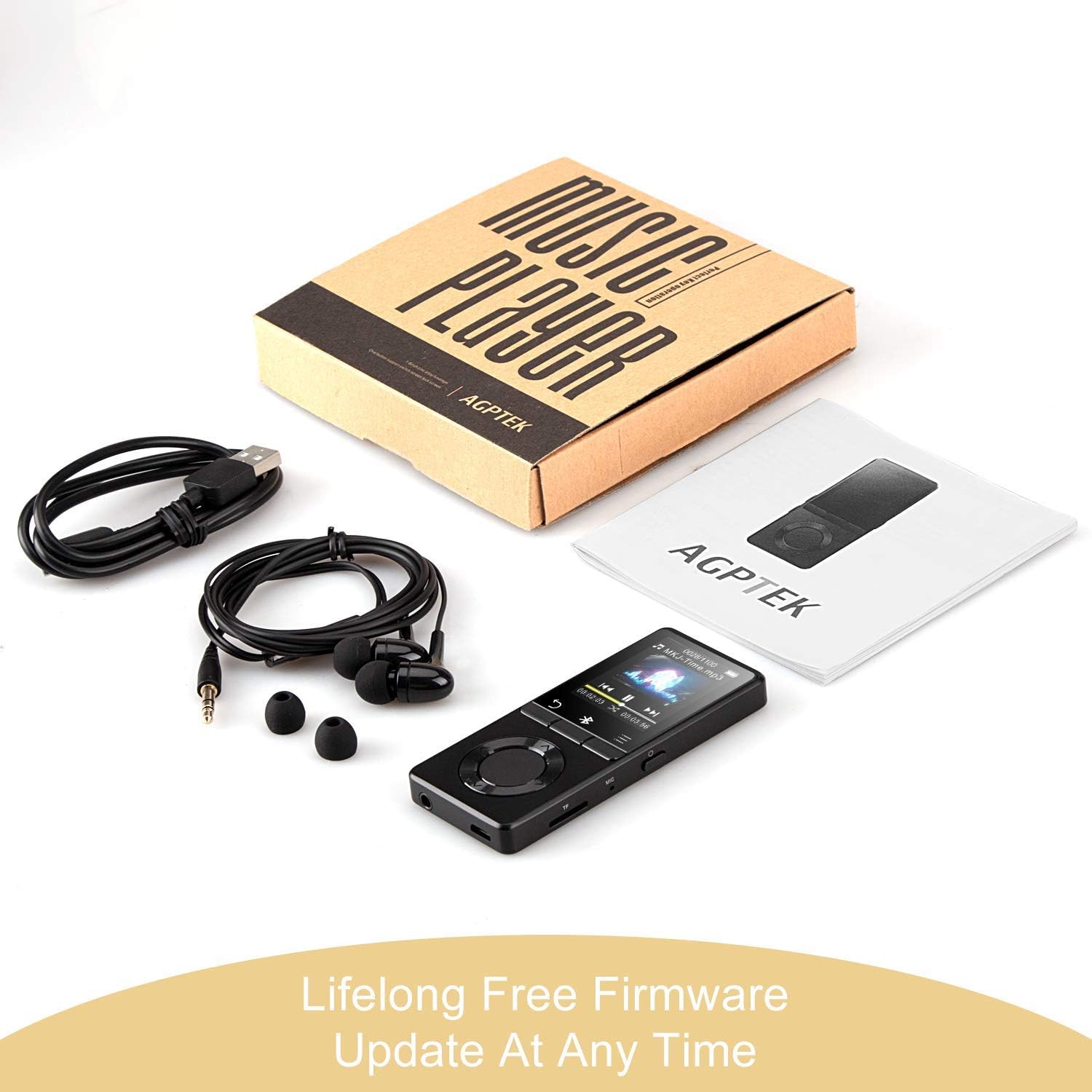
Kuva: The AGPTEK MP3 player, its packaging, and included accessories (earphones, USB cable), emphasizing the availability of lifelong free firmware updates.
- Käy AGPTEKin virallisella sivustolla websivustolta uusimmat laiteohjelmistot ja ohjeet.
- Follow the provided instructions carefully to update your device.
2. Puhdistus
- Puhdista laitteen ulkopinta pehmeällä, kuivalla liinalla.
- Vältä nestemäisten puhdistusaineiden tai hankaavien materiaalien käyttöä.
Vianetsintä
- Laite ei käynnisty: Varmista, että akku on ladattu. Liitä laturiin ja yritä uudelleen.
- Ei ääntä: Check volume levels. Ensure headphones are properly connected or Bluetooth device is paired and connected. If using the built-in speaker, ensure it is enabled in settings.
- Bluetooth-yhteysongelmat: Ensure the Bluetooth device is in pairing mode and within range. Disconnect the MP3 player from other Bluetooth devices if it was previously paired elsewhere.
- Fileei pelaa: Varmista, että ääni/video file format is supported (MP3, WMA, OGG, APE, FLAC, WAV, AAC-LC, ACELP for audio; AMV for video).
- Laite ei vastaa: Press and hold the Power button for 10-15 seconds to force a reset.
- Micro SD -korttia ei havaittu: Ensure the card is inserted correctly. Try reinserting or using a different card to rule out card issues.
- Issues during PC sync: Avoid altering files directly in the player's window while synced. Make changes on the PC, then re-upload. If the player crashes, perform a long press on the power button to reset.
Tekniset tiedot
| Merkki | AGPTEK |
| Mallin nimi | AGPTEK 16GB Bluetooth 4.0 MP3 Player with Touch Buttons |
| Mallinumero | M16SB-EU |
| Yhteystekniikka | Bluetooth |
| Muistin tallennuskapasiteetti | 16 GB (expandable up to 128 GB with Micro SD card) |
| Väri | Musta |
| Näytön koko | 1.8 tuumaa |
| Yhteensopivat laitteet | Kuulokkeet, henkilökohtainen tietokone |
| Mediatyyppi | MP3 |
| Tuetut äänistandardit | AAC, ACELP, APE, FLAC, MP3, OGG, WAV, WMA |
| Tuetut videostandardit | AMV |
| Supported Image Standards | JPG, GIF, BMP |
| Akunkesto (musiikin toisto) | Up to 28 hours (screen off, medium volume) |
| Battery Life (Bluetooth Playback) | Jopa 5 tuntia |
| Latausaika | Noin 2 tuntia |
Takuu ja tuki
AGPTEK is committed to providing reliable and high-quality products. While specific warranty details are not provided in this manual, AGPTEK offers free firmware updates and customer support.
- For any product issues or inquiries, please contact AGPTEK customer service.
- Refer to the official AGPTEK website for support contact information and the latest firmware updates.