
1. Johdanto ja loppuview
The Quanta QTLBC95BT is a versatile wireless barcode reader designed for efficient data capture. It offers dual connectivity options: USB wireless and Bluetooth, providing flexibility for various scanning environments. This manual provides essential information for setting up, operating, and maintaining your device.
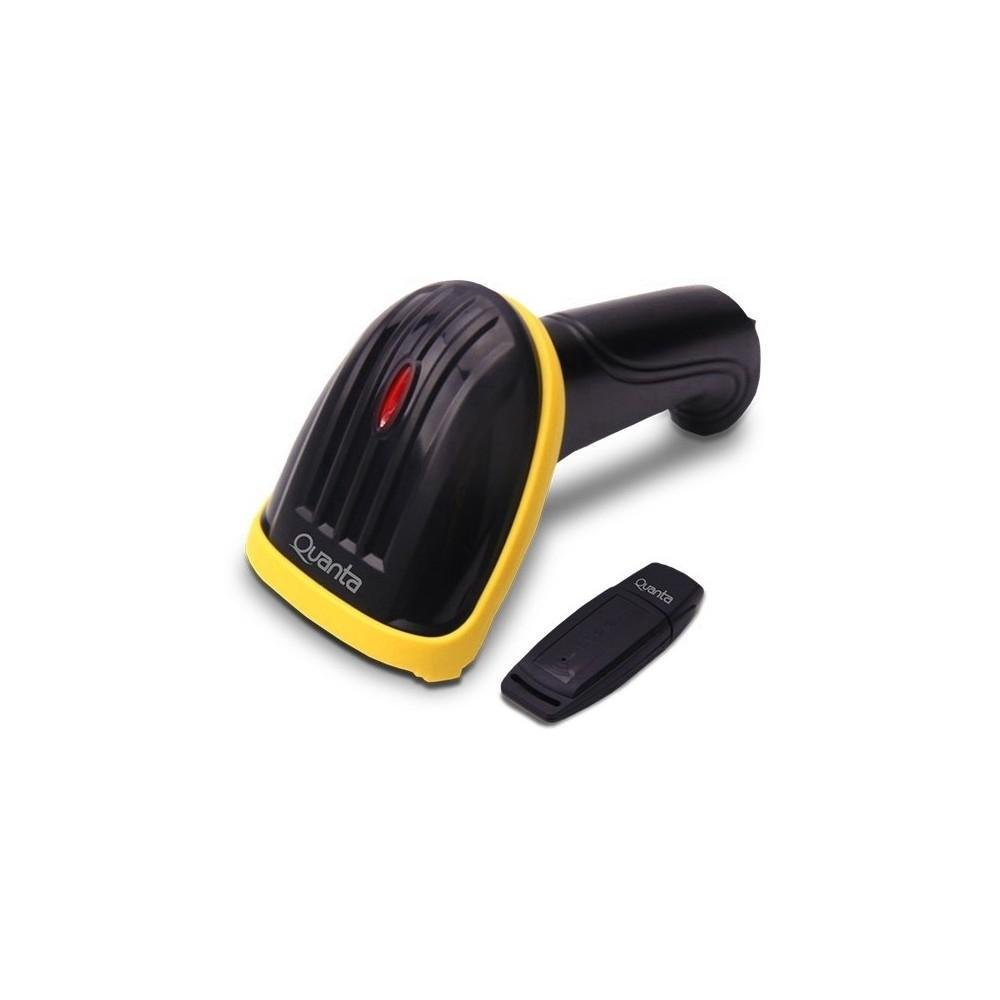
Image showing the black and yellow Quanta QTLBC95BT barcode reader and its compact black USB wireless adapter.
2. Pakkauksen sisältö
Varmista, että pakkauksessa on kaikki tarvittavat osat:
- 1 x Quanta QTLBC95BT Barcode Reader
- 1 x USB Wireless Adapter
- 1 x Charger (Bivolt 110V/220V)
- 1 x USB-kaapeli (latausta ja langallista yhteyttä varten)
3. Asennus
3.1. Laitteen lataaminen
- Connect the charger to the barcode reader's charging port.
- Plug the charger into a standard electrical outlet (110V/220V, 50Hz/60Hz).
- The device features a 3.7V Li-Ion 750 mAh rechargeable battery. Allow sufficient time for a full charge before first use.
3.2. Connecting via USB Wireless Adapter
- Insert the USB wireless adapter into an available USB port on your computer or host device.
- Turn on the barcode reader. It should automatically pair with the adapter.
- A successful connection is typically indicated by an audible beep or a change in the indicator light status on the scanner.
- The wireless transmission range for the USB adapter is approximately 30 meters.
3.3. Yhdistäminen Bluetoothin kautta
- Ensure your host device (computer, tablet, smartphone) has Bluetooth enabled.
- Käynnistä viivakoodinlukija.
- Initiate the pairing mode on the barcode reader (refer to specific instructions if a dedicated pairing button or sequence exists, otherwise it may automatically enter pairing mode).
- On your host device, search for new Bluetooth devices and select "Quanta QTLBC95BT" (or similar name) from the list.
- Vahvista pariliitos.
- The Bluetooth transmission range is approximately 10 meters.
4. Käyttöohjeet
4.1. Viivakoodien skannaus
- Ensure the device is powered on and successfully connected to your host device.
- Suuntaa skannerin ikkuna luettavaa viivakoodia kohti.
- Press the trigger button. A red scanning line will emit from the device.
- Position the scanner approximately 25 cm (10 inches) from the barcode for optimal reading.
- The scanner is bidirectional and has a decoding speed of 200 scans per second.
- Upon successful scan, the device will typically emit an audible beep, and the data will be transmitted to your connected device.
4.2. Auto-Sensor Mode
The scanner features an auto-sensor mode with an interval time of 0.3 seconds. In this mode, the scanner can automatically detect and read barcodes without requiring a trigger press, which is useful for hands-free operation.
5. Huolto
5.1. Puhdistus
- Use a soft, dry cloth to clean the exterior of the barcode reader.
- For the scanning window, use a lint-free cloth lightly dampened with a mild, non-abrasive cleaner. Avoid harsh chemicals.
- Varmista, että laite on sammutettu ennen puhdistamista.
5.2. Akun hoito
- Akun käyttöiän pidentämiseksi vältä akun usein tapahtuvaa täydellistä tyhjentymistä.
- Säilytä laitetta viileässä ja kuivassa paikassa, kun sitä ei käytetä pitkään aikaan.
6. Vianmääritys
6.1. Device Not Scanning
- Varmista, että laitteeseen on kytketty virta ja että se on ladattu täyteen.
- Verify that the scanner is properly connected to your host device (USB adapter or Bluetooth).
- Check if the barcode is damaged or unreadable.
- Säädä skannerin ja viivakoodin välistä etäisyyttä ja kulmaa.
6.2. No Data Transmission
- Confirm the connection status (USB or Bluetooth). Re-pair if necessary.
- Ensure the host device's input method is active and ready to receive data.
- Check the operating range (30m for USB wireless, 10m for Bluetooth).
6.3. Akku ei lataudu
- Verify that the charger is correctly connected to both the scanner and the power outlet.
- Varmista, että pistorasia on toimiva.
- Try using a different USB cable or charger if available.
7. Tekniset tiedot
| Ominaisuus | Yksityiskohta |
|---|---|
| Merkki | Quanta |
| Mallinumero | QTLBC95BT |
| Yhteystekniikka | Bluetooth, USB Wireless, USB Cable |
| Virtalähde | Akkukäyttöinen, johdollinen sähkö |
| Akun tyyppi | DC 3.7V Li-Ion 750 mAh Rechargeable |
| Tulo Voltage | 110V/220V - 60Hz/50Hz (Bivolt) |
| Skannerin tyyppi | Kaksisuuntainen |
| Auto-Sensor Interval | 0.3 sekuntia |
| Dekoodausnopeus | 200 skannausta sekunnissa |
| Optimal Scanning Distance | 25 cm |
| USB Wireless Transmission Range | Jopa 30 metriä |
| Bluetooth-lähetysalue | Jopa 10 metriä |
| Väri | Musta |
| Pakkauksen mitat | 18 x 11 x 8 cm |
| Pakkauksen paino | 350 g |
8. Takuu ja tuki
For warranty information or technical support, please refer to the documentation provided with your purchase or contact Quanta customer service directly. Contact details can typically be found on the manufacturer's official websivusto.