
1. Johdanto
The GameMax Expedition is a compact Micro ATX PC gaming case designed for efficient cooling and component compatibility. This manual provides instructions for the proper installation, operation, and maintenance of your PC case.

Figure 1.1: GameMax Expedition MATX PC Gaming Case, White.
2. Turvallisuustiedot
- Irrota aina virta kaikista komponenteista ennen asennusta tai huoltoa.
- Käytä antistaattista ranneketta estääksesi staattisten sähköpurkausten (ESD) aiheuttamat vauriot komponenteille.
- Be cautious of sharp edges inside the chassis.
- Pidä pienet osat ja ruuvit poissa lasten ulottuvilta.
- Ensure proper ventilation around the case during operation.
3. Pakkauksen sisältö
Varmista, että pakkauksessa on kaikki tarvittavat osat:
- GameMax Expedition MATX PC Gaming Case
- Accessory box (screws, standoffs, cable ties)
- 1 x 120mm Blue LED Fan (pre-installed at rear)
- Käyttöopas (tämä asiakirja)
4. Tuotteen ominaisuudet
- Micro Gaming Chassis: Compact design optimized for gaming components.
- I/O-portit: 1 x USB 3.0, 2 x USB 2.0, and HD Audio ports located on the top panel.
- Jäähdytys: Includes 1 x 120mm Blue LED fan. Supports additional fans for enhanced airflow.
- Side Window: Full side window panel allows visibility of internal components.
- Magnetic Dust Filter: Removable dust filter on the top panel for easy cleaning and improved system longevity.
- GPU Bracket: Integrated bracket provides support for graphics cards, preventing sag and accommodating larger cards.
5. Komponentti ohiview
5.1 Ulkoinen Views

Figure 5.1: Front panel design with air intake and included 120mm fan illustration.

Figure 5.2: Top I/O panel featuring USB 3.0, USB 2.0, and audio ports.
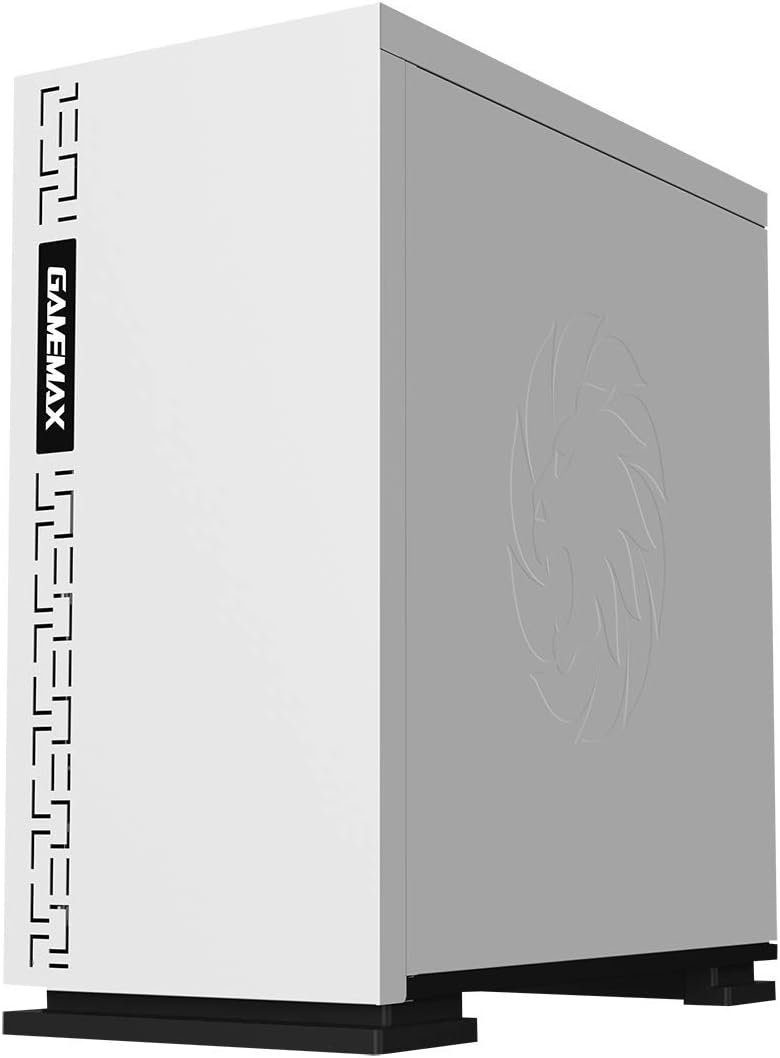
Kuva 5.3: Yläosa view showing the magnetic dust filter for fan ventilation.
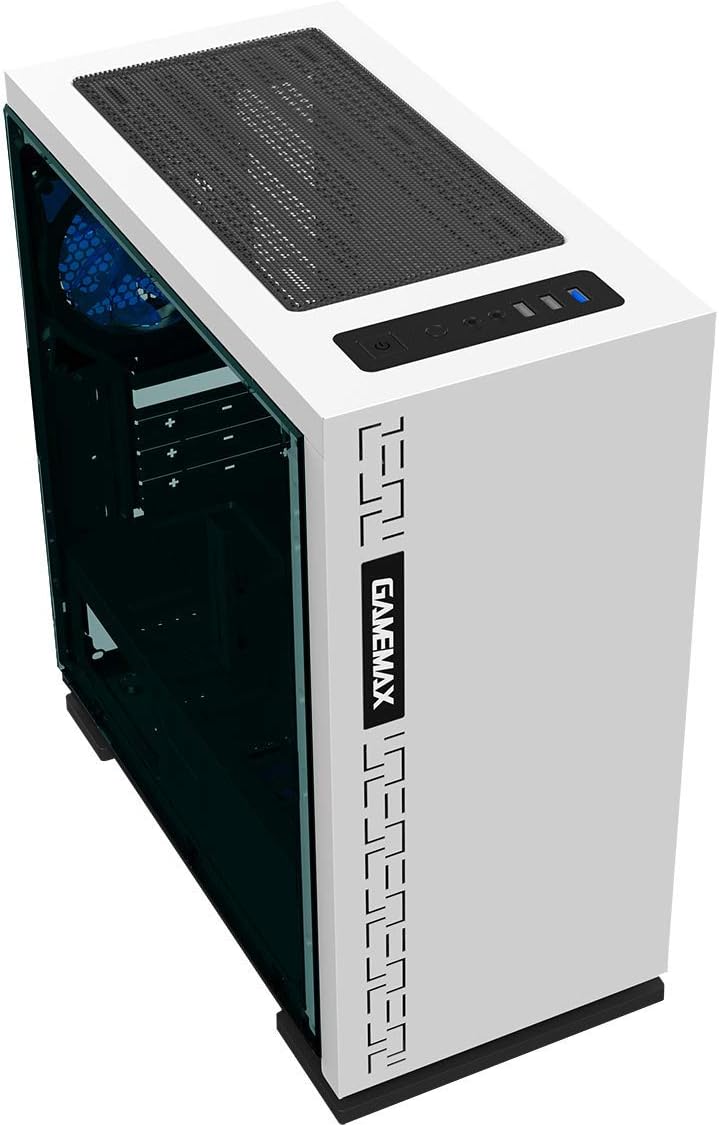
Kuva 5.4: Takaosa view displaying expansion slots and the pre-installed 120mm fan.
5.2 Internal Layout

Kuva 5.5: Sisäinen view with the side panel removed, showing the motherboard tray and cable routing options.

Figure 5.6: Illustration of fan and radiator mounting points within the chassis.
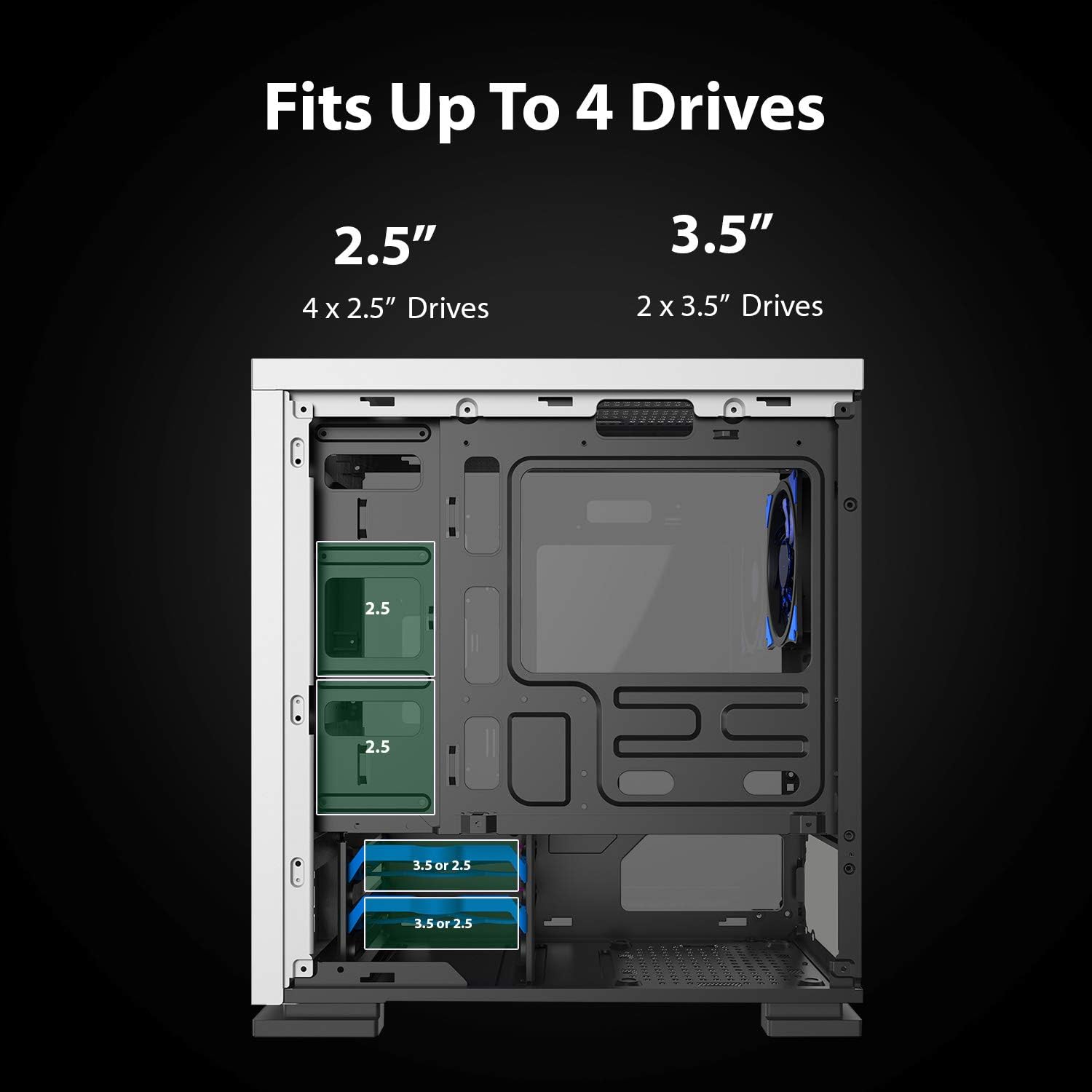
Figure 5.7: Drive bay locations supporting 2.5" and 3.5" storage devices.
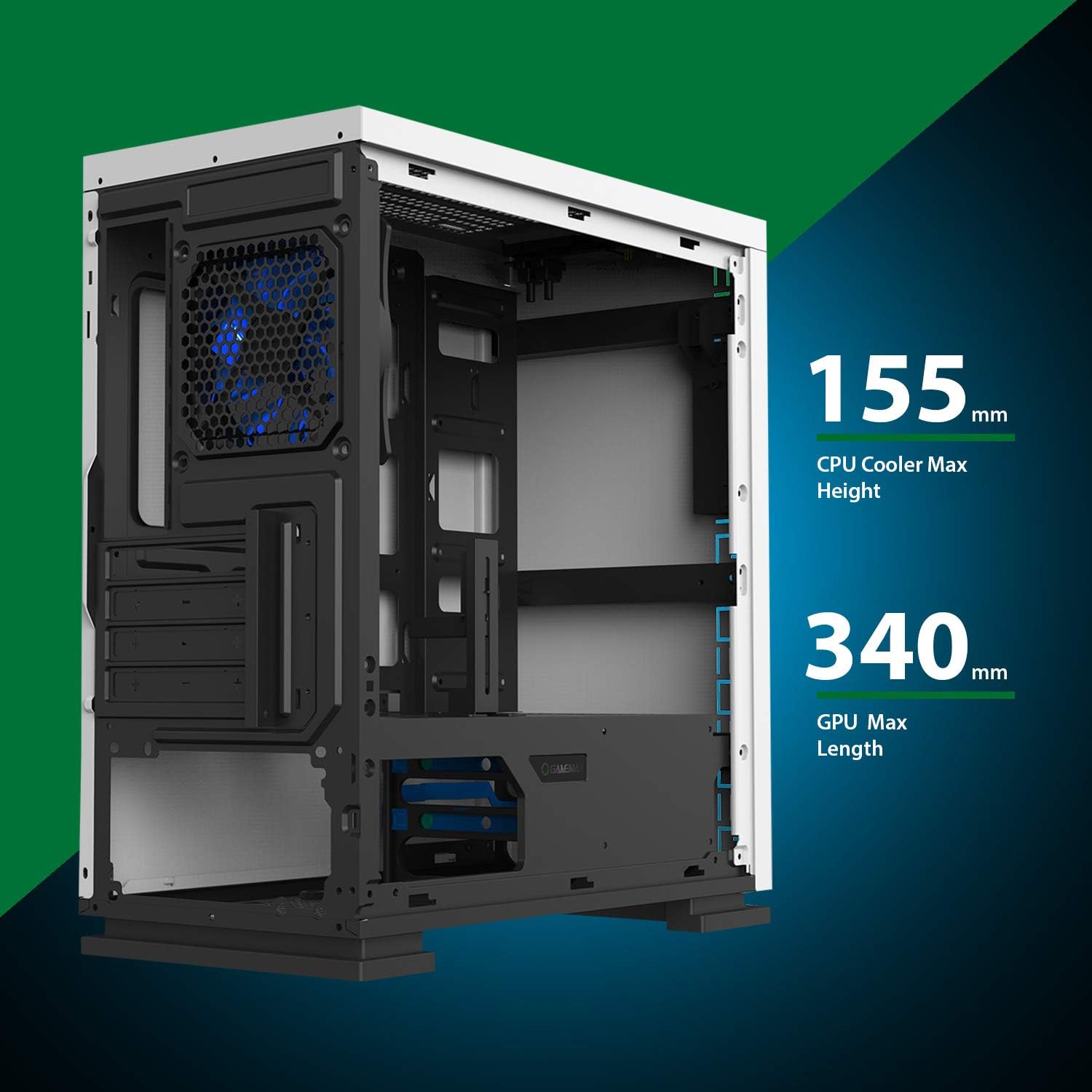
Figure 5.8: Maximum clearance for CPU coolers (155mm) and GPUs (340mm).
6. Asennus ja asennus
6.1 Valmistelu
- Unpack the chassis and remove all packaging materials.
- Remove the side panels by unscrewing the thumbscrews at the rear.
- Gather necessary tools: Phillips head screwdriver, cable ties.
6.2 Emolevyn asennus
- Asenna I/O-suoja kotelon takaosan aukkoon.
- Align the motherboard with the pre-installed standoffs. Ensure the standoffs match your Micro ATX motherboard's mounting holes.
- Kiinnitä emolevy mukana toimitetuilla ruuveilla.
6.3 Virtalähteen asennus
- Place the power supply unit (PSU) into the dedicated compartment at the bottom rear of the case.
- Align the PSU with the screw holes on the rear of the chassis.
- Secure the PSU with the provided screws.
6.4 Tallennusaseman asennus
- 2.5" Drives: Mount 2.5" SSDs/HDDs to the dedicated mounting points on the motherboard tray or within the drive cage using the provided screws.
- 3.5" Drives: Install 3.5" HDDs into the drive cage located beneath the PSU shroud. Slide the drive into the tray and secure it.
6.5 Laajennuskortin (GPU) asentaminen
- Irrota tarvittavat laajennuspaikkojen suojat kotelon takaosasta.
- Aseta näytönohjain tai muu laajennuskortti emolevyn sopivaan PCIe-paikkaan.
- Kiinnitä kortti ruuvilla.
- Utilize the adjustable GPU bracket to provide additional support for heavier graphics cards.
6.6 Tuulettimen ja jäähdytyksen asennus
- The case comes with one 120mm Blue LED fan pre-installed at the rear.
- Additional 120mm fans can be installed at the top and front positions as needed.
- Varmista, että tuulettimet on suunnattu oikein optimaalisen ilmavirran saavuttamiseksi (imu- tai poistoilma).
6.7 Front Panel Connector Installation
Connect the front panel cables (USB 3.0, USB 2.0, HD Audio, Power SW, Reset SW, Power LED, HDD LED) to their corresponding headers on your motherboard. Refer to your motherboard manual for exact pin layouts.
7. Käyttö
Once all components are installed and cables are connected, replace the side panels. Connect your monitor, keyboard, mouse, and power cable. Press the power button on the top panel to start your system. The pre-installed LED fan will illuminate upon power-on.
8. Huolto
- Pölysuodattimen puhdistus: Regularly remove and clean the magnetic dust filter located on the top panel to maintain optimal airflow and prevent dust buildup inside the case.
- Yleinen puhdistus: Käytä pehmeää, damp cloth to clean the exterior surfaces of the case. Avoid abrasive cleaners.
- Sisäinen pölynpoisto: Puhdista pöly sisäisistä osista ja tuulettimista säännöllisesti paineilmalla. Varmista, että järjestelmä on sammutettu ja irrotettu pistorasiasta ennen sisäisten osien puhdistamista.
9. Vianmääritys
- Järjestelmä ei käynnisty: Check all power connections, including the PSU to the wall outlet, PSU to motherboard, and front panel power switch cable to the motherboard.
- Tuulettimet eivät pyöri: Verify fan cables are securely connected to the motherboard or fan controller.
- USB-portit eivät toimi: Varmista, että etupaneelin USB-kaapelit on kytketty oikein emolevyn USB-liittimiin.
- Ei näyttöä: Confirm the graphics card is properly seated and connected to power, and the monitor cable is connected to the graphics card, not the motherboard's integrated graphics port (unless using integrated graphics).
10. Tekniset tiedot
| Ominaisuus | Erittely |
|---|---|
| Mallin nimi | GMX EXPEDITION |
| Merkki | GAMEMAX |
| Asian tyyppi | Micro Tower (MATX) |
| Emolevyn yhteensopivuus | Mikro ATX |
| Väri | Expedition White |
| Materiaali | Polykarbonaatti (PC) |
| Tuotteen mitat (PxLxK) | 14.96 x 7.4 x 13.78 tuumaa (380 x 188 x 350 mm) |
| Tuotteen paino | 8.58 puntaa (3.9 kg) |
| USB 3.0 -portit | 1 |
| USB 2.0 -portit | 2 |
| Jäähdytysmenetelmä | Ilma, vesi |
| Mukana tuuletin | 1 x 120mm Blue LED (Rear) |
| CPU-jäähdyttimen maksimikorkeus | 155 mm |
| Suurin GPU-pituus | 340 mm |
11. Takuu ja tuki
For warranty information and technical support, please visit the official GameMax websivustolta tai ota yhteyttä paikalliseen jälleenmyyjään.
Virallinen Websivusto: gamemaxpc.com