
1. Johdanto
Thank you for choosing the ASAKUKI Smart Wi-Fi Essential Oil Diffuser. This device combines aromatherapy with smart technology, allowing you to control it via a mobile application or voice commands. It is designed to humidify and purify the air, creating a relaxing atmosphere in your home or office.
This manual provides detailed instructions for the safe and efficient use of your diffuser. Please read it thoroughly before operation and retain it for future reference.

Image: The ASAKUKI Smart Wi-Fi Essential Oil Diffuser is versatile for various environments, including nurseries, family rooms, bedrooms, yoga studios, and workspaces.
2. Turvaohjeet
Turvallisen käytön varmistamiseksi ja vaurioiden välttämiseksi noudata seuraavia ohjeita:
- Aseta hajotin aina tasaiselle ja vakaalle alustalle.
- Do not exceed the maximum water fill line (500ml).
- Käytä ainoastaan puhdasta hanavettä tai tislattua vettä. Vältä kuuman veden käyttöä.
- Add essential oils carefully to avoid spilling on the exterior of the unit.
- Pidä diffuusori poissa lasten ja lemmikkien ulottuvilta.
- Do not cover the mist outlet during operation.
- Irrota laite pistorasiasta ennen puhdistusta tai täyttöä.
- Älä upota laitetta veteen tai muihin nesteisiin.
- If the unit is damaged, do not attempt to repair it yourself. Contact customer support.
- The diffuser features an automatic shut-off when water runs out, but it is recommended to monitor water levels.
3. Pakkauksen sisältö
Varmista, että pakkauksessasi on kaikki tarvittavat osat:
- ASAKUKI Smart Wi-Fi Essential Oil Diffuser (Model DF010)
- Virtalähde
- Käyttöopas
- Mittakuppi (saattaa sisältyä)
4. Tuote ohiview
Familiarize yourself with the main components of your diffuser:

Image: The ASAKUKI Smart Wi-Fi Essential Oil Diffuser, showing its sleek design and the accompanying mobile app for control.
- Kansi: Top cover of the diffuser.
- Mist Outlet: Where the mist is released.
- Vesisäiliö: Vetää jopa 500 ml vettä.
- Max Water Line: Indicates the maximum fill level.
- Ultrasonic Plate: Located at the bottom of the water tank, responsible for mist generation.
- Ilmanpoistoaukko: Located on the base.
- Drain Side: Indicated for proper water drainage.
- Valopainike: Controls the LED light functions.
- Mist/Wi-Fi Button: Controls mist output and initiates Wi-Fi pairing.
- Virtaliitin: Virtalähteen liittämiseen.
5. Asennusohjeet
Noudata näitä vaiheita alkuasennuksessa:
- Aseta diffuusori: Aseta hajotin tasaiselle, vakaalle ja vedenkestävälle pinnalle.
- Irrota kansi: Gently lift the top lid off the diffuser.
- Lisää vesi: Using a measuring cup, fill the water tank with clean tap water or distilled water up to the maximum water line (500ml). Do not overfill.
- Lisää eteeriset öljyt: Add 3-5 drops of your preferred essential oil directly into the water tank. Adjust the amount based on personal preference and room size.
- Vaihda kansi: Securely place the lid back onto the diffuser.
- Liitä virta: Plug the power adapter into the power jack at the base of the diffuser, then plug the adapter into a wall outlet.
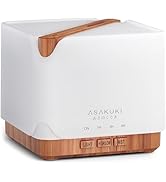
Image: Simple setup guide illustrating connecting power, app pairing, and wireless control.
6. Käyttöohjeet
6.1 Manuaalinen ohjaus
- Sumunhallinta: Paina Mist/Wi-Fi button once for continuous mist. Press again for intermittent mist (30 seconds on, 30 seconds off). Press a third time to turn off the mist.
- Valon ohjaus: Paina Kevyt button once to turn on the LED light with automatic color cycling. Press again to fix the light to a specific color. Continue pressing to cycle through colors. Press and hold the Light button to turn off the light.
6.2 Smart Wi-Fi and App Control
The diffuser can be controlled remotely using the TuyaSmart app.
- Lataa sovellus: Etsi "TuyaSmart" in your smartphone's app store (iOS or Android) and download it.
- Rekisteröidy/Kirjaudu sisään: Avaa sovellus ja rekisteröi uusi tili tai kirjaudu sisään, jos sinulla on jo tili.
- Siirry pariliitostilaan: With the diffuser plugged in, press and hold the Mist/Wi-Fi button for 5 seconds until the indicator light flashes rapidly. This indicates the diffuser is in pairing mode.
- Lisää laite: In the TuyaSmart app, tap "Add Device" or the "+" icon. Select "Small Home Appliance" > "Diffuser" (Wi-Fi).
- Yhdistä Wi-Fi-verkkoon: Follow the in-app instructions to connect the diffuser to your 2.4GHz Wi-Fi network. Ensure your phone is also connected to the same 2.4GHz network during setup.
- Ohjaus: Once successfully paired, you can control the mist, light, set timers, and create schedules directly from the TuyaSmart app.

Image: The mobile app allows for convenient control of the diffuser's functions.
6.3 Ääniohjaus Alexan avulla
The diffuser is compatible with Amazon Alexa for voice control.
- Ota osaaminen käyttöön: In the Alexa app, search for and enable the "TuyaSmart" skill.
- Linkitä tili: Link your TuyaSmart account to your Alexa account.
- Tutustu laitteisiin: Ask Alexa to "Discover devices" or manually discover them in the Alexa app.
- Äänikomennot: Kun olet löytänyt sen, voit käyttää komentoja, kuten:
- "Alexa, turn on the diffuser."
- "Alexa, turn off the diffuser."
- "Alexa, set the diffuser to red."
- "Alexa, set diffuser brightness to 50%."

Image: Voice control with Alexa allows hands-free operation of the diffuser.
7. Huolto
Säännöllinen puhdistus auttaa ylläpitämään optimaalista suorituskykyä ja pidentää hajottajan käyttöikää.
7.1 Puhdistus
Puhdista diffuusori 5–6 käyttökerran tai 3–5 päivän välein, erityisesti eteerisiä öljyjä vaihdettaessa.
- Irrota: Disconnect the diffuser from the power outlet.
- Tyhjä vesi: Remove the lid and carefully pour out any remaining water from the drain side of the water tank.
- Pyyhi puhtaaksi: Use a soft cloth or cotton swab with a small amount of mild dish soap to gently wipe the inside of the water tank and the ultrasonic plate.
- Huuhtele: Rinse the water tank with clean water, being careful not to get water into the air outlet.
- Kuiva: Wipe all parts dry with a clean, soft cloth.
- Deep Clean (Optional): For stubborn residue, add a small amount of white vinegar to the water tank and let it sit for 10-15 minutes before wiping and rinsing.
7.2 Varastointi
When not in use for an extended period, ensure the diffuser is clean and completely dry. Store it in a cool, dry place away from direct sunlight.
8. Vianmääritys
Jos kohtaat ongelmia, tutustu seuraaviin yleisiin ongelmiin ja ratkaisuihin:
| Ongelma | Mahdollinen syy | Ratkaisu |
|---|---|---|
| Ei sumua tai sumun tuotto on heikko |
|
|
| Diffuser does not power on |
|
|
| Ei voi muodostaa yhteyttä Wi-Fi-verkkoon/sovellukseen |
|
|
| Vesivuoto |
|
|
9. Tekniset tiedot
| Ominaisuus | Yksityiskohta |
|---|---|
| Merkki | ASAKUKI |
| Mallinumero | DF010 |
| Kapasiteetti | 500 millilitraa |
| Mitat | 6 cm P x 6 cm L x 7 cm K |
| Materiaali | Akryylinitriilibutadieenistyreeni (ABS), polypropeeni (PP) |
| Virtalähde | Johdollinen sähkö |
| Wattage | 10 wattia |
| Peittoalue | Jopa 323 XNUMX neliöjalkaa |
| Erikoisominaisuudet | App Control, Automatic Shut-Off, Multiple Light Settings, Multiple Mist Settings, Voice Control (Alexa) |
| Melutaso | Alle 35 dB |
| Runtime (Full Capacity) | Up to 16 hours (on weak mist setting) |
10. Takuu ja tuki
The ASAKUKI Smart Wi-Fi Essential Oil Diffuser comes with a 1-year technical support warrantyTämä takuu kattaa valmistusvirheet ja normaalista käytöstä johtuvat ongelmat.
For technical assistance, troubleshooting, or warranty claims, please contact ASAKUKI customer support through the retailer where you purchased the product or visit the official ASAKUKI websivustolta yhteystiedot.
Please have your model number (DF010) and proof of purchase ready when contacting support.