
1. Johdanto
The VTSYIQI SUB100 is a portable digital ultrasonic flaw detector designed for accurate and reliable non-destructive testing. This device is capable of detecting internal defects in materials, measuring material thickness, and evaluating weld quality. Its advanced features and robust design make it suitable for various industrial inspection applications. This manual provides essential information for the safe and effective operation, maintenance, and troubleshooting of your SUB100 unit.
2. Turvallisuustiedot
Lue ja ymmärrä kaikki turvallisuusohjeet ennen laitteen käyttöä. Näiden ohjeiden noudattamatta jättäminen voi johtaa loukkaantumiseen tai laitteen vaurioitumiseen.
- Ympäristöolosuhteet: Operate the device within the specified working temperature range of -10℃ to 50℃ and humidity of 20% to 95% RH. Avoid exposure to extreme temperatures, direct sunlight, dust, and moisture.
- Virtalähde: Use only the charger provided with the device. Ensure the power source matches the charger's specifications.
- Käsittely: Käsittele laitetta varoen. Vältä sen pudottamista tai voimakkaita iskuja.
- Huolto: Älä yritä avata tai korjata laitetta itse. Jätä kaikki huoltotyöt pätevän henkilöstön tehtäväksi.
- Koettimet: Ensure probes are correctly connected and handled to prevent damage.
3. Pakkauksen sisältö
Varmista, että pakkauksessasi on kaikki alla luetellut tuotteet:
- SUB100 Detector (with wristlet)
- Charger (CD20L02QF)
- Connecting Cable (1m) - 2 units
- Normal Probe (F20mm, 2.5M)
- Angle Probe (2.5M 9x9 k2)
- Kotelo
- Vyö
- Todistus
- SUFD2 Operating Manual (this document)
- PC-ohjelmisto
- USB Disk (2G)
- USB Disk Connector
- Muoviteippi

Figure 3.1: Complete SUB100 kit with detector and accessories in its protective hard case.
4. Asennus
4.1 Laite ohiview
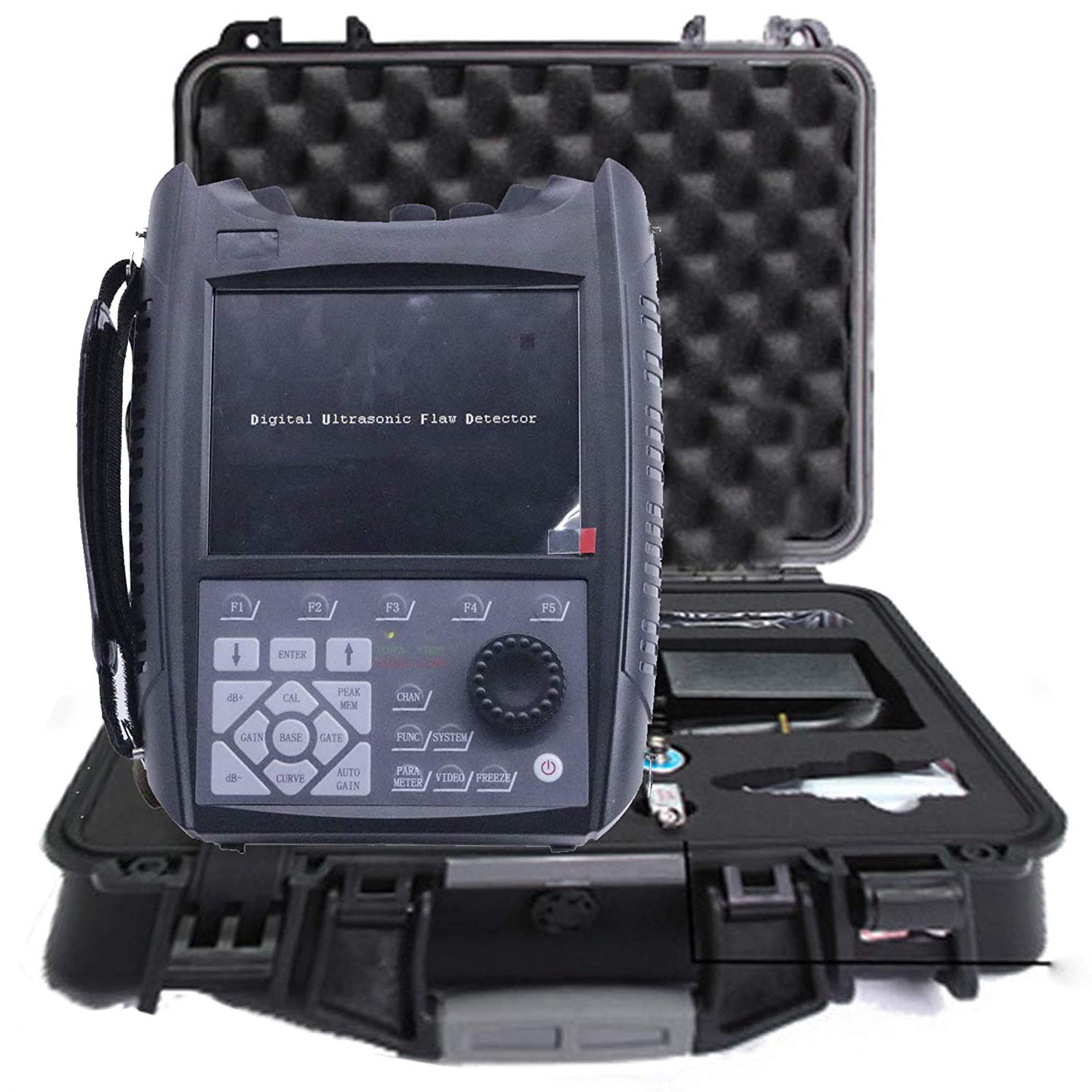
Kuva 4.1: Etuosa view of the SUB100 detector with its display and control buttons.

Kuva 4.2: Sivu view of the SUB100, showing its robust casing and wristlet attachment.

Kuva 4.3: Yläosa view of the SUB100, displaying the BNC probe connectors and USB port.
4.2 Laitteen lataaminen
The SUB100 is powered by an internal rechargeable battery. Before first use, fully charge the device using the provided charger. Connect the charger to the device's power input port and then to a suitable power outlet. The charging indicator will show the charging status.
4.3 Antureiden kytkeminen
Select the appropriate probe (Normal or Angle) for your inspection task. Connect the probe cable to one of the BNC connectors on the top of the SUB100 unit. Ensure the connection is secure to prevent signal loss.
4.4 Virran kytkeminen päälle/pois
Press and hold the power button located on the control panel to turn the device on or off. The LCD screen will illuminate upon successful power-on.
5. Käyttöohjeet
5.1 Peruskäyttöliittymä ja navigointi
The SUB100 features a 640×480, 65536 Colors LCD screen for displaying scan data and settings. Navigation is performed using the control buttons and rotary encoder on the front panel. Familiarize yourself with the function keys (F1-F6), arrow keys, ENTER, and rotary knob for menu selection and parameter adjustment.

Figure 5.1: SUB100 in operation, showing an A-scan display with a connected probe.
5.2 Kalibrointi
Before performing any inspection, it is crucial to calibrate the device. Calibration typically involves setting the sound velocity, probe delay, and gain using a known reference block. Refer to the on-screen menu for detailed calibration procedures specific to your application and probe type.
5.3 Skannauksen suorittaminen
- Valitse tila: Choose between A-scan or B-scan display modes as required for your inspection.
- Levitä kytkentäaine: Apply a suitable ultrasonic couplant to the surface of the material to be inspected and to the face of the probe.
- Paikka-anturi: Place the probe firmly on the couplant-covered surface.
- Säädä parametreja: Adjust parameters such as Testing Range (0-9999mm), Velocity Range (1000-9999m/s), and Gain (0dB-110dB) to optimize the signal display.
- Tulkitse näyttö: Observe the waveform on the screen to identify flaws or measure thickness. The display delay can be adjusted from -20µs to +3400µs, and probe delay from 0µs to 99.99µs for precise measurements.
5.4 Tiedon tallennus ja siirto
The device has a 1GB storage capacity for saving inspection data. Use the PC software and USB disk provided to transfer data to a computer for further analysis and reporting.
6. Huolto
6.1 Puhdistus
Regularly clean the device's exterior with a soft, dry cloth. For stubborn dirt, a slightly damp cloth with mild detergent can be used, ensuring no liquid enters the device. Clean the probe faces thoroughly after each use to remove couplant residue.
6.2 Varastointi
When not in use, store the SUB100 and its accessories in the provided protective hard case in a cool, dry place, away from direct sunlight and extreme temperatures. Ensure the battery is partially charged (around 50%) for long-term storage to prolong battery life.
6.3 Akun hoito
To maintain optimal battery performance, avoid fully discharging the battery frequently. Recharge the device when the battery level is low. If the device will not be used for an extended period, charge it periodically (e.g., every 3-6 months) to prevent deep discharge.
7. Vianmääritys
This section addresses common issues you might encounter with your SUB100 unit.
- Laite ei käynnisty: Ensure the battery is charged. Connect the charger and attempt to power on. If the issue persists, contact customer support.
- No signal on screen: Check probe connection. Ensure couplant is applied correctly. Verify gain settings are appropriate for the material and probe.
- Epätarkat lukemat: Recalibrate the device with a known reference block. Check probe wear and tear. Ensure correct material velocity is set.
- Näytön näyttöongelmat: If the screen is frozen or unresponsive, try restarting the device. If the problem continues, contact support.
8. Tekniset tiedot
| Parametri | Erittely |
|---|---|
| Mallinumero | ALA100 |
| Testausalue | 0-9999 mm |
| Nopeusalue | 1000 ~ 9999 / s |
| Vahvistusalue | 0 dB ~ 110 dB |
| Sampling korko | 100 MHz |
| Näytön viive | -20µs~+3400µs |
| Probe Delay | 0µs~99.99µs |
| Työskentelytaajuus | 0.2 ~ 15 MHz |
| Compatible Probe Types | 4 (as per description) / 6 (as per feature bullets) - Note: Please refer to device for exact number. |
| Melutaso | ≤ 10 % |
| Transmit Voltage | 5 tasoa valinnainen |
| Transmit Pulse | Neliöaalto |
| Koetin Damping | 4 tasoa valinnainen |
| Pulssin leveys | 50ns ~ 1000ns |
| Probe Repeating Frequency | 10-2000 Hz |
| Surplus Sensitivity | >62dB |
| Resoluutio | >40dB(5P14) |
| Linear Inhibition | 0~80% (Digital suppression) |
| Vertical Linear Error | ≤ 3 % |
| Horizontal Linear Error | ≤ 0.1 % |
| Dynaaminen alue | Less 100dB |
| Tallennuskapasiteetti | 1GB |
| Käyttölämpötila | -10 ℃ ~ 50 ℃ |
| Toimiva kosteus | 20 % ~ 95 % RH |
| Näyttö | 640×480, 65536 Colors LCD |
| Materiaali | Muovi |
| Virtalähde | Paristokäyttöinen |
| Kansainvälinen turva-arviointi | IP54 |
| Tuotteen paino | 90 paunaa (noin 40.82 kg) |
| Paketin mitat | 30 x 20 x 10 cm |
9. Takuutiedot
Please refer to the warranty card included in your package for detailed warranty terms and conditions. Typically, VTSYIQI products come with a limited warranty covering manufacturing defects. Keep your purchase receipt as proof of purchase.
10. Asiakastuki
For technical assistance, troubleshooting not covered in this manual, or warranty claims, please contact VTSYIQI customer support. You can find contact information on the official VTSYIQI websivustoltasi tai jälleenmyyjän kautta.
Vieraile virkailijalla VTSYIQI Store saadaksesi lisätietoja.
11. Videoresurssit
No relevant official seller videos were found for embedding in this manual based on the provided product data.