
iFrogz IFFAWL-BL0
IFROGZ Aurora Wireless Headphones User Manual
Merkki: iFrogz | Malli: IFFAWL-BL0
Johdanto
The IFROGZ Aurora Wireless Headphones are designed to provide a high-quality audio experience with the convenience of wireless connectivity. Featuring 40mm drivers for rich sound and a comfortable, foldable design, these headphones are suitable for various uses, including listening to music and taking calls on the go. This manual provides detailed instructions for setup, operation, and maintenance to ensure optimal performance and longevity of your headphones.
Pakkauksen sisältö
Varmista, että pakkauksessa on kaikki tarvittavat osat:
- IFROGZ Aurora Wireless Headphones
- USB-latauskaapeli
- 3.5 mm:n ääniliitäntäkaapeli
- Käyttöopas (tämä asiakirja)
Tuote loppuview

Kuva 1: Kulma view of the IFROGZ Aurora Wireless Headphones, highlighting the overall design and earcups.

Kuva 2: Sivu view of the headphones, illustrating the placement of control buttons for volume and track navigation.

Kuva 3: Edessä view of the headphones, showcasing the iFrogz logo and the sleek design of the earcups.
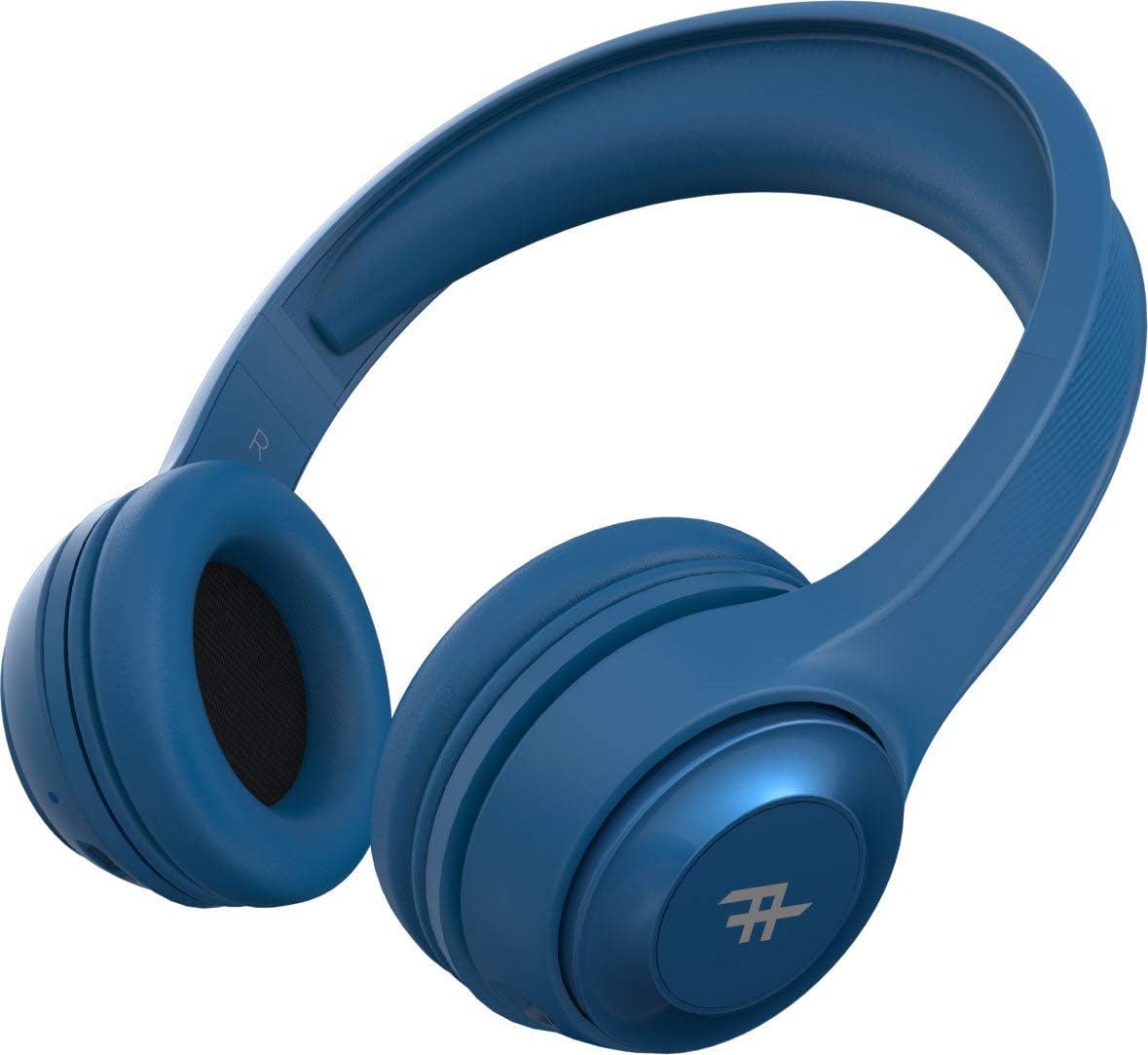
Kuva 4: Yläosa view of the headphones, demonstrating the adjustable headband for a comfortable fit.
Tärkeimmät ominaisuudet:
- Langaton Bluetooth-yhteys: Enjoy freedom from cords with seamless Bluetooth pairing.
- Ensiluokkainen ääni: Equipped with 40mm drivers for rich and powerful audio output.
- Kuulokkeiden säätimet: Intuitive controls located on the earcup for easy management of music and calls.
- Pitkä akun käyttöikä: Jopa 12 tuntia toistoaikaa yhdellä latauksella.
- Integroitu mikrofoni: Mahdollistaa handsfree-puhelut.
- Taitettava muotoilu: Compact and easy to store, ideal for travel.
- Convertible Use: Can be used wirelessly via Bluetooth or wired with the included 3.5mm audio jack cable.
- Passiivinen melun eristys: AeroFoam padding on earcups provides comfort and helps reduce ambient noise.
Asennus ja ensimmäinen käyttö
1. Kuulokkeiden lataaminen
Before first use, fully charge your headphones. Connect the small end of the USB charging cable to the charging port on the headphone earcup and the larger end to a USB power source (e.g., computer USB port, wall adapter). The LED indicator will show charging status and turn off or change color when fully charged.
2. Virta päälle / pois
- Virran kytkeminen: Press and hold the Power button (usually the multi-function button) for approximately 3 seconds until the LED indicator lights up and you hear an audible prompt.
- Virran sammuttaminen: Paina virtapainiketta ja pidä sitä painettuna noin 5 sekuntia, kunnes LED-merkkivalo sammuu ja kuulet äänimerkin.
3. Bluetooth-pariliitos
- Varmista, että kuulokkeista on katkaistu virta.
- Press and hold the Power button for about 5-7 seconds until the LED indicator flashes rapidly, indicating pairing mode.
- Ota Bluetooth käyttöön laitteellasi (älypuhelin, tabletti, tietokone) ja hae käytettävissä olevia laitteita.
- Select "IFROGZ Aurora" from the list of found devices.
- Once paired, the LED indicator will stop flashing and remain solid blue, and you will hear a confirmation tone.
- Jos salasanaa pyydetään, kirjoita "0000".
Huomautus: Kuulokkeet yrittävät automaattisesti muodostaa yhteyden uudelleen viimeksi pariliitettyyn laitteeseen, kun ne käynnistetään.
4. Langallinen yhteys (valinnainen)
If the battery is depleted or you prefer a wired connection, you can use the included 3.5mm audio jack cable. Plug one end into the audio input port on the headphone earcup and the other end into your device's 3.5mm audio output jack. The headphones will function as passive wired headphones in this mode.
Käyttöohjeet
Musiikin toiston säätimet
- Toista/tauko: Press the Multi-function button (usually the iFrogz logo button).
- Seuraava kappale: Press and hold the "Next" button (usually marked with >).
- Edellinen kappale: Press and hold the "Previous" button (usually marked with <).
- Ääni kovemmalle: Paina lyhyesti "+"-painiketta.
- Äänenvoimakkuutta pienemmälle: Paina lyhyesti "-"-painiketta.
Puhelujen hallinta
- Puhelun vastaaminen/lopetus: Paina monitoimipainiketta.
- Hylkää puhelu: Pidä monitoimipainiketta painettuna 2 sekunnin ajan.
- Uudelleenvalinta viimeinen numero: Paina monitoimipainiketta kahdesti.
Hoito ja huolto
- Puhdistus: Pyyhi kuulokkeet pehmeällä, kuivalla liinalla. Älä käytä hankaavia puhdistusaineita tai liuottimia.
- Varastointi: Kun kuulokkeita ei käytetä, säilytä niitä viileässä ja kuivassa paikassa, poissa suorasta auringonvalosta ja äärimmäisistä lämpötiloista. Taittuva muotoilu mahdollistaa kompaktin säilytyksen.
- Akun hoito: To preserve battery life, charge the headphones at least once every three months if not used regularly. Avoid fully discharging the battery frequently.
- Veden altistuminen: These headphones are not waterproof. Avoid exposure to liquids, moisture, or rain.
Vianetsintä
| Ongelma | Mahdollinen syy | Ratkaisu |
|---|---|---|
| Kuulokkeet eivät käynnisty. | Akku vähissä. | Lataa kuulokkeet täyteen. |
| Ei voi muodostaa pariliitosta Bluetooth-laitteen kanssa. | Kuulokkeet eivät ole pariliitostilassa; laitteen Bluetooth pois päältä; liian kaukana laitteesta. | Ensure headphones are in pairing mode (flashing LED). Turn on Bluetooth on your device. Move headphones closer to the device (within 10 meters). |
| Ei ääntä tai äänenvoimakkuus on alhainen. | Volume too low on headphones or device; incorrect audio source; headphones not connected. | Increase volume on both headphones and device. Ensure headphones are properly paired or connected via audio cable. Check audio output settings on your device. |
| Äänen vääristymä. | Too far from Bluetooth device; interference; audio file laatu. | Move closer to the Bluetooth device. Avoid strong electromagnetic interference. Try a different audio file. |
| Mikrofoni ei toimi. | Microphone muted on device; headphones not selected as input device. | Check microphone settings on your device. Ensure the headphones are selected as the audio input device during calls. |
Tekniset tiedot
| Ominaisuus | Yksityiskohta |
|---|---|
| Mallinumero | IFFAWL-BL0 |
| Yhteydet | Wireless (Bluetooth), Wired (3.5mm Audio Jack) |
| Langaton tekniikka | Bluetooth |
| Akun tyyppi | Litiumpolymeeri (1 mukana) |
| Akun kesto | Jopa 12 tuntia |
| Muototekijä | Korvan yli |
| Väri | Sininen |
| Materiaali | Muovi (PU) |
| Erikoisominaisuudet | Foldable design, Integrated microphone |
| Valmistaja | ZAGG |
| Pakkauksen mitat | 8.4 x 19 x 21.2 cm |
| Pakkauksen paino | 0.28 kg |
Takuu ja tuki
For warranty information and customer support, please refer to the warranty card included in your product packaging or visit the official iFrogz websivusto. Säilytä ostokuittisi mahdollisten takuuvaatimusten varalta.
For further assistance or technical inquiries, please contact iFrogz customer service.
Ask a question about this manual
Ask about setup, troubleshooting, compatibility, parts, safety, or missing instructions. Manuals+ will review the question and use this page’s manual context to help answer it.