
UDIRC U46
UDIRC U46 Mini Drone -käyttöohje
Malli: U46
1. Johdanto
The UDIRC U46 Mini Drone is a compact quadcopter designed for beginners and recreational flying. It features user-friendly controls and safety mechanisms to ensure an enjoyable experience. This manual provides essential information for operating and maintaining your drone.

Image 1.1: The UDIRC U46 Mini Drone, its remote controller, and three included batteries.
2. Turvallisuusohjeet
- Ikäsuositus: Tätä tuotetta suositellaan 14-vuotiaille ja sitä vanhemmille käyttäjille.
- Sisäkäyttö: The U46 drone is primarily designed for indoor use. Avoid flying in windy conditions outdoors, as this can lead to loss of control.
- Tyhjennä alue: Operate the drone in an open area free from obstacles, people, and pets.
- Potkurin turvallisuus: Keep fingers, hair, and loose clothing away from the spinning propellers. The drone features propeller guards for added safety.
- Akun turvallisuus: Do not overcharge batteries. Use only the provided USB charger. Discontinue use if batteries show signs of damage or swelling.
- Veden altistuminen: Vältä kosketusta veden tai kosteuden kanssa elektronisten komponenttien vaurioitumisen estämiseksi.
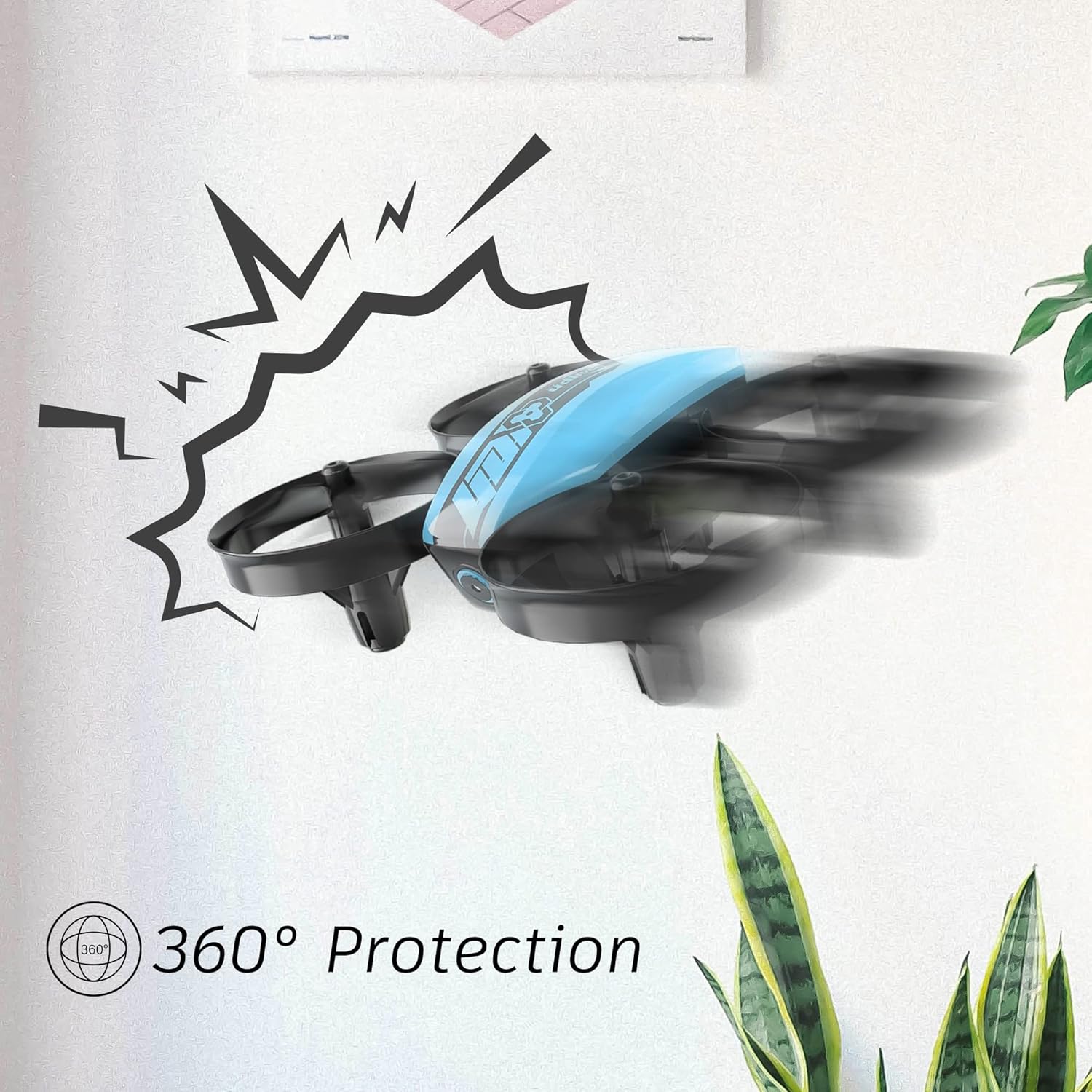
Image 2.1: The drone's 360-degree propeller protection guards help prevent damage during minor collisions.
3. Pakkauksen sisältö
Varmista, että pakkauksessa on kaikki tarvittavat osat:
- 1 x U46 Mini Drone
- 1 x -ohjain
- 3 x Drone-akkua
- 1 x USB-laturi
- 4 x ylimääräistä potkuria
- 1 x Käyttöohje

Image 3.1: All components included in the UDIRC U46 Mini Drone package.
4. Komponentit ohiview
Familiarize yourself with the drone and controller components.
4.1 Droonien komponentit
- potkurit: Neljä pyörivää terää nostoa ja liikettä varten.
- Potkurin suojukset: Integrated protective rings around each propeller.
- Päärunko: Houses the electronics and battery.
- Merkkivalot: Provide status information (e.g., pairing, low battery).
4.2 Ohjaimen komponentit
- Vasen ohjaussauva (kaasu/suuntaus): Ohjaa korkeutta ja pyörimistä.
- Oikea ohjaussauva (kallistus/rullaus): Ohjaa liikettä eteen/taakse ja vasemmalle/oikealle.
- One Key Take-off/Landing Button: Käynnistää automaattisen nousun tai laskeutumisen.
- Nopeustilan painike: Vaihtaa eri lentonopeuksien välillä.
- Päättömän tilan painike: Aktivoi päättömän lennon.
- Virtakytkin: Kytkee ohjaimen päälle/pois.
- Merkkivalo: Näyttää ohjaimen tilan.
5. Asennus
5.1 Droonin akun lataaminen
- Connect the drone battery to the USB charger.
- Plug the USB charger into a USB power source (e.g., computer, USB wall adapter).
- The indicator light on the USB charger will illuminate during charging and turn off when fully charged.
- Charging time is approximately 30 minutes per battery.
5.2 Ohjaimen paristojen asentaminen
- Avaa ohjaimen takana oleva paristolokero.
- Aseta 3 x 1.5 V AA-paristoa (eivät sisälly toimitukseen) varmistaen oikean napaisuuden.
- Sulje paristolokero kunnolla.
5.3 Droonin ja ohjaimen parittaminen
- Aseta drone tasaiselle, tasaiselle alustalle.
- Kytke drone virtakytkimestä. Drone-laitteen merkkivalot vilkkuvat.
- Turn on the controller's power switch. The controller's indicator light will flash.
- Työnnä vasen joystick (kaasu) kokonaan ylös ja sitten kokonaan alas.
- The drone and controller indicator lights will become solid, indicating successful pairing.
Video 5.1: This video demonstrates the simple frequency pairing process, one-key take-off/landing, headless mode, altitude hold, and low battery alarm features of the UDI U46 Mini Drone.
6. Droonin käyttö
6.1 Yhden avaimen nousu ja lasku
- After pairing, press the One Key Take-off/Landing button. The drone will automatically ascend to a stable hovering altitude.
- To land, press the One Key Take-off/Landing button again. The drone will slowly descend and land.
6.2 Lento-ohjaimet
- Vasen ohjaussauva (kaasu): Työnnä ylöspäin lisätäksesi korkeutta, vedä alaspäin vähentääksesi korkeutta.
- Vasen ohjaussauva (suuntasuunta): Push left or right to rotate the drone horizontally.
- Right Joystick (Pitch): Push up to fly forward, pull down to fly backward.
- Right Joystick (Roll): Push left to fly left, push right to fly right.
6.3 Headless-tila
- Press the Headless Mode button to activate. In this mode, the drone's orientation is irrelevant; it will always move relative to the pilot's position.
- Press the button again to exit Headless Mode.
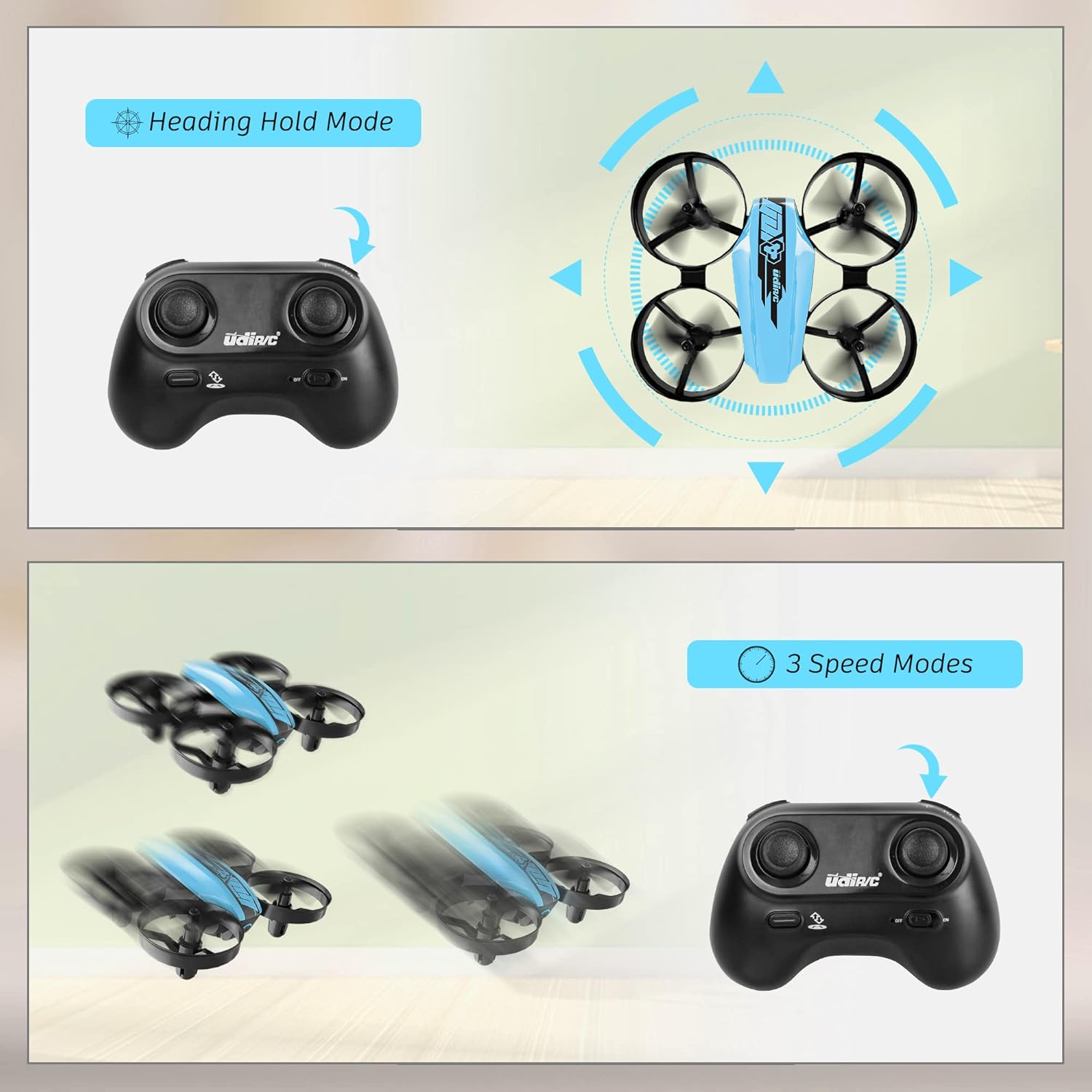
Image 6.1: Illustration of the Headless Mode feature and its activation on the controller.
6.4 Korkeudenpitotoiminto
- The U46 drone features an altitude hold function, allowing it to maintain a stable height automatically. This simplifies control, especially for beginners.

Image 6.2: Visual representation of Altitude Hold Mode, One Button Take Off/Landing, and Emergency Stop features.
6.5 Nopeustilat
- The drone has three speed modes (low, medium, high). Press the Speed Mode button to cycle through them.
- Start with low speed for learning and gradually increase as you gain proficiency.
6.6 Hätäpysäytys
- In case of an emergency or loss of control, press and hold the One Key Take-off/Landing button for a few seconds to perform an emergency stop. The propellers will immediately cease rotation.
7. Huolto
7.1 Potkurin vaihto
- If a propeller is damaged, carefully remove it and replace it with a new one from the spare parts. Ensure the correct propeller (A or B) is installed on the corresponding motor.
7.2 Puhdistus ja varastointi
- Wipe the drone with a soft, dry cloth after use. Avoid using water or cleaning agents.
- Säilytä dronea ja ohjainta viileässä, kuivassa paikassa, poissa suorasta auringonvalosta ja äärimmäisistä lämpötiloista.
- Remove batteries from the controller if storing for extended periods.
8. Vianmääritys
- Drooni ei vastaa: Ensure both drone and controller are powered on and successfully paired. Check controller batteries.
- Drooni ajelehtii lennon aikana: Perform calibration on a flat surface. Use the trim buttons on the controller to adjust for minor drifts.
- Lyhyt lentoaika: Varmista, että akut ovat täyteen ladattuja. Lentoaika voi vaihdella lentotyylin ja ympäristötekijöiden mukaan.
- Potkurit eivät pyöri: Check for obstructions or damage to propellers. Ensure they are correctly installed.
- Alhaisen akun hälytys: The controller will emit an alarm sound when the drone's battery is low, indicating it's time to land and recharge.
9. Tekniset tiedot
| Merkki | UDIRC |
| Mallin nimi | U46S |
| Dronen paino | 0.05 puntaa (noin 22.68 grammaa) |
| Droonien mitat | 3.54 cm P x 3.54 cm L x 1.25 cm K |
| Lentoaika | 6-7 minutes per battery (up to 21 minutes with 3 batteries) |
| Säätimen taajuus | 2.4 GHz |
| Ohjaimen akku | 3 x 1.5 V AA-paristoa (eivät sisälly toimitukseen) |
| Akun kapasiteetti | 180 miljoonaaamp Tunnit (Li-Po) |
| Taitotaso | Aloittelija |
| Erikoisominaisuudet | Altitude Hold, Headless Mode, One Key Take-off/Landing, 3 Speed Modes, 360° Protection |

Image 9.1: Flight time illustration, showing extended flight with multiple batteries.

Image 9.2: Dimensions of the UDIRC U46 Mini Drone, shown next to a smartphone for size comparison.
10. Takuu ja tuki
For warranty information or technical support, please refer to the contact details provided with your purchase or visit the official UDIRC websivusto. Säilytä ostokuitti takuuvaatimuksia varten.
Ask a question about this manual
Ask about setup, troubleshooting, compatibility, parts, safety, or missing instructions. Manuals+ will review the question and use this page’s manual context to help answer it.