
Johdanto
Welcome to the user manual for your Nokia 130 DS TA-1017 mobile phone. This guide provides essential information for setting up, operating, maintaining, and troubleshooting your device. Please read this manual carefully to ensure proper use and to maximize your phone's capabilities.
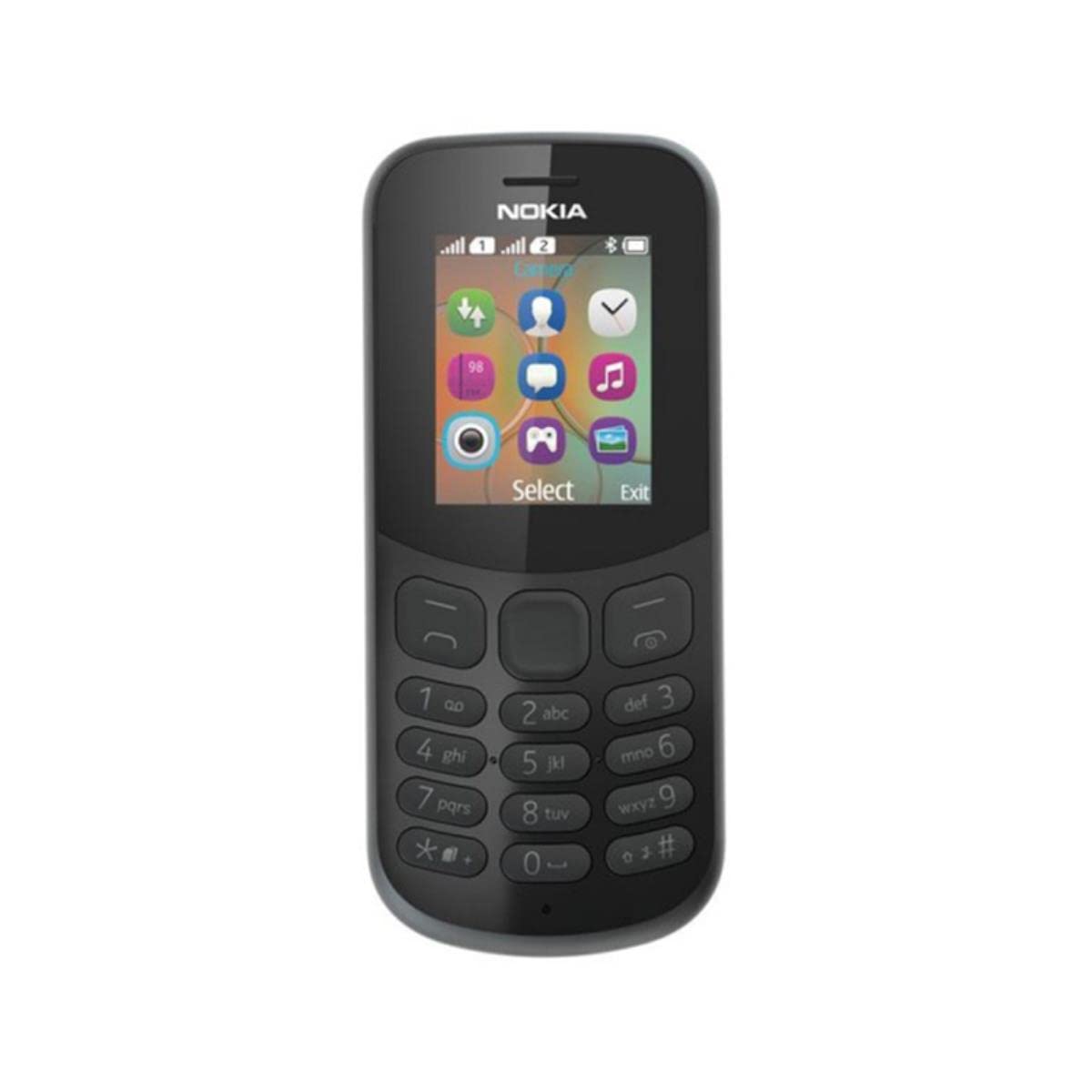
Kuva: Takaosa view of the Nokia 130 DS TA-1017 mobile phone, highlighting the camera and speaker components.
Asennus
1. Insert SIM Card(s)
The Nokia 130 DS TA-1017 supports dual SIM cards. To insert a SIM card:
- Irrota puhelimen takakuori.
- Jos akku on paikallaan, poista se.
- Slide the SIM card(s) into the designated slot(s) with the gold contacts facing down.
- Ensure the SIM card(s) are securely in place.
2. Aseta muistikortti
To expand storage, you can insert a MicroSD card (up to 32 GB):
- Irrota takakansi ja akku ja etsi MicroSD-korttipaikka.
- Insert the MicroSD card into the slot with the gold contacts facing down until it clicks into place.
3. Insert and Charge Battery
The phone uses a removable 1020 mAh battery.
- Kohdista akun koskettimet puhelimen koskettimiin ja paina akku varovasti paikalleen.
- Aseta takakansi takaisin paikalleen.
- Connect the charger to the phone's charging port and plug it into a power outlet. The phone will indicate charging status.
4. Virta päälle/pois
To power on your phone, press and hold the power key until the phone vibrates or the screen lights up. To power off, press and hold the power key, then select 'Power off' from the options.
Puhelimen käyttö
1. Perusnavigointi
Your Nokia 130 DS TA-1017 runs on the Nokia S30+ operating system. Use the navigation keys and the center select key to move through menus and make selections. The left and right soft keys perform functions indicated on the screen.
2. Puheluiden soittaminen ja vastaanottaminen
- Voit soittaa puhelun seuraavasti: Syötä puhelinnumero näppäimistöllä ja paina soittonäppäintä (vihreä painike).
- Puheluun vastaaminen: Paina soittonäppäintä, kun puhelin soi.
- Puhelun lopettaminen: Paina puhelun lopetusnäppäintä (punainen painike).
3. Viestien lähettäminen ja vastaanottaminen
Navigate to the 'Messages' menu to compose and send SMS messages. You can also view received messages in your inbox.
4. Kameran käyttäminen
Your phone is equipped with a VGA camera. To use the camera, navigate to the 'Camera' application from the main menu. Use the center select key to capture photos.
5. Connecting with Bluetooth
To connect to other Bluetooth devices:
- Siirry kohtaan 'Valikko' > 'Asetukset' > 'Yhteydet' > 'Bluetooth'.
- Ota Bluetooth käyttöön.
- Valitse 'Pariliitetyt laitteet' tai 'Etsi audio devices' to find and connect to compatible devices.
6. Listening to Audio
The phone features a 3.5 mm headphone jack. Plug in compatible headphones to listen to music or radio privately.
Huolto
1. Laitteen puhdistaminen
Use a soft, lint-free cloth to clean the phone's screen and body. Avoid using harsh chemicals or abrasive materials, as these can damage the device.
2. Akun hoito
- Vältä altistamasta akkua äärimmäisille lämpötiloille.
- Älä puhkaise tai vahingoita akkua.
- Jos puhelinta ei käytetä pitkään aikaan, säilytä sitä osittain ladatulla akulla.
3. Ohjelmistopäivitykset
Periodically check for software updates to ensure your phone has the latest features and security enhancements. Refer to the phone's settings menu for update options.
Vianetsintä
Yleisiä ongelmia ja ratkaisuja
- Puhelin ei käynnisty: Varmista, että akku on ladattu ja asetettu oikein.
- Ei verkkosignaalia: Check that the SIM card is properly inserted. Move to an area with better network coverage.
- Huono akunkesto: Reduce screen brightness, close unused applications, or replace an aging battery.
- Puheluiden soittaminen/vastaanottaminen ei onnistu: Verify SIM card activation and network status.
Ota yhteyttä tukeen
If you encounter issues that cannot be resolved using the troubleshooting steps, please contact Nokia customer support or your retailer for assistance.
Tekniset tiedot
| Ominaisuus | Erittely |
|---|---|
| Mallin nimi | 130 DS TA-1017 |
| Mitat | 10.6 x 4.5 x 1.4 cm |
| Käyttöjärjestelmä | Nokia S30+ |
| RAM | 4 Mt |
| Sisäinen muisti | 8 Mt |
| MicroSD-korttien tuki | Jopa 32 Gt |
| Näyttö | 1.8" TFT, 160 x 120 pixels |
| Akun kapasiteetti | 1020 mAh (irrotettava) |
| Yhteydet | GSM (900/1800), Bluetooth |
| Kamera | VGA (Rear) |
| Kuulokeliitäntä | 3.5 mm |
| SIM-paikat | Kaksi SIM-korttia |
| Puheaika | Jopa 22 tuntia |
Takuu ja tuki
For information regarding your product's warranty, please refer to the warranty card included in the product packaging or visit the official Nokia support website. Keep your proof of purchase for warranty claims. For further assistance, contact Nokia customer service.


