
1. Johdanto
Kiitos ostoksestasiasing the Coby CSB04 Bluetooth Soundbar Speaker. This manual provides important information regarding the setup, operation, and maintenance of your new soundbar. Please read this manual thoroughly before using the device and retain it for future reference.
The Coby CSB04 is a sleek and compact soundbar designed to enhance your audio experience. It features wireless Bluetooth connectivity, an RCA line input, and comes with a remote control for convenient operation.
2. Turvallisuustiedot
Noudata seuraavia turvaohjeita laitteen vahingoittumisen ja itsesi loukkaantumisen välttämiseksi:
- Älä altista soundbaria sateelle, kosteudelle tai äärimmäisille lämpötiloille.
- Älä avaa c:täasing. Anna kaikki huoltotoimenpiteet pätevän henkilöstön tehtäväksi.
- Varmista, että virtalähde on yhteensopiva paikallisen virtalähteen kanssa.
- Keep the soundbar away from heat sources and direct sunlight.
- Puhdista vain kuivalla liinalla.
3. Pakkauksen sisältö
Carefully unpack your Coby CSB04 Soundbar and check that all items are present and in good condition. If any items are missing or damaged, contact your retailer.
- Coby CSB04 Bluetooth Soundbar Speaker
- Verkkolaite
- RCA kaapeli
- Kaukosäädin
- Käyttöopas (tämä asiakirja)

Image 3.1: Coby CSB04 Soundbar packaging. The box displays the Coby logo and "Slim 2.0 Sound Bar" text.
4. Tuote ohiview
Familiarize yourself with the components and controls of your Coby CSB04 Soundbar.
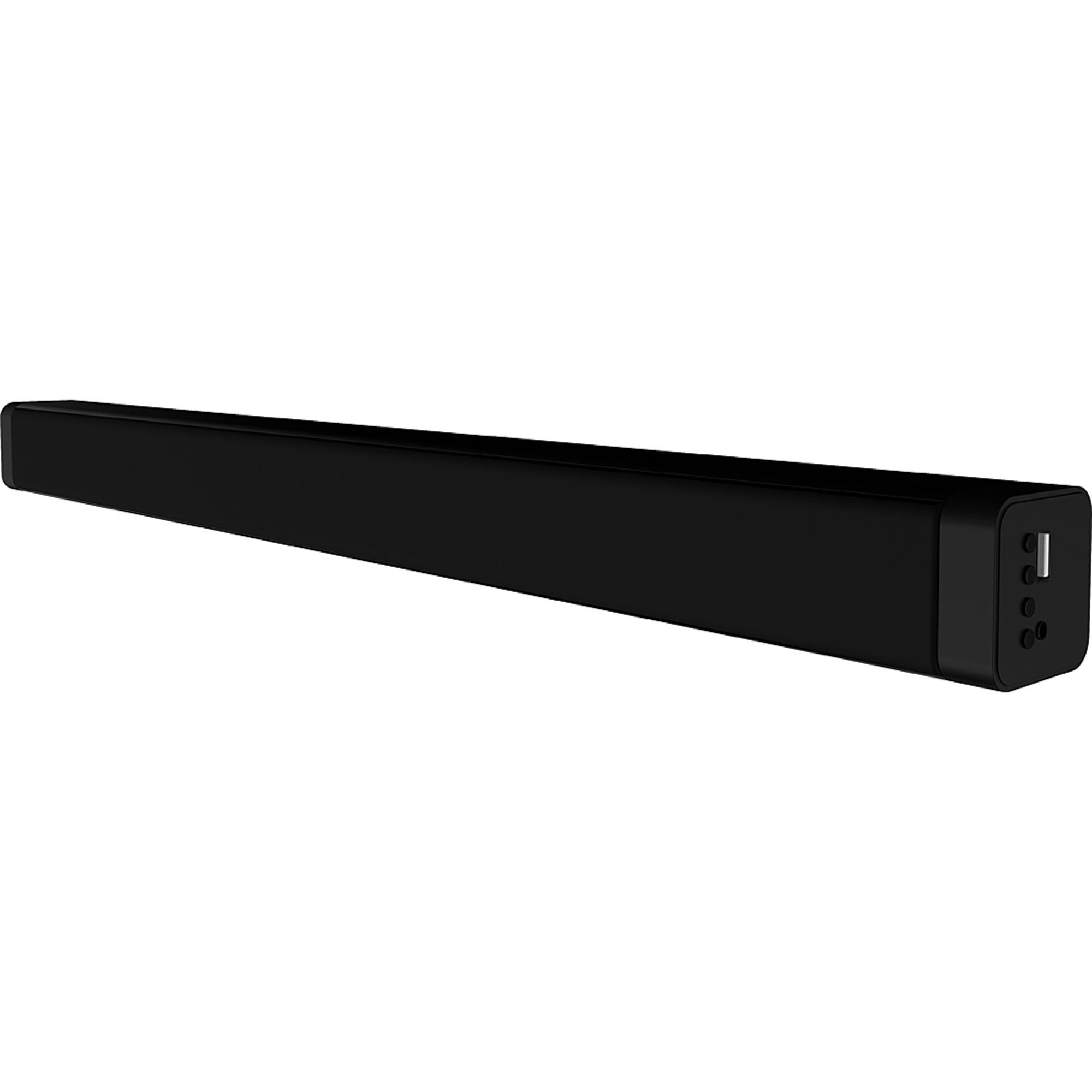
Kuva 4.1: Edessä view of the Coby CSB04 Bluetooth Soundbar. The soundbar is black and rectangular.

Kuva 4.2: Sivu view of the Coby CSB04 Soundbar, showing a USB port and other connection points.
4.1. Front Panel / Top Panel Controls
- Virtapainike: Kytkee soundbarin päälle tai pois päältä.
- Äänenvoimakkuus ylös/alas: Säätää äänenvoimakkuutta.
- Tilapainike: Switches between input modes (Bluetooth, RCA).
- LED-ilmaisin: Shows current status (e.g., Bluetooth pairing, input mode).
4.2. Takapaneelin liitännät
- DC IN: Liitä verkkolaite tähän.
- RCA L/R -tulo: Connect external audio devices using the RCA cable.
- USB-portti: For potential firmware updates or specific media playback (functionality may vary).
4.3. Kaukosäädin
The included remote control allows for convenient operation of the soundbar from a distance. Functions typically include Power, Volume Up/Down, Mode Selection, Mute, and Playback controls for Bluetooth mode.
5. Asennus
5.1. Virtaliitäntä
- Kytke verkkolaite pistorasiaan. DC IN portti soundbarin takana.
- Kytke verkkolaitteen toinen pää pistorasiaan.
- Soundbar siirtyy valmiustilaan.
5.2. Ääniliitäntä
You can connect audio sources to the soundbar via Bluetooth or RCA cable.
5.2.1. Bluetooth-yhteys
- Power on the soundbar using the Power button on the unit or remote control.
- Paina tila button repeatedly until the LED indicator shows Bluetooth mode (usually a blinking blue light).
- Ota Bluetooth käyttöön älypuhelimessasi tai muussa Bluetooth-yhteensopivassa laitteessasi ja hae käytettävissä olevia laitteita.
- Select "CSB04" (or similar name) from the list of devices.
- Kun pariliitos on muodostettu, LED-merkkivalo palaa tasaisesti sinisenä ja kuulet vahvistusäänen.
- Voit nyt toistaa ääntä laitteestasi soundbarin kautta.
5.2.2. RCA-liitäntä
- Connect one end of the RCA cable to the RCA V / O-tulo soundbarin portit.
- Connect the other end of the RCA cable to the audio output ports (usually "Audio Out" or "L/R Out") of your TV, DVD player, or other audio source.
- Käynnistä soundbar.
- Paina tila button repeatedly until the LED indicator shows RCA mode (e.g., a green light).
- Toista ääntä yhdistetystä laitteesta.
6. Käyttöohjeet
6.1. Virta päälle/pois
Paina Tehoa -painiketta soundbarissa tai kaukosäätimessä kytkeäksesi laitteen päälle tai pois päältä.
6.2. Äänenvoimakkuuden säätäminen
Käytä Äänenvoimakkuuden lisääminen (+) ja Äänenvoimakkuutta pienemmälle (-) soundbarin tai kaukosäätimen painikkeita äänenvoimakkuuden säätämiseksi.
6.3. Changing Input Mode
Paina tila button on the soundbar or remote control to cycle through available input sources: Bluetooth, RCA.
6.4. Bluetooth-toisto
Once paired, your Bluetooth device will automatically connect to the soundbar when both are powered on and within range. Use your device's controls or the soundbar's remote control (if applicable) for playback functions like Play/Pause, Next Track, and Previous Track.
7. Huolto
Oikea huolto varmistaa soundbarisi pitkän käyttöiän ja optimaalisen suorituskyvyn.
- Puhdistus: Use a soft, dry cloth to wipe the exterior of the soundbar. Do not use liquid cleaners or aerosols.
- Varastointi: Jos soundbaria säilytetään pitkään, irrota se virtalähteestä ja säilytä sitä viileässä ja kuivassa paikassa.
- Ilmanvaihto: Ensure the soundbar has adequate ventilation and is not covered, to prevent overheating.
8. Vianmääritys
If you encounter issues with your Coby CSB04 Soundbar, refer to the following common problems and solutions:
| Ongelma | Mahdollinen syy | Ratkaisu |
|---|---|---|
| Ei virtaa | Virtasovitin ei ole kytketty tai pistorasia on viallinen. | Ensure the power adapter is securely connected to the soundbar and a working power outlet. Try a different outlet. |
| Ei ääntä | Incorrect input mode, low volume, or incorrect cable connection. |
|
| Bluetooth-pariliitos epäonnistui | Soundbar ei ole pariliitostilassa, laite on liian kaukana tai siinä on häiriöitä. |
|
| Kaukosäädin ei toimi | Tyhjät paristot tai este. | Replace the batteries in the remote control. Ensure there is no obstruction between the remote and the soundbar's sensor. |
9. Tekniset tiedot
Here are the technical specifications for the Coby CSB04 Bluetooth Soundbar Speaker:
- Malli: CSB04
- Kaiuttimen tyyppi: Soundbar
- Yhteystekniikka: Bluetooth
- Kaiuttimen maksimilähtöteho: 10 wattia
- Yhteensopivat laitteet: Smartphone (and other Bluetooth/RCA audio sources)
- Valvontamenetelmä: Kaukosäädin
- Virtalähde: Sähkökaapeli (verkkolaite)
- Väri: Musta
- Mitat: 85.09 x 14.22 x 38.35 cm (noin 33.5 x 5.6 x 15.1 tuumaa)
- Paino: 1.54 kg (noin 3.4 paunaa)
- Asennustyyppi: Pöytäteline
10. Takuu ja tuki
For warranty information and technical support, please refer to the warranty card included with your product or visit the official Coby websivusto. Säilytä ostokuitti ostotodistuksena.
For further assistance, you may contact Coby customer service through their official channels.