
Johdanto
Thank you for choosing the Birlea IEV 2508 Orka Entertainment Center. This manual provides essential information for the safe and correct assembly, operation, and maintenance of your new furniture. Please read these instructions carefully before beginning assembly and retain them for future reference.
The Orka Entertainment Center is designed for elegance and innovative design, constructed from high-quality melamine for resistance and durability.
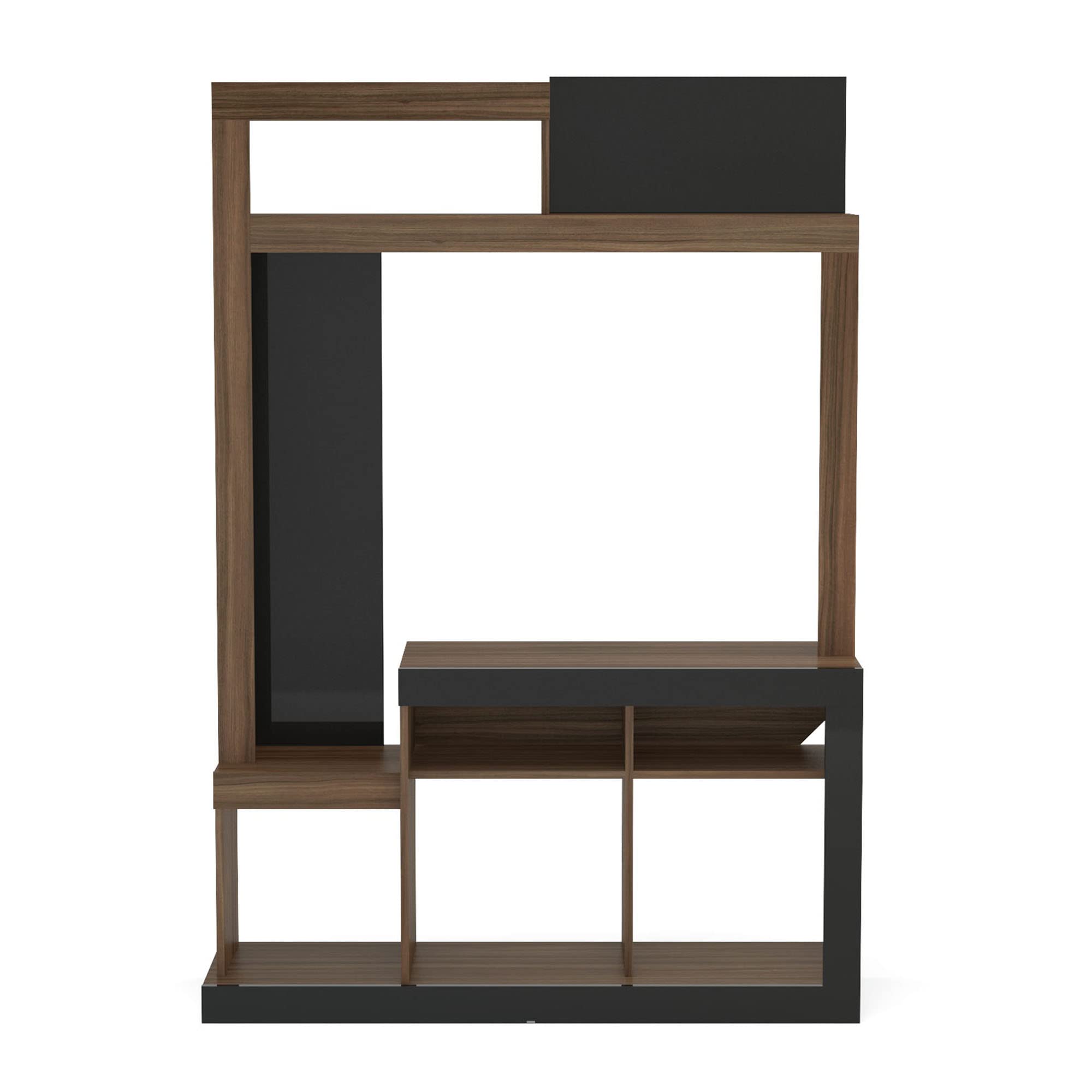
Image: The Birlea IEV 2508 Orka Entertainment Center, showcasing its design and functionality with a television and decorative items.
Asennus ja kokoonpano
Assembly is required for this product. Please follow these steps carefully to ensure proper construction and stability. It is recommended to have two people for assembly.
Tarvittavat työkalut (eivät sisälly toimitukseen):
- Phillips-ruuvimeisseli
- Vasara
- Mittanauha
Kokoamisvaiheet:
- Pura pakkaus ja tunnista osat: Carefully unpack all components and hardware. Lay them out on a clean, soft surface to prevent scratches. Refer to the parts list (usually included in the packaging) to identify each piece.
- Kokoa pohja: Begin by attaching the base panels. Ensure all cam locks and dowels are securely fastened.
- Kiinnitä sivupaneelit: Connect the main vertical side panels to the base. Pay close attention to the orientation of each panel as indicated in the diagrams.
- Asenna hyllyt ja jakajat: Insert the fixed and adjustable shelves and internal dividers into their designated slots. Secure them with the provided hardware.
- Assemble the Top Section: Attach the upper horizontal and vertical panels to form the top storage area.
- Kiinnitä takapaneeli: Carefully align and attach the back panel(s) to the unit. Use small nails or screws as provided to secure it, ensuring the unit is square.
- Lopullinen kiristys ja sijoitus: Once all parts are assembled, gently tighten all screws and cam locks. Move the assembled unit to its desired location.
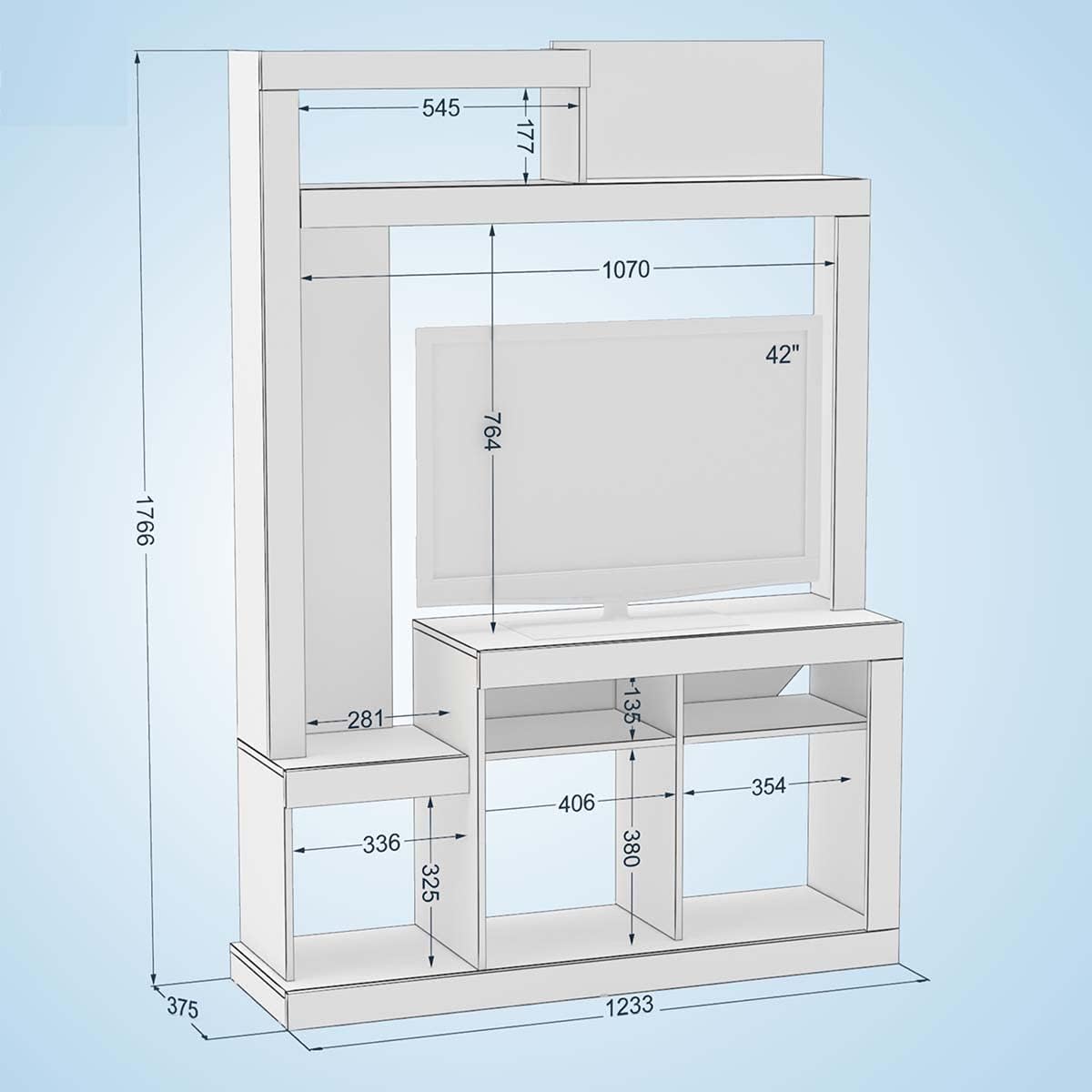
Image: Technical diagram showing the dimensions of the entertainment center, including overall height (1766mm), width (1233mm), and depth (375mm), along with internal shelf measurements.
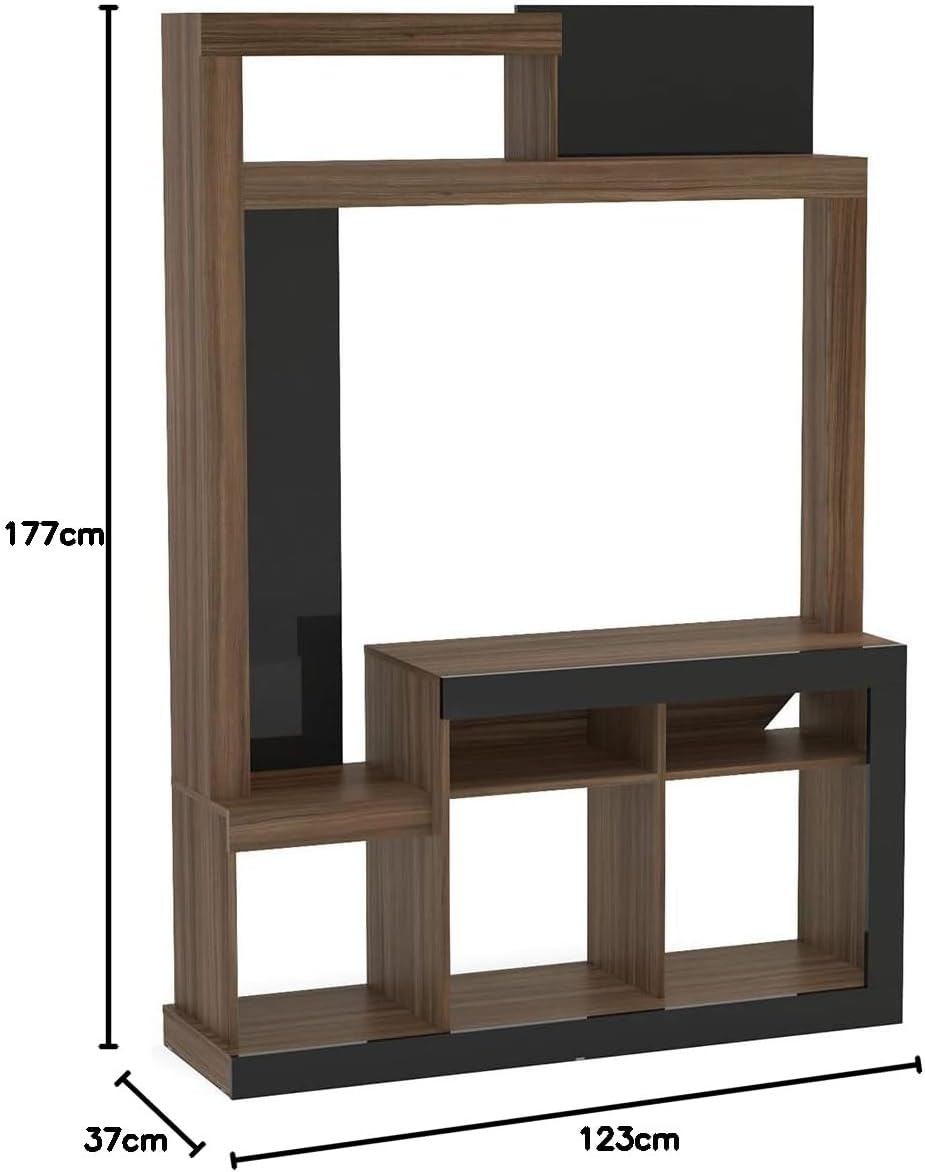
Image: Simplified dimension diagram of the entertainment center, indicating a height of 177cm, width of 123cm, and depth of 37cm.
Käyttöohjeet
The Birlea IEV 2508 Orka Entertainment Center is designed to organize your television and media devices efficiently.
Television sijoittaminen:
- Place your television on the designated central shelf. The maximum recommended TV size is approximately 42 inches, based on the internal width of the TV compartment (approximately 1070mm or 42 inches).
- Ensure the television is centered and stable. The maximum weight capacity for the unit is 60 kg. Do not exceed this limit.
Using Storage Compartments:
- Utilize the various shelves and compartments for media players, gaming consoles, sound systems, books, and decorative items.
- Jaa paino tasaisesti hyllyille vakauden säilyttämiseksi.

Image: The entertainment center in use, displaying a television, audio equipment, and decorative elements on its shelves.
Huolto ja hoito
Proper care will ensure the longevity and appearance of your Birlea IEV 2508 Orka Entertainment Center.
Puhdistus:
- Pyyhi pinnat pehmeällä, damp cloth. Avoid abrasive cleaners or harsh chemicals, as they can damage the melamine finish.
- Pinttyneisiin tahroihin käytä mietoa saippualiuosta ja kuivaa heti puhtaalla liinalla.
Yleishoito:
- Avoid exposing the unit to direct sunlight or extreme temperature changes, which can cause fading or warping.
- Tarkista kaikki kiinnikkeet säännöllisesti ja kiristä niitä tarvittaessa rakenteellisen eheyden säilyttämiseksi.
- Älä aseta kuumia esineitä suoraan pinnalle ilman suojaavia alustoja.
Vianetsintä
If you encounter any issues with your entertainment center, please refer to the following common solutions:
Unit is Wobbly or Unstable:
- Varmista, että kaikki ruuvit, nokkalukot ja tapit on kiristetty kokonaan.
- Check that the unit is placed on a flat, level surface. Use furniture glides or shims if the floor is uneven.
- Verify that all panels are correctly aligned according to the assembly instructions.
Puuttuvat tai vaurioituneet osat:
- Tarkista kaikki pakkausmateriaalit huolellisesti uudelleen varmistaaksesi, ettei pieniä osia ole jäänyt huomaamatta.
- If parts are genuinely missing or damaged upon arrival, contact the retailer or manufacturer's customer support immediately for assistance.
Vaikeus kokoamisen aikana:
- Review the assembly diagrams and instructions step-by-step. Sometimes a small detail, like panel orientation, can be crucial.
- Do not force parts together. If a piece does not fit, re-examine the instructions for correct placement.
Tekniset tiedot
| Merkki | Birlea |
| Mallin nimi | Orka |
| Mallinumero | ORKEUWBK |
| Väri | Avellana/Negro (Hazelnut/Black) |
| Materiaali | Melamiini |
| Mitat (S x L x K) | 37.5 cm x 123.2 cm x 176.6 cm (14.76 x 48.5 x 69.5 tuumaa) |
| Tuotteen paino | 8000 grammaa (8 kg / 17.6 paunaa) |
| Suurin painokapasiteetti | 60 kiloa (132 paunaa) |
| Asennus vaaditaan | Kyllä |
| Suositeltu käyttö | TV, Media Storage |
| Tyyli | Nykyaikainen |
Takuutiedot
Specific warranty details for the Birlea IEV 2508 Orka Entertainment Center may vary by retailer and region. Please refer to your purchase documentation or contact the seller directly for information regarding warranty coverage, terms, and conditions.
Asiakastuki
For any questions, concerns, or assistance with your Birlea IEV 2508 Orka Entertainment Center, please contact the retailer from whom you purchased the product. They will be able to provide the most accurate and timely support.
When contacting support, please have your purchase receipt, product model number (ORKEUWBK), and a description of the issue ready.