
1. Johdanto
This manual provides detailed instructions for the installation, operation, and maintenance of your XTRONS HD121THD 11.6-inch Car Headrest DVD Player. This device features a high-definition 1920x1080 TFT IPS touch screen, supports 1080P video playback, and includes an HDMI port for expanded connectivity. Please read this manual thoroughly before using the product to ensure proper function and safety.
2. Turvallisuustiedot
- Lue kaikki ohjeet huolellisesti ennen laitteen käyttöä.
- Älä yritä purkaa tai muokata laitetta. Tämä voi mitätöidä takuun ja aiheuttaa vahinkoa.
- Ensure the device is securely mounted to prevent movement during vehicle operation.
- Vältä laitteen altistamista äärimmäisille lämpötiloille, pitkäaikaiselle suoralle auringonvalolle tai kosteudelle.
- Käytä vain mukana toimitettua virtalähdettä ja kaapeleita.
3. Pakkauksen sisältö
Tarkista pakettisi sisältö alla olevaa luetteloa vasten:
- 1 x XTRONS HD121THD Headrest DVD Player
- 1 x ISO-johtosarja
- 1 x ISO-sovitinkaapeli
- 1 x kaukosäädin
- 1 x Instruction Manual (Language may vary)
- 1 x tupakansytyttimen sovitin
- 5 x Plastic Drive Wipes
- 1 x Pelilevy
- 1 x kiinnitysruuvi
- 2 x kiinnityskiinnikkeet
4. Tuote ohiview
The XTRONS HD121THD is designed to provide a premium in-car entertainment experience with its large, clear display and versatile media playback options.
4.1 Tärkeimmät ominaisuudet
- 11.6-inch Full HD IPS Touch Screen: Enjoy a large, clear display with 1920x1080 resolution and wide 178-degree viewkulmat.
- Slot-Load DVD Drive: Conveniently play your favorite DVDs.
- 1080P-videon tuki: Experience high-definition video playback.
- Sisäänrakennettu HDMI-portti: Connect external devices like smartphones or game consoles for expanded entertainment.
- Useita äänilähtövaihtoehtoja: Includes built-in stereo speakers, IR transmitter for wireless headphones, and an FM transmitter for car stereo integration.
- USB- ja SD-korttipaikat: Play media directly from USB drives or SD cards.
- Irrotettava muotoilu: Easily detach the unit for use outside the vehicle.

Kuva 4.1: ohiview of XTRONS unique user interface, high-definition resolution, and 1080P video support.

Image 4.2: Illustration of the 178-degree wide viewing angle, ensuring clear visibility from various seating positions.

Image 4.3: Visual comparison highlighting the larger 11.6-inch screen size of the HD121THD model.

Kuva 4.4: Yksityiskohtainen view illustrating the 1920x1080 HD resolution compared to lower resolutions.
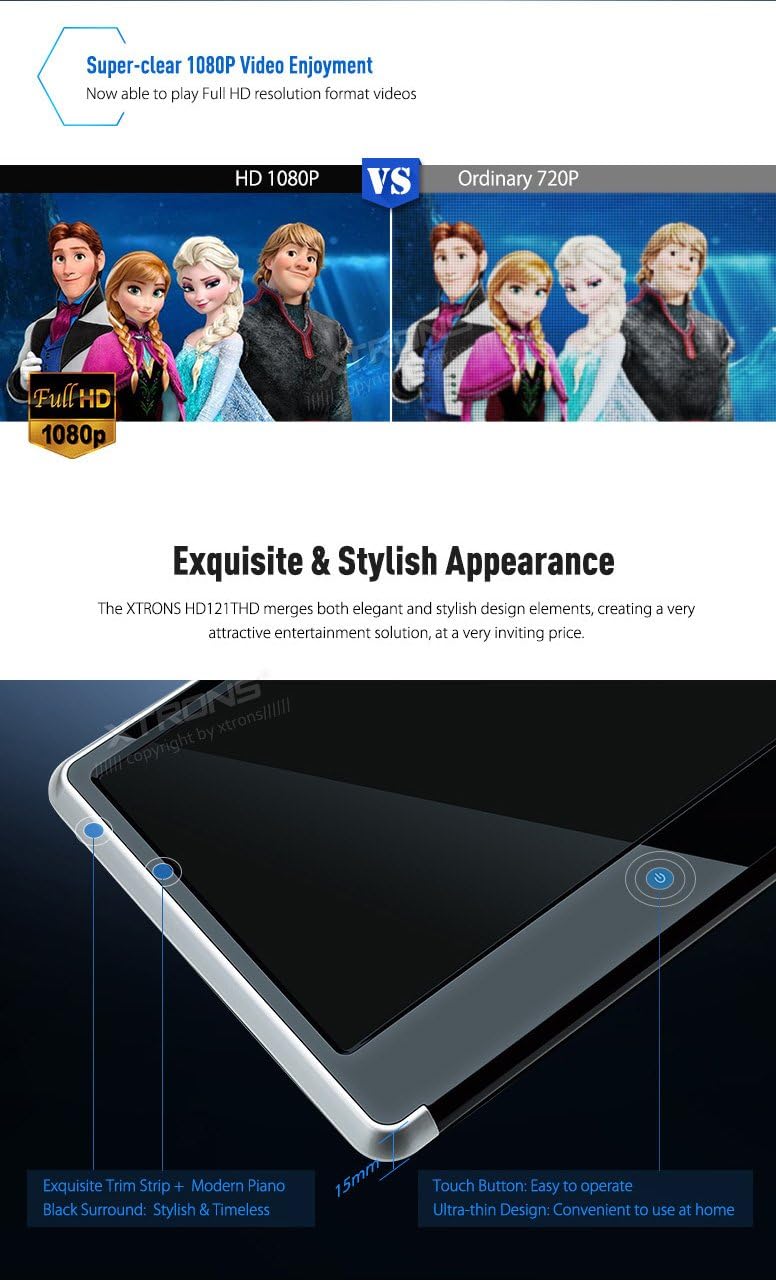
Image 4.5: Close-up showing the sleek design, thin profile, and touch button of the HD121THD unit.

Kuva 4.6: View of the rear panel, highlighting the slot-load DVD drive mechanism and integrated stereo dual speakers.

Image 4.7: Illustration of adjustable viewing angles and a detailed view of the various input/output ports on the unit.
5. Asennus
The HD121THD is designed for easy installation and removal, allowing for flexible use in your car or at home.
5.1 Headrest Mounting
- Measure the distance between the poles of your vehicle's headrest. The adjustable pole distance for this unit is 160-105 mm ja 105-90 mm. Ensure compatibility before proceeding.
- Attach the provided mounting brackets to the headrest poles.
- Slide the HD121THD unit onto the mounting brackets until it clicks securely into place.
- Säädä viewing angle as desired. The unit offers adjustable viewkulmat optimaalisen mukavuuden takaamiseksi.
- Use the fixing screw to further secure the unit if necessary.
5.2 Virtaliitäntä
- Connect the provided ISO wiring harness to the unit.
- For in-car use, connect the ISO adapter cable to your vehicle's power source (typically 12V DC). Alternatively, use the cigarette lighter adapter for a simpler connection.
- For home use, an optional AC adapter (not included) may be required.
6. Asennus
6.1 Ensimmäinen käynnistys
- After connecting the power, press the power button on the unit or remote control to turn it on.
- The XTRONS logo will appear, followed by the main user interface.
6.2 Perusasetukset
- Navigate through the touch screen interface to access settings such as language, display brightness, and audio preferences.
- For DVD playback, ensure the correct region code is set if prompted (this unit is region-free).
7. Käyttöohjeet
7.1 DVD-toisto
- Gently insert a DVD disc into the slot-load drive. The unit will automatically detect the disc.
- The DVD menu will appear on the screen. Use the touch screen or remote control to navigate and select playback options.
7.2 USB/SD-mediatoisto
- Aseta USB-muistitikku USB-porttiin tai SD-kortti SD-korttipaikkaan.
- Select the 'USB' or 'SD' icon from the main menu.
- Browse your media files (videos, music, photos) and select the desired file toistoa varten.
7.3 HDMI-tulo
The built-in HDMI port allows you to connect external devices for a wider range of entertainment options.
- Connect your smartphone, tablet, or game console to the HDMI port using an HDMI cable (not included).
- Select the 'HDMI' input source from the unit's menu.
- The content from your connected device will be mirrored on the HD121THD screen.

Image 7.1: Demonstrates connecting a smartphone via HDMI for gaming and sharing videos with passengers.
7.4 Äänilähtöasetukset
- Sisäänrakennetut kaiuttimet: The unit features stereo dual speakers for direct audio output.
- IR-lähetin: For private listening, the built-in IR transmitter allows you to connect wireless IR headphones (dual channel A & B supported).
- FM-lähetin: To share audio through your car's stereo system, activate the FM transmitter function and tune your car radio to the same frequency.
- Kuulokeliitäntä: A standard 3.5mm headphone jack is available for wired headphones.
8. Huolto
- Näytön puhdistaminen: Use a soft, lint-free cloth, preferably one of the provided plastic drive wipes, to gently clean the touch screen. Avoid abrasive cleaners or solvents.
- Cleaning the DVD Drive: Periodically use a DVD lens cleaner disc to maintain optimal playback performance.
- Yleishoito: Keep the unit free from dust and debris. When not in use for extended periods, consider detaching and storing it in a safe, dry place.
9. Vianmääritys
If you encounter any issues with your XTRONS HD121THD, please refer to the following common problems and solutions:
- Ei virtaa: Check all power connections. Ensure the cigarette lighter adapter or wiring harness is securely connected and receiving power.
- Ei videota/musta ruutu: Verify the correct input source is selected. If using HDMI, ensure the external device is powered on and sending a signal.
- Ei ääntä: Check volume settings. Ensure the correct audio output (speakers, IR, FM, headphone) is selected and configured properly. If using IR headphones, ensure they are powered on and on the correct channel.
- Levyä ei lue: Varmista, että levy on puhdas ja naarmuton. Kokeile toista levyä.
- Kaukosäädin ei toimi: Check battery orientation and replace batteries if necessary. Ensure there are no obstructions between the remote and the unit's IR receiver.
If the problem persists, please contact XTRONS customer support for further assistance.
10. Tekniset tiedot
| Merkki | XTRONS |
| Mallinumero | HD121THD |
| Näytön koko | 11.6 tuumaa |
| Resoluutio | 1920 x 1080 HD |
| Näytön tyyppi | Digital TFT IPS Touch Screen |
| Viewkulma | 178 astetta |
| Mediatuki | DVD, USB, SD |
| Videon toisto | 1080P Full HD |
| Yhteydet | HDMI, AV-IN, AV-OUT, USB, SD, IR, FM |
| Äänilähtö | Built-in Stereo Speakers, IR Transmitter (Dual Channel A/B), FM Transmitter, 3.5mm Headphone Jack |
| Virtalähde | DC 12V |
| Pääyksikön mitat | 260mm x 200mm x 40mm |
| Adjustable Pole Distance | 160mm-105mm, 105mm-90mm |
11. Takuu ja tuki
This product comes with a standard manufacturer's warranty. Please refer to the warranty card included in your package for specific terms and conditions. For technical support, troubleshooting assistance, or warranty claims, please contact your retailer or XTRONS customer service directly. Contact information can typically be found on the XTRONS official websivustolla tai ostodokumentaatiossasi.


