
Johdanto
The RCF M18 is an advanced 18-input digital mixer designed for professional audio applications, integrating a wide array of effects and features for comprehensive sound control. This manual provides essential information for setting up, operating, maintaining, and troubleshooting your M18 digital mixer, ensuring optimal performance and longevity.
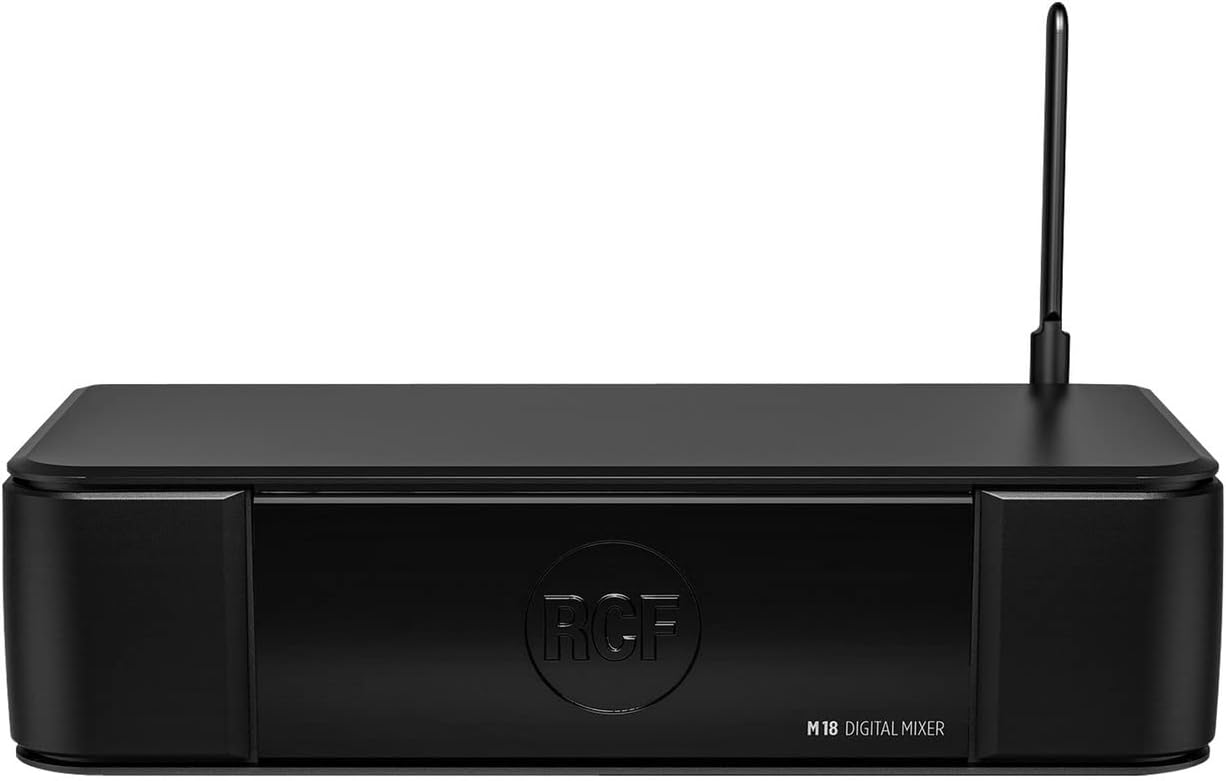
Kuva 1: Etuosa view of the RCF M18 Digital Mixer, showcasinsen kompakti muotoilu ja brändäys.
Asennus
Before operating the RCF M18, ensure it is placed on a stable, flat surface with adequate ventilation. Connect the power cable to the mixer's power input and then to a suitable power outlet. Avoid placing the mixer near heat sources or in direct sunlight.
Tulojen ja lähtöjen liittäminen
The M18 offers a variety of input and output options for connecting microphones, instruments, and other audio devices. Refer to the rear panel diagram for port identification.
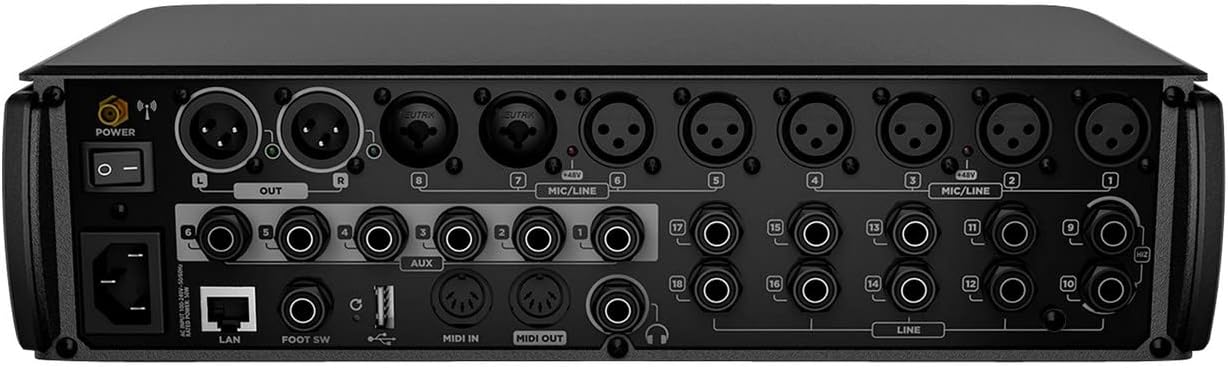
Figure 2: Rear panel of the RCF M18 Digital Mixer, showing XLR, TRS, MIDI, LAN, and USB ports for comprehensive connectivity.
- XLR-tulot: For microphones and other balanced audio sources.
- TRS/Line Inputs: For instruments, line-level devices, and auxiliary inputs.
- Päälähdöt (XLR): Connect to your main PA system or studio monitors.
- Lisälähdöt: Monitorimiksauksiin tai ulkoisten efektien lähettämiseen.
- MIDI sisään/ulos: For connecting MIDI controllers or other MIDI-compatible devices.
- USB 2.0 -portti: For recording and playback of WAV, MP3, and AIFF files.
- LAN-portti: For network connectivity and remote control.
- Jalkakytkimen tulo: For connecting a dual footswitch for hands-free control.
Käyttöohjeet
The RCF M18 offers extensive control over your audio signals. Familiarize yourself with the mixer's interface and features to optimize your sound.
Input Channels and Buses
- The M18 features 18 input channels, allowing for a wide range of simultaneous audio sources.
- Utilize the 6 buses for routing audio to different destinations, such as monitor mixes or subgroups.
- The stereo main out is provided via XLR connections.
Integrated Effects and EQ
- Access 19 simultaneously usable effects to enhance your audio.
- Apply one of 3 different EQ types on the input channels for precise tonal shaping.
Amp Simulaatiot
- Explore 11 integrated realistic amp simulations for guitar and bass, developed by Overloud and Markbass, to achieve diverse instrument tones directly within the mixer.
Internal Audio Player/Recorder
- The internal audio player/recorder supports WAV, MP3, and AIFF formats via the USB 2.0 port, allowing for convenient playback of backing tracks or recording of live performances.
Valvonta ja valvonta
- The headphone jack can be used for personal monitoring, providing a dedicated output for critical listening.
- MIDI input allows for external control of mixer parameters.
- A dual footswitch input provides hands-free control over assignable functions.
Huolto
Proper maintenance ensures the longevity and reliable operation of your RCF M18 Digital Mixer.
- Puhdistus: Use a soft, dry cloth to clean the exterior of the mixer. Avoid abrasive cleaners or solvents that could damage the finish.
- Ilmanvaihto: Varmista, että tuuletusaukot eivät ole tukossa ylikuumenemisen estämiseksi.
- Varastointi: Kun sekoitinta ei käytetä, säilytä sitä viileässä, kuivassa paikassa, poissa suorasta auringonvalosta ja äärimmäisistä lämpötiloista.
- Kaapelin hallinta: Regularly check all cables for wear and tear. Replace damaged cables immediately to prevent signal issues or electrical hazards.
Vianetsintä
This section addresses common issues you might encounter with your RCF M18 Digital Mixer. If you experience problems not covered here, please contact RCF customer support.
- Ei virtaa: Varmista, että virtajohto on kytketty kunnolla sekä mikseriin että toimivaan pistorasiaan. Tarkista virtakytkimen asento.
- Ei äänilähtöä: Verify that the main output levels are up and not muted. Check all cable connections from the mixer to your PA system or monitors. Ensure input channels are active and their levels are set appropriately.
- Vääristynyt ääni: Reduce input gain levels to prevent clipping. Check for damaged cables or faulty microphones/instruments.
- Connectivity Issues (LAN/USB): Ensure network cables are properly connected and network settings are correct. For USB, verify the device is recognized and the correct file format is used.
Tekniset tiedot
Detailed technical specifications for the RCF M18 Digital Mixer.
| Ominaisuus | Arvo |
|---|---|
| Tuotteen paino | 10 kiloa |
| Tuotteen mitat | 4 x 6 x 4 tuumaa |
| ASIN | B0711W1DBW |
| Tuotteen mallinumero | M18 |
| Päivämäärä ensimmäinen saatavilla | 17. maaliskuuta 2017 |
| Virtalähde | Johdollinen sähkö |
Takuu ja tuki
The RCF M18 Digital Mixer is covered by a manufacturer's warranty. Please refer to the warranty card included with your product for specific terms and conditions, including coverage duration and limitations.
For technical support, service, or warranty claims, please contact RCF customer service. You can find contact information and additional resources on the official RCF websivusto: www.rcf.it
When contacting support, please have your product model number (M18) and serial number ready to expedite the process.