
1. Johdanto
This manual provides instructions for the CJ TECH Digital HD TV Antenna, Model 72254. This indoor antenna is designed to receive over-the-air digital television signals, allowing access to free local HD channels. It supports HD 1080P, UHF, VHF, and FM signals, offering a clear picture and a wide selection of channels. Optimal reception depends on the antenna's placement and local broadcast conditions.
2. Pakkauksen sisältö
Varmista, että pakkauksessa on kaikki tarvittavat osat:
- CJ TECH Digital HD TV Antenna
- Antennijalusta
- Koaksiaalikaapeli
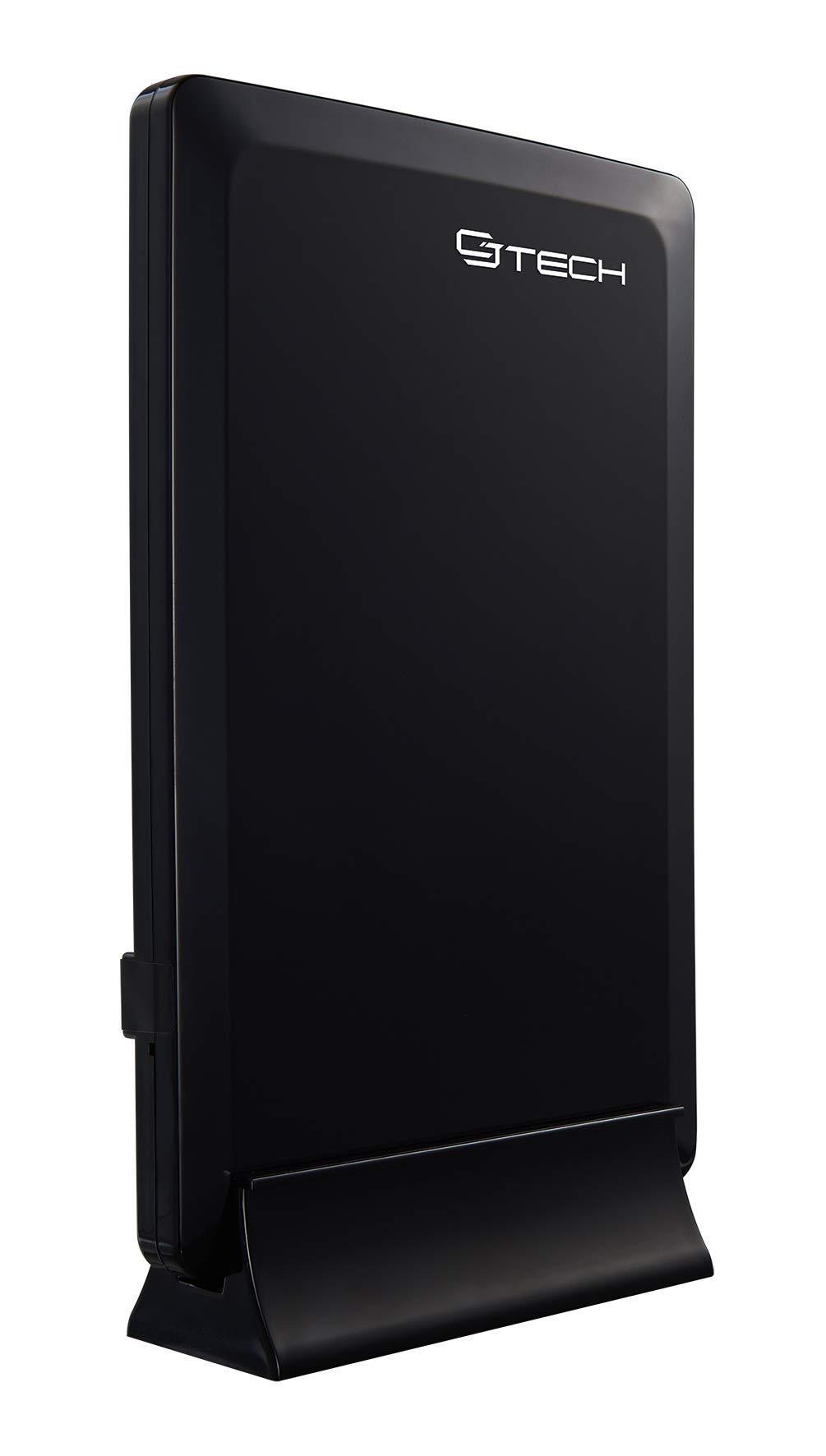
Image 1: The CJ TECH Digital HD TV Antenna, its stand, and the included coaxial cable. The antenna is a black, rectangular unit designed for indoor use.
3. Asennusohjeet
Follow these steps to set up your CJ TECH Digital HD TV Antenna:
- Assemble the Antenna Stand: If your antenna requires assembly, attach the antenna to its stand according to the provided instructions. The antenna is designed for vertical placement.
- Koaksiaalikaapelin kytkeminen: Connect one end of the coaxial cable to the antenna's coaxial input port. Connect the other end of the coaxial cable to the "Antenna In" or "Cable In" port on the back of your television or digital converter box.
- Aseta antenni: Place the antenna in a location that offers the best possible reception.
- For optimal signal reception, position the antenna near a window.
- Avoid placing the antenna near large metal objects or appliances that may cause interference.
- Experiment with different locations and orientations (e.g., higher up, different walls) to find the best signal strength.
- Virtaliitäntä (jos käytössä): If your antenna model includes an amplifier or signal booster, ensure it is connected to a power source (e.g., a USB port on your TV or a wall adapter, if included). This model is described as "Amplified Powered," so this step is crucial.
4. Käyttöohjeet
After completing the setup, follow these steps to scan for channels:
- Turn on your TV: Ensure your television is powered on and set to the correct input source (e.g., TV, Antenna, Air).
- Käytä TV-valikkoa: Using your TV remote control, navigate to the TV's menu. Look for options like "Settings," "Setup," "Channel," or "Broadcast."
- Suorita kanavahaku: Select the "Channel Scan," "Auto Program," or "Auto Tune" option. This process will search for all available over-the-air channels in your area. This may take several minutes.
- Review Kanavat: Once the scan is complete, your TV should display a list of available channels. You can now browse and watch free local HD programming.
- Rescan if Needed: If you move the antenna or experience changes in reception, perform a channel scan again to update your channel list.
5. Huolto
The CJ TECH Digital HD TV Antenna requires minimal maintenance:
- Puhdistus: Gently wipe the antenna with a soft, dry cloth to remove dust. Do not use liquid cleaners or abrasive materials.
- Sijoitus: Ensure the antenna remains in a stable position to prevent accidental falls or damage.
- Kaapeliliitännät: Periodically check that all cable connections are secure.
6. Vianmääritys
Jos antennin kanssa ilmenee ongelmia, kokeile seuraavia vianmääritysohjeita:
- Ei signaalia tai huono kuvanlaatu:
- Tarkista liitännät: Ensure the coaxial cable is securely connected to both the antenna and the TV.
- Antennin uudelleenasennus: Try moving the antenna to a different location, especially closer to a window or higher up. Re-orient the antenna to face the general direction of local broadcast towers.
- Kanavien uudelleenhaku: After repositioning, perform a new channel scan on your TV.
- Tarkista Ampelinvoimaisempi voima: If your antenna has an amplifier, ensure it is properly powered.
- Check TV Input: Verify that your TV's input source is set to "Antenna" or "Air."
- Puuttuvat kanavat:
- Perform a New Scan: Always perform a channel scan after initial setup or repositioning the antenna.
- Tarkista signaalin voimakkuus: Some TVs have a signal strength meter in their settings menu. Use this to optimize antenna placement.
- Local Obstructions: Buildings, trees, or terrain can block signals. Try to find a clear line of sight if possible.
- Ajoittainen signaalin menetys:
- Sääolosuhteet: Vaikea sää voi tilapäisesti vaikuttaa signaalin vastaanottoon.
- Häiriöt: Other electronic devices (e.g., microwaves, cordless phones) can cause interference. Try moving the antenna away from such devices.
7. Tekniset tiedot
Key specifications for the CJ TECH Digital HD TV Antenna Model 72254:
| Ominaisuus | Yksityiskohta |
|---|---|
| Mallinumero | 72254 |
| Antenni tyyppi | Digitaalinen sisäantenni |
| Alue | Jopa 25 XNUMX mailia |
| Tuetut signaalit | HD 1080P, UHF, VHF, FM |
| Vastaanottomalli | 360 astetta |
| Mitat (K x L x S) | 7.67 cm x 5.2 cm x 1.77 cm (noin) |
| Väri | Musta |
| UPC | 695087722541 |
| Tuotteen paino | 0.72 puntaa |