
OSD Audio ACE870
OSD 8" Trimless Ceiling Speaker Instruction Manual
Model: ACE870 | Brand: OSD Audio
1. Johdanto
This manual provides comprehensive instructions for the installation, operation, and maintenance of your OSD Audio ACE870 8" Trimless Ceiling Speaker. Designed for LCR (Left, Center, Right) home theater surround sound applications, this speaker features a trimless grille for a seamless appearance and advanced audio components for an immersive listening experience. Please read this manual thoroughly before installation and use to ensure proper setup and optimal performance.

Figure 1.1: The OSD ACE870 Trimless Ceiling Speaker with its grille removed, showcasing the internal components and the trimless design.
2. Turvallisuustiedot
Always adhere to the following safety guidelines to prevent damage to the speaker, property, or personal injury:
- Ensure all power to the installation area is disconnected before beginning any wiring or installation work.
- Jos olet epävarma sähköasennuksista, ota yhteyttä pätevään sähköasentajaan.
- Do not expose the speaker to excessive moisture or extreme temperatures. This product is not waterproof.
- Käytä asennuksen aikana asianmukaisia työkaluja ja turvalaitteita.
- Ensure the mounting surface (ceiling) can adequately support the weight of the speaker.
- Do not attempt to modify or repair the speaker yourself. Refer all servicing to qualified personnel.
3. Pakkauksen sisältö
Varmista, että pakkauksessa on kaikki tarvittavat osat:
- 1 x OSD Audio ACE870 Trimless Ceiling Speaker
If any items are missing or damaged, please contact OSD Audio customer support.
4. Asennus ja asennus
4.1 Kaiuttimien sijoittelun suunnittelu
The ACE870 speaker is designed for in-ceiling installation and features a 15-degree angled woofer and pivoting tweeter, making it ideal for LCR and surround sound applications, including Dolby Atmos setups. Consider the following for optimal sound:
- For LCR channels, position speakers in the front ceiling, angled towards the primary listening area.
- For surround or height channels, place speakers strategically to create an immersive sound field, following your amplifier's recommendations for Dolby Atmos or other surround formats.
- Ensure there are no obstructions (e.g., joists, pipes, electrical wires) in the ceiling cavity where you plan to install the speaker.

Kuva 4.1: Esimample of a Dolby Atmos home theater speaker setup, illustrating potential placement for ceiling speakers.
4.2 Asennusvaiheet
- Valmistele avaus: Using the provided template (if included, otherwise measure carefully), mark the cutout area on the ceiling. Ensure the marked area is clear of any obstructions. Carefully cut the opening using a drywall saw or appropriate tool.
- Kaiuttimen johdon vedäminen: Route high-quality speaker wire (e.g., 12/2 gauge) from your amplifier or receiver to the speaker cutout. Leave enough slack for easy connection.
- Connect Speaker Wire: Connect the speaker wire to the binding posts on the speaker. Ensure correct polarity (+ to + and - to -) from the amplifier to the speaker. The ACE870 uses standard speaker wire connections.
- Aseta kaiutin: Carefully insert the speaker into the cutout. The mounting clamps will automatically swing out and secure the speaker as you tighten the screws on the front baffle.
- Kiinnitä säleikkö: The trimless grille attaches magnetically to the speaker baffle. Align the grille and gently place it onto the speaker until it snaps into place.

Kuva 4.2: Esimample of speaker cable used for connecting the speaker to an ampelävämpi.

Figure 4.3: Diagram illustrating the process of installing a ceiling speaker into a prepared opening.
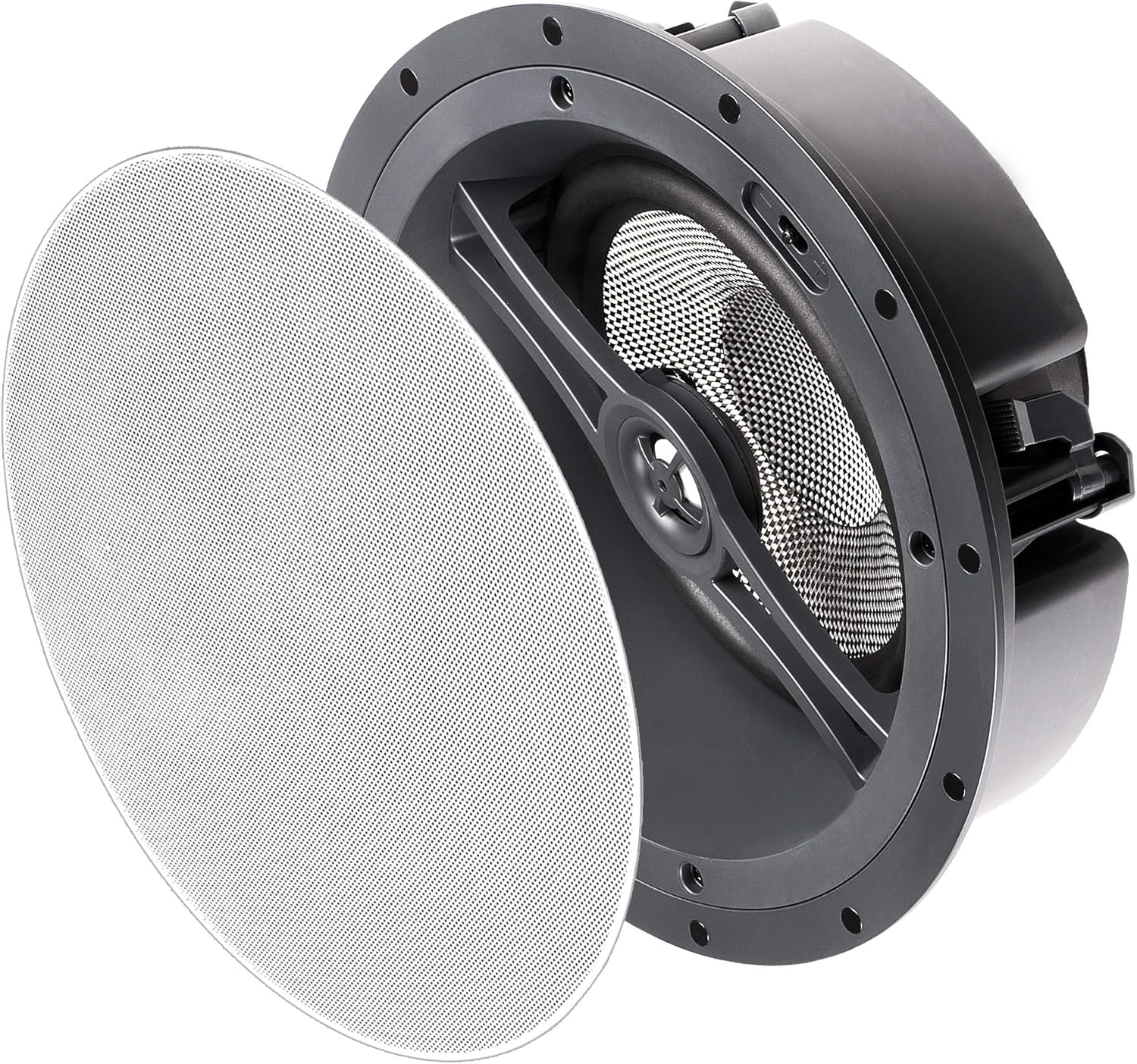
Figure 4.4: The OSD ACE870 speaker with its magnetic trimless grille detached, ready for installation or removal.
5. Kaiuttimen käyttö
5.1 Äänen säädöt
The ACE870 speaker features contour switches that allow you to tailor the bass and treble response to your listening preference and room acoustics. These switches are typically located near the woofer or tweeter on the speaker baffle, accessible before the grille is attached.
- Bass Contour Switch: Adjusts the low-frequency output. Use to compensate for room acoustics or personal preference.
- Treble Contour Switch: Adjusts the high-frequency output. Use to brighten or soften the sound.
Kokeile näitä asetuksia saavuttaaksesi haluamasi äänenlaadunfile for your home theater system.

Kuva 5.1: Lähikuva view of the speaker's woofer and pivoting tweeter, where contour switches are typically located.
5.2 Järjestelmän integrointi
Connect the ACE870 speaker to a compatible home theater receiver or ampelävämpi. Varmista, että amplifier's power output does not exceed the speaker's maximum power handling of 175 watts. The speaker is designed to work with 8 Ohm impedance systems.
While the speaker itself does not have direct voice control, it can be integrated into a voice-controlled home theater system through your compatible receiver or smart home hub.
6. Huolto
The OSD ACE870 speaker requires minimal maintenance:
- Puhdistus: Gently wipe the trimless grille with a soft, dry cloth to remove dust. Do not use abrasive cleaners or solvents.
- Tarkastus: Periodically check the speaker grille for any signs of damage or discoloration.
- Ympäristö: Ensure the speaker is not exposed to direct sunlight, excessive heat, or moisture, as these can affect its performance and lifespan.
7. Vianmääritys
If you encounter issues with your OSD ACE870 speaker, refer to the following common problems and solutions:
| Ongelma | Mahdollinen syy | Ratkaisu |
|---|---|---|
| Ei ääntä kaiuttimesta | Löysät tai virheelliset johdot; Amplifier off or input not selected; Speaker damaged. | Tarkista kaikkien kaiuttimien johtojen liitännät sekä kaiuttimesta että amplifier, ensuring correct polarity. Verify ampKaiutin on päällä ja oikea tulo on valittu. Testaa toisella kaiuttimella, jos mahdollista. |
| Vääristynyt tai epäselvä ääni | Yliajettu amplifier; Incorrect contour switch settings; Loose speaker grille. | Vähentää amplifier volume. Adjust bass/treble contour switches. Ensure grille is securely attached. Check for any physical damage to the speaker cone. |
| Speaker cuts in and out | Loose wiring; Ampjäähdyttimen ylikuumeneminen; Oikosulku johdotuksessa. | Inspect all wiring for loose connections or frayed wires. Ensure amplifier has adequate ventilation. If problem persists, consult a professional. |
If the problem persists after trying these solutions, please contact OSD Audio customer support.
8. Tekniset tiedot
| Ominaisuus | Yksityiskohta |
|---|---|
| Mallin nimi | ACE870 |
| Kaiuttimen tyyppi | Atmospheric, LCR, In-Ceiling |
| Erikoisominaisuus | Dolby Enabled, Hi Res Audio, Trimless Grille, Contour Switches |
| Suositellut käyttötavat | For Surround Sound Systems, Home Theater |
| Yhteensopivat laitteet | Home Theater Receivers/Amppelastajia |
| Bassokaiuttimen halkaisija | 8 Inches (Carbon Fiber Composite Cone, 15-degree angled) |
| Diskantti | 1 Inch Aluminum Dome (Pivoting) |
| Kaiuttimen suurin lähtöteho | 175 wattia |
| Impedanssi | 8 ohmia |
| Yhteystekniikka | Kaiuttimen johto |
| Äänilähtötila | Surround |
| Asennustyyppi | Kattoon kiinnitys |
| Väri | Trimless (White grille, paintable) |
| Tuotteen mitat | 5.37" S x 11.5" L x 11.5" K |
| Tuotteen paino | 0.01 Ounces (Note: This weight seems incorrect, likely a data entry error. Actual weight would be higher.) |
| Mukana olevat komponentit | 1 Kaiutin |
| On vedenpitävä | FALSE (Ei vedenkestävä) |
| Valvontamenetelmä | Voice (via compatible system) |
| Valmistaja | OSD-ääni |
| UPC | 819603012279 |
9. Takuu ja tuki
9.1 Takuutiedot
The OSD Audio ACE870 Trimless Ceiling Speaker comes with a rajoitettu takuu. For specific details regarding the warranty period, coverage, and terms, please refer to the warranty card included with your product or visit the official OSD Audio websivusto.
9.2 Asiakastuki
For technical assistance, troubleshooting, or warranty claims, please contact OSD Audio customer support. You can find contact information on the official OSD Audio websivustoltasi tai jälleenmyyjän kautta.
Vieraile osoitteessa OSD-äänikauppa Amazonissa lisätietoja ja tuoteresursseja varten.
Ask a question about this manual
Ask about setup, troubleshooting, compatibility, parts, safety, or missing instructions. Manuals+ will review the question and use this page’s manual context to help answer it.