
Johdanto
Kiitos ostoksestasiasing the Gemini AS-12BLU Professional Audio Bluetooth PA Loudspeaker. This manual provides essential information for the safe and efficient operation of your new audio system. Please read this manual thoroughly before use and retain it for future reference.
Tärkeimmät ominaisuudet
- 12-inch 1500W Peak Class AB Built-In Amplifier for crisp, concert-quality sound.
- Impedance at 4 Ohms with a linear frequency response between 30Hz-20Khz.
- Pure titanium 1" HF Compression Driver and Wide Dispersion Horn.
- Integrated MP3 player with USB, SD card, Bluetooth, and FM Radio capabilities.
- Two input channels with separate gain controls.
- Multiple input options: Mic and Line XLR, 1/4’’, 1/8’’, and RCA inputs.
- Mix Output for connecting to other audio devices.
- High/Low Equalization Controls for precise audio adjustment.
- Durable ABS Impact Resistant Nylon Fiber Cabinet.
- Top and side handles for easy transport.
- Flyable and stand-mountable design for versatile placement.
- Clip LED Alert to prevent overheating.
Pakkauksen sisältö
Valitse seuraavat kohdat rastittamalla ruutu:
- Gemini AS-12BLU PA Loudspeaker
- Virtalähde
- Käyttöopas (tämä asiakirja)
Jos jokin osa puuttuu tai on vaurioitunut, ota välittömästi yhteyttä myyjään.
Säätimet ja liitännät
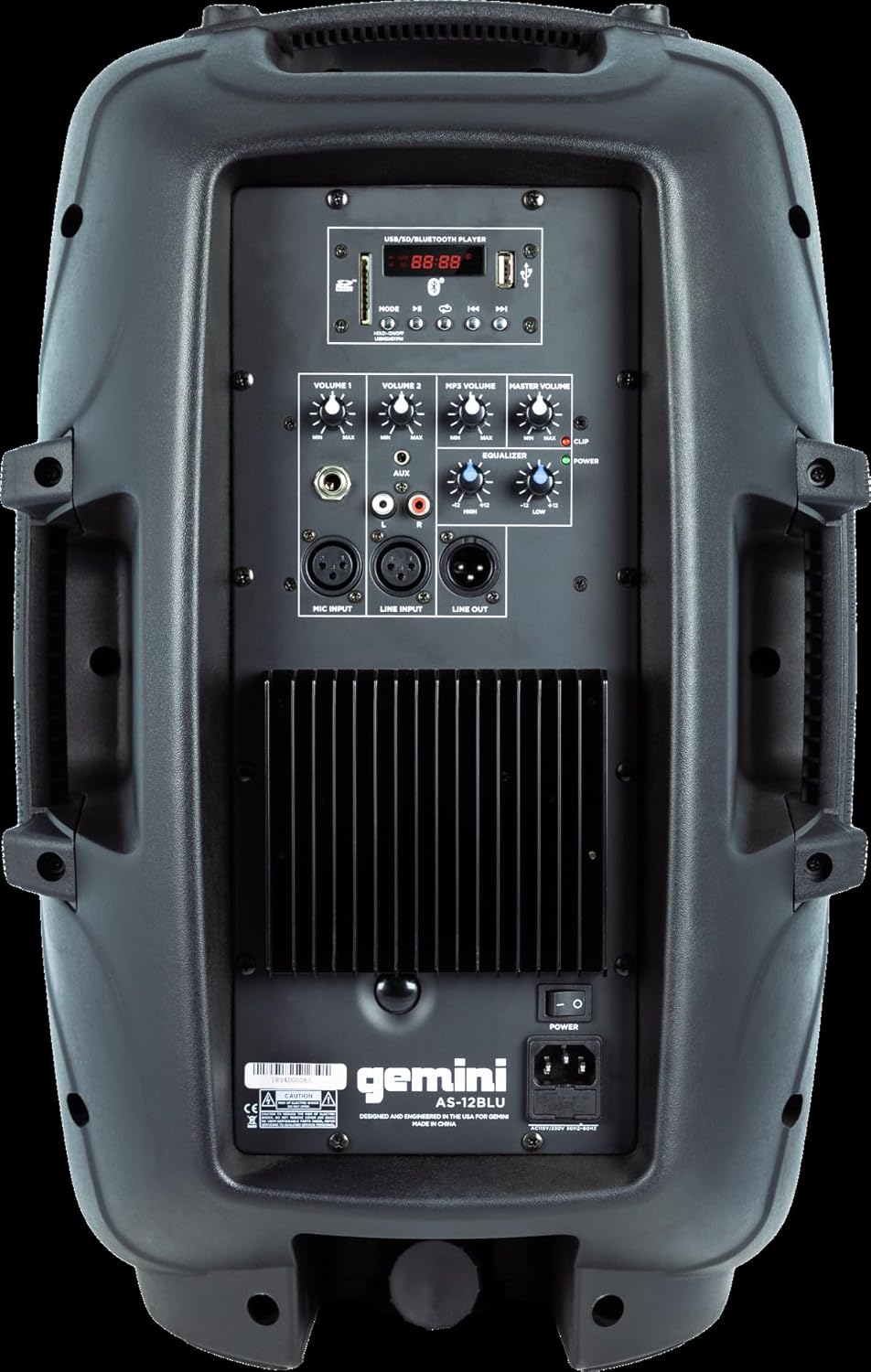
Image: Rear panel of the AS-12BLU loudspeaker. This view highlights the comprehensive control interface, including the USB/SD/Bluetooth player, volume controls, equalization knobs, and various input/output jacks.
Edessä View
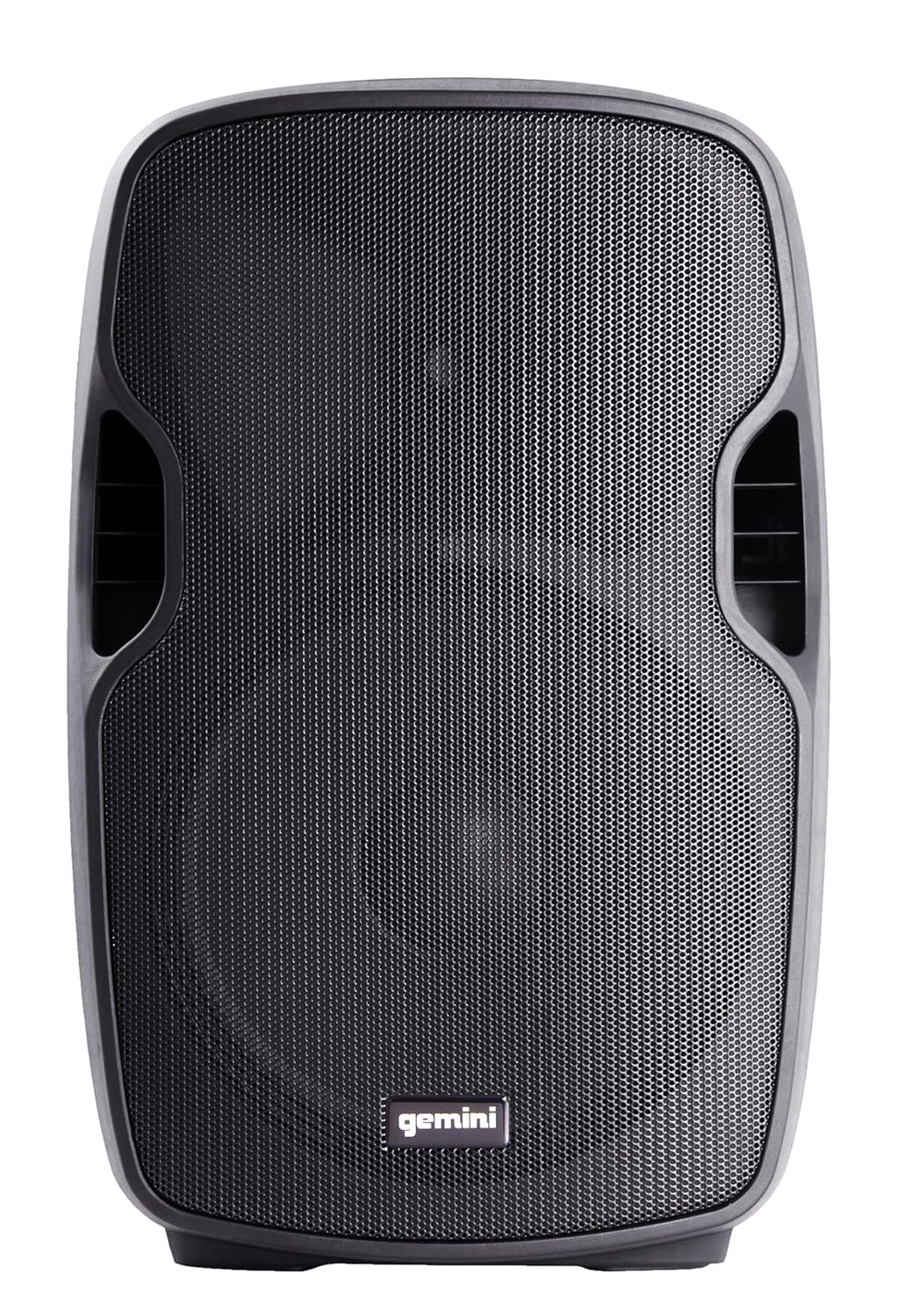
Kuva: Edessä view of the AS-12BLU loudspeaker. This image displays the speaker's robust grille and integrated side handles, designed for both protection and portability.
Kulma View
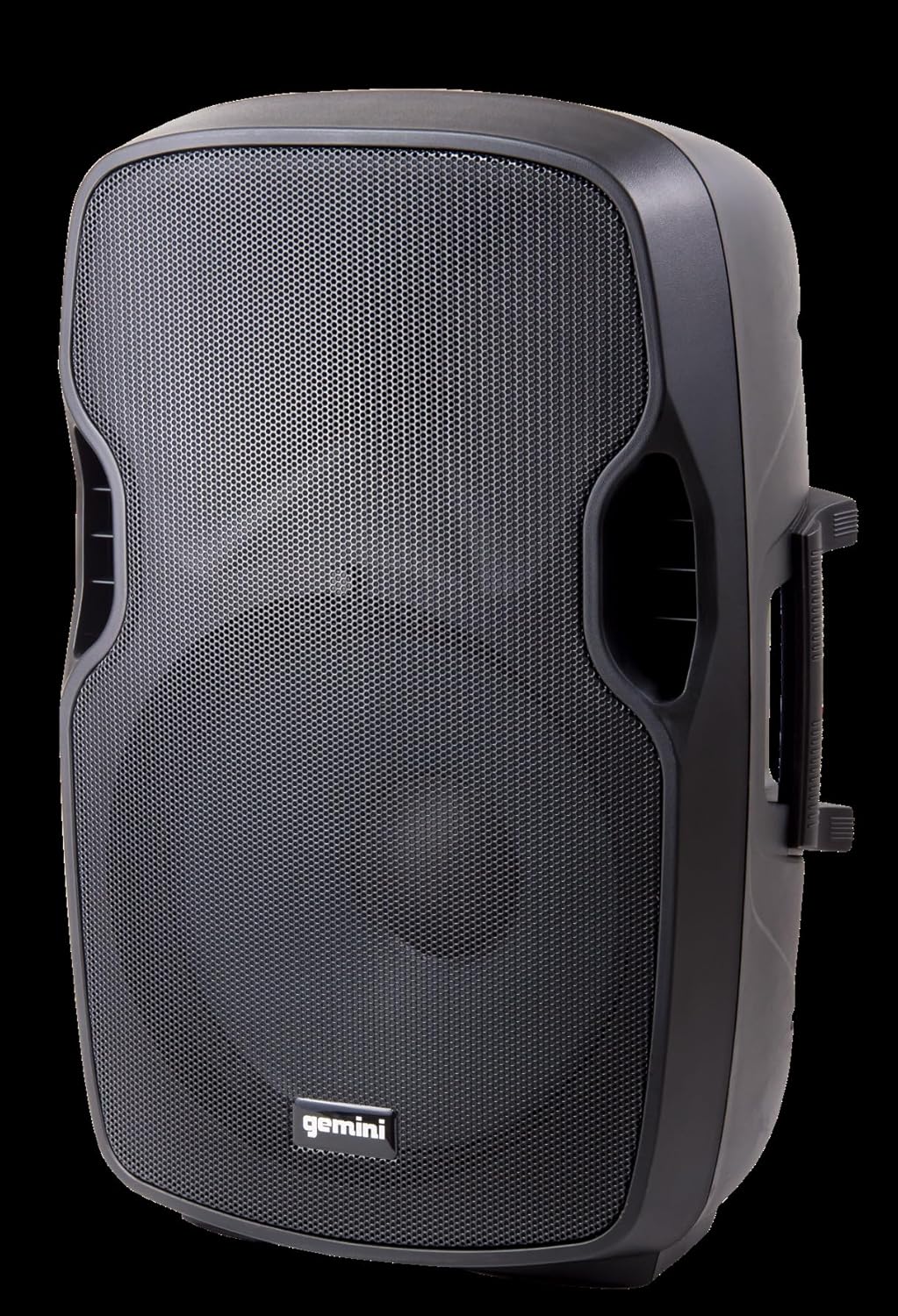
Kuva: Kulmikas view of the AS-12BLU loudspeaker. This perspective highlights the speaker's ergonomic design, including the integrated handles on both sides, facilitating easy transport and setup.
Takapaneeli ohiview:
- USB/SD/Bluetooth Player: Digital media playback interface.
- Tilapainike: Switches between USB, SD, Bluetooth, and FM Radio modes.
- Osa 1 ja 2: Independent gain controls for Mic and Line inputs.
- MP3-äänenvoimakkuus: Controls the volume of the integrated media player.
- Pää-äänenvoimakkuus: Kokonaislähdön äänenvoimakkuuden säätö.
- High/Low Equalization: Adjusts treble and bass frequencies.
- Mic Input (XLR & 1/4"): Mikrofonien liittämistä varten.
- Line Input (XLR, 1/4", 1/8", RCA): For connecting line-level audio sources (e.g., mixers, instruments, media players).
- Line Out (XLR): For connecting to additional PA speakers or recording devices.
- Virtakytkin: Kytkee laitteen päälle/pois päältä.
- AC-tulo: Connects the power adaptor.
- Leikkeen LED: Illuminates when the audio signal is clipping, indicating potential distortion.
Asennus
- Sijoitus: Position the AS-12BLU on a stable, flat surface or mount it on a compatible speaker stand. Ensure adequate ventilation around the unit.
- Virtaliitäntä: Connect the provided power adaptor to the AC Input on the rear panel of the speaker, then plug the other end into a suitable power outlet.
- Ensimmäinen käynnistys: Ensure all volume controls are set to minimum before turning on the power switch.
- Äänilähteiden liittäminen:
- Mikrofoni: Connect your microphone to the Mic Input (XLR or 1/4").
- Linjatason laitteet: Connect mixers, instruments, or other audio players to the Line Input (XLR, 1/4", 1/8", or RCA).
- Connecting Additional Speakers (Optional): Use the Line Out (XLR) to connect to the input of another powered PA speaker for expanded sound coverage.
Käyttöohjeet
Peruskäyttö:
- After connecting all sources and powering on, slowly increase the Master Volume to a desired listening level.
- Adjust individual input volumes (Volume 1, Volume 2, MP3 Volume) as needed for proper balance.
- Use the High/Low Equalization controls to fine-tune the audio's treble and bass response.
- Monitor the Clip LED. If it illuminates frequently, reduce the input gain or volume to prevent distortion and potential speaker damage.
Bluetooth-pariliitos:
- Press the "Mode" button on the USB/SD/Bluetooth Player until "BLUE" or "BT" appears on the display, indicating Bluetooth mode.
- Ota Bluetooth käyttöön Bluetooth-laitteessasi (älypuhelin, tabletti jne.) ja hae käytettävissä olevia laitteita.
- Select "GEMINI AS-12BLU" from the list of devices.
- Kun pariliitos on muodostettu, voit toistaa laitteesi ääntä kaiuttimen kautta.
USB/SD-toisto:
- Aseta MP3-ääntä sisältävä USB-muistitikku tai SD-kortti files into the corresponding slot on the USB/SD/Bluetooth Player.
- The unit should automatically switch to USB or SD mode and begin playback. If not, press the "Mode" button to select the correct source.
- Use the playback controls (Play/Pause, Next/Previous Track) on the player to navigate your music.
FM-radio:
- Press the "Mode" button until "FM" appears on the display.
- The unit will automatically scan and store available FM radio stations.
- Use the Next/Previous Track buttons to cycle through the stored stations.
Huolto
- Puhdistus: Puhdista kaiuttimen ulkopinta pehmeällä, kuivalla liinalla. Älä käytä hankaavia puhdistusaineita, vahoja tai liuottimia.
- Varastointi: Kun kaiutinta ei käytetä, säilytä sitä viileässä, kuivassa paikassa, poissa suorasta auringonvalosta ja äärimmäisistä lämpötiloista.
- Ilmanvaihto: Varmista, että kaiuttimen tuuletusaukot eivät ole tukossa ylikuumenemisen estämiseksi.
- Virtajohto: Regularly inspect the power cord for any damage. If damaged, replace it with an authorized Gemini part.
Vianetsintä
| Ongelma | Mahdollinen syy | Ratkaisu |
|---|---|---|
| Ei Virtaa | Virtajohto ei ole kytketty; pistorasia ei ole aktiivinen; virtakytkin pois päältä. | Varmista, että virtajohto on kytketty kunnolla. Tarkista pistorasia toisella laitteella. Kytke virta päälle. |
| Ei äänilähtöä | Master Volume too low; Input volume too low; Incorrect input selected; Audio source issue. | Increase Master Volume. Increase relevant input volume. Press "Mode" to select correct input. Check audio source device. |
| Vääristynyt ääni | Volume levels too high (clipping); Damaged cable; Speaker overload. | Reduce Master Volume or input gain until Clip LED no longer illuminates. Replace faulty cables. Do not exceed speaker's rated power. |
| Bluetooth Ei pariliitosta | Kaiutin ei ole Bluetooth-tilassa; Laite liian kaukana; Laite on jo yhdistetty pariksi toisen kaiuttimen kanssa. | Ensure speaker is in Bluetooth mode ("BLUE" or "BT" on display). Move device closer to speaker. Disconnect device from other Bluetooth speakers. |
| USB/SD-kortti ei toistu | Väärin file format; USB/SD card corrupted; Incorrect mode selected. | Varmista files are MP3 format. Try a different USB/SD card. Press "Mode" to select USB or SD. |
Tekniset tiedot
| Ominaisuus | Yksityiskohta |
|---|---|
| Mallinumero | AS-12BLU |
| Kaiuttimen tyyppi | 12-inch Portable Active PA Loudspeaker |
| Huipputeho | 1500 wattia |
| Ampeloisampi luokka | Luokka AB |
| Impedanssi | 4 ohmia |
| Taajuusvaste | 30Hz - 20KHz |
| HF-ohjain | 1" Pure Titanium Compression Driver |
| Yhteydet | Bluetooth, USB, SD Card, FM Radio, XLR, 1/4", 1/8", RCA |
| Äänilähtötila | Stereot |
| Tuotteen mitat | 14.57 x 11.81 x 22.83 tuumaa |
| Tuotteen paino | 11.42 puntaa |
| Kaapin materiaali | ABS Impact Resistant Nylon Fiber |
Takuu ja tuki
Gemini products are designed for reliability and performance. For information regarding warranty coverage, technical support, or service, please visit the official Gemini websivustolla tai ota yhteyttä asiakaspalveluun.
Official Gemini Websivusto: www.geminisound.com
Säilytä ostokuitti takuuvaatimuksia varten.