
1. Johdanto
This instruction manual provides essential information for the proper use and care of your CASIO G-SHOCK G-Steel GST-W130BD-1AJF watch. Designed for durability and precision, this timepiece combines analog and digital displays with robust features like shock resistance and 200-meter water resistance. Please read this manual thoroughly to ensure optimal performance and longevity of your watch.
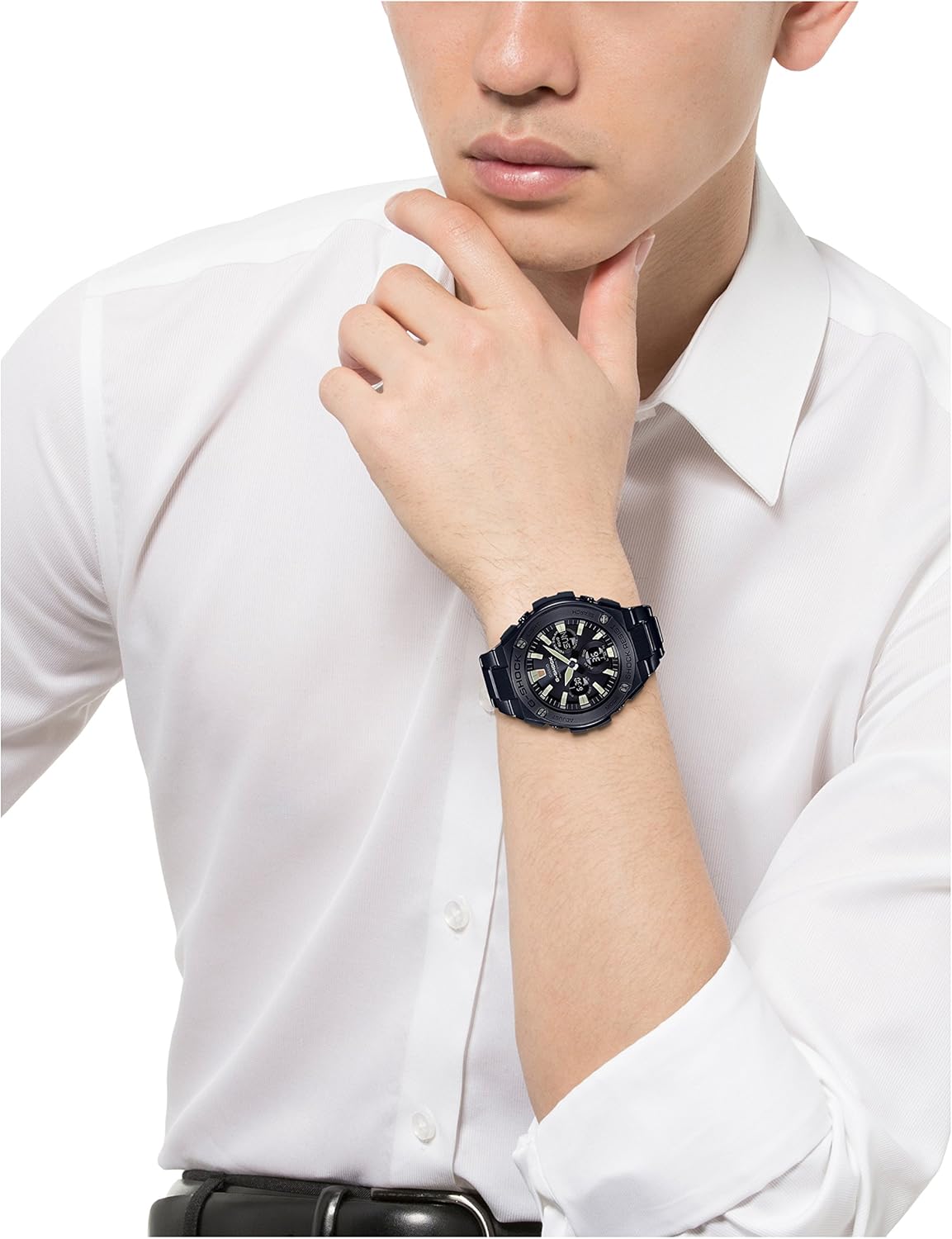
Kuva 1: Etuosa view of the G-SHOCK G-Steel GST-W130BD-1AJF watch.
2. Asennus
2.1 Initial Power-Up and Time Setting
Your G-SHOCK watch is equipped with a power-saving function. Upon first use or after prolonged storage in darkness, expose the watch to light to charge it. Once charged, the watch will attempt to receive time calibration signals automatically. If manual adjustment is needed:
- Paina ja pidä painettuna SÄÄTÄÄ -painiketta (vasemmassa yläkulmassa), kunnes kaupunkikoodi alkaa vilkkua.
- Käytä HAKU button (bottom right) to select your home city code.
- Paina MODE button (bottom left) to cycle through settings like Daylight Saving Time (DST), 12/24-hour format, seconds, hour, minute, year, month, and day.
- Käytä VALOA button (top right) and HAKU button (bottom right) to change the flashing values.
- Paina SÄÄTÄÄ -painiketta uudelleen poistuaksesi asetustilasta.
2.2 Kaistan säätö
The metal band of your G-Steel watch can be adjusted by adding or removing links. It is recommended to have this procedure performed by a qualified jeweler or watch technician to prevent damage to the band or watch. Ensure the watch fits comfortably on your wrist, allowing for slight movement without being too loose or too tight.

Figure 2: G-SHOCK G-Steel watch on a wrist, illustrating proper fit.
3. Käyttöohjeet
3.1 Tilanavigointi
Paina MODE button (bottom left) to cycle through the different functions of the watch. The available modes typically include:
- Ajanottotila
- Maailmanajan tila
- Hälytystila
- Sekuntikellotila
- Ajastintila
3.2 Using the Light
Paina VALOA button (top right) to illuminate the watch face for easy reading in low-light conditions. The illumination duration can often be configured in the watch settings.
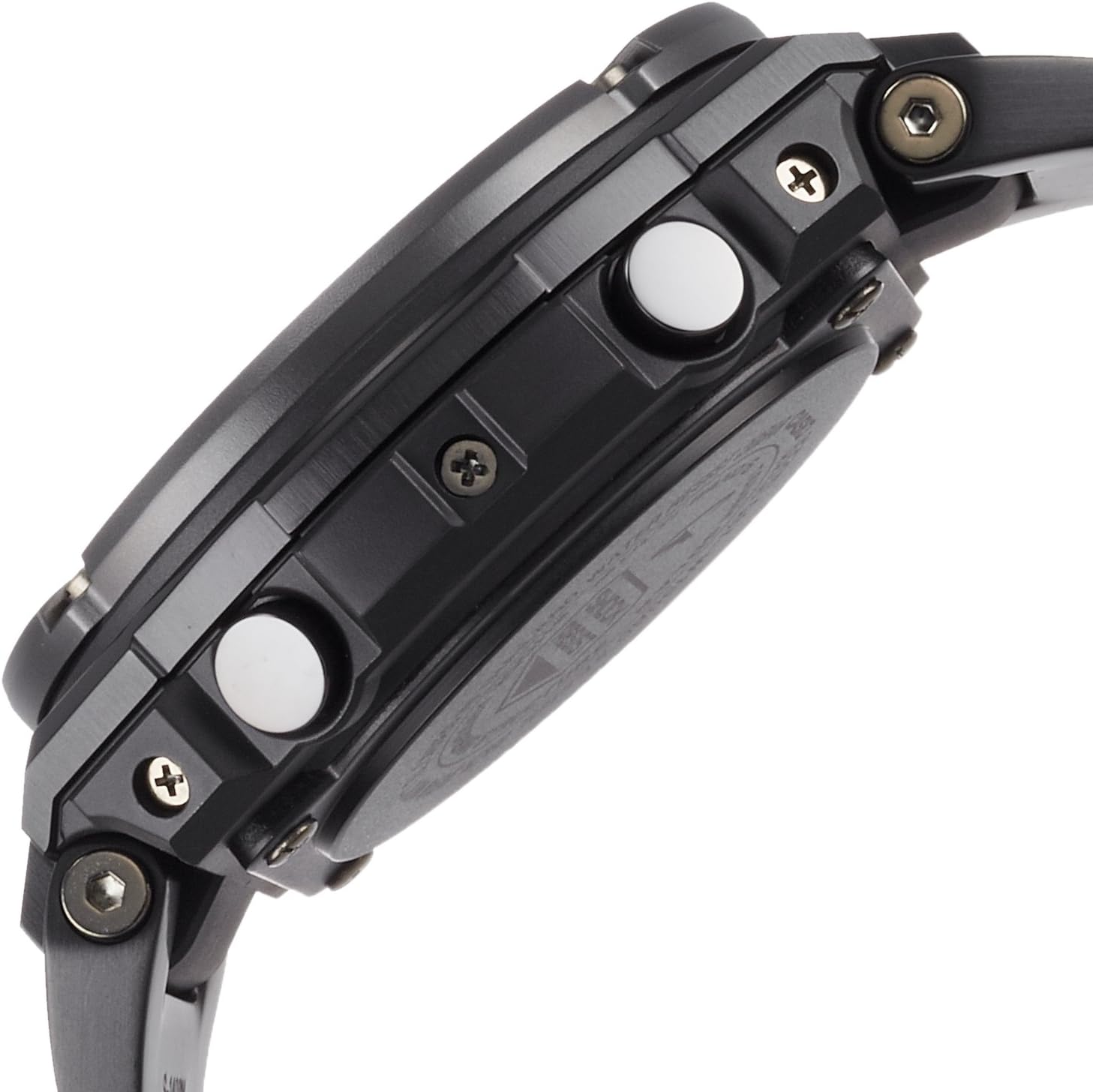
Kuva 3: Sivu view of the watch, showing button layout for operation.
3.4 Vedenkestävyys
Your watch is water resistant up to 200 meters (20 BAR). This means it is suitable for showering, swimming, and diving without scuba gear. Do not operate any buttons while the watch is submerged in water to prevent water ingress.
4. Huolto
4.1 Kellon puhdistaminen
Regularly wipe the watch case and band with a soft, dry cloth to remove dirt and moisture. For metal bands, a soft brush can be used to clean between the links. If the watch has been exposed to saltwater, rinse it thoroughly with fresh water and dry it completely.
4.2 Akku ja virta
This G-Steel model typically features Tough Solar power, which recharges the watch battery using light. Ensure the watch is regularly exposed to light to maintain a sufficient charge. Avoid prolonged storage in dark places, as this can deplete the battery and affect functionality. If the battery level is low, the watch may enter a power-saving mode or some functions may become unavailable.
4.3 Water Resistance Checks
To maintain the water resistance of your watch, it is recommended to have the gaskets checked and replaced every two to three years by an authorized CASIO service center, especially if the watch is frequently exposed to water.

Kuva 4: Takaosa view kellosta, näyttäen kotelon takaa.
5. Vianmääritys
If you encounter any issues with your watch, please refer to the following common solutions before contacting customer support:
- Väärä aika: Ensure the watch is sufficiently charged (if solar) and attempt manual time setting as described in Section 2.1. Verify your home city code and DST settings are correct.
- Kädet eivät liiku: Check the battery level. If the watch has been in darkness, expose it to bright light for several hours. If the issue persists, a full reset or service may be required.
- Digital Display Blank: This may indicate a low battery. Charge the watch by exposing it to light.
- Painikkeet eivät vastaa: Ensure the watch is not in a locked mode (if applicable) or submerged in water. If the issue continues, a factory reset might resolve it.
6. Tekniset tiedot
| Mallinumero | GST-W130BD-1AJF |
| Tuotemerkki | G-Shock |
| Näytön tyyppi | Analog-Digital |
| Kotelon halkaisija | 52.4 millimetriä |
| Kotelon paksuus | 16.1 millimetriä |
| Tuotteen paino | 195 grammaa |
| Vedenkestävyyssyvyys | 200 metriä (20 baaria) |
| Hihnan tyyppi | Two Piece Strap (Metal) |
| Kellotaulun väri | Musta |
| Sulkemistyyppi | Solki |
| Valmistaja | CASIO |
7. Tuote ohiview Video
Video 1: 21 sekunnin ylitysview of the CASIO G-SHOCK G-Steel GST-W130BD-1AJF watch, showcasing its design and features from various angles. This video provides a visual guide to the watch's physical attributes.
8. Takuu ja tuki
Your CASIO G-SHOCK G-Steel GST-W130BD-1AJF watch is covered by a manufacturer's warranty. Please refer to the warranty card included with your purchase for specific terms and conditions, including warranty period and coverage details. For technical support, repairs, or further assistance, please contact CASIO customer service or visit their official websivusto, josta löytyy luettelo valtuutetuista huoltokeskuksista.
Lisätietoja saat viralliselta sivulta CASIO websivusto.