
1. Johdanto
Thank you for choosing the Lenco PDR-030 DAB+/FM Portable Digital Radio. This manual provides essential information for setting up, operating, and maintaining your device. The PDR-030 offers high-quality digital radio reception (DAB+) and traditional FM radio, along with features such as an integrated rechargeable battery for portability, an RDS display, station memory, and an alarm clock function.
Mukana tulevat komponentit:
- Lenco PDR-030 Digital Radio
- AC Power Adapter (220 Volt)
- Käyttöopas
2. Tärkeitä turvallisuustietoja
- Älä altista laitetta sateelle tai kosteudelle tulipalon tai sähköiskun välttämiseksi.
- Varmista, että virtalähteen äänenvoimakkuus ontage vastaa paikallista virtalähdettäsi.
- Älä avaa c:täasing. Anna kaikki huoltotoimenpiteet pätevän henkilöstön tehtäväksi.
- Vältä laitteen sijoittamista lämmönlähteiden lähelle tai suoraan auringonvaloon.
- Handle the integrated battery with care. Do not attempt to replace it yourself.
- Pidä laite poissa vahvoista magneettikentistä.
3. Tuote ohiview
Familiarize yourself with the main components and controls of your Lenco PDR-030 radio.
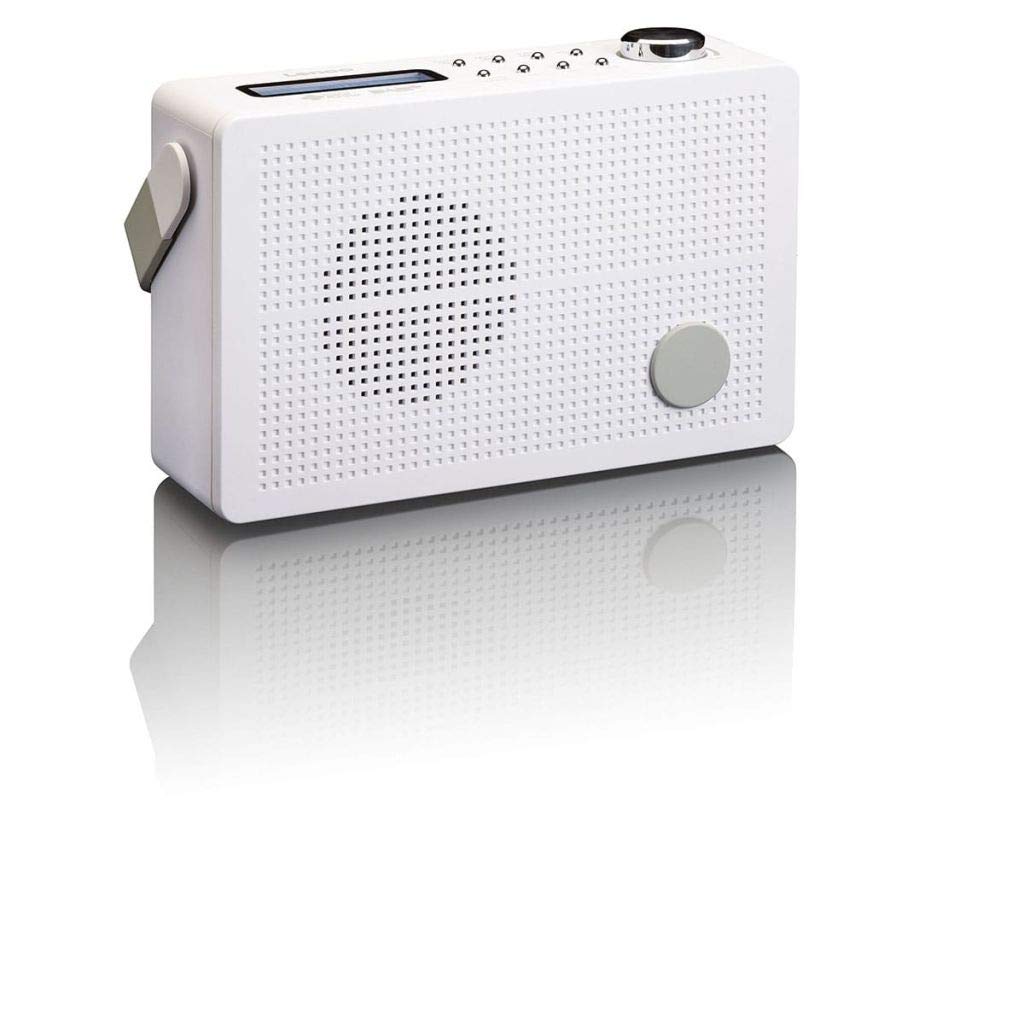
Kuva 3.1: Front Panel of Lenco PDR-030 Radio. Features include a blue backlit LCD display, power/source button, alarm, sleep, info/menu, preset buttons, select/snooze, scan, previous, next buttons, and a rotary volume knob.
Tärkeimmät säätimet ja ominaisuudet:
- Näyttö: Two-line illuminated LCD for time, date, station name, and information.
- Virta-/lähdepainike: Turns the radio on/off and switches between DAB+ and FM modes.
- Äänenvoimakkuuden säädin: Säätää äänen ulostulon tasoa.
- Teleskooppiantenni: For optimal radio signal reception.
- Kuulokeliitäntä (3.5 mm): Yksityiseen kuunteluun.
- Alarm/Sleep/Info/Menu/Preset Buttons: For various functions including setting alarms, sleep timer, accessing information, menu navigation, and managing station presets.
- Select/Snooze/Scan/Prev/Next Buttons: For station tuning, menu selection, and snooze function.
4. Asennus
4.1 Radion virran kytkeminen
The PDR-030 can be powered by the included AC adapter or its integrated rechargeable battery.
- Vaihtovirta: Connect the supplied 220V AC power adapter to the DC input jack on the radio and then to a wall outlet. The radio will automatically begin charging the internal battery.
- Akun teho: The integrated Lithium-ion battery allows for portable use. Ensure the battery is sufficiently charged before use without the AC adapter.
4.2 Antenniasetukset
Extend the telescopic antenna fully for optimal reception of both DAB+ and FM signals. Adjust its position for the best signal quality.
4.3 Initial Power On and Station Scan
- Paina Virtalähde painiketta radion käynnistämiseksi.
- Upon first use, the radio will automatically enter DAB+ mode and perform a full scan for available digital radio stations. This may take a few minutes.
- Kun haku on valmis, radio virittyy ensimmäiselle saatavilla olevalle asemalle.
5. Käyttöohjeet
5.1 Virta päälle/pois
Paina Virtalähde painiketta radion kytkemiseksi päälle tai pois päältä.
5.2 Tilan valinta (DAB+/FM)
Paina Lähde button repeatedly to switch between DAB+ and FM radio modes.
5.3 Asemien virittäminen
- DAB+ Mode:
- After the initial scan, use the Ed ja Seuraavaksi buttons to navigate through the list of available DAB+ stations.
- To perform a new full scan, press the Valikko button, navigate to "Full Scan" using Edellinen/Seuraava, ja paina Valitse.
- FM-tila:
- Paina Skannata -painiketta, jolloin seuraava saatavilla oleva FM-asema haetaan automaattisesti.
- For manual tuning, press and hold the Ed or Seuraavaksi painikkeita taajuuden hienosäätöön.
5.4 Esiasetettujen asemien tallentaminen ja hakeminen
Radioon voi tallentaa jopa 10 DAB+- ja 10 FM-asemaa pikavalintoihin.
- Esiasetuksen tallentaminen:
- Viritä haluamasi asema.
- Paina ja pidä painettuna Esiasetus -painiketta, kunnes näytössä näkyy "Preset Store".
- Käytä Edellinen/Seuraava painikkeita valitaksesi esiasetetun numeron (1–10).
- Paina Valitse vahvistaaksesi ja tallentaaksesi aseman.
- Esiasetuksen palauttaminen:
- Paina Esiasetus painiketta lyhyesti.
- Käytä Edellinen/Seuraava painikkeita valitaksesi halutun esiasetetun numeron.
- Paina Valitse to tune to the preset station.
5.5 Äänenvoimakkuuden säätö
Kierrä Äänenvoimakkuuden nuppi myötäpäivään äänenvoimakkuuden lisäämiseksi ja vastapäivään äänenvoimakkuuden vähentämiseksi.
5.6 RDS Functionality (FM Mode)
In FM mode, the RDS (Radio Data System) function displays information such as station name, program type, and other broadcast data on the two-line LCD display.
5.7 Herätyskellotoiminto
The PDR-030 can be used as an alarm clock with two separate alarm times.
- Hälytyksen asettaminen:
- Paina Hälytys -painiketta.
- Käyttää Edellinen/Seuraava valitaksesi herätys 1 tai herätys 2 ja paina sitten Valitse.
- Follow the on-screen prompts to set the alarm time, duration, source (Buzzer or Radio), frequency (Daily, Once, Weekdays, Weekends), and volume.
- Ensure the alarm is set to "On" and press Valitse säästämään.
- Torkkutoiminto: Kun hälytys soi, paina Torkku -painiketta mykistääksesi sen tilapäisesti tietyksi ajaksi.
- Uniajastin: Paina Nukkua button repeatedly to set a sleep timer (e.g., 15, 30, 45, 60 minutes) after which the radio will automatically turn off.
5.8 Kuulokeliitäntä
Connect 3.5mm stereo headphones to the headphone jack for private listening. The internal speaker will be muted automatically.
6. Huolto
6.1 Puhdistus
Wipe the radio's exterior with a soft, dry cloth. Do not use abrasive cleaners, waxes, or solvents as they may damage the finish. Ensure no liquids enter the device.
6.2 Akun hoito
The integrated Lithium-ion battery is designed for long life. To maximize battery lifespan:
- Vältä akun usein toistuvaa täydellistä tyhjentymistä.
- Jos radiota säilytetään pitkään, lataa akku noin 50-prosenttisesti ja säilytä viileässä ja kuivassa paikassa.
- Do not attempt to replace the battery yourself. Contact qualified service personnel if battery issues arise.
7. Vianmääritys
| Ongelma | Mahdollinen syy | Ratkaisu |
|---|---|---|
| Ei virtaa | AC adapter not connected or faulty; battery discharged. | Check AC adapter connection. Charge the battery. |
| Huono DAB+/FM-vastaanotto | Antennia ei ole ojennettuna; heikko signaalialue; häiriöitä. | Fully extend and adjust the telescopic antenna. Move the radio to a location with better signal. Avoid placing near other electronic devices. |
| Ei ääntä | Äänenvoimakkuus liian alhainen; kuulokkeet kytketty; mykistys aktivoitu. | Increase volume. Disconnect headphones. Check if mute is active (if applicable). |
| Hälytys ei soi | Alarm not activated; alarm volume too low; incorrect time setting. | Ensure alarm is set to "On". Check alarm volume. Verify current time and alarm time settings. |
8. Tekniset tiedot
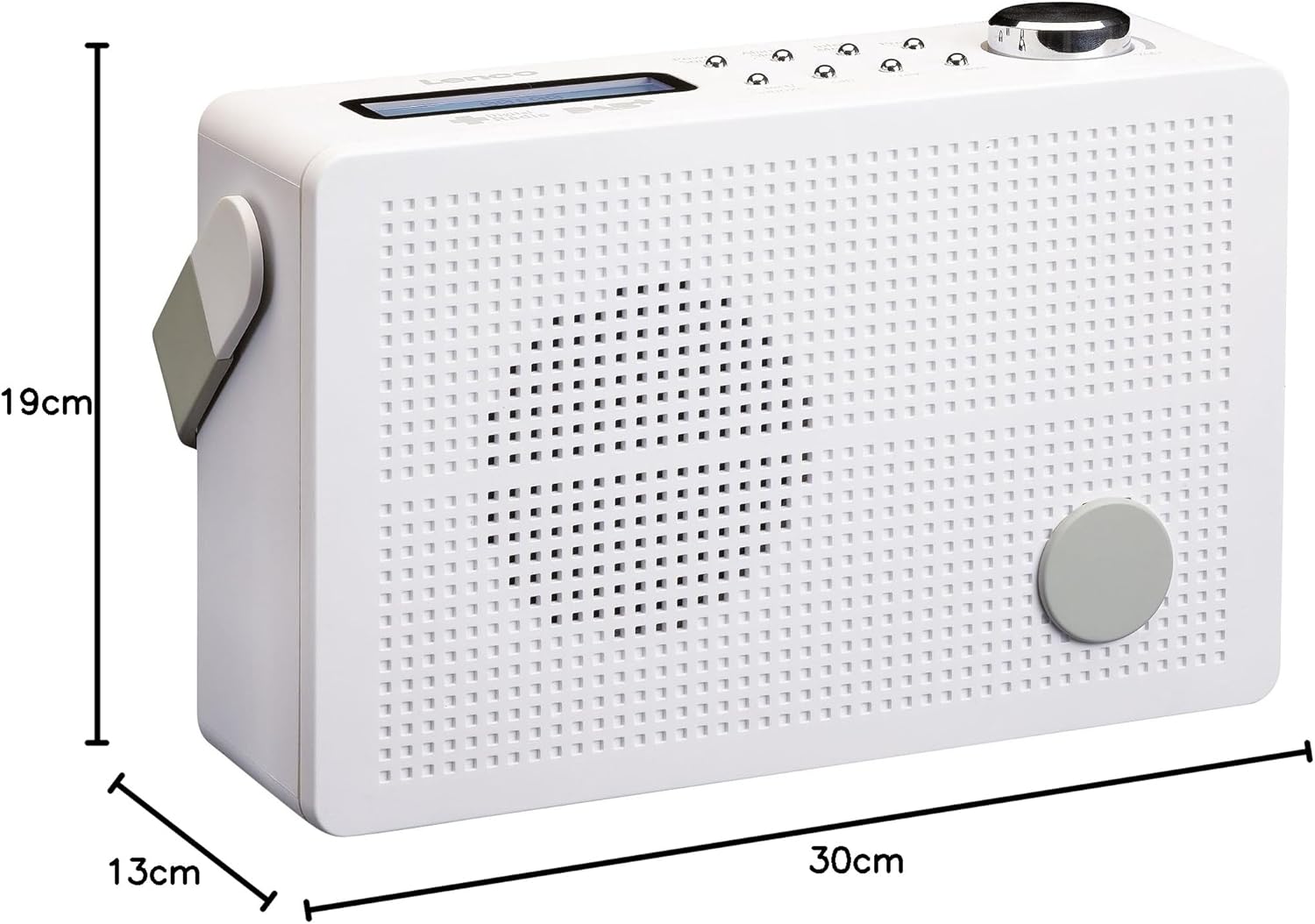
Kuva 8.1: Lenco PDR-030 Dimensions.
| Ominaisuus | Yksityiskohta |
|---|---|
| Mallinumero | PDR-030 |
| Viritin tekniikka | DAB+, FM (Ukw) |
| Virtalähde | Battery-Powered (Integrated Lithium-ion), AC Adapter |
| AC Voitage | 220 volttia |
| Tuotteen mitat (L x S x K) | 21.4 x 6.5 x 13.8 cm (approx. 22.5 x 8.5 x 15 cm as per another spec) |
| Tuotteen paino | 9 g (Note: This seems incorrect, likely 670g from description) |
| Materiaalityyppi | Muovi |
| Laitteistorajapinta | 3.5 mm Audio (Headphone Jack) |
| Erikoisominaisuudet | Portable, RDS Display, Alarm Clock, Station Memory (10 DAB+, 10 FM) |
Note: Some dimensions and weight specifications provided by the manufacturer may vary slightly. The description states 670 grams for weight, while specifications list 9g. Please refer to the product packaging for the most accurate information.
9. Takuu ja tuki
Lenco products are designed for reliability and performance. This product typically comes with a 24-month manufacturer's warranty from the date of purchase, covering defects in materials and workmanship. Please retain your proof of purchase for warranty claims.
For technical support, service, or warranty inquiries, please refer to the contact information provided on the Lenco official website or your local retailer. Do not attempt to repair the device yourself.
Lisätietoja saat osoitteesta Lenco Store on Amazon.