
Johdanto
This manual provides instructions for the proper setup, operation, and maintenance of your Targus W600 Wireless Optical Mouse. Please read this manual thoroughly before using the device to ensure optimal performance and longevity.
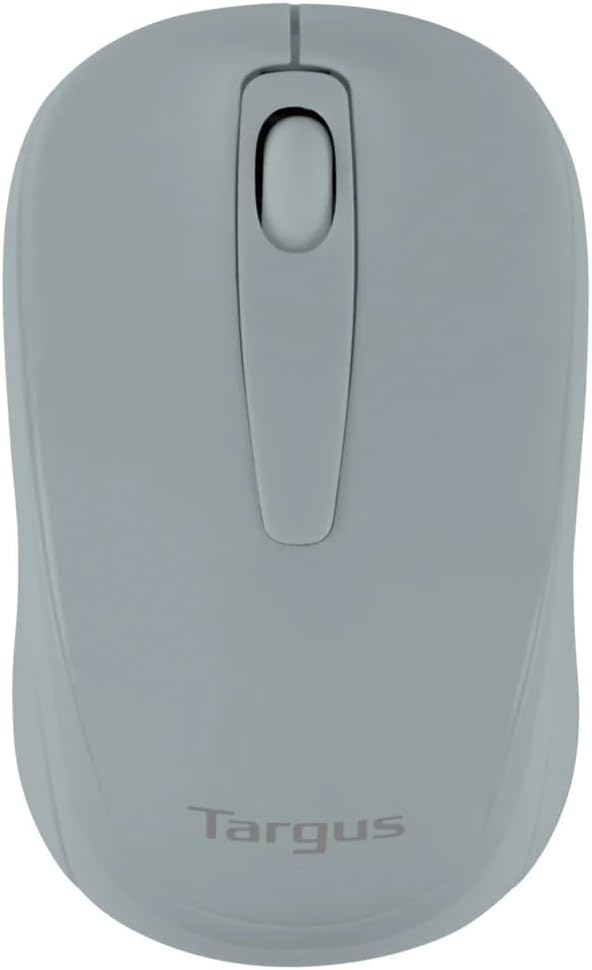
Figure 1: Targus W600 Wireless Optical Mouse (Quarry Gray)
Pakkauksen sisältö
Varmista, että pakkauksessa on kaikki tarvittavat osat:
- Targus W600 Wireless Optical Mouse
- USB-vastaanotin
- Käyttöopas (tämä asiakirja)
Note: 1 AA battery is required and sold separately.
Tuotteen ominaisuudet
- 2.4 GHz Wireless Technology for reliable connection
- 1600 DPI Optical Sensor for precise tracking
- Ergonominen muotoilu mukavaan käyttöön
- Yhteensopiva Windows- ja Mac-käyttöjärjestelmien kanssa
- Integrated USB receiver storage compartment
Asennus
1. Akun asennus
- Turn the mouse over to locate the battery compartment cover.
- Gently slide the cover off.
- Aseta yksi (1) AA-paristo paikalleen varmistaen oikean napaisuuden (+/-).
- Aseta paristolokeron kansi takaisin paikalleen.
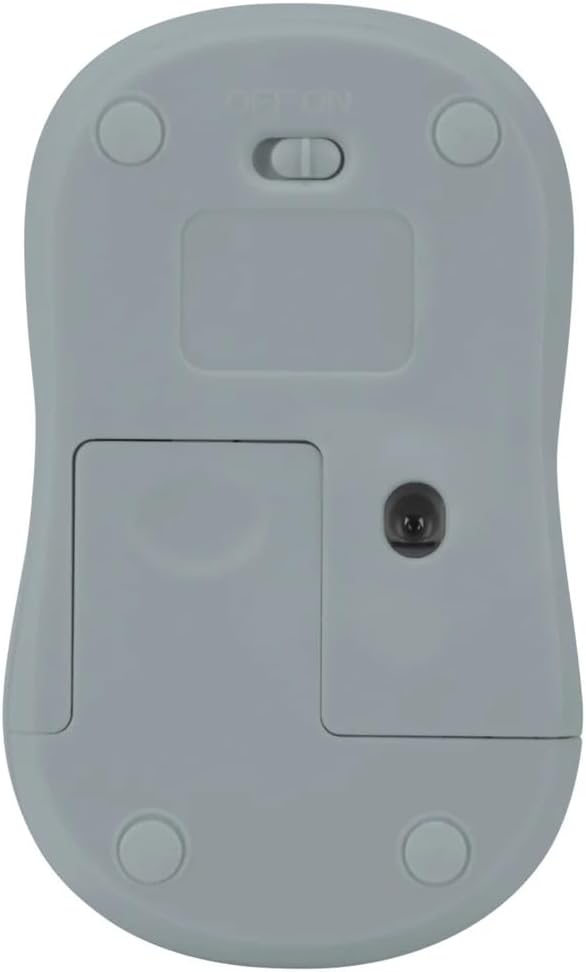
Kuva 2: Pohja view of the mouse with battery compartment and power switch.
2. USB-vastaanottimen kytkeminen
- Locate the USB receiver, typically stored inside the mouse's battery compartment or a dedicated slot.
- Liitä USB-vastaanotin tietokoneesi vapaaseen USB-porttiin.
- Tietokoneesi pitäisi automaattisesti tunnistaa ja asentaa tarvittavat ajurit. Tämä voi kestää hetken.
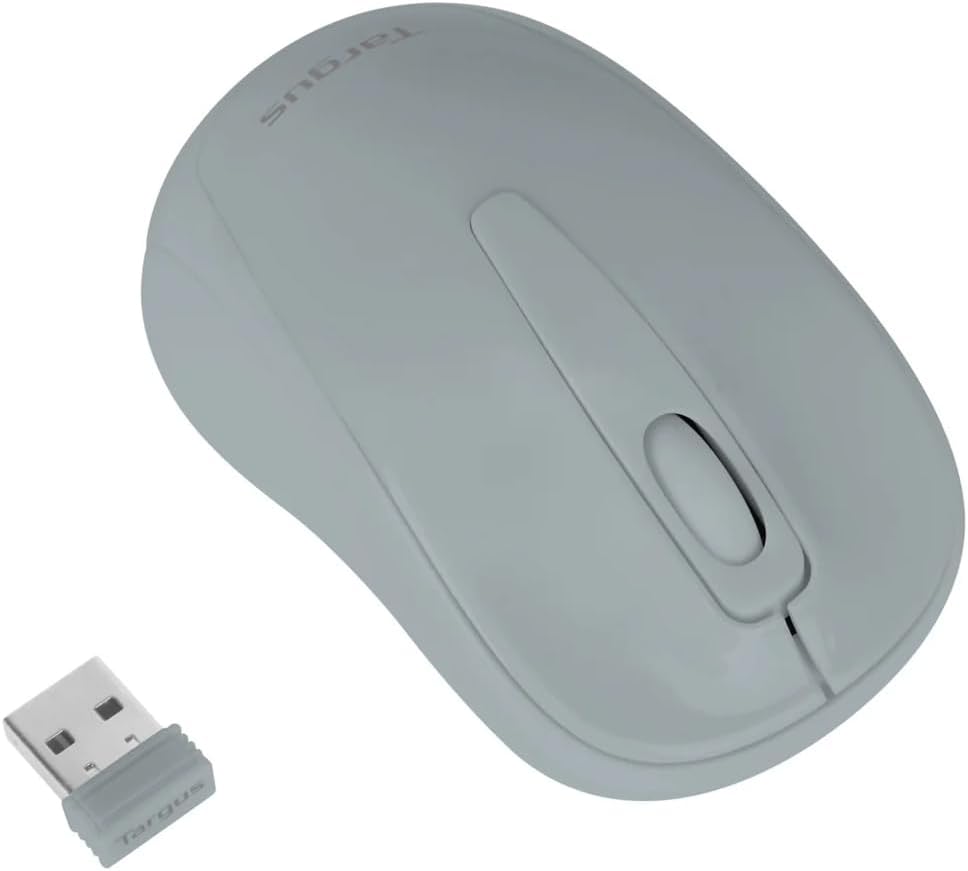
Figure 3: Targus W600 mouse and its USB receiver.

Figure 4: USB receiver plugged into a laptop, with the mouse nearby.
3. Hiiren käynnistäminen
On the bottom of the mouse, slide the ON/OFF switch to the "ON" position. The mouse is now ready for use.
Hiiren käyttö
The Targus W600 Wireless Optical Mouse functions like a standard 3-button mouse. It features a left button, a right button, and a scroll wheel that also acts as a middle button.
- Vasen painallus: Ensisijainen toiminto, valinta, kohteiden avaaminen.
- Oikealla painikkeella: Avaa kontekstivalikot.
- Vierityspyörä: Vierittää asiakirjoja ja web pages vertically. Pressing the scroll wheel acts as a middle click, often used for opening links in new tabs or specific application functions.
The 1600 DPI optical sensor provides smooth and accurate cursor control on most surfaces. For best performance, use on a mouse pad or a non-reflective, uniform surface.
Huolto
Puhdistus
Puhdista hiiri pyyhkimällä pinta varovasti pehmeällä,amp cloth. Avoid using harsh chemicals or abrasive cleaners, as these can damage the finish or internal components. Ensure no liquid enters the mouse.
Akun vaihto
When the mouse performance degrades or stops responding, it may be time to replace the battery. Follow the steps outlined in the "Installing the Battery" section to replace the AA battery. Dispose of used batteries responsibly according to local regulations.
Vianetsintä
| Ongelma | Ratkaisu |
|---|---|
| Hiiri ei vastaa |
|
| Epätasainen kohdistimen liike |
|
| Lyhyt langaton kantama |
|
Tekniset tiedot
| Mallinumero | AMW60006AP-55 |
| Yhteydet | 2.4 GHz:n langaton (USB-vastaanotin) |
| Sensor Technology | Optinen |
| DPI | 1600 DPI |
| Painikkeiden lukumäärä | 3 (Vasen, Oikea, Vierityspyörä/Keskimmäinen napsautus) |
| Virtalähde | 1 x AA-paristo (ei mukana) |
| Yhteensopivat käyttöjärjestelmät | Windows, Mac |
Huomaa: Teknisiä tietoja voidaan muuttaa ilman erillistä ilmoitusta.
Takuu ja tuki
For warranty information and technical support, please refer to the official Targus websivustolta tai ota yhteyttä heidän asiakaspalveluunsa. Säilytä ostokuitti ostotodistuksena takuuvaatimuksia varten.
Targus Official Websivusto: www.targus.com