
1. Johdanto
This manual provides essential instructions for the proper setup, operation, and maintenance of your YI YAS.1616.INT 4K Action Camera Kit. Please read this manual thoroughly before using the product to ensure optimal performance and safety. Keep this manual for future reference.
2. Tuote ohiview
2.1 Pakkauksen sisältö
The YI YAS.1616.INT 4K Action Camera Kit includes the following components:
- YI 4K Action Camera
- YI Monopod
- Bluetooth-kaukosäädin
- Ladattava akku
- USB-kaapeli
- Käyttöohje

Image 2.1: Contents of the YI 4K Action Camera Kit.
2.2 Kameran ominaisuudet
The YI 4K Action Camera is designed for high-quality video and photo capture, featuring:
- 4K/30fps Video Recording: Captures video at 60mbps, offering 4 times the quality of standard 1080p.
- Advanced Imaging Hardware: Equipped with an Amarelle A9SE75 chip, Sony IMX377 image sensor, and 7-layer optical glass lenses with an F2.8 large aperture for enhanced light intake.
- 2.19" LCD Touchscreen: A 640 x 360 high-resolution display with Gorilla Glass Retina for easy previewing, shooting, and scratch resistance.
- Pitkä akun käyttöikä: A 1400mAh 4.4V lithium-ion battery provides up to 120 minutes of 4K/30fps video recording on a single charge.
- Tehokas jäähdytysjärjestelmä: Prevents overheating during extended recording sessions.
- Liitettävyys: Built-in Wi-Fi for smartphone app control and Bluetooth for remote control.
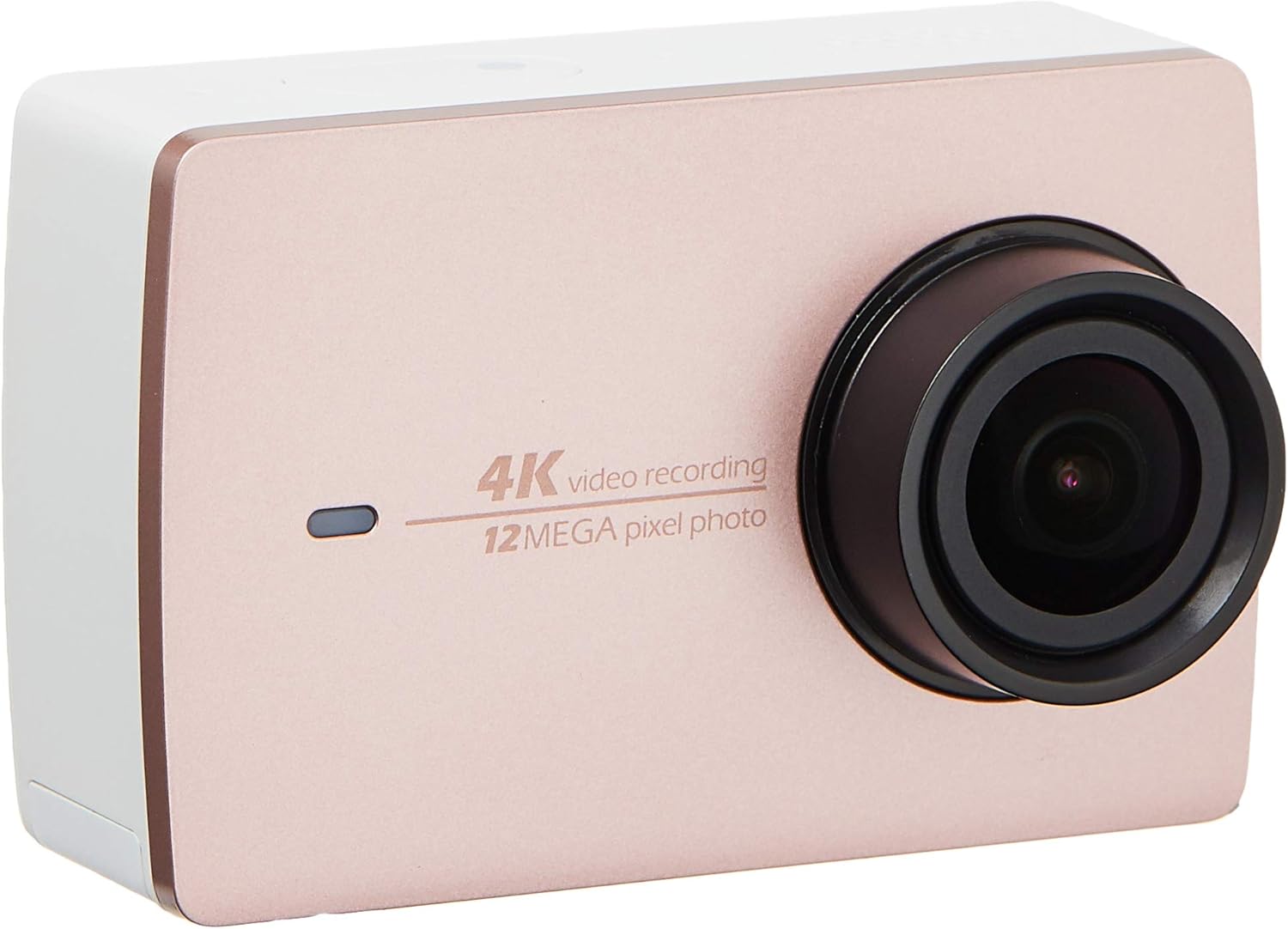
Kuva 2.2: Edessä view of the YI 4K Action Camera.
3. Asennus
3.1 Akun asennus ja lataaminen
- Paikanna kameran paristolokero.
- Insert the 1400mAh lithium-ion battery, ensuring correct polarity.
- Sulje paristolokero kunnolla.
- Connect the camera to a power source using the provided USB cable for charging. The charging indicator will illuminate.
3.2 Muistikortin asennus
The YI 4K Action Camera supports SDHC and SmartMedia flash memory types.
- Avaa muistikorttipaikan kansi.
- Insert a compatible memory card (not included) into the slot with the contacts facing the correct direction. Push until it clicks into place.
- Sulje muistikorttipaikan kansi.
3.3 Virran kytkeminen päälle/pois
- Virran kytkeminen: Paina virtapainiketta ja pidä sitä painettuna, kunnes näyttö syttyy.
- Virran sammuttaminen: Paina virtapainiketta ja pidä sitä painettuna, kunnes kamera sammuu.
3.4 Connecting the Bluetooth Remote
The included Bluetooth remote allows for convenient control of the camera.
- Varmista, että kameraan on kytketty virta.
- Activate Bluetooth pairing mode on the camera via the settings menu.
- Follow the remote's instructions to enter pairing mode.
- Once paired, the remote can be used to switch between video and photo modes and trigger recording/capture.

Image 3.1: The YI Monopod, included in the kit.
4. Kameran käyttö
4.1 Kosketusnäytön navigointi
The 2.19" LCD touchscreen provides intuitive control:
- Pyyhkäise: Navigate through different modes (Video, Photo, Time-lapse, etc.) and settings.
- Napauta: Select options, adjust settings, or start/stop recording.
- Preview: View vangittu footage and photos directly on the screen.
4.2 Videon tallennus
- Select the Video mode on the touchscreen.
- Adjust video resolution (e.g., 4K/30fps) and other settings as desired.
- Press the Shutter button or tap the record icon on the screen to start recording.
- Press the Shutter button or tap the record icon again to stop recording.
4.3 Valokuvien ottaminen
- Select the Photo mode on the touchscreen.
- Adjust photo settings such as resolution, exposure, and white balance.
- Press the Shutter button or tap the capture icon on the screen to take a photo.
4.4 Wi-Fi-yhteydet ja sovellusten käyttö
The camera's built-in Wi-Fi allows connection to a smartphone app for remote control, live preview, and content management.
- Download the official YI Action Camera app from your device's app store.
- Enable Wi-Fi on the camera via the settings menu.
- Connect your smartphone to the camera's Wi-Fi network (SSID and password displayed on camera screen).
- Open the YI Action Camera app to control the camera, view footage ja siirto files.
5. Huolto
5.1 Puhdistus
- Use a soft, lint-free cloth to clean the camera body and touchscreen.
- For the lens, use a specialized lens cleaning cloth and solution. Avoid abrasive materials.
- Varmista, että kaikki portit ovat pölyttömiä ja puhtaita.
5.2 Varastointi
- Säilytä kameraa viileässä, kuivassa paikassa, poissa suorasta auringonvalosta ja äärimmäisistä lämpötiloista.
- Remove the battery if storing for extended periods to prevent leakage.
5.3 laiteohjelmistopäivitystä
Periodically check the official YI website or the YI Action Camera app for available firmware updates. Keeping your camera's firmware updated ensures optimal performance and access to new features.
6. Vianmääritys
6.1 Yleiset ongelmat ja ratkaisut
- Kamera ei käynnisty: Varmista, että akku on ladattu täyteen ja asetettu oikein.
- Tallennus pysähtyy yllättäen: Check if the memory card has sufficient space or if it's a high-speed card suitable for 4K recording. Ensure the battery is not depleted.
- Kosketusnäyttö ei reagoi: Try restarting the camera. If the issue persists, ensure the screen is clean and dry.
- Bluetooth-kaukosäädin ei muodosta yhteyttä: Ensure both the camera and remote are in pairing mode and within range. Check the remote's battery.
- Wi-Fi-yhteysongelmat: Verify the camera's Wi-Fi is enabled and your smartphone is connected to the correct network. Try restarting both devices.
For further assistance, refer to the official YI support resources.
7. Tekniset tiedot
| Valmistaja | YI |
| Mallinumero | 90010 |
| Tuotteen mitat | 6.6 x 3 x 4.3 cm |
| Paino | 96.39 g |
| Valokuvatunnistintekniikka | CMOS |
| Videon sieppaustarkkuus | 4K |
| Suurin polttoväli | 1 |
| Suurin aukko | 2.8 millimetriä |
| Flash-muistin tyyppi | SDHC, SmartMedia |
| Videon kaappausmuoto | MP4 |
| Tuettu äänimuoto | AAC, MP3 |
| Näytön koko | 2.19 tuumaa |
| Yhteystekniikka | Wi-Fi |

Image 7.1: YI 4K Action Camera with monopod, illustrating approximate dimensions.
8. Takuu ja tuki
8.1 Takuutiedot
Tämän tuotteen mukana tulee a 1 Year Local (Singapore) WarrantySäilytä ostokuitti takuuvaatimuksia varten. Takuu kattaa valmistusvirheet normaaleissa käyttöolosuhteissa.
8.2 Asiakastuki
For technical support, service, or warranty inquiries, please visit the official YI Technology website or contact their authorized service centers in Singapore. Contact information can typically be found on the product packaging or the official websivusto.