
Johdanto
The Ozeri WeightMaster II Digital Body Weight Scale is designed to provide a comprehensive and simple solution for measuring and tracking your weight. This scale features BMI measurement, automatic user recognition, and advanced weight change detection technology to help you monitor your progress effectively. It supports a maximum weight capacity of 440 lbs (200 kg).
Please read this manual thoroughly before using your new scale to ensure proper operation and to maximize its features.
Turvallisuustiedot
- Do not use this scale on wet or slippery surfaces. Ensure the scale is placed on a firm, flat, and dry surface before use.
- Avoid dropping the scale or subjecting it to strong impacts, as this may damage the device.
- Do not immerse the scale in water or use abrasive cleaning agents. Clean with a damp kangas.
- This scale is intended for household use only and not for medical or commercial purposes.
- Pidä paristot poissa lasten ulottuvilta. Jos ainetta on nielty, hakeudu välittömästi lääkärin hoitoon.
Pakkauksen sisältö
- Ozeri WeightMaster II 440 lbs Digital Bath Scale
- Käyttöopas
- 2 AA-paristoa
Asennus
1. Akun asennus
- Avaa vaa'an alapuolella olevan paristolokeron kansi.
- Aseta kaksi mukana tulevaa AA-paristoa paikoilleen varmistaen oikea napaisuus (+/-).
- Sulje paristolokeron kansi kunnolla.
2. Alkuperäinen sijoittelu
Aseta vaaka kovalle, tasaiselle ja vakaalle alustalle. Vältä mattoja tai epätasaisia lattioita, sillä ne voivat vaikuttaa tarkkuuteen.
3. Unit Selection (lbs/kg)
On the underside of the scale, locate the unit switch. Toggle the switch to select your preferred unit of measurement: pounds (lb) or kilograms (kg).
4. User Profile Setup (for BMI and Auto-Recognition)
The scale can store data for up to 8 unique users. To set up a user profile and enable BMI calculation:
- Press the 'SET' button on the scale. The display will show a user number (P1-P8). Use the arrow buttons to select your desired user number.
- Press 'SET' again. The display will prompt for height. Use the arrow buttons to adjust your height.
- Press 'SET' to confirm. Your profile on nyt asetettu.
- The scale will automatically recognize you based on your weight when you step on it, provided your weight is within a reasonable range of your last recorded weight for that profile.
Käyttöohjeet
1. Mittauksen tekeminen
- Varmista, että vaaka on kovalla ja tasaisella alustalla.
- Astu varovasti paljain jaloin vaa'alle. Vaaka käynnistyy automaattisesti.
- Seiso paikallasi, kunnes painosi näkyy näytöllä ja se vakautuu.
- The scale will then display your Body Mass Index (BMI).
- Following the BMI, the scale will show your weight change detection data (L1, L3, L7, L30) with color alerts.
- Step off the scale. It will automatically power off after a few seconds.

Image: The Ozeri WeightMaster II scale display showing initial zero reading.
2. Weight Change Detection and Color Alert Technology
The WeightMaster II provides immediate feedback on your weight trends using its unique Weight Change Detection and Color Alert Technology:
- L1: Displays your net weight change from your last weigh-in.
- L3: Displays your net weight change from the average of your last 3 weigh-ins.
- L7: Displays your net weight change from the average of your last 7 weigh-ins.
- L30: Displays your net weight change from the average of your last 30 weigh-ins.
The display illuminates in different colors to indicate your trend:
- GREEN Illumination: Indicates weight loss.
- RED Illumination: Indicates weight gain.
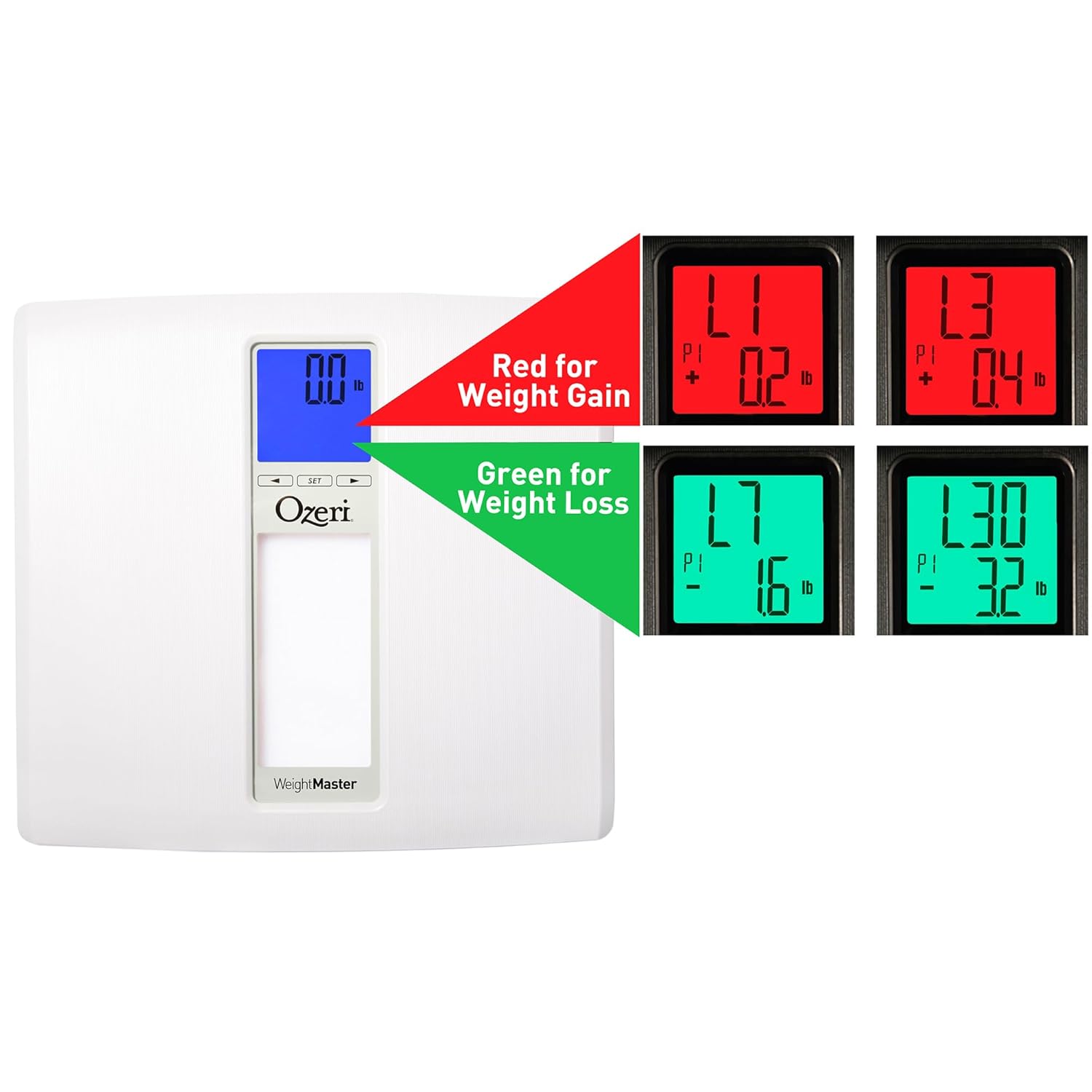
Image: The scale display illustrating red for weight gain and green for weight loss.

Image: Close-up of the display showing 'L1' in red, indicating a net weight gain from the previous recorded weight.
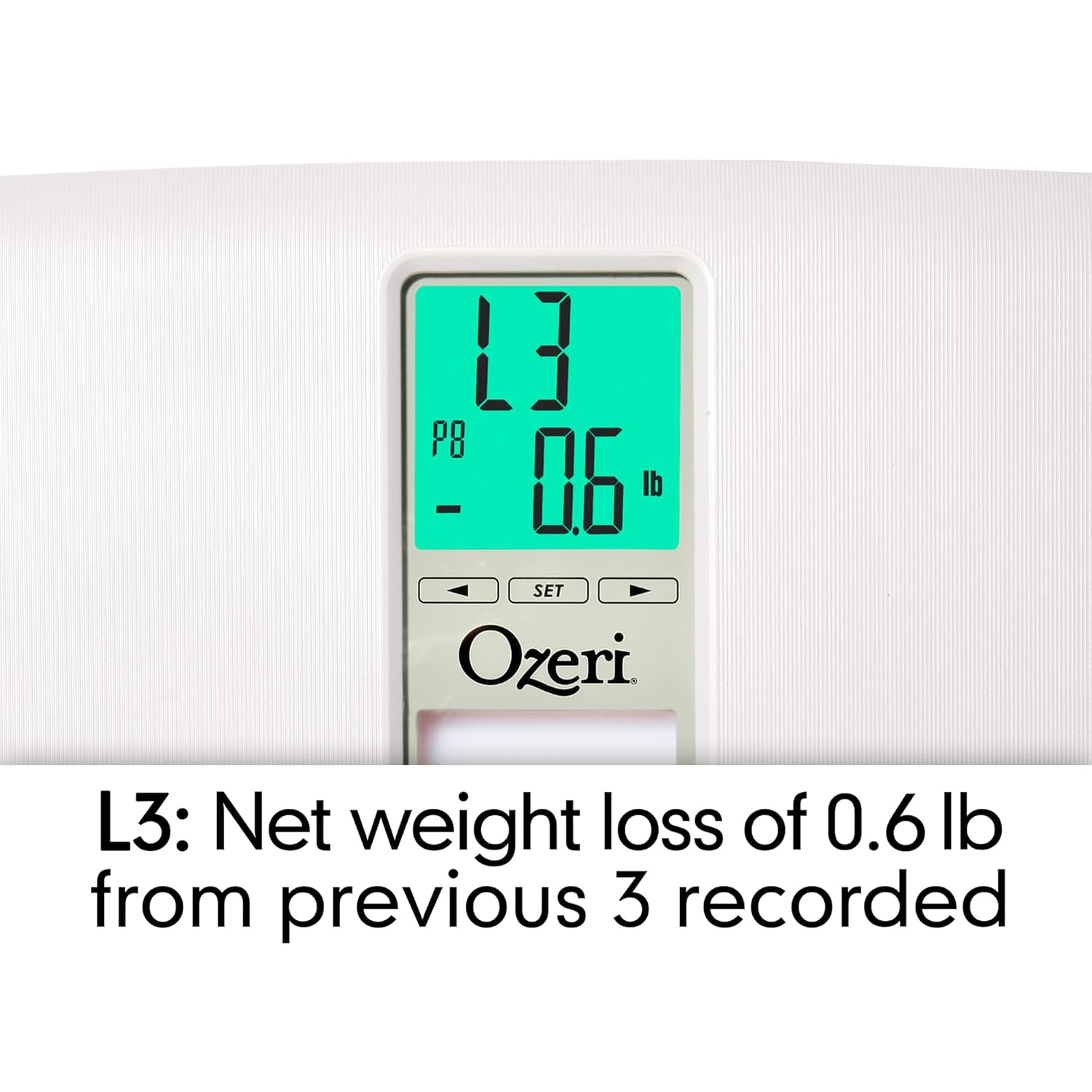
Image: Close-up of the display showing 'L3' in green, indicating a net weight loss from the average of the last 3 recorded weights.
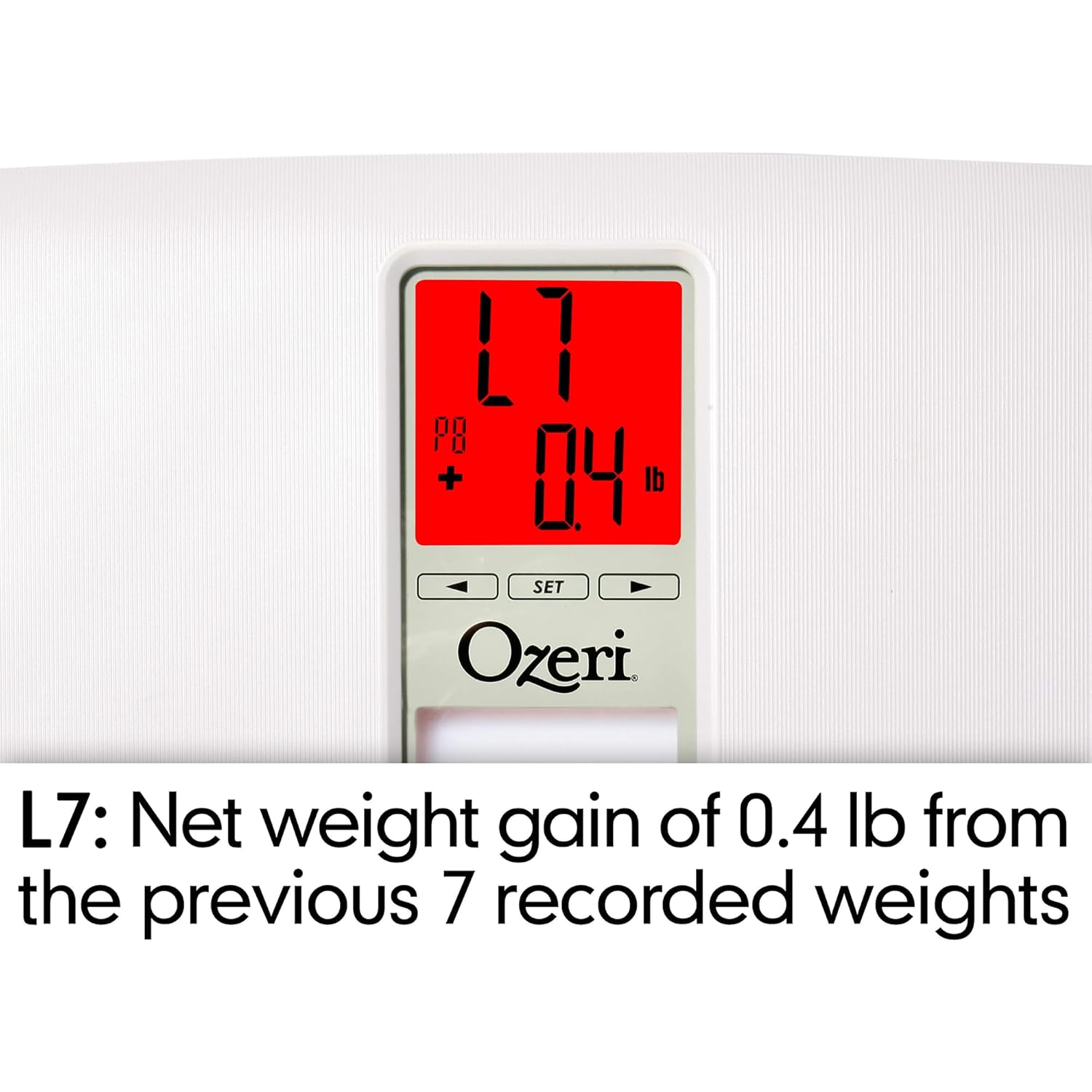
Image: Close-up of the display showing 'L7' in red, indicating a net weight gain from the average of the last 7 recorded weights.

Image: Close-up of the display showing 'L30' in green, indicating a net weight loss from the average of the last 30 recorded weights.
Huolto
Puhdistus
- Pyyhi vaa'an pinta pehmeällä,amp kangas.
- Do not use abrasive cleaners or chemical solvents, as these can damage the finish and electronic components.
- Varmista, että vaaka on kuiva ennen säilytystä tai seuraavaa käyttökertaa.
Akun vaihto
If the display becomes dim or shows a 'Lo' indicator, it is time to replace the batteries. Follow the battery installation steps in the 'Setup' section.
Varastointi
Säilytä vaakaa viileässä, kuivassa paikassa, poissa suorasta auringonvalosta ja äärimmäisistä lämpötiloista. Älä aseta vaa'alle raskaita esineitä, kun sitä ei käytetä.
Vianetsintä
| Ongelma | Mahdollinen syy | Ratkaisu |
|---|---|---|
| Vaaka ei käynnisty. | Paristot ovat tyhjiä tai ne on asennettu väärin. | Tarkista paristojen napaisuus tai vaihda ne uusiin AA-paristoihin. |
| Epätarkat tai epäjohdonmukaiset lukemat. | Scale is on an uneven surface; scale needs re-calibration; user is moving during measurement. | Place scale on a hard, flat surface. Step off and then back on to allow auto-calibration. Stand still during measurement. |
| Näytössä näkyy "Err" tai "O-Ld". | Paino ylittää enimmäiskapasiteetin (200 kg). | Vähennä painoa vaa'alla. |
| Scale shows 440 lbs (or max weight) for all users. | Internal error or severe calibration issue. | Remove batteries for 10 seconds, then reinsert. If problem persists, contact customer support. |
| Näytössä näkyy "Lo". | Alhainen akun teho. | Vaihda paristot. |
| Vaaka ei tunnista käyttäjää. | Käyttäjä profile not set or significant weight change from last recorded weight. | Varmista käyttäjäprofiilisifile is set. If your weight has changed significantly, the scale may not recognize you immediately; it will assign the reading to the closest profile or a new one. |
Tekniset tiedot
- Malli: ZB20-W
- Merkki: Ozeri
- Painokapasiteetti: 440 lbs (200 kg)
- Lukemisen tarkkuus: 0.1 lb (0.05 kg)
- Näyttötyyppi: LCD with Color Alert Technology
- Materiaali: ABS exterior with tempered glass interior
- Mitat: 11.75 x 12.5 x 1 tuumaa (29.8 x 31.75 x 2.54 cm)
- Tuotteen paino: 3.75 puntaa (1.7 kg)
- Virtalähde: 2 x AA -paristoa (mukana)
- Erikoisominaisuudet: Body Mass Index (BMI) measurement, Weight Change Detection (L1, L3, L7, L30), Auto-recognition for up to 8 users, Step-on technology, Auto-power off.
Takuu ja tuki
Ozeri products are manufactured to high-quality standards. For specific warranty information regarding your Ozeri WeightMaster II scale, please refer to the warranty card included with your purchase or visit the official Ozeri websivusto.
If you encounter any issues or have questions not covered in this manual, please contact Ozeri customer support for assistance. Contact details can typically be found on the product packaging or the official Ozeri websivusto.