
Baseus NGW05-03
Baseus NGW05-03 True Wireless -nappikuulokkeet Käyttöohje
Model: NGW05-03 (W05)
Merkki: Baseus
1. Yliview
Thank you for choosing the Baseus NGW05-03 True Wireless Earbuds. This manual provides essential information on how to set up, operate, and maintain your new earbuds to ensure optimal performance and longevity.
Tärkeimmät ominaisuudet:
- True Wireless Stereo (TWS) functionality
- Bluetooth 5.0 for stable and efficient connection
- Kompakti ja kannettava latauskotelo
- Long battery life with charging case (up to 30 hours)
- Type-C latausliitäntä
- Wide compatibility with wireless devices

Figure 1.1: Baseus NGW05-03 True Wireless Earbuds in their open charging case, showcasing the earbuds and the charging indicators.

Figure 1.2: A pair of Baseus NGW05-03 True Wireless Earbuds, highlighting their sleek design.
2. Asennus
2.1 Kuulokkeiden ja kotelon lataaminen
Before first use, fully charge the earbuds and the charging case. The charging case has a battery capacity of 400mAh, and each earbud has a 30mAh battery.
- Langallinen lataus: Connect the provided USB Type-C cable to the charging port on the case and a power source. The charging time for the case is approximately 1.5 hours.
- Langaton lataus: Place the charging case on a compatible wireless charging pad. Wireless charging takes approximately 2 hours.
The earbuds will charge automatically when placed inside the charging case, provided the case has power.
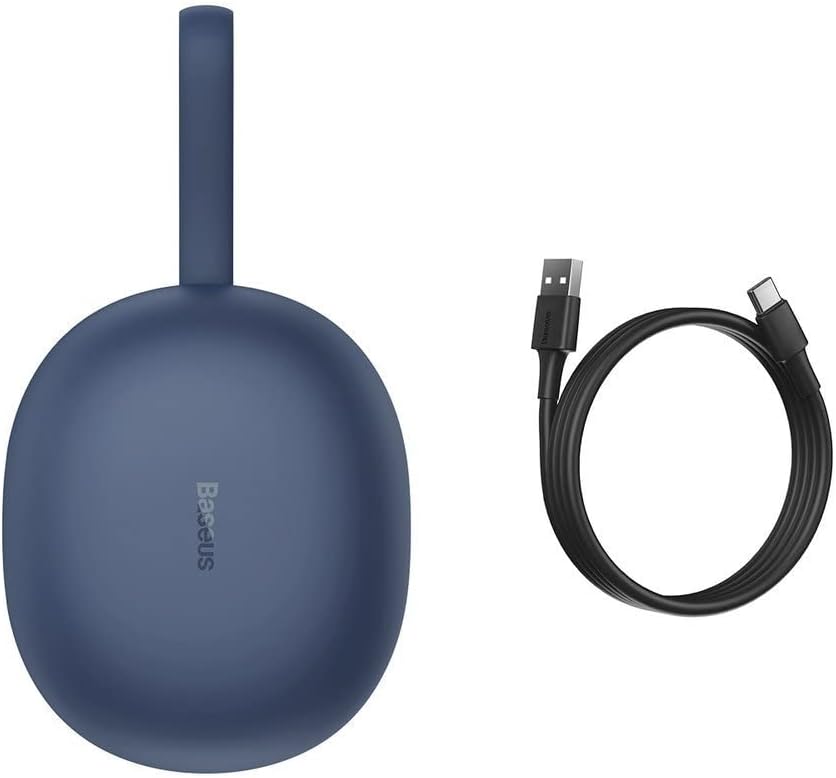
Figure 2.1: The Baseus NGW05-03 charging case alongside its USB Type-C charging cable.
2.2 Pariliitos laitteen kanssa
- Varmista, että nappikuulokkeet on ladattu ja asetettu latauskoteloon.
- Avaa latauskotelo. Kuulokkeet siirtyvät automaattisesti pariliitostilaan.
- Ota Bluetooth käyttöön laitteellasi (älypuhelin, tabletti jne.).
- Etsi käytettävissä olevat Bluetooth-laitteet.
- Select "Baseus Encok W05" from the list of found devices.
- Kun yhteys on muodostettu, kuulet vahvistusäänen ja nappikuulokkeet ovat käyttövalmiit.
The earbuds are compatible with all wireless devices that support Bluetooth connectivity.
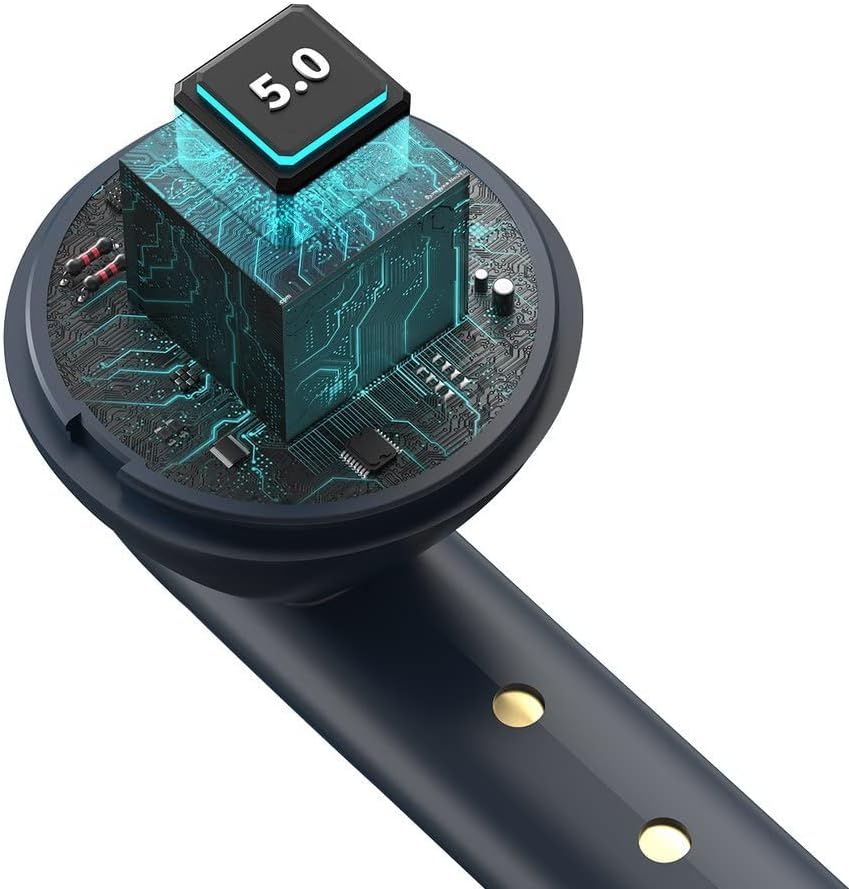
Kuva 2.2: Sisäinen view of the earbud, highlighting the integrated Bluetooth 5.0 chip for advanced connectivity.
3. Nappikuulokkeiden käyttö
3.1 Korvanappikuulokkeiden käyttö
Gently insert the earbuds into your ears, ensuring a comfortable and secure fit. The ergonomic design helps them stay in place during various activities.

Figure 3.1: A user demonstrating the proper way to wear one of the Baseus NGW05-03 earbuds while holding the charging case.
3.2 Perusohjaimet
Specific touch or button controls for music playback, call management, and voice assistant activation are typically located on the earbuds. Please refer to the quick start guide included in your product packaging for detailed instructions on these functions, as they may vary.
3.3 Musiikin toisto
Once connected, you can play music from your device. The earbuds provide up to 4 hours of continuous music playback on a single charge (at 70% volume). With the charging case, total playback time extends to 25-30 hours.

Figure 3.2: A user enjoying audio with the Baseus NGW05-03 earbuds while interacting with their smartphone.
3.4 Puheluiden hallinta
When a call comes in, you can typically answer or end calls using the touch controls on the earbuds. Consult your quick start guide for precise instructions on call handling.
4. Huolto
4.1 Puhdistus
- Puhdista nappikuulokkeet ja latauskotelo säännöllisesti pehmeällä, kuivalla ja nukkaamattomalla liinalla.
- Älä käytä hankaavia puhdistusaineita, alkoholia tai kemiallisia liuottimia.
- Pidä sekä nappikuulokkeiden että kotelon latauskoskettimet puhtaina varmistaaksesi oikean latauksen.
4.2 Varastointi
- Säilytä kuulokkeita latauskotelossaan, kun et käytä niitä, jotta ne suojaavat ja pitävät ne ladattuna.
- Vältä nappikuulokkeiden ja kotelon altistamista äärimmäisille lämpötiloille, kosteudelle tai pölylle.
- The product is not water resistant; avoid contact with liquids.

Figure 4.1: An exploded diagram showing the internal components of a Baseus NGW05-03 earbud, illustrating its intricate design.
5. Vianmääritys
Yleisiä ongelmia ja ratkaisuja:
- Kuulokkeet eivät muodosta pariliitosta: Ensure both earbuds are charged. Place them back in the case, close the lid, then open it again to re-enter pairing mode. Forget the device on your phone's Bluetooth settings and try pairing again.
- Vain yksi kuuloke toimii: Ensure both earbuds are charged. Try resetting the earbuds (refer to the quick start guide for specific reset instructions).
- Ei ääntä: Tarkista laitteesi ja nappikuulokkeiden äänenvoimakkuus. Varmista, että nappikuulokkeet on yhdistetty oikein laitteeseesi.
- Latausongelmat: Clean the charging contacts on both the earbuds and the case. Try a different charging cable or power adapter.
Jos kohtaat jatkuvia ongelmia, katso lisätietoja takuu- ja tukiosiosta.
6. Tekniset tiedot
| Ominaisuus | Erittely |
|---|---|
| Merkki | Baseus |
| Mallin nimi | NGW05-03 (W05) |
| Yhteystekniikka | Langaton (Bluetooth 5.0) |
| Korvien sijoitus | Korvassa |
| Materiaali | ABS + polykarbonaatti |
| Väri | Sininen |
| Latauskotelon akun kapasiteetti | 400 1.48 mAh / XNUMX Wh |
| Korvanapin akun kapasiteetti | 30mAh / 0.111Wh (each) |
| Musiikin toistoaika (nappikuulokkeet) | Noin 4 tuntia (70 % tilavuudella) |
| Kokonaistoistoaika (kotelon kanssa) | Noin 25-30 tuntia |
| Valmiusaika | Noin 300 tuntia |
| Charging Time (Wired) | Noin 1.5 tuntia |
| Langaton latausaika | Noin 2 tuntia |
| Latausliitäntä | USB Type-C |
| Taajuusvastealue | 20 Hz - 20 kHz |
| Tuotteen paino | 50 grammaa |
| Tuotteen mitat | 10 x 2 x 3 cm |
| Vedenkestävyystaso | Ei vedenkestävä |
| Yhteensopivat laitteet | All wireless devices |
7. Takuu ja tuki
Baseus products are designed with quality and reliability in mind. For information regarding warranty coverage, technical support, or service, please refer to the warranty card included with your product or visit the official Baseus websivusto. Säilytä ostokuitti ostotodistuksena takuuvaatimuksia varten.

Figure 7.1: A user holding the compact Baseus NGW05-03 charging case, demonstrating its portability.
Ask a question about this manual
Ask about setup, troubleshooting, compatibility, parts, safety, or missing instructions. Manuals+ will review the question and use this page’s manual context to help answer it.