
1. Johdanto
The Cooler Master CM Storm QuickFire Rapid-i is a mechanical gaming keyboard designed for performance and durability. It features full LED backlighting with ActivLite Technology, allowing for dynamic lighting effects and per-key customization. This keyboard is equipped with a 32-bit ARM processor for advanced lighting control without the need for software. Its tenkeyless form factor provides a compact design, ideal for gaming setups and travel.
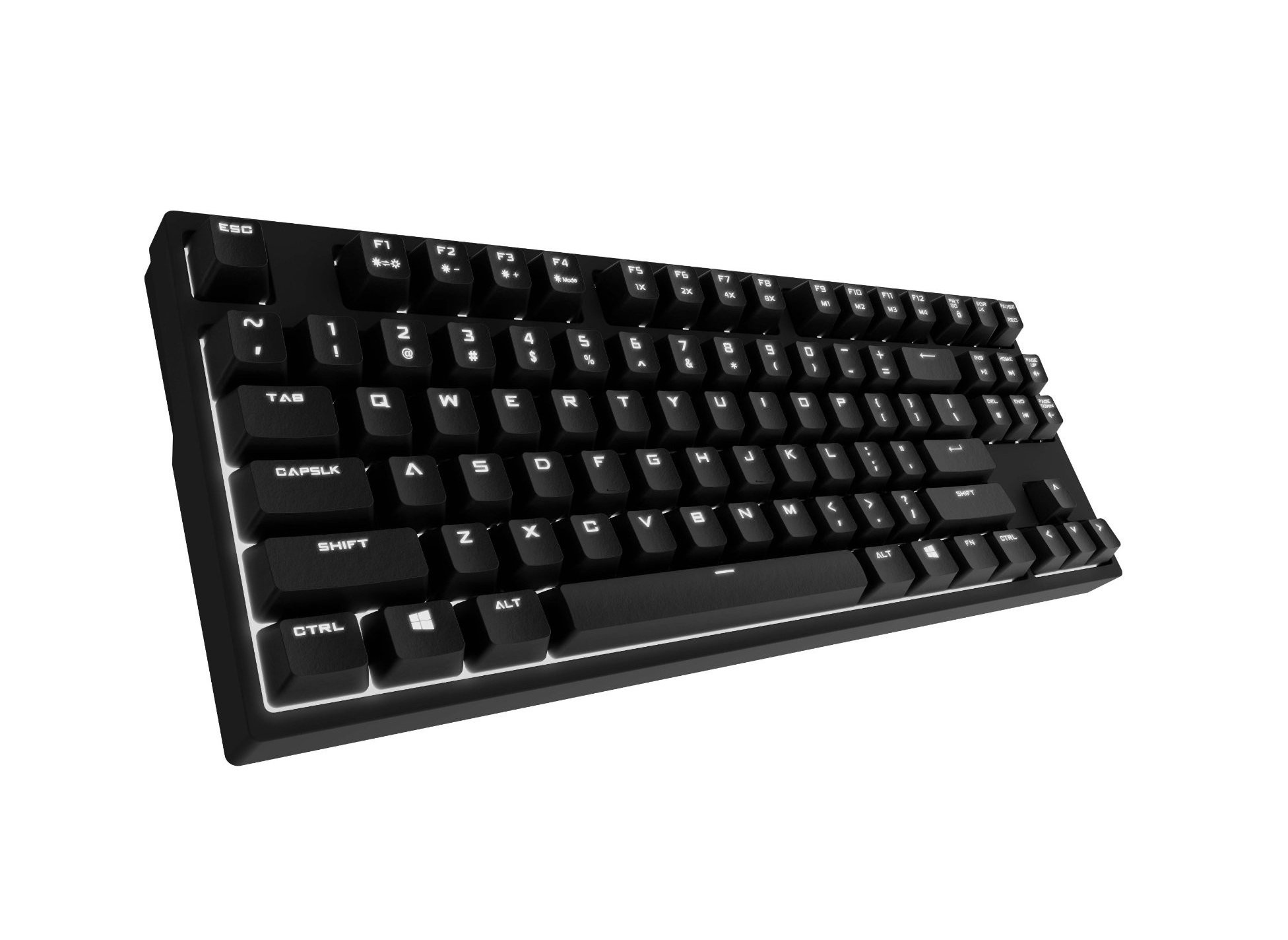
Image 1.1: Cooler Master CM Storm QuickFire Rapid-i Mechanical Gaming Keyboard.
2. Pakkauksen sisältö
Varmista, että pakkauksessasi on kaikki tarvittavat osat:
- Cooler Master CM Storm QuickFire Rapid-i Keyboard
- 1.8m Detachable Braided USB Cable
- Käyttöopas (tämä asiakirja)
3. Tuotteen ominaisuudet
- Fully Mechanical CHERRY MX Brown Keyswitches: Provides tactile feedback with low noise, optimized for gaming.
- Ten-keyless-muoto: Compact and ergonomic design for portability and improved mouse positioning.
- Fully White LED Backlit: Ensures visibility in low-light environments.
- ActivLite Technology: Features instant response and trailing light effects, powered by a 32-bit ARM processor.
- Individual Key Lighting: Allows saving up to 4 different lighting profiles erilaisiin sovelluksiin tai peleihin.
- 1.8m Detachable Braided Cable: Durable and convenient for transport.
- N-näppäimen vieritys: Registers an unlimited number of simultaneous keypresses, preventing ghosting.
4. Asennus
4.1 Näppäimistön kytkeminen
- Locate the detachable 1.8m braided USB cable.
- Connect the micro-USB end of the cable to the port on the back of the QuickFire Rapid-i keyboard.
- Liitä kaapelin tavallinen USB-A-pää tietokoneen vapaaseen USB-porttiin.
- The keyboard is plug-and-play compatible with Windows operating systems and should be recognized automatically.

Image 4.1: Connecting the detachable USB cable to the keyboard.
5. Käyttöohjeet
5.1 Näppäimistön perustoiminnot
The QuickFire Rapid-i functions as a standard QWERTY keyboard. All keys perform their labeled actions. Special functions are typically accessed via the Function (Fn) key combined with other keys.
5.2 ActivLite Technology and LED Backlighting
The keyboard features fully white LED backlighting with ActivLite Technology, offering various lighting modes and effects. These effects are controlled directly from the keyboard using key combinations, without requiring software.
- Välitön vastaus: Keys light up immediately upon press.
- Trailing Effect: Keys remain lit for a short duration after being pressed, creating a trailing light effect.
- Kirkkauden säätö: Käyttää Fn + F1 (decrease brightness) and Fn + F2 (increase brightness) to adjust the LED intensity.
- Valaistustilat: Cycle through various pre-programmed lighting modes using Fn + F3 to Fn + F8. Refer to the keyboard's keycap legends for specific mode indicators.

Kuva 5.1: Esim.ample of LED backlighting on the QuickFire Rapid-i.
5.3 Per-Key Lighting and Profiles
The QuickFire Rapid-i allows users to customize individual key lighting and save up to 4 different profiles directly on the keyboard's onboard memory.
- Entering Customization Mode: Paina Fn + F9 to enter the per-key lighting customization mode. The keyboard LEDs may flash to indicate this mode.
- Selecting Keys: Press any key you wish to toggle its LED on or off.
- Saving a Profile: Once your desired lighting pattern is set, press Fn + F10, Fn + F11, Fn + F12, tai Fn + Print Screen to save the current lighting pattern to one of the four available profiles. The keyboard will confirm the save.
- Ladataan ammattilaistafile: To load a saved profile, paina vain Fn + F10, Fn + F11, Fn + F12, tai Fn + Print Screen corresponding to the desired profile.
- Exiting Customization Mode: Paina Fn + F9 again to exit customization mode.

Image 5.2: Customizing individual key lighting for a personalized profile.
5.4 N-näppäimen rollover (NKRO)
The QuickFire Rapid-i supports N-Key Rollover, meaning every single keypress is registered accurately, regardless of how many keys are pressed simultaneously. This feature is crucial for fast-paced gaming where multiple commands might be executed at once.
6. Huolto
6.1 Näppäimistön puhdistaminen
- Irrota näppäimistö tietokoneesta ennen puhdistamista.
- Käytä pehmeää, nukkaamatonta liinaa hieman dampkastettu vedellä tai miedolla puhdistusliuoksella näppäinhattujen ja rungon pyyhkimiseksi.
- Vältä nesteiden suihkuttamista suoraan näppäimistölle.
- Käytä paineilmaa näppäinten välisten pölyn ja roskien poistamiseen.
- Do not use harsh chemicals, abrasives, or solvents as they may damage the keyboard's finish or keycap legends.
6.2 Kaapelien hoito
- Avoid sharp bends or kinks in the detachable braided cable.
- When disconnecting, pull from the connector head, not the cable itself.
7. Vianmääritys
7.1 Näppäimistö ei vastaa
- Varmista, että USB-kaapeli on kytketty kunnolla sekä näppäimistöön että tietokoneeseen.
- Kokeile kytkeä näppäimistö tietokoneen toiseen USB-porttiin.
- Testaa näppäimistöä toisella tietokoneella sulkeaksesi pois järjestelmäkohtaisen ongelman.
- Käynnistä tietokone uudelleen.
7.2 LED Backlighting Not Working or Flickering
- Check if the brightness is set to minimum using Fn + F1. Increase brightness with Fn + F2.
- Selaa valaistustiloja käyttämällä Fn + F3 to Fn + F8 to see if other modes function.
- Ensure you are not in a custom profile with all LEDs turned off. Try loading a different profile or resetting the lighting.
- Irrota näppäimistö ja kytke se uudelleen.
7.3 Keys Not Registering Correctly (Ghosting)
- The QuickFire Rapid-i features N-Key Rollover, which should prevent ghosting. If you experience this, ensure the keyboard is connected directly to a USB port on your computer, not through a hub.
- Puhdista kyseiset näppäimet Huolto-osiossa kuvatulla tavalla.
- If the issue persists, contact Cooler Master support.
8. Tekniset tiedot
| Merkki | Viileämpi mestari |
| Mallin nimi | SGK-4040-GKCB1 (CHERRY MX Brown switch) |
| Mallinumero | SGK-4040-GKCM1-US |
| Kytkimen tyyppi | CHERRY MX Brown (Tactile) |
| Yhteystekniikka | Langallinen (irrotettava USB-kaapeli) |
| Näppäimistön asettelu | QWERTY, Tenkeyless Form Factor |
| Taustavalo | Fully White LED, ActivLite Technology, Per-Key Lighting |
| Prosessori | 32-bit ARM Processor |
| N-näppäimen kiertäminen | Tuettu |
| Kaapelin pituus | 1.8 meters (Braided, Detachable) |
| Yhteensopiva käyttöjärjestelmä | Windows |
| Tuotteen mitat (P x L x K) | 14.13" x 5.43" x 1.54" (35.89 cm x 13.79 cm x 3.91 cm) |
| Tuotteen paino | 2.05 puntaa (0.93 kg) |
| Kotelon materiaali | Muovi |
9. Takuu ja tuki
9.1 Takuutiedot
The Cooler Master CM Storm QuickFire Rapid-i Mechanical Gaming Keyboard comes with a 12 kuukauden takuu ostopäivästä lukien. Tämä takuu kattaa valmistusvirheet ja normaalista käytöstä johtuvat ongelmat. Se ei kata väärinkäytöstä, onnettomuuksista, luvattomista muutoksista tai virheellisestä huollosta aiheutuneita vahinkoja.
Säilytä ostokuitti takuuvaatimuksia varten.
9.2 Tekninen tuki
For technical assistance, troubleshooting beyond this manual, or warranty inquiries, please visit the official Cooler Master support website or contact their customer service department. Contact information can typically be found on the Cooler Master official websivusto.
Note: Product specifications and warranty terms are subject to change without prior notice.