
Johdanto
Welcome to your iFrogz Orion Headphones. This manual provides essential information for the proper setup, operation, and maintenance of your device. Please read these instructions carefully before using your headphones.
Pakkauksen sisältö
- iFrogz Orion Headphones
- Tämä käyttöohje
Tuote loppuview
The iFrogz Orion headphones are designed for audio playback and communication. They feature a 40mm driver for sound delivery and an integrated in-line remote with a microphone for call and music control. The foldable design enhances portability.
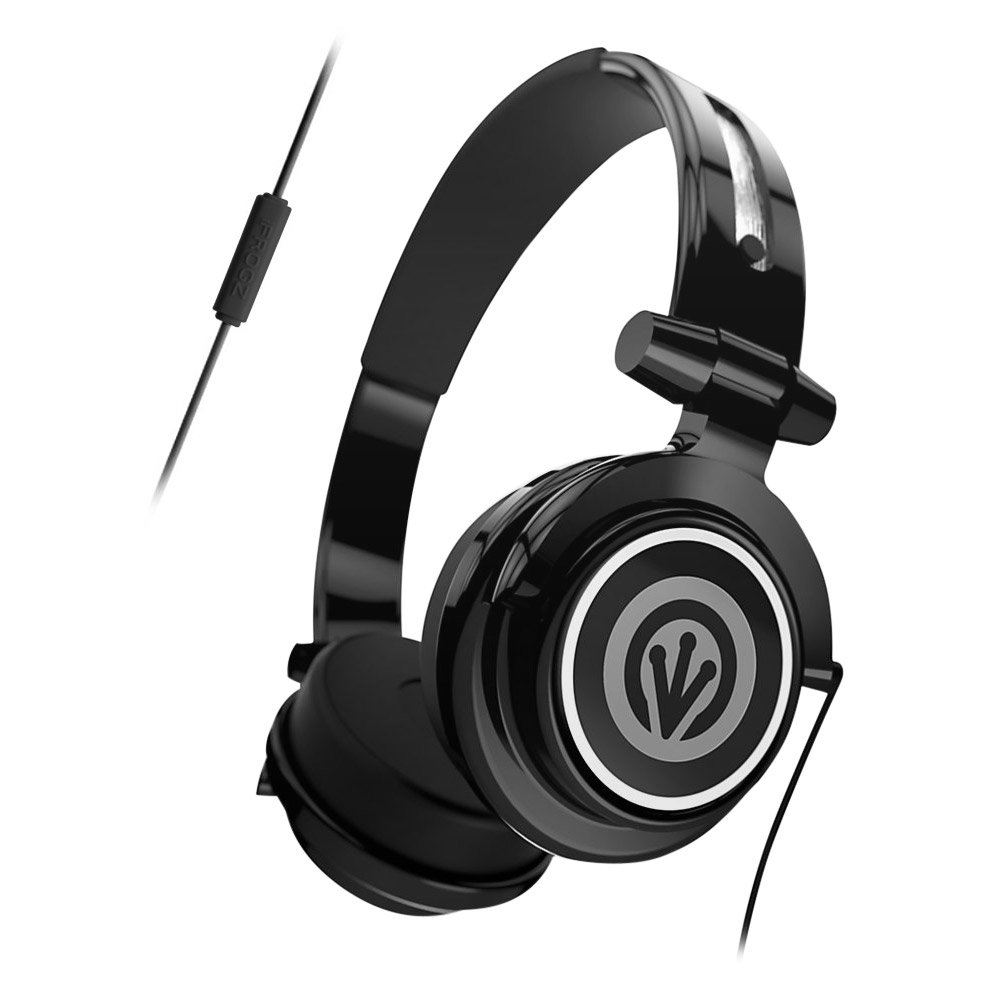
Image: iFrogz Orion Headphones, front view, black color, showcasing korvakupit ja panta.
Asennus
Kuulokkeiden liittäminen
- Locate the 3.5mm audio jack on your iFrogz Orion headphones.
- Insert the 3.5mm audio jack firmly into the compatible audio port of your device (e.g., smartphone, tablet, computer).
- Varmista, että liitäntä on tukeva optimaalisen äänentoiston takaamiseksi.
Käyttöohjeet
Äänen toisto
Once connected, audio from your device will play through the headphones. Adjust the volume using your device's native volume controls.
Using the In-Line Remote/Microphone
- Musiikin hallinta: Press the single button once to play or pause audio playback.
- Puhelunhallinta: Press the single button once to answer an incoming call. Press it again to end an active call.
- The integrated microphone allows for hands-free communication during calls.
Huolto
- Puhdistus: Use a soft, dry cloth to clean the exterior surfaces of the headphones. Do not use liquid cleaners, abrasive materials, or solvents, as these may damage the finish or internal components.
- Varastointi: When not in use, fold the headphones for compact storage. Store them in a cool, dry place, away from direct sunlight, excessive heat, or extreme cold.
- Kaapelihuolto: Avoid sharp bends, kinks, or excessive pulling on the audio cable to prevent internal wire damage.
Vianetsintä
Ei ääntä
- Varmista, että 3.5 mm:n ääniliitin on työnnetty kokonaan sekä kuulokkeisiin että äänilähdelaitteeseen.
- Check the volume level on your audio source device and ensure it is not muted.
- Test the headphones with a different audio source to determine if the issue is with the headphones or the original device.
Mikrofoni ei toimi
- Verify that the headphones are securely connected to your device.
- Check your device's audio settings to ensure the external microphone is selected and enabled.
Tekniset tiedot
| Ominaisuus | Kuvaus |
|---|---|
| Kuljettajan koko | 40 mm |
| Yhteydet | Langallinen (3.5 mm:n ääniliitäntä) |
| Ohjaus | In-line single-button remote/microphone |
| Design | Taitettava, kevyt |
| Materiaali | Muovi |
| Tuotteen paino | 8.8 unssia |
| Mitat | 8.78 x 6.46 x 3.35 tuumaa |
| Mallinumero | IF-ORI-BLK |
| UPC | 848467004830 |
Takuu ja tuki
For detailed warranty information, product registration, or customer support, please visit the official iFrogz websivustolta tai ota yhteyttä suoraan heidän asiakaspalveluunsa. Säilytä ostokuitti ostotodistuksena mahdollisten takuuvaatimusten varalta.