
1. Johdanto
Kiitos ostoksestasiasing the Lexon LR98R1 Onoff LCD Alarm Clock. This manual provides detailed instructions for the proper setup, operation, and maintenance of your device. Please read this manual thoroughly before use and retain it for future reference.
The Lexon Onoff alarm clock features a unique design where flipping the clock activates or deactivates the alarm. It includes an LCD display with a blue electroluminescent backlight for clear visibility.
2. Turvallisuustiedot
- Älä altista laitetta äärimmäisille lämpötiloille, suoralle auringonvalolle tai korkealle kosteudelle.
- Vältä laitteen pudottamista tai sen altistamista voimakkaille iskuille.
- Do not attempt to disassemble or modify the alarm clock. This will void the warranty.
- Pidä laite poissa vedestä ja muista nesteistä.
- Hävitä käytetyt paristot vastuullisesti paikallisten määräysten mukaisesti.
- Käytä vain määritettyä paristotyyppiä (2 x AAA).
3. Pakkauksen sisältö
Varmista, että pakkauksessa on kaikki tarvittavat osat:
- Lexon LR98R1 Onoff LCD Alarm Clock
- Käyttöopas (tämä asiakirja)
Huomautus: AAA-paristot eivät sisälly toimitukseen ja ne on ostettava erikseen.
4. Tuote ohiview
Familiarize yourself with the components of your Lexon Onoff alarm clock.
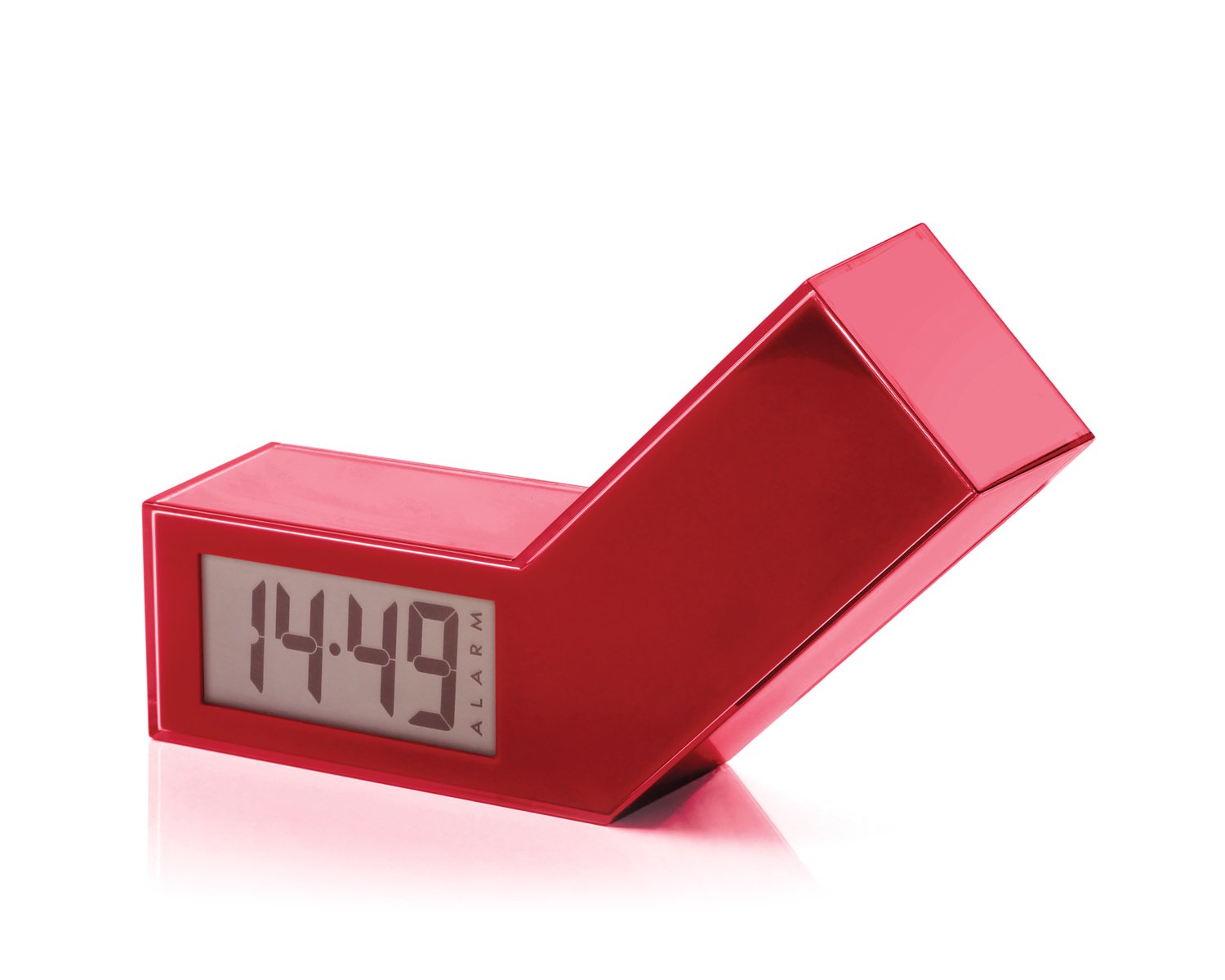
Kuva 1: Etuosa view of the Lexon LR98R1 Onoff LCD Alarm Clock. The image displays the alarm clock in its red casing, with the LCD screen visible. The side labeled 'ON' is facing upwards, indicating the alarm is active. The clock has a minimalist rectangular design.
While specific button labels are not visible in the provided image, typical alarm clock controls are usually located on the back or sides. These generally include:
- Ajan asetuspainike: To adjust the current time.
- Hälytyksen asetuspainike: To adjust the alarm time.
- Hour/Minute Adjustment Buttons: To change hour and minute values.
- Torkku-/valopainike: To temporarily silence the alarm or activate the backlight.
- Akkulokero: Located on the back or bottom.
5. Asennus
5.1 Akun asennus
- Etsi paristolokeron kansi herätyskellon takaa tai pohjasta.
- Avaa lokero liu'uttamalla tai nostamalla kantta.
- Aseta kaksi (2) AAA-paristoa lokeroon varmistaen oikean napaisuuden (+ ja -) lokeron sisällä olevien merkkien mukaisesti.
- Aseta paristolokeron kansi kunnolla takaisin paikalleen.
Note: Batteries are not included. Please use new AAA alkaline batteries for optimal performance.
5.2 Ensimmäinen käynnistys
Once batteries are installed, the LCD display should illuminate, and the clock will typically start at a default time (e.g., 12:00 AM). You will then need to set the current time and alarm.
6. Käyttöohjeet
6.1 Nykyisen ajan asettaminen
- Paina ja pidä painettuna AJAN ASETUS button (or similar, refer to device markings) until the hour digits begin to flash.
- Käytä TUNNIN ja MINUUTI adjustment buttons to set the correct hour and minute.
- Paina AJAN ASETUS uudelleen vahvistaaksesi ja poistuaksesi ajan asetustilasta.
6.2 Hälytysajan asettaminen
- Paina ja pidä painettuna HÄLYTYSASETUS button (or similar) until the alarm hour digits begin to flash.
- Käytä TUNNIN ja MINUUTI säätöpainikkeita asettaaksesi haluamasi herätysajan.
- Paina HÄLYTYSASETUS again to confirm and exit alarm setting mode.
6.3 Activating/Deactivating the Alarm (Onoff Feature)
The Lexon Onoff alarm clock features a unique flip mechanism:
- Vastaanottaja AKTIVOIDA the alarm, place the clock with the side labeled "ON" facing upwards. An alarm icon should appear on the LCD display.
- Vastaanottaja POISTA the alarm, flip the clock so the side labeled "POIS" is facing upwards. The alarm icon should disappear from the display.
6.4 Silencing the Alarm / Snooze Function
- Kun hälytys soi, paina SNOOZE / VALO button (usually a large button on top) to temporarily silence the alarm. The alarm will sound again after a few minutes (typically 5-10 minutes).
- To completely turn off the alarm for the day, flip the clock to the "POIS" position.
6.5 Näytön taustavalo
Paina SNOOZE / VALO button to activate the blue electroluminescent backlight for a few seconds, allowing you to view the time in low-light conditions.
7. Huolto
7.1 Puhdistus
Wipe the surface of the alarm clock with a soft, dry cloth. Do not use abrasive cleaners, solvents, or chemical sprays, as these may damage the finish or electronic components.
7.2 Pariston vaihto
When the display dims or the alarm function becomes unreliable, it is time to replace the batteries. Follow the battery installation steps in Section 5.1. Always replace both AAA batteries at the same time.
8. Vianmääritys
| Ongelma | Mahdollinen syy | Ratkaisu |
|---|---|---|
| Näyttö on tyhjä tai himmeä. | Paristot ovat tyhjiä tai ne on asennettu väärin. | Vaihda paristot uusiin AAA-paristoihin varmistaen oikean napaisuuden. |
| Hälytys ei soi. | Alarm is not activated (clock is in "OFF" position) or alarm time is not set. | Flip the clock to the "ON" position. Verify the alarm time is set correctly (Section 6.2). Ensure batteries are not low. |
| Aika on väärä. | Aikaa ei ollut asetettu oikein tai paristot oli poistettu/vaihdettu. | Reset the current time (Section 6.1). |
| Backlight does not work. | Paristot vähissä. | Vaihda paristot. |
9. Tekniset tiedot
| Mallinumero | LR98R1 |
| Merkki | Lexon |
| Näytön tyyppi | LCD with Blue Electroluminescent Backlight |
| Virtalähde | 2 x AAA paristot (ei mukana) |
| Materiaali | ABS / Injected Polycarbonate |
| Mitat (P x L x K) | 13.5 x 3.5 x 8 cm (noin 5.3 x 1.4 x 3.1 tuumaa) |
| Liikkeen tyyppi | Kvartsi |
| Erikoisominaisuudet | Onoff flip alarm activation/deactivation, Snooze function |
10. Takuu ja tuki
The Lexon LR98R1 Onoff LCD Alarm Clock comes with a 2 vuoden valmistajan takuu ostopäivästä alkaen. Tämä takuu kattaa materiaali- ja valmistusvirheet normaalikäytössä.
Takuu ei kata:
- Vahingot, jotka aiheutuvat onnettomuudesta, väärinkäytöstä, väärinkäytöstä, tulvasta, tulipalosta, maanjäristyksestä tai muista ulkoisista syistä.
- Vahingot, jotka aiheutuvat tuotteen käytöstä muulla kuin tässä käyttöoppaassa kuvatulla sallitulla tai tarkoitetulla tavalla.
- Damage caused by service performed by anyone who is not an authorized representative of Lexon.
- Products or parts that have been modified to alter functionality or capability without the written permission of Lexon.
For warranty claims or technical support, please contact Lexon customer service through their official website or your retailer. Please have your proof of purchase and model number (LR98R1) ready.