
1. Johdanto
This manual provides detailed instructions for the safe and effective use of your ElectraStim EM60 Flick Electro Stimulator. Please read this manual thoroughly before operating the device and retain it for future reference. The ElectraStim EM60 is designed for electro stimulation, featuring 7 stimulation settings with escalating patterns and pulsations, and 24 intensity levels. Its patented Flick feature offers rhythmic stimulation synchronized with hand movements.
2. Tärkeitä turvallisuustietoja
Although ElectraStim products are not medical devices, they are designed in accordance with European General Requirements for Safety of Medical Electrical Equipment (EN60601-1 and section 2.10 for nerve and muscle stimulators). All stimulators and accessories carry the mandatory CE mark.
Ennen käyttöä: Always read the stimulator and electrode instructions carefully. If any instructions are unclear, contact ElectraStim for further advice before use. Failure to follow instructions may result in injury or device malfunction.
Ehdotus 65 Varoitus: Tämä tuote voi sisältää kemikaaleja, joiden tiedetään Kalifornian osavaltion aiheuttavan syöpää, syntymävikoja tai muita lisääntymisvaurioita.
3. Pakkauksen sisältö
Varmista, että pakkauksessasi on kaikki alla luetellut tuotteet:
- ElectraStim EM60 Flick Stimulator Unit
- Electrode Pads (typically 4 pads)
- Lead Wires (for connecting electrodes)
- USB-latauskaapeli
- Microfibre Storage Bag
- Käyttöopas (tämä asiakirja)

4. Tuote ohiview
The ElectraStim EM60 Flick is a compact and rechargeable electro stimulator designed for ease of use and portability. It features a clear control panel with intuitive buttons for power, intensity adjustment, mode selection, and a unique Flick mode.

Säätimet ja ilmaisimet:
- Virtanappi (⏻): Kytkee laitteen päälle tai pois päältä.
- Intensity Up Button (▲): Increases stimulation intensity.
- Intensity Down Button (▼): Decreases stimulation intensity.
- Tilapainike (↻): Cycles through the 7 available stimulation patterns.
- Intensity Indicator LEDs: Displays the current stimulation level.
- Pariston ilmaisin: Shows battery status (bottom left).
5. Asennus
- Lataa laite: Before first use, fully charge the EM60 unit using the provided USB cable. Connect the small end of the USB cable to the charging port on the device and the larger end to a USB power source (e.g., computer, wall adapter). The battery indicator will show charging status.
- Kytke johdot: Insert the pin connectors of the lead wires into the output ports on the top of the EM60 unit.
- Kiinnitä elektrodityynyt: Kytke johtojen toinen pää elektrodeihin. Varmista, että liitäntä on tukeva.
- Elektrodityynyjen kiinnittäminen: Carefully peel the electrode pads from their protective backing. Apply the pads to clean, dry skin in the desired area. Ensure good contact for effective stimulation.
6. Käyttöohjeet
6.1. Virta päälle/pois
- Käynnistäminen: Pidä virtapainiketta painettuna (⏻) for approximately 2 seconds. The intensity indicator LEDs will light up.
- Sammuttaminen: Pidä virtapainiketta painettuna (⏻) for approximately 2 seconds. The LEDs will turn off.
6.2. Intensiteetin säätäminen
The EM60 offers 24 intensity settings.
- To increase intensity: Press the Intensity Up button (▲). Each press increases the intensity by one level.
- To decrease intensity: Press the Intensity Down button (▼). Each press decreases the intensity by one level.
- The intensity indicator LEDs will visually represent the current level. Start at the lowest setting and gradually increase to a comfortable level.
6.3. Changing Stimulation Modes
The device features 7 distinct stimulation patterns.
- To change mode: Press the Mode button (↻). Each press will cycle to the next available pattern.
- Kokeile eri tiloja löytääksesi itsellesi parhaiten sopivan.
6.4. Flick Mode Operation
The patented Flick feature allows for motion-controlled stimulation, utilizing an internal accelerometer to synchronize stimulation with your hand movements.
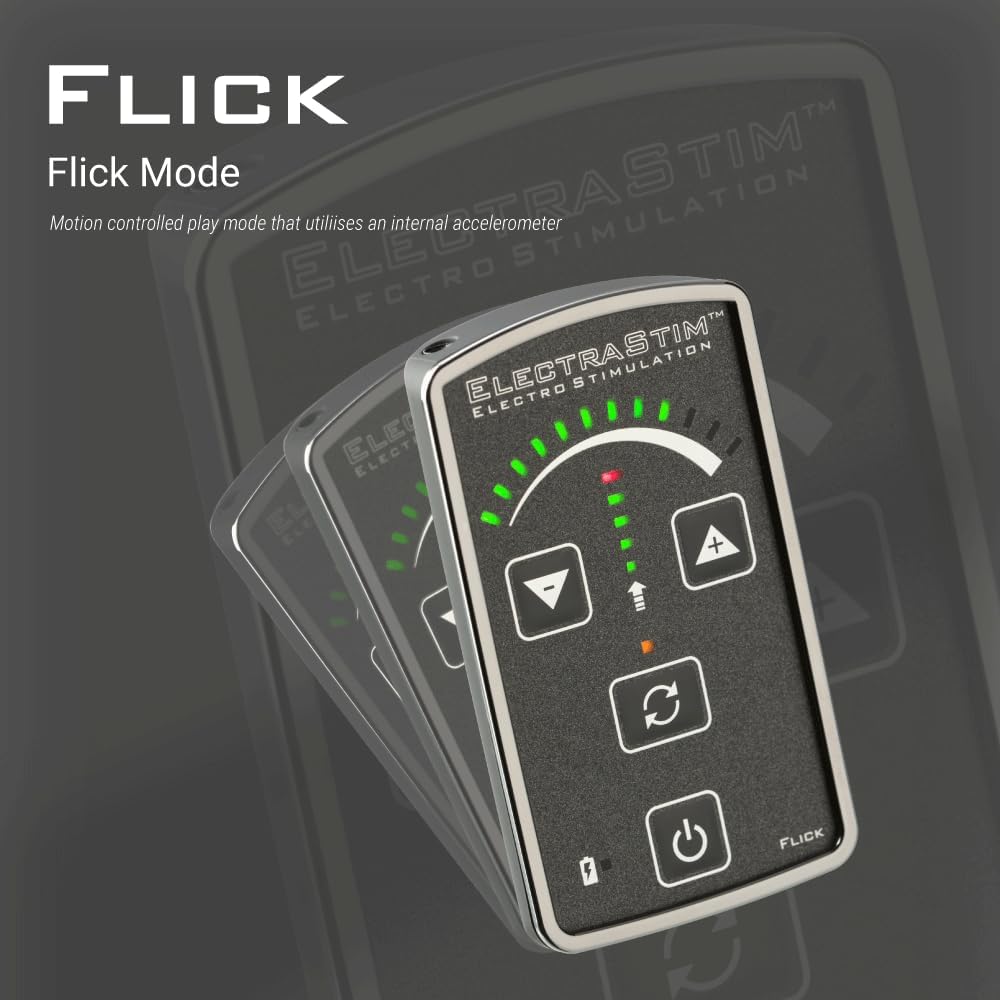
- Once active, the device will respond to your hand movements, providing a dynamic and interactive stimulation experience.
7. Lataus ja akunkesto
The ElectraStim EM60 features a rechargeable battery for convenience.

- Latausaika: Approximately 3 hours for a full charge using the provided USB cable.
- Akun kesto: The device will run for approximately 6 hours at 50% intensity. Actual battery life may vary depending on the selected intensity level and mode.
- Latausilmaisin: The battery indicator on the device will show the charging status.
8. Huolto ja hoito
- Laitteen puhdistus: Wipe the EM60 unit with a soft, damp liinalla. Älä upota laitetta veteen äläkä käytä hankaavia puhdistusaineita.
- Elektrodityynyt: After each use, gently re-apply the electrode pads to their protective backing to maintain their adhesive quality. Replace pads when they lose their stickiness.
- Varastointi: Store the device and accessories in the provided microfibre bag in a cool, dry place, away from direct sunlight and extreme temperatures.

9. Vianmääritys
| Ongelma | Mahdollinen syy | Ratkaisu |
|---|---|---|
| Laite ei käynnisty. | Akku on tyhjä. | Lataa laite USB-kaapelilla. |
| Ei tuntunut stimulaatiota. |
|
|
| Stimulation feels weak or inconsistent. |
|
|
10. Tekniset tiedot
| Malli | EM60 Flick |
| Merkki | ElectraStim |
| Stimulaatioasetukset | 7 mallia |
| Intensiteettitasot | 24 tasoa |
| Kanavat | Single Channel (for up to 2 unipolar accessories) |
| Virtalähde | Ladattava USB-muistitikku |
| Latausaika | Noin 3 tuntia |
| Ajoaika | Approx. 6 hours (at 50% intensity) |
| ASIN | B00AJ0G7FS |
| Valmistaja | ElectraStim |
11. Takuu ja tuki
The ElectraStim EM60 Flick Stimulator comes with a standard warranty. An image in the product listing indicates a "Free 3 year warranty upgrade." Please refer to the product packaging or the official ElectraStim websivustolta tarkemmat takuuehdot.
For technical support, troubleshooting assistance, or warranty claims, please contact ElectraStim customer service through their official websivusto tai jälleenmyyjä, josta tuote ostettiin.


