
Johdanto
Kiitos ostoksestasiasing the Orion 24" SLED2468W LED LCD HDTV. This manual provides essential information for the safe and efficient operation of your television. Please read it thoroughly before using the product and retain it for future reference.
Turvallisuustiedot
Turvallisen käytön varmistamiseksi ja vaurioiden välttämiseksi noudata seuraavia varotoimia:
- Älä altista televisiota sateelle tai kosteudelle.
- Älä tuki tuuletusaukkoja.
- Aseta televisio vakaalle ja tasaiselle alustalle.
- Käytä vain laitteen mukana toimitettua virtajohtoa.
- Irrota televisio pistorasiasta ukkosmyrskyjen aikana tai jos sitä ei käytetä pitkään aikaan.
- Anna kaikki huoltotoimenpiteet pätevän huoltohenkilöstön tehtäväksi.
Mitä laatikossa on
Pura laatikko varovasti pakkauksesta ja varmista, että kaikki osat ovat mukana:
- Orion 24" SLED2468W LED LCD HDTV
- Tv taso
- Remote Control (batteries not included, requires 2 AAA batteries)
- Virtajohto
- Käyttöopas (tämä asiakirja)
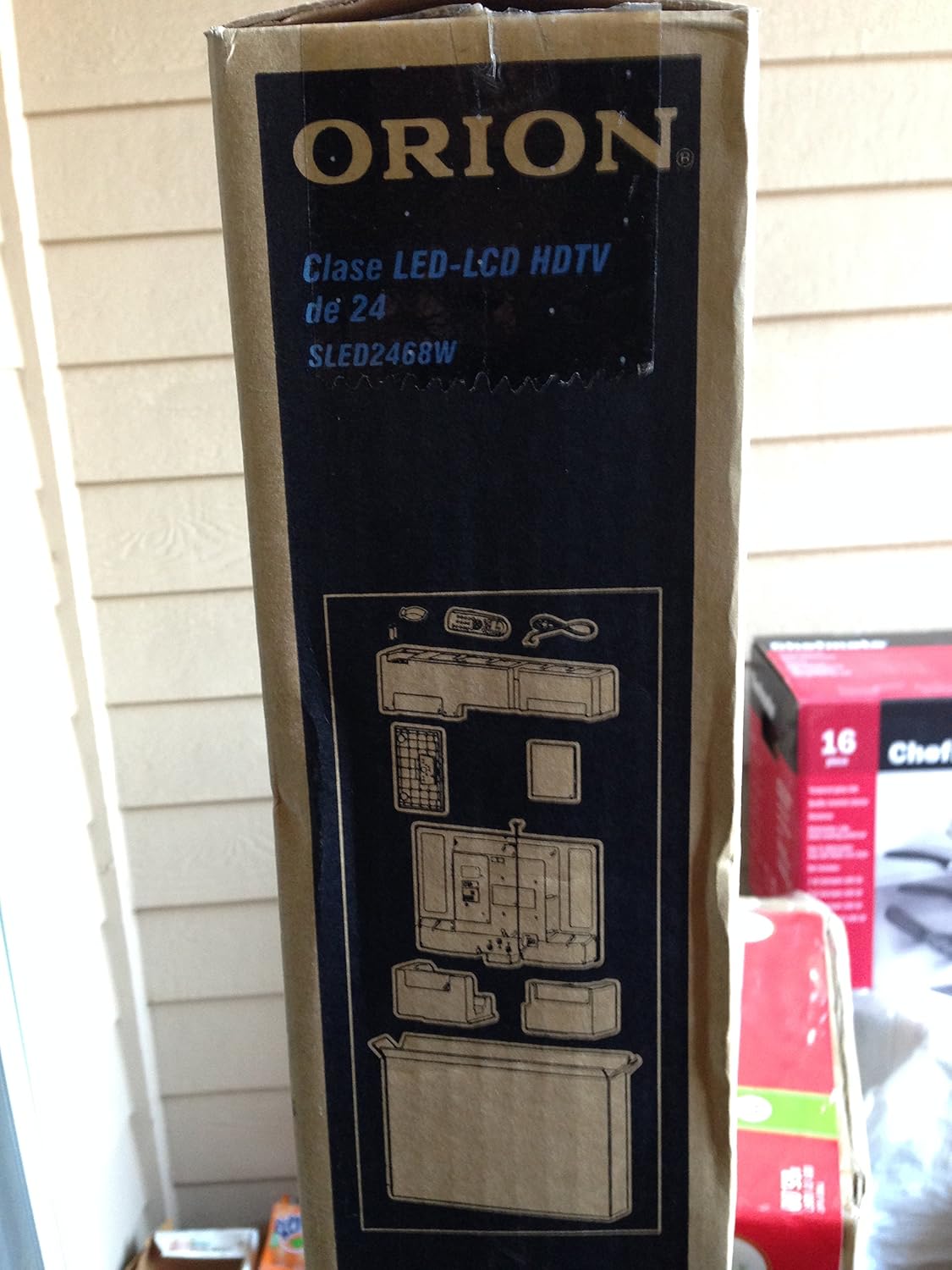
Image: The side of the Orion TV box illustrating the TV and stand components packed inside.
Asennus
1. Purkaminen
Remove the TV and all accessories from the packaging. Retain the packaging for future transport or storage.

Image: The front of the Orion 24" LED-LCD HDTV box, displaying the model number SLED2468W and key features such as Integrated Digital Tuner, USB Time Shift, HDMI, and Headphone/Digital Audio Output.
2. Jalustan kiinnittäminen
Place the TV screen-down on a soft, clean surface. Align the TV stand with the mounting holes on the bottom of the TV. Secure the stand using the provided screws.
3. Virran kytkeminen
Connect the power cord to the TV's power input and then to a standard 110 VAC, 60 Hz electrical outlet.
4. Ulkoisten laitteiden liittäminen
Televisiosi tukee useita ulkoisten laitteiden liitäntöjä:
- HDMI: Teräväpiirtoäänelle ja -videolle laitteista, kuten Blu-ray-soittimista, pelikonsoleista tai kaapeli-/satelliittibokseista.
- USB: For media playback or USB Time Shift functionality.
- Antenni/kaapeli: For receiving broadcast television signals via the integrated ATSC tuner.
- PC-tulo: For connecting a computer monitor.
- Headphone/Digital Audio Output (Coaxial): Ulkoisten äänijärjestelmien liittämiseen.

Image: A diagram illustrating various connection ports on the TV, including headphone, audio, PC monitor, and coaxial outputs. Also shown are the unit dimensions and weight.
5. Ohjattu alkuasetustoiminto
Upon first power-on, the TV will guide you through an initial setup process, including language selection, channel scanning, and time zone settings.
Toiminnassa
Kaukosäätimen perustoiminnot
The remote control allows you to access all TV functions. Ensure batteries are correctly inserted.
- Teho: Kytkee television päälle tai pois päältä.
- Kanava ylös/alas: Vaihtaa TV-kanavia.
- Äänenvoimakkuus ylös/alas: Säätää äänitasoa.
- Tulo/lähde: Selects the input source (HDMI, TV, USB, etc.).
- Menu: Avaa päävalikon asetusten säätöä varten.
- Navigointipainikkeet (ylös/alas/vasemmalle/oikealle/OK): Käytetään valikoissa navigointiin ja valintojen vahvistamiseen.
USB Time Shift
The TV features a USB Time Shift function. Connect a USB storage device to pause, rewind, or fast-forward live TV broadcasts. Refer to the on-screen menu for detailed instructions on activating and using this feature.
Internet-selain
This TV includes a basic internet browser. Connect the TV to your network (if applicable) to access web content. Performance may vary depending on network speed and website complexity.
Huolto
Näytön puhdistaminen
Pyyhi näyttö varovasti pehmeällä, nukkaamattomalla liinalla. Pinttyneisiin tahroihin hankaa kevyestiampKostuta liina vedellä tai erikoisnäytönpuhdistusaineella. Älä koskaan suihkuta nestettä suoraan näytölle.
Yleinen hoito
Keep the TV free from dust by regularly wiping the cabinet with a dry, soft cloth. Ensure adequate ventilation around the TV to prevent overheating.
Vianetsintä
Jos television kanssa ilmenee ongelmia, katso seuraavaa taulukkoa ennen kuin otat yhteyttä tukeen:
| Ongelma | Mahdollinen ratkaisu |
|---|---|
| Ei virtaa | Check if the power cord is securely connected to both the TV and the outlet. Ensure the outlet is functional. |
| Ei kuvaa, mutta ääni kuuluu | Varmista, että oikea tulolähde on valittu. Tarkista ulkoisten laitteiden liitännät. |
| Ei ääntä, mutta kuva näkyy | Check volume level and mute settings. Ensure external audio connections are secure. |
| Kaukosäädin ei toimi | Vaihda paristot. Varmista, ettei kaukosäätimen ja television infrapunatunnistimen välissä ole esteitä. |
| Huono kuvanlaatu | Check antenna connection. Adjust picture settings in the TV menu. |
Tekniset tiedot
Technical specifications for the Orion 24" SLED2468W LED LCD HDTV:
| Ominaisuus | Erittely |
|---|---|
| Mallinumero | SLED2468W |
| Näytön koko | 24 tuumaa |
| Näyttötekniikka | LED-LCD-näyttö |
| Resoluutio | 720p |
| Päivitystaajuus | 60 Hz |
| Kuvasuhde | 16:9 |
| Yhteystekniikka | HDMI, USB |
| Virittimen tyyppi | ATSC |
| Tuetut Internet-palvelut | Selain |
| Line Voitage | 110 VAC 60 Hz |
| On Mode Power Consumption | 37W (as per box image) |
| Yksikön mitat (LxSxK) | 21.65" x 5.39" x 14.21" (550 x 136.9 x 361 mm) (as per box image) |
| Yksikköpaino | 3.6 kg (8.0 lbs) (as per box image) |
| Valmistaja | Sansui |
| UPC | 755805020776 |
Takuu ja tuki
For warranty information and technical support, please refer to the documentation included with your purchase or visit the official Orion product support websivusto. Säilytä ostokuitti takuuvaatimuksia varten.