
1. Johdanto
Thank you for choosing the Coby LEDTV3216 32-Inch 720p 60Hz Slim-Bezel LED HDTV. This manual provides essential information for the safe and efficient operation of your television. Please read these instructions thoroughly before use and retain them for future reference.
The Coby LEDTV3216 offers a 32-inch widescreen display, a built-in digital TV tuner (ATSC/NTSC/QAM), and multiple connectivity options including HDMI and VGA. It features energy-efficient technology, digital noise reduction, and V-chip parental control.
2. Turvallisuustiedot
Turvallisen käytön varmistamiseksi ja vaurioiden välttämiseksi noudata seuraavia varotoimia:
- Virtalähde: Liitä televisio ainoastaan 100–240 V:n vaihtovirtalähteeseen, jonka taajuus on 50/60 Hz.
- Ilmanvaihto: Älä tuki tuuletusaukkoja. Varmista, että television ympärillä on riittävästi tilaa asianmukaisen ilmankierron varmistamiseksi.
- Vesi ja kosteus: Do not expose the TV to rain, moisture, or place objects filled with liquids on or near it.
- Lämmönlähteet: Pidä televisio kaukana pattereista, lämmönlähteistä, liesistä tai muista lämpöä tuottavista laitteista.
- Puhdistus: Unplug the TV from the wall outlet before cleaning. Use a soft, dry cloth. Do not use liquid or aerosol cleaners.
- Huolto: Älä yritä huoltaa tätä tuotetta itse. Anna kaikki huoltotoimenpiteet pätevän huoltohenkilöstön tehtäväksi.
- Seinäasennus: If wall-mounting, ensure the mount is VESA 200mm x 200mm compatible and installed by qualified personnel.
3. Pakkauksen sisältö
Varmista, että pakkauksessa on kaikki tarvittavat osat:
- Coby LEDTV3216 32-Inch LED HDTV
- Tv taso
- Kaukosäädin (vaatii 2 AAA-paristoa, sisältyvät pakkaukseen)
- Virtajohto
- Käyttöopas (tämä asiakirja)
4. Asennus
4.1 Jalustan kiinnitys
Mukana toimitetun jalustan kiinnittäminen:
- Aseta televisio kuvaruutu alaspäin pehmeälle ja puhtaalle alustalle, jotta näyttö ei vaurioidu.
- Kohdista jalustan pohja television pohjassa oleviin kiinnitysreikiin.
- Kiinnitä jalusta mukana toimitetuilla ruuveilla. Varmista, että kaikki ruuvit on kiristetty tiukasti.
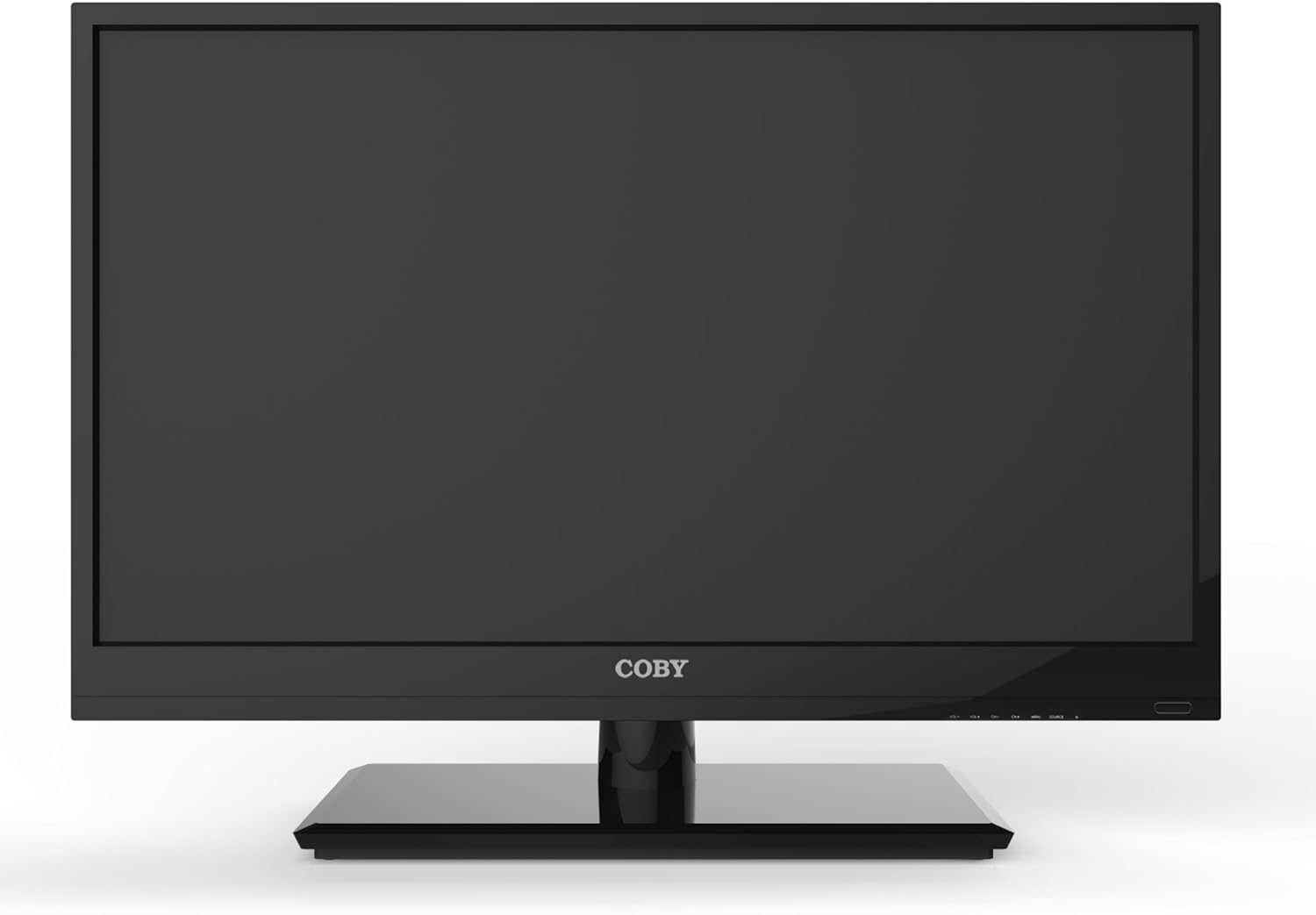
Kuva 4.1: Etuosa view of the Coby LEDTV3216 with stand.
4.2 Seinäkiinnitys (valinnainen)
The TV supports VESA 200mm x 200mm wall mounts. Wall mount hardware is not included. For safe installation, it is recommended to have the TV wall-mounted by a professional.
4.3 Laitteiden liittäminen
The Coby LEDTV3216 offers various input ports on the rear panel for connecting external devices.
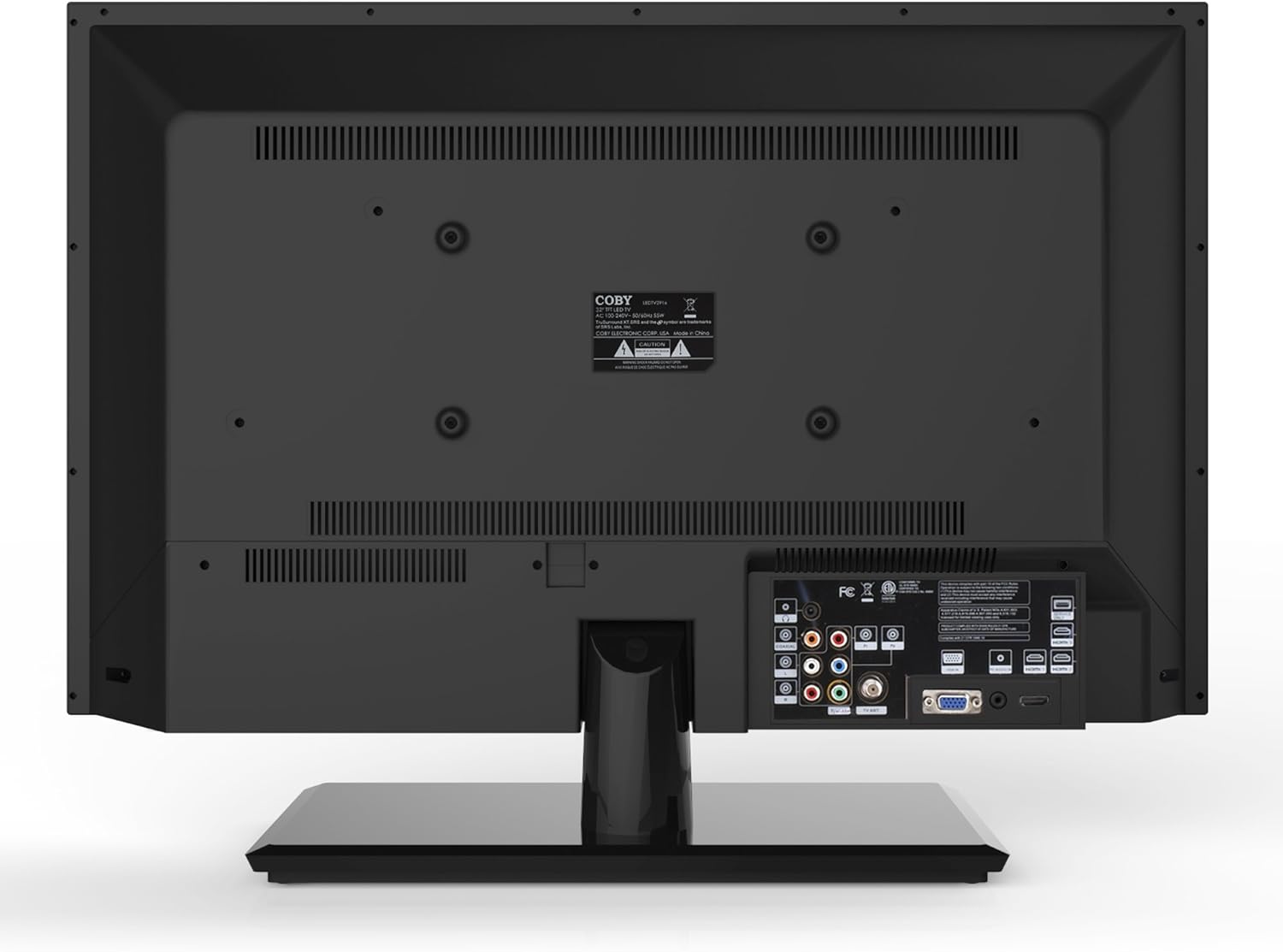
Kuva 4.2: Takaosa view tuloporttien kanssa.
- HDMI: Connect high-definition devices such as Blu-ray players, game consoles, or cable/satellite boxes using an HDMI cable. The TV has 1 HDMI port.
- VGA (PC Input): Connect a computer to use the TV as a monitor. Use a VGA cable for video and a 3.5mm audio cable for audio input.
- Antenni/kaapeli: Connect an antenna or cable TV feed to the RF input for receiving broadcast channels.
- Komponenttivideo (YPbPr): Connect devices using component video cables (red, green, blue) and corresponding audio cables (red, white).
- Komposiittivideo (AV): Connect older devices using composite video (yellow) and stereo audio (red, white) cables.
4.4 Ensimmäinen käynnistys
After connecting all desired devices and the power cord, press the Power button on the TV or remote control. Follow the on-screen prompts for initial setup, including language selection and channel scanning.
5. Television käyttö
5.1 Kaukosäätimen toiminnot
The remote control allows you to access all TV functions. Insert the two included AAA batteries into the remote control, observing polarity.
- Teho: Kytkee television päälle tai pois päältä.
- Tulo/lähde: Selects the input source (HDMI, VGA, TV, AV, Component).
- Äänenvoimakkuus (+/-): Säätää äänenvoimakkuutta.
- Kanava (CH +/-): Vaihtaa TV-kanavia.
- Menu: Avaa näyttövalikon (OSD).
- Navigointipainikkeet (ylös/alas/vasemmalle/oikealle): Selaa valikon vaihtoehtoja.
- OK/Syötä: Vahvistaa valinnat.
- Poistu: Sulkee valikon.
- Mykistä: Mykistää tai poistaa mykistyksen.
- Tiedot: Näyttää kanavan tai ohjelman tiedot.
5.2 Navigointi valikossa
Paina Valikko button on the remote to access the main menu. Use the navigation buttons to select categories such as Picture, Sound, Channel, Time, and Setup. Press OK to enter a sub-menu and adjust settings. Press Poistu poistuaksesi valikosta.
5.3 Kuva -asetukset
Adjust settings like Brightness, Contrast, Color, Tint, and Sharpness to optimize your viewing experience. Picture modes (e.g., Standard, Dynamic, Movie, User) are available for quick adjustments.

Figure 5.1: Coby LEDTV3216 displaying an image.
5.4 Ääniasetukset
Adjust Bass, Treble, and Balance. Sound modes (e.g., Standard, Music, Movie, User) are available. The TV features premium sound powered by SRS Labs.
5.5 Kanavaasetukset
Perform auto-scan or manual scan to find available channels. The built-in digital TV tuner supports ATSC, NTSC, and QAM standards.
5.6 Parental Control (V-Chip)
The V-chip parental control feature allows you to block programs based on their rating. Access this setting through the menu and follow the on-screen instructions to set up a password and content restrictions.
6. Ominaisuudet
Key features of the Coby LEDTV3216 include:
- Energy efficient technology (standby power less than 0.5W).
- Extended backlight life expectancy (30,000 hours).
- Built-in digital TV tuner (ATSC/NTSC/QAM).
- HDMI digital connection for perfect signal transmission.
- PC VGA connection for use as a computer monitor.
- Premium sound powered by SRS Labs.
- Digitaalinen kohinanvaimennus.
- V-chip parental control, Closed-Caption, and Electronic Program Guide support.
- Energy Star 5.3 compliant.
- Multi-language on-screen display.
- Wall-Mountable design (200mm x 200mm VESA Mount).
7. Tekniset tiedot
| Ominaisuus | Erittely |
|---|---|
| Mallin nimi | LEDTV3216 |
| Näytön koko | 32 tuumaa |
| Näyttötekniikka | LED |
| Resoluutio | 720p |
| Päivitystaajuus | 60 Hz |
| Kontrastisuhde | 3,000:1 |
| Vastausaika | 6 millisekuntia |
| Yhteystekniikka | HDMI, VGA |
| Total Number of HDMI Ports | 1 |
| Virittimen tyyppi | ATSC, NTSC, QAM |
| Lapsilukko | V-siru |
| VESA-kiinnitysstandardi | 200 x 200 mm |
| Tuotteen paino | 18.08 puntaa |
| Väri | Musta |

Figure 7.1: Estimated Yearly Energy Cost for LEDTV3216.
8. Huolto
8.1 Näytön puhdistaminen
Pyyhi näyttö varovasti pehmeällä, nukkaamattomalla liinalla. Pinttyneisiin tahroihin hankaa kevyestiampKostuta liina vedellä tai erikoisnäytönpuhdistusaineella. Älä koskaan suihkuta puhdistusainetta suoraan näytölle.
8.2 Kaapin puhdistus
Wipe the TV cabinet with a soft, dry cloth. Avoid using abrasive cleaners or solvents that may damage the finish.
9. Vianmääritys
Jos televisiossasi on ongelmia, katso seuraavat yleiset ongelmat ja ratkaisut:
| Ongelma | Mahdollinen syy / Ratkaisu |
|---|---|
| Ei virtaa | Varmista, että virtajohto on kytketty kunnolla televisioon ja toimivaan pistorasiaan. Tarkista virran merkkivalo. |
| Ei kuvaa, mutta ääni kuuluu | Varmista, että oikea tulolähde on valittu. Tarkista ulkoisten laitteiden kaapeliliitännät. |
| Ei ääntä, mutta kuva näkyy | Tarkista äänenvoimakkuus ja varmista, ettei televisio ole mykistetty. Tarkista ulkoisten laitteiden äänikaapeliliitännät. |
| Huono kuvanlaatu | Adjust picture settings (brightness, contrast, sharpness). Ensure the antenna or cable connection is secure. For digital channels, perform a channel scan. |
| Kaukosäädin ei toimi | Tarkista ja vaihda paristot tarvittaessa. Varmista, ettei kaukosäätimen ja television infrapunatunnistimen välissä ole esteitä. |
10. Takuu ja tuki
The Coby LEDTV3216 comes with a limited warranty. Please refer to the warranty card included with your product for specific terms and conditions. For technical support or service inquiries, please contact Coby customer service through their official websivustolla tai takuuasiakirjoissa annettujen yhteystietojen kautta.